
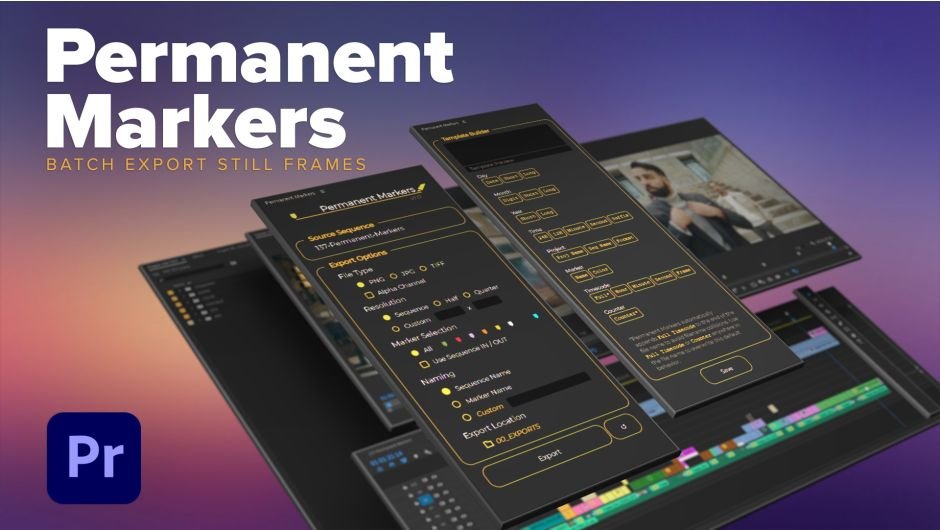
Permanent Markers for Premiere Pro
permanent markers script
Download Permanent Markers v1.0.3 for Premiere Pro on Windows and Mac, a powerful extension script that batch exports multiple static frame images from your sequences in one click. Perfect for video editors, advertising professionals, and content creators who need to quickly extract high-quality stills for client previews, social media content, or print materials.
Key Features of Permanent Markers v1.0.3:
- Batch Frame Export: Export multiple static frames from your sequence simultaneously—no more manual exporting one frame at a time
- Multiple File Formats: Choose from various image file types to suit your specific output needs
- Custom Resolution Settings: Set exact pixel dimensions for exported frames to match your delivery requirements
- Custom Naming System: Name exported images according to your own conventions for easy organization and retrieval
- Streamlined Workflow: Dramatically speeds up the process of extracting keyframes for thumbnails, client reviews, or print assets
- Cross-Platform Support: Works on both Windows and Mac systems
- Broad Compatibility: Supports Premiere Pro 2020 through 2024
Perfect For:
- Video editors needing to extract multiple frames for client previews and feedback
- Advertising professionals pulling high-res stills from video spots for print campaigns
- Social media managers creating static posts from video content
- Post-production teams requiring batch frame exports for QC and review
- Anyone tired of manually exporting frames one at a time
System Requirements:
- Adobe Premiere Pro 2024, 2023, 2022, 2021, 2020
- Windows 10/11 (64-bit) or macOS
- 4GB RAM minimum (8GB+ recommended)
- 25MB available disk space
- Enable “Allow Scripts to Write Files and Access Network” in Preferences > General
- English version of Premiere Pro recommended for optimal performance (avoid Chinese version to prevent expression errors)
Installation:
- Download and install the script following provided documentation
- In Premiere Pro, go to Edit > Preferences > General and enable “Allow Scripts to Write Files and Access Network”
- Restart Premiere Pro
- Access script via Window > Extensions > Permanent Markers (or as specified in documentation)
The Adobe Premiere Pro extension that lets you export multiple still frames from a sequence at once. Batch image exports with different file type options, resolutions, and custom naming.
Permanent Markers will export a still image in your timeline at every marker location or you can filter exports based on marker color.
Features:
- File type options (includes alpha channels)
- JPEG
- PNG
- TIFF
- Quick Resolution Options
- Sequence Resolution
- Half Resolution
- Quarter Resolution
- Custom Resolutions
- Marker Filtering
- Export still images based on selected marker colors
- Choose one color or multiple colors at once
- Only export stills between sequence IN / OUT points
- Export still images based on selected marker colors
- Custom File Naming
- Based on Marker Names or Sequence Name
- Generate names with the naming template builder


Elevate your motion graphics workflow with premium collection of After Effects plugins. Whether you are a seasoned professional or just starting your VFX journey, powerful tools designed to streamline complex tasks, unlock creative possibilities, and save you hours of rendering time. From stunning glitch effects and seamless transitions to advanced 3D extrusion and text animation tools, each plugin in our library is rigorously tested for compatibility with the latest versions of Adobe after Effects. Enhance your video production value today and download industry-leading plugins that help you create breathtaking visuals without the technical headaches. Browse our full range and find the perfect extension to supercharge your editing suite now.
➡️ ➡️ For more after effects Plugins 😀 😀
➡️ ➡️ System requirements AE
Reviews
There are no reviews yet.