
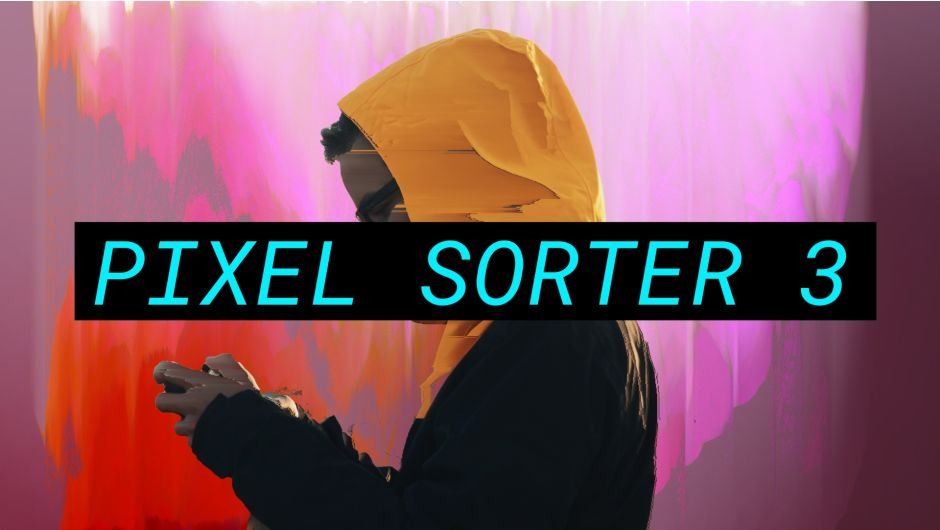
Pixel Sorter for After Effects
Primary Keyphrase: gradient generator script
Description:
Download FX Gradient v1.0 for After Effects, the most user-friendly way to create advanced gradient ramps with just a click. This intuitive toolset lets you generate linear, radial, angular, and reflected gradients using 30 carefully handcrafted color presets—plus add special effects like tiling, grain, and turbulence for unique, stylized looks .
Pixel Sorter was the first tool to bring the pixel sorting glitch effect available for motion designers and video editors within After Effects and Premiere Pro. Experimenting with Pixel Sorting just became so much easier! Since its launch, AEPS had a huge success in Broadcast TV, Live performances, VJs, Music Videos, Video Games, Photography and even Apparel! Version 3 brings a lot of new useful features.
FX Gradient streamlines a surprisingly tedious part of After Effects. Unlike the native gradient ramp (which only offers basic linear/radial options and requires manual recentering), this tool gives you one-click access to multiple gradient types with intelligent shortcuts. Shift+Click rotates gradients by 90°, Alt+Click swaps colors instantly, and the preset dropdown lets you test different color schemes on the fly using your keyboard’s up/down arrows .
Key Features of FX Gradient v1.0:
- 4 Gradient Types: Create linear, radial, angular, and reflected ramps with dedicated icon buttons
- 30 Color Presets: 21 basic two-color combinations plus 9 Colorama-based presets for multi-color gradients with individual transparency control
- Smart Shortcuts: Shift+Click rotates gradients 90°, Alt+Click inverts colors—no more manual point tweaking
- Real-Time Preview: Change color presets while your layer is selected and see results immediately; use keyboard arrows to cycle through options
- Special FX Options: Add tiling (with adjustable angle and seamless cycling), artistic grain diffusion, and turbulence effects (amplitude, scale, complexity, evolution) for organic, natural-looking results
- Compatible with YY Ramp+: Works even better with the free YY Ramp+ plugin (also Name Your Own Price) for faster performance and smoother angular/reflected gradients; without it, FX Gradient “mimics” shapes using native effects and expressions
- Lightweight Workflow: Apply gradients without digging through menus—ideal for creating skies, water, wood textures, retro looks, or radar-style angular designs
- Broad Compatibility: Works with After Effects CS6 through 2025
Note for CS6 Users: Color presets appear as text names rather than round icons due to scripting limitations; the effect may show as “missing” but functions perfectly .
Perfect For:
- Motion graphics artists needing quick, flexible gradient generation
- Designers creating backgrounds, textures, and stylized effects
- Anyone frustrated by After Effects’ limited native gradient controls
- Users wanting to experiment with color schemes without manual adjustments
System Requirements:
- Adobe After Effects 2025, 2024, 2023, 2022, 2021, 2020, CC 2019, CC 2018, CC 2017, CC 2015.3, CC 2015, CC 2014, CC, CS6
- Windows 10/11 (64-bit) or macOS
- 4GB RAM minimum (8GB+ recommended)
- 25MB available disk space
Version 1.0 Release (October 10, 2019): Initial launch with all core features .
The Most Powerful Pixel Sorting Tool!
Pixel Sorter was the first tool to bring the pixel sorting glitch effect available for motion designers and video editors within After Effects. Experimenting with Pixel Sorting then became so much easier. Now in its version 3, the plugin is loaded with cool features that will let you create your unique look!

The Finest Glitch
The premium digital artifact seen in many Music Videos, TV Series, Feature Films, Title Sequences, Video Games, VJ Loops, even Apparel!
Thanks for making glitch design so stylish!
– Patrick Clair
More Use Cases
Travis Scott – SICKO MODE ft. Drake
GHOST IN THE SHELL – REEL from Ash Thorp
Watch Dogs 2 from Ubisoft
MEMORIES from Benjamin Bardou
Tutorials
Overview
Using Masks Constraint
A new feature allows you to use masks to constraint the sorting.
Adding Noise
It’s now simpler than ever to add details to the sorting effect, with the use of the new Noise section.
Mirror Sort
A new feature allows for smoother, loopable animations.
Floating Particles
Create the illusion of floating particles emitting from the image.
Elevate your motion graphics workflow with premium collection of After Effects plugins. Whether you are a seasoned professional or just starting your VFX journey, powerful tools designed to streamline complex tasks, unlock creative possibilities, and save you hours of rendering time. From stunning glitch effects and seamless transitions to advanced 3D extrusion and text animation tools, each plugin in our library is rigorously tested for compatibility with the latest versions of Adobe after Effects. Enhance your video production value today and download industry-leading plugins that help you create breathtaking visuals without the technical headaches. Browse our full range and find the perfect extension to supercharge your editing suite now.
➡️ ➡️ For more after effects Plugins 😀 😀
➡️ ➡️ System requirements AE
Reviews
There are no reviews yet.