
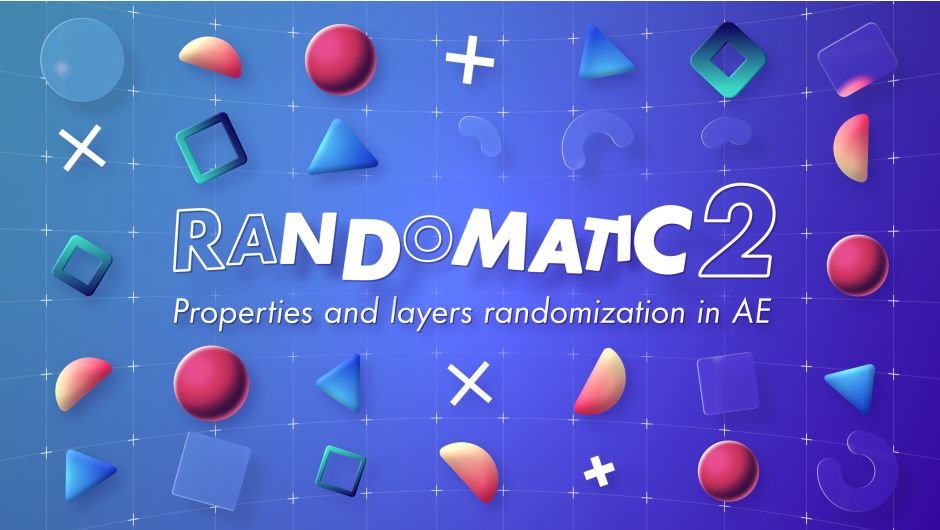
Randomatic 2 for After Effects
randomatic 2 script
Download Randomatic 2 v2.11 for After Effects on Windows and Mac, a powerful randomizer script that adds controlled randomness to your animations with unparalleled flexibility. Create natural, organic motion by randomizing keyframe values, timing, and layer properties—with complete control over what gets randomized and to what degree.
Key Features of Randomatic 2 v2.11:
- Comprehensive Randomization: Randomize keyframe values, timing, layer positions, colors, effects, and nearly any animatable property in After Effects
- Targeted Controls: Choose exactly which properties to affect—randomize only position, only rotation, or any combination with precision
- Random Ranges: Set minimum and maximum values for each randomized property to maintain creative control while adding organic variation
- Seed Management: Use random seeds to create reproducible results for consistent effects across multiple uses
- Multi-Layer Support: Apply randomization to hundreds of layers simultaneously for efficient workflow
- Real-Time Preview: See randomization results update instantly as you adjust parameters
- Preset System: Save your favorite randomization configurations for quick reuse across projects
- Cross-Platform Support: Works on both Windows and Mac systems
Perfect For:
- Motion graphics artists creating organic, natural-looking animations
- VFX designers adding controlled randomness to particle systems and backgrounds
- Animators wanting to break up repetitive motion with subtle variations
- Anyone looking to add life and unpredictability to their animations
- Studios needing to create unique variations from the same base elements
System Requirements:
- Adobe After Effects 2025, 2024, 2023, 2022
- Windows 10/11 (64-bit) or macOS
- 4GB RAM minimum (8GB+ recommended)
- 25MB available disk space
- Enable “Allow Scripts to Write Files and Access Network” in Preferences > Scripting & Expressions
Installation:
Copy the script file to your After Effects ScriptUI Panels folder:
- Windows:
C:\Program Files\Adobe\Adobe After Effects [version]\Support Files\Scripts\ScriptUI Panels\ - Mac:
/Applications/Adobe After Effects [version]/Scripts/ScriptUI Panels/
Access via Window menu > Randomatic 2
Note: Version 2.11 includes performance improvements and enhanced randomization options over previous releases . The script is essential for creating natural, organic motion that avoids the mechanical look of perfectly uniform animations .
The perfect solution for creating Random and Wiggle animations on 2D, 3D and color properties in After Effects.
All about randomness in After Effects
Make your animations more detailed and organic with randomness.
Randomize all 2D, 3D and color properties of After Effects
Choose between static random, animated random or wiggle.
Control the randomized properties with custom made controllers and expressions.

“I already use the wiggle expression, why use Randomatic?”
With Randomatic, no need to write a single line of code. Its Random and Wiggle controllers offer far more options than basic expressions and can manage hundreds of properties at once.

Increment (Random)

Choice of axis

Loop (Wiggle)

Random generator

Sync. layers

Strength
The perfect tool for animating UIs
Add depth to your animations without a single keyframe!

Random vs Wiggle
Random and Wiggle are two algorithms that generate very different results. Random produces fully random values with a fairly mechanical animation, while Wiggle revolves around its original value in a more organic way.
Good to know: Random stays strictly within the given range, while Wiggle may slightly exceed it.

3 different ways to randomize your colors
Gradient
Only 2 colors
for a rainbow of possibilities.

Palette
Up to 10 colors.

HSL
Hue, Saturation and Luminosity:
One effect to rule them all.

Manage your Randomatic controllers easily
Don’t waste any more time searching and deleting Randomatic expressions by hand. Let these new options take care of it.

Delete
Automatically remove the Randomatic effect and all expressions with a single click.

Replace
Replace your Randomatic effect with another in a few clicks. It preserves keyframes and settings.

Transfer
Transfer your Randomatic controllers to any layer, even in another composition.

Random generator
Randomize all your “Random generator” properties at once.
Bingo!
More easing functions
The easing library just expanded. Control your random animations more precisely.
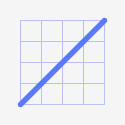
Linear
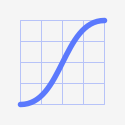
Ease
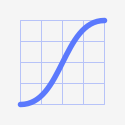
Quad
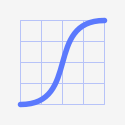
Quart
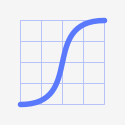
Quint
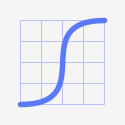
Expo
Randomatic 2 also randomizes layers
Unless you like to randomize dozens of layers by hand?
And speaking of layers, make sure to check out Keystone, the all-in-one toolbox for working with layers and keyframes!

Offset

Stretch

Index
Randomatic 2 tutorial
Master the power of randomness!
Elevate your motion graphics workflow with premium collection of After Effects plugins. Whether you are a seasoned professional or just starting your VFX journey, powerful tools designed to streamline complex tasks, unlock creative possibilities, and save you hours of rendering time. From stunning glitch effects and seamless transitions to advanced 3D extrusion and text animation tools, each plugin in our library is rigorously tested for compatibility with the latest versions of Adobe after Effects. Enhance your video production value today and download industry-leading plugins that help you create breathtaking visuals without the technical headaches. Browse our full range and find the perfect extension to supercharge your editing suite now.
➡️ ➡️ For more after effects Plugins 😀 😀
➡️ ➡️ System requirements AE
Reviews
There are no reviews yet.