
Responsive Tools for After Effects
responsive tools script
Download Responsive Tools v1.0 for After Effects on Windows and Mac, a powerful script that automates the setup of responsive layouts for Motion Graphics Templates (MOGRTs). This essential tool eliminates the need for complex expressions and manual configuration when creating templates that need to adapt to different aspect ratios and text lengths in Premiere Pro.
Key Features of Responsive Tools v1.0:
- Smart Aspect Ratio Adaptation: Automatically configure your templates to adjust gracefully when editors change aspect ratios in Premiere Pro
- Responsive Text Backgrounds: Create backgrounds that automatically resize based on text length—no more manually adjusting boxes for each caption
- Edge Snapping Controls: Set up elements that intelligently snap to composition edges, maintaining proper positioning regardless of dimensions
- Collapsible Sections: Organize complex responsive setups with collapsible groups that keep your timeline clean
- One-Click Setup: Apply responsive behaviors with a single click instead of writing complex expressions
- Essential Graphics Ready: All controls automatically populate the Essential Graphics panel for easy editing in Premiere Pro
- Cross-Platform Support: Works on both Windows and Mac systems
Perfect For:
- Motion graphics artists creating MOGRT templates for Premiere Pro
- Designers building templates that need to work at multiple aspect ratios
- Anyone tired of writing complex responsive expressions from scratch
- Studios producing template packs for distribution and sale
- Editors who want to create their own customizable templates
System Requirements:
- Adobe After Effects 2025, 2024, 2023, 2022
- Windows 10/11 (64-bit) or macOS
- 4GB RAM minimum (8GB+ recommended)
- 25MB available disk space
- Enable “Allow Scripts to Write Files and Access Network” in Preferences > Scripting & Expressions
Installation:
Copy the script file to your After Effects ScriptUI Panels folder:
- Windows:
C:\Program Files\Adobe\Adobe After Effects [version]\Support Files\Scripts\ScriptUI Panels\ - Mac:
/Applications/Adobe After Effects [version]/Scripts/ScriptUI Panels/
Access via Window menu > Responsive Tools
Note: This is version 1.0, the initial release of this responsive template creation tool . Future updates may add additional responsive behaviors and enhanced customization options . The script is essential for anyone creating professional templates for distribution .
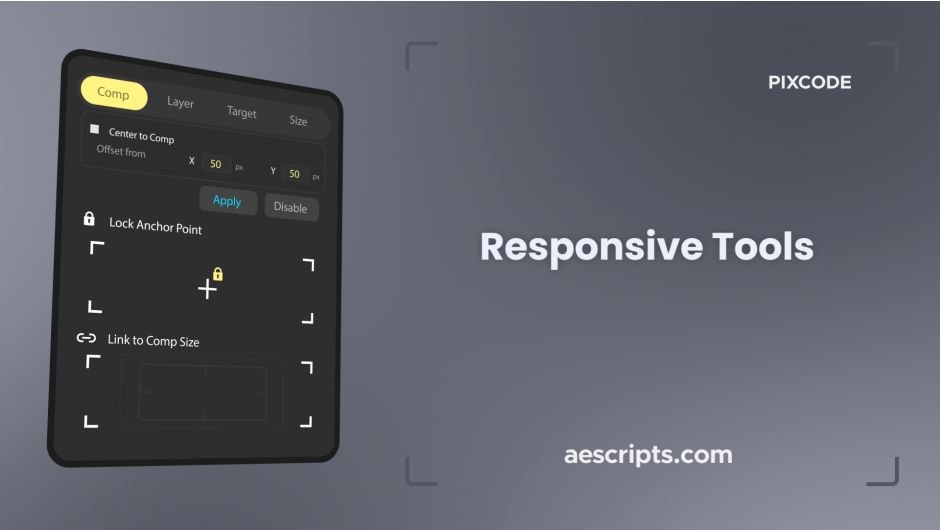
Toolkit for making objects and compositions adaptive and responsive .
Responsive and adaptive layout for any text layer


Features
- 4 modes for auto-adapting text layers (Comp, Layer, Target, Size)
- Lock anchor point at 9 points
- Lock layers to 8 points of the composition to make it responsive
- Do everything without creating extra layers
- Do everything without affecting existing animation
Elevate your motion graphics workflow with premium collection of After Effects plugins. Whether you are a seasoned professional or just starting your VFX journey, powerful tools designed to streamline complex tasks, unlock creative possibilities, and save you hours of rendering time. From stunning glitch effects and seamless transitions to advanced 3D extrusion and text animation tools, each plugin in our library is rigorously tested for compatibility with the latest versions of Adobe after Effects. Enhance your video production value today and download industry-leading plugins that help you create breathtaking visuals without the technical headaches. Browse our full range and find the perfect extension to supercharge your editing suite now.
➡️ ➡️ For more after effects Plugins 😀 😀
➡️ ➡️ System requirements AE
Reviews
There are no reviews yet.