
ReTrack 2
retrack tracking script
Download ReTrack v2.1.3 for After Effects on Windows and Mac, a powerful motion tracking engine and editor that lets you combine all types of AE tracking data to precisely re-track difficult shots . Rebuild partial tracked data, fix bad tracking by working above existing keyframes, and save hours of manual correction work .
Key Features of ReTrack v2.1.3 :
- Auto Rebuild Tool: Select available tracking data (masks, tracker points, Mocha data, Face Track Points, layer transforms) and rebuild using Between Position (simple horizontal/vertical) or Perspective (rotation, scale, perspective) methods
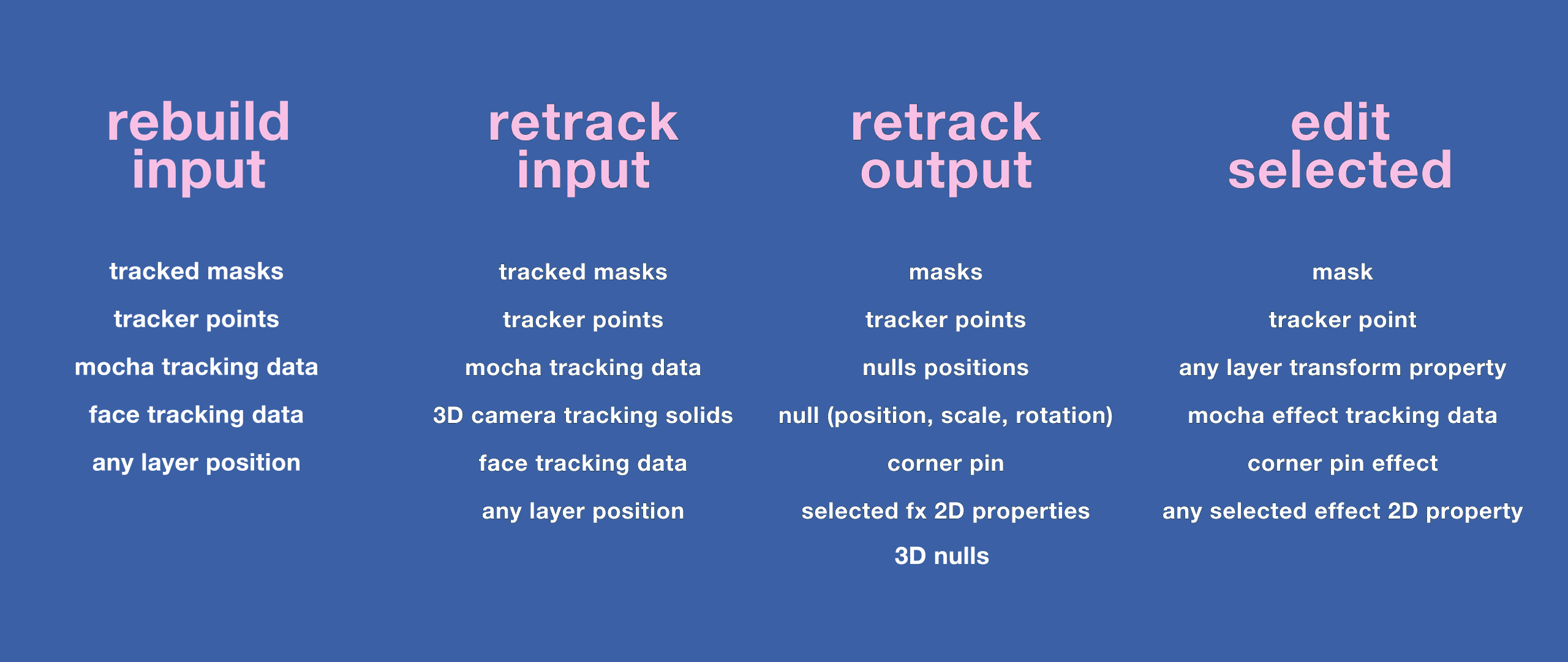
- Track Tool Integration: Load all AE tracking data types—3D camera tracking solids, tracked masks, tracker points, face tracking data, Mocha data—into ReTrack for unified processing. Draw temporary masks on generated point clouds to estimate missing tracks, retrack off-screen targets, and build complex tracking from basic data. Output to masks, corner pins, transform data, tracker points, nulls, or 3D nulls
- Edit Tool with Virtual Keyframing: Select and edit tracked data using a virtual keyframing system that works above original tracked keyframes. Adjust and refine tracked items without modifying every keyframe—supports masks, corner pins, tracker points, mocha effect data, layer transforms, and any selected 2D effect properties
- v2.1.3 Fixes (Sep 4, 2023) : Fixed issue where edit tool generated only 1 marker key when layer starts at composition beginning; improved error handling
Perfect For:
- VFX artists fixing problematic tracking data without re-tracking from scratch
- Motion graphics designers combining multiple tracking sources for complex shots
- Compositors needing to rebuild partial or corrupted tracking data
- Anyone tired of manually adjusting bad tracking keyframe by keyframe
System Requirements :
- Adobe After Effects 2025, 2024, 2023, 2022, 2021, 2020, CC 2019, CC 2018, CC 2017, CC 2015.3, CC 2015, CC 2014, CC, CS6
- Windows 10/11 (64-bit) or macOS
- 4GB RAM minimum (8GB+ recommended)
- 100MB available disk space
- Important: English version of After Effects recommended—Chinese version may cause expression errors
- Enable “Allow Scripts to Write Files and Access Network” in Preferences > General > Allow Scripts to Write Files and Access Network
Installation :
Copy ReTrack.jsxbin to your After Effects ScriptUI Panels folder:
- Windows:
C:\Program Files\Adobe\Adobe After Effects [version]\Support Files\Scripts\ScriptUI Panels\ - Mac:
/Applications/Adobe After Effects [version]/Scripts/ScriptUI Panels/
Access via Window menu > ReTrack
Note: A free demo is available after logging in for testing before purchase . The script is priced at $59.99 from aescripts.com . ReTrack 2’s edit tool is not compatible with v1.x edit tool .
It’s a motion-tracking engine and editor. Use together all types of AE tracked data and re-track difficult shots precisely with selections. Rebuild partial tracked data. Adjust bad tracking by working above tracked keyframes.
WHAT’S NEW IN V2
Auto Rebuild partial tracked data.UI helpers controls.Convert tracked data directly.Keys based edit tool with trimmed and shifted layers support.Perspective tracked masks support.Transfer 3D Camera motion to 3D nulls.
THE AUTO REBUILD TOOL
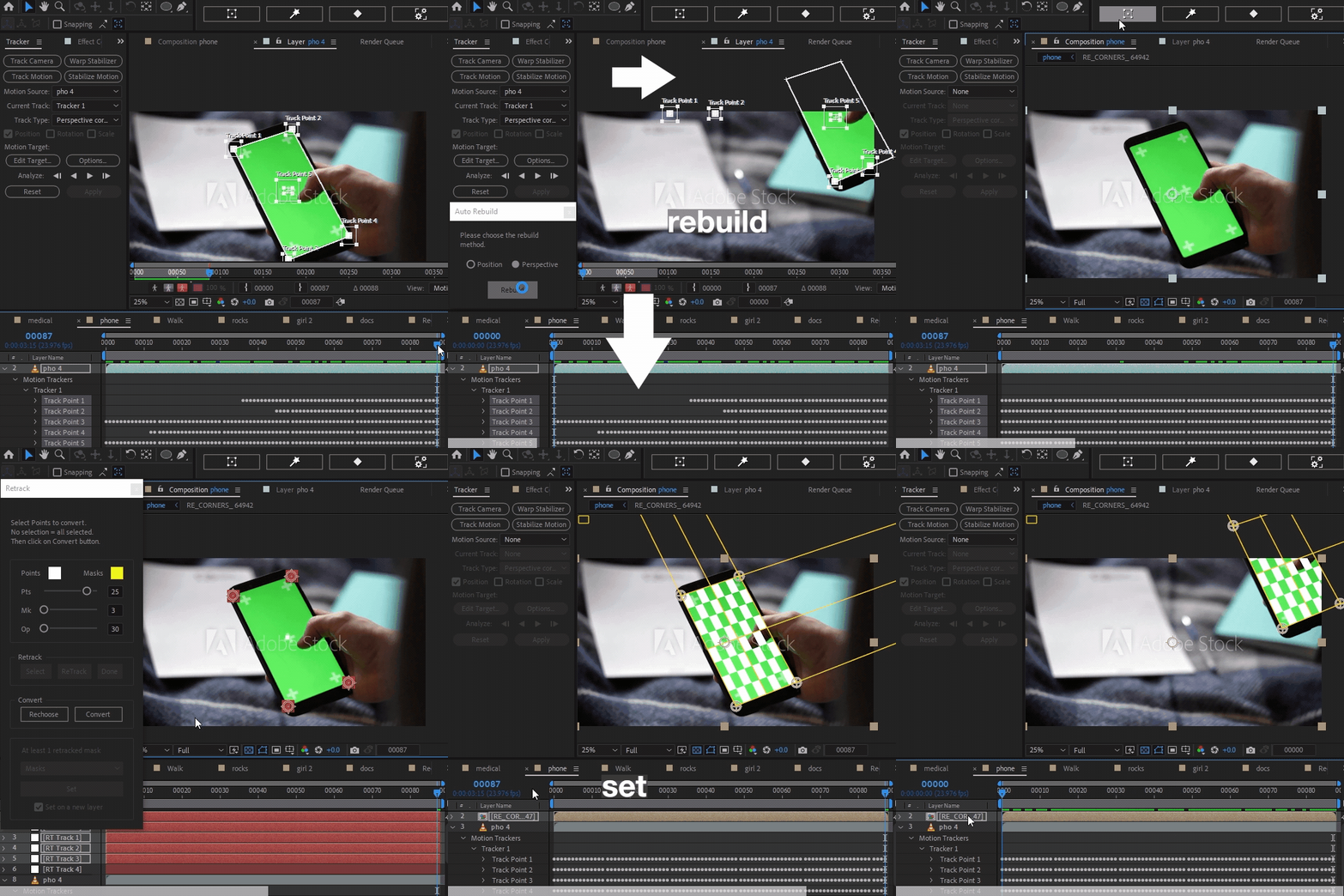
Select the available tracked data (masks, tracker points, Mocha data, Face Track Points effects, layers transform properties), and choose the rebuilding method Between Position (for simple horizontal and vertical tracked motion) and Perspective (rotational, scaled and perspective motion).
THE TRACK TOOL
Load all types of AE tracked data: 3D camera tracking solids, tracked masks, tracker points, face tracking data and Mocha data into Retrack.
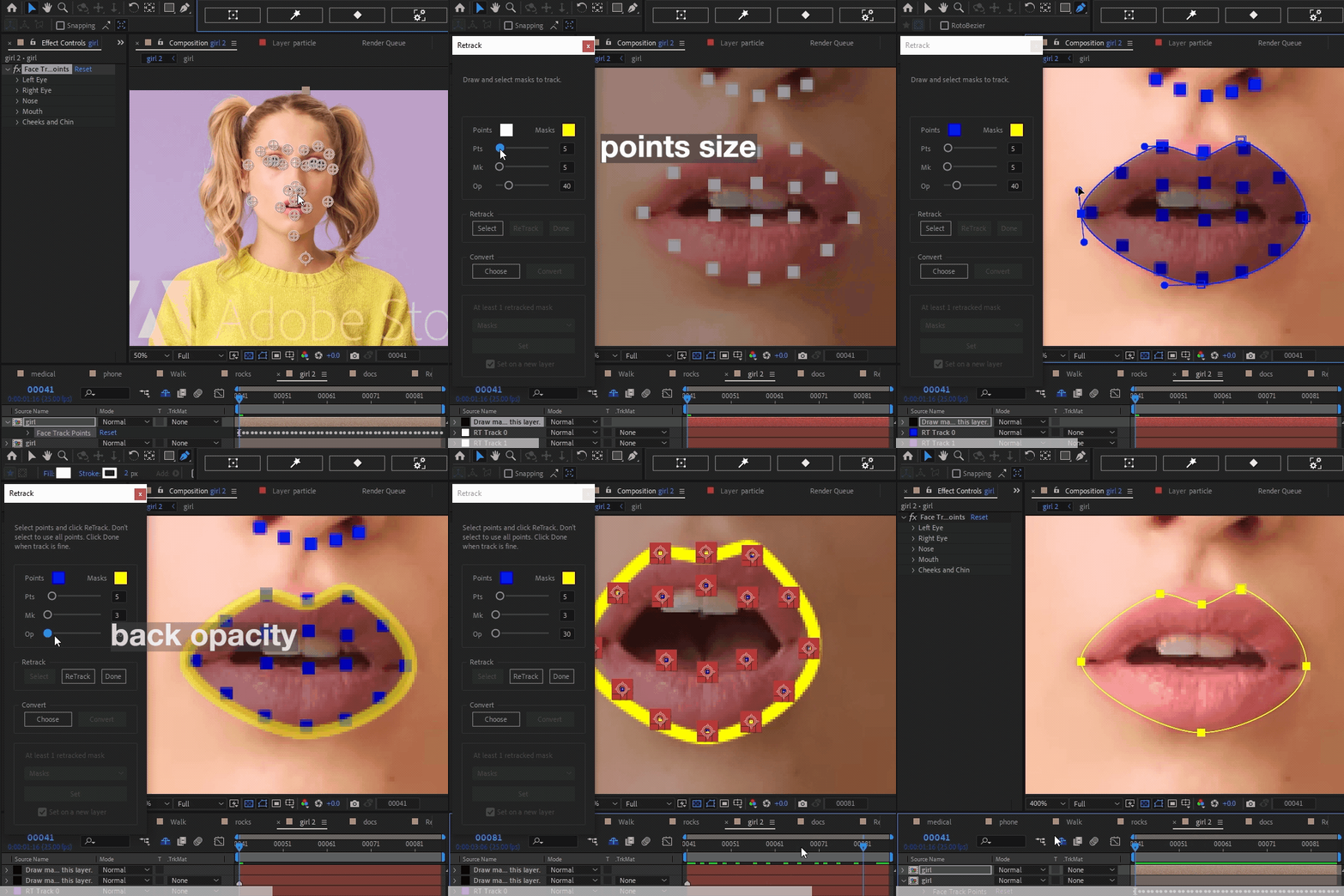
Draw temporary masks on the generated points cloud to:Build complex tracking with basic tracked data.Estimate and rebuild missing tracks.Retrack offscreen targets.
Points selections allow reliable and precise retracking.
Output to masks, corner pins, transform data, tracker points, nulls, 3D nulls.
THE EDIT TOOL
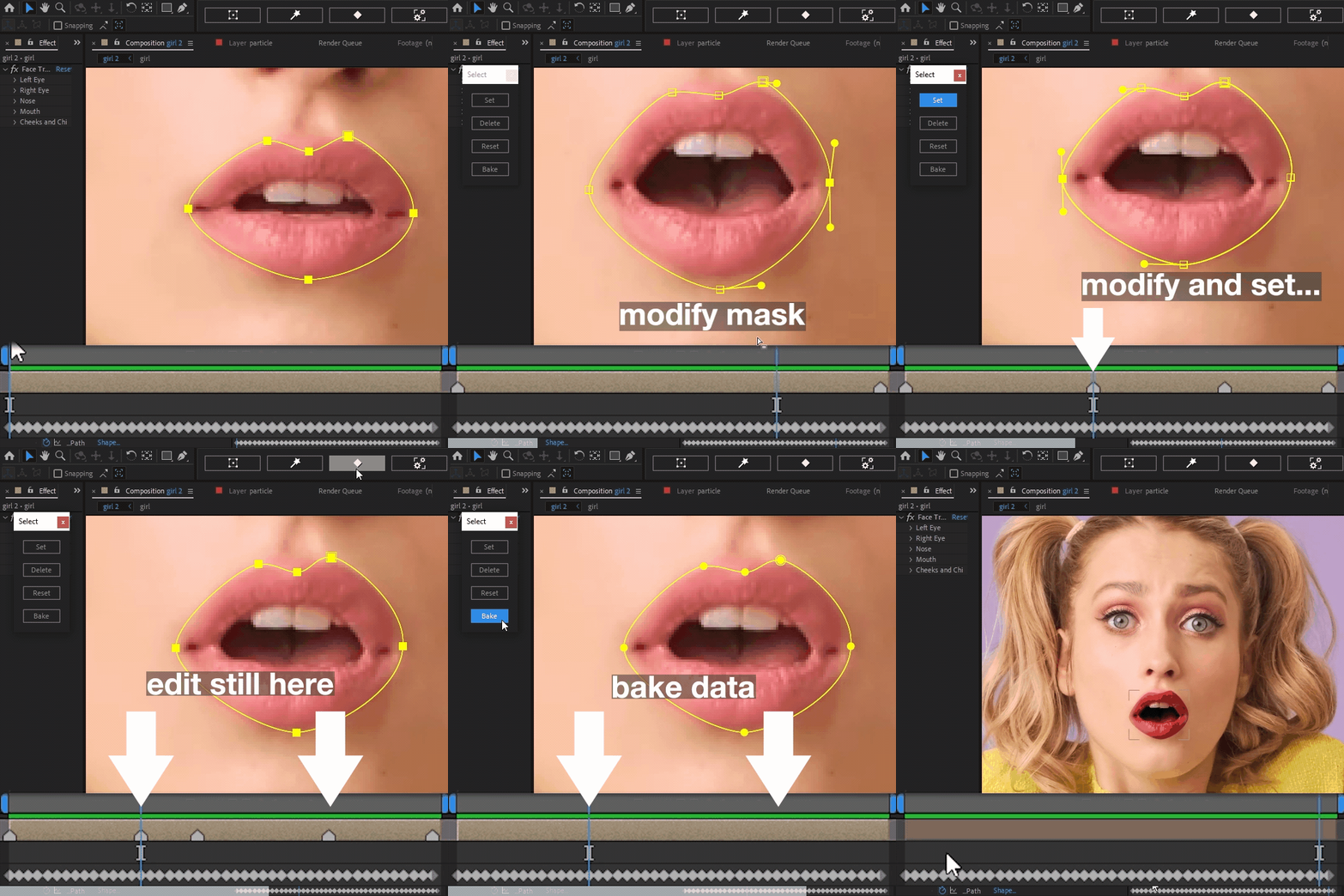
Select and edit tracked data with the Edit tool. It enables a virtual keyframing system that works above the tracked keyframes. The Edit tool let you adjust and refine tracked items very quickly, without the need to modify every tracked keyframe. It supports: masks, corner pins, tracker points, mocha effect tracking data, layers transform properties, and any selected effects 2D properties.
Edit in v 2.x is keyframes based and supports shifted and trimmed layers. ATTENTION: ReTrack 2 Edit tool is not compatible with v 1.x Edit tool. To re-edit already refined tracked data in v 1.x please use ReTrack 1.
AUTO REBUILD PARTIAL TRACKS + CONVERT
POINTS SELECTION
EDIT TRACKED MASK
RECAP
Overview Tutorial
Retrack 1.0 Essential Overview
Retrack Engine in depth
Elevate your motion graphics workflow with premium collection of After Effects plugins. Whether you are a seasoned professional or just starting your VFX journey, powerful tools designed to streamline complex tasks, unlock creative possibilities, and save you hours of rendering time. From stunning glitch effects and seamless transitions to advanced 3D extrusion and text animation tools, each plugin in our library is rigorously tested for compatibility with the latest versions of Adobe after Effects. Enhance your video production value today and download industry-leading plugins that help you create breathtaking visuals without the technical headaches. Browse our full range and find the perfect extension to supercharge your editing suite now.
➡️ ➡️ For more after effects Plugins 😀 😀
➡️ ➡️ System requirements AE
Reviews
There are no reviews yet.