

Shortcakes
Primary Keyphrase: split screen generator script
Description:
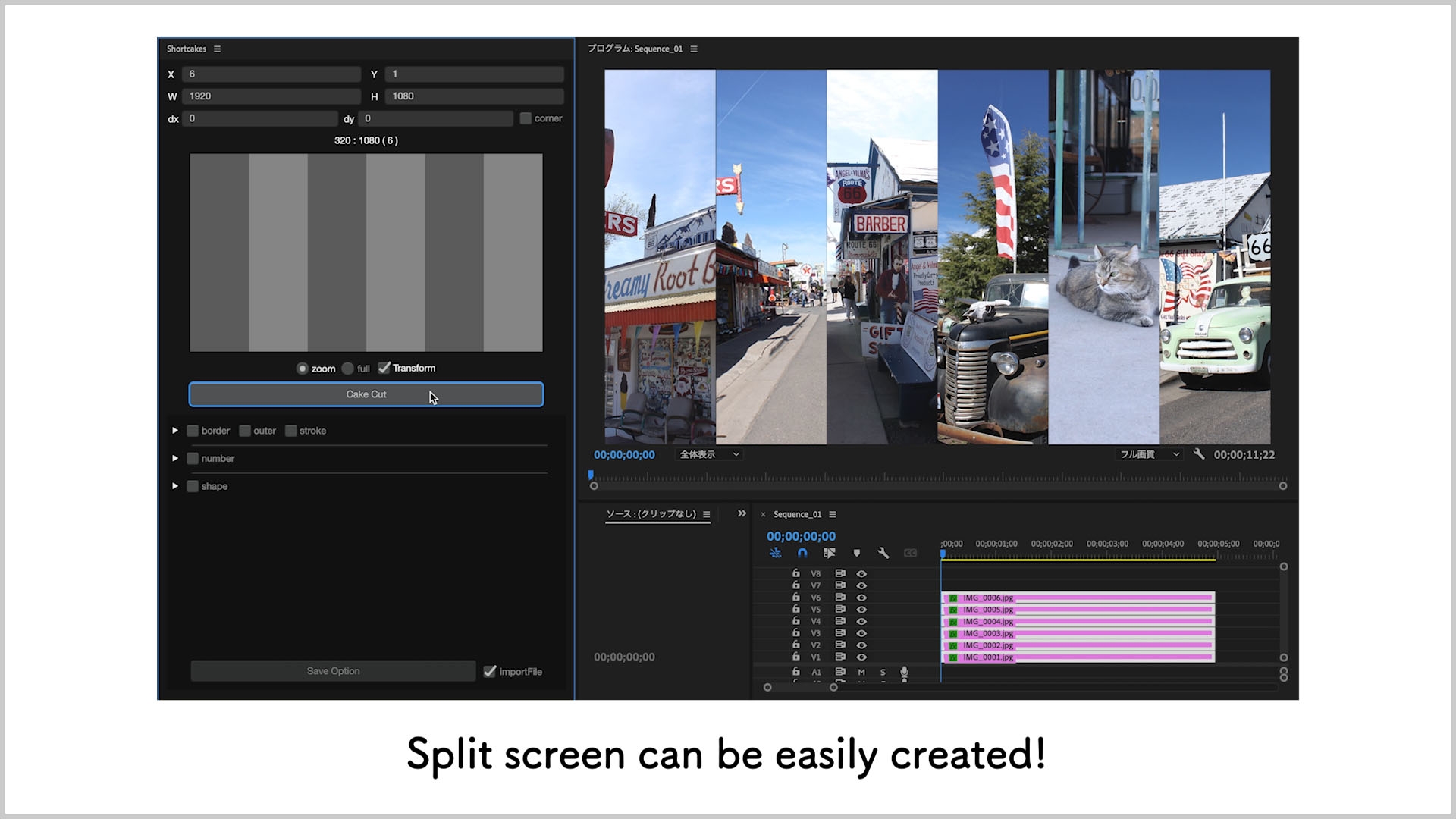
Download Shortcakes v2.1.4 for After Effects and Premiere Pro on Windows and Mac, a powerful extension that creates professional split-screen layouts in seconds . Simply select your clips on the timeline, specify how many screens you want horizontally and vertically, and click “Cake Out”—the script instantly arranges your素材 into perfectly organized multi-screen compositions .
Key Features of Shortcakes v2.1.4:
- One-Click Split Screens: Select your clips, input X and Y divisions, and instantly generate perfect split-screen layouts—no manual positioning required
- Flexible Grid Controls: Create any grid configuration from simple side-by-side to complex multi-screen arrays
- Automatic Clip Handling: Intelligently processes clips of various sizes and aspect ratios, automatically adapting them to fit your grid
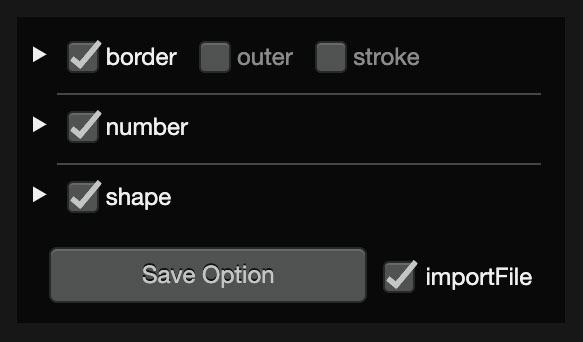
- Borders & Numbering: Add professional borders and optional numbering to each screen for enhanced visual organization
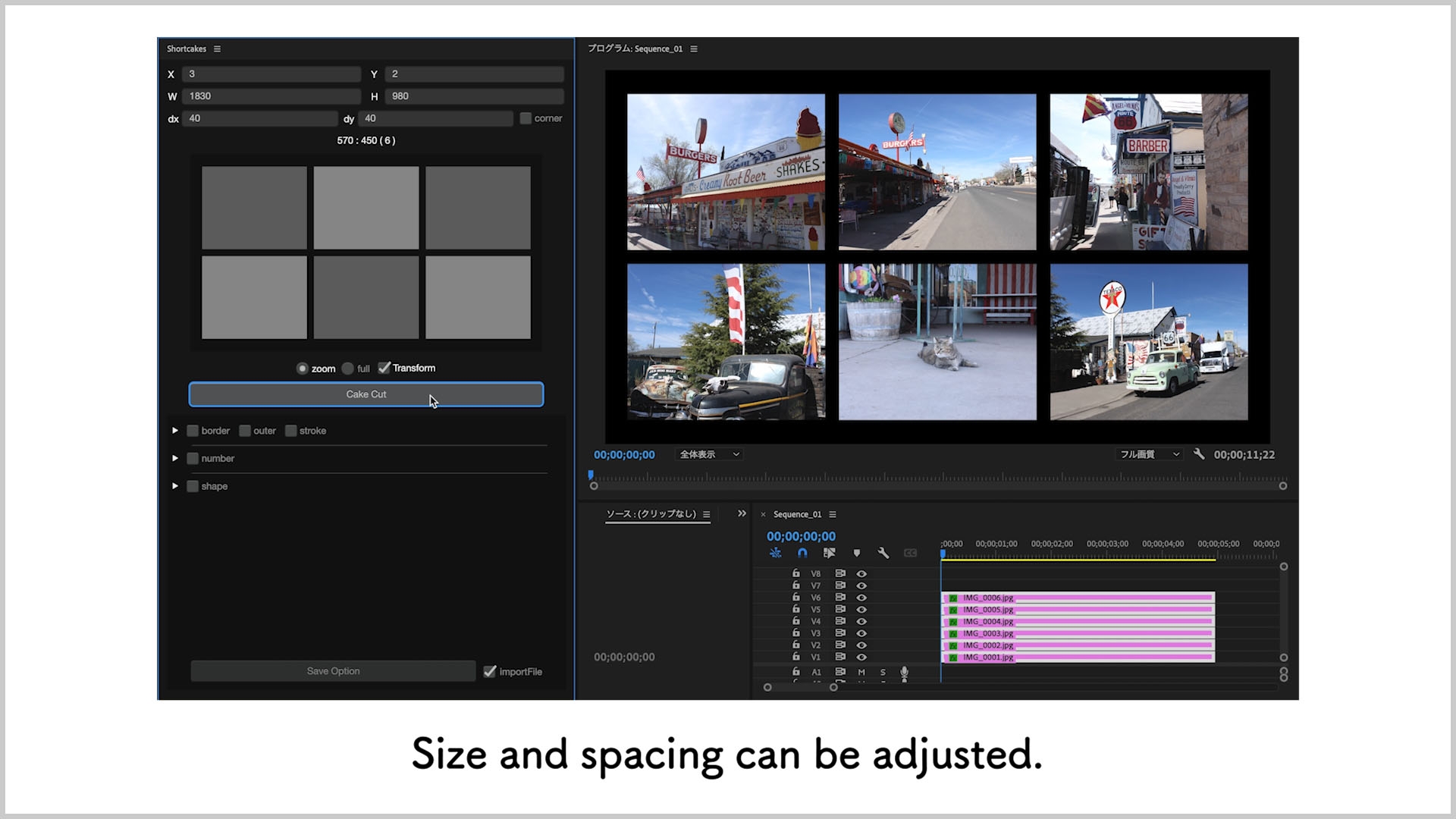
- Size & Spacing Adjustments: Fine-tune spacing between screens and overall layout dimensions for precise control
- Save Option Feature: Export your split screen configurations as PNG files, with optional automatic project import
- Cross-Application Support: Works seamlessly in both After Effects and Premiere Pro with consistent functionality
- Cross-Platform Compatibility: Fully compatible with both Windows and Mac systems
Perfect For:
- Video editors creating multi-angle interview segments and comparison shots
- Motion graphics artists building dynamic split-screen title sequences
- Content producers assembling video wall presentations and multi-clip montages
- Teachers and educators creating side-by-side instructional content
- Advertising professionals producing product comparison spots and showcase videos
- Anyone needing to quickly arrange multiple clips into professional split-screen layouts
System Requirements:
- Adobe After Effects 2025, 2024, 2023
- Adobe Premiere Pro 2024, 2023, 2022, 2021, 2020, CC 2019
- Windows 10/11 (64-bit) or macOS
- 4GB RAM minimum (8GB+ recommended)
- 25MB available disk space
Installation:
After downloading, close and restart your Adobe application. Access the script via Window > Extensions > Shortcakes . A free demo is available after logging in for testing before purchase .
Quick Start Workflow:
- Select your clips on the timeline (Premiere Pro) or layers in your composition (After Effects)
- Enter the number of clips to arrange horizontally (X) and vertically (Y)
- Click “Cake Out” to generate your split screen
- Adjust size and spacing as needed using the intuitive controls
Note: The basic usage in After Effects follows the same workflow as Premiere Pro, with selected layers arranged in order from the top . The script supports various clip sizes and sequence sizes for maximum flexibility .
Creates Split-screens in Adobe Premiere Pro and After Effects
分割画面をつくる Pr & Ae エクステンション
Shortcakes is an Extension for Premiere Pro and After Effects that splits the screen of selected clips on the timeline by a specified number for each video track. It supports various clip sizes and sequence sizes. There is also the ability to add borders and numbers.
「Shortcakes(ショートケイクス)」はタイムライン上で選択したクリップをビデオトラック毎に画面分割を行うPremiere Pro & After Effects のエクステンションです。様々な動画や写真のサイズ、シーケンスサイズに対応しています。さらに境界線やナンバリングを付ける機能もあります。
Where to find it
After downloading, you will need to close and restart the application. After restart, go to Window -> Extensions -> Shortcakes to open the extension.
ダウンロード後、アプリケーションを終了し、再び起動してください。ウィンドウ -> エクステンション -> Shortcakes から開いてください。
How to use Shortcakes
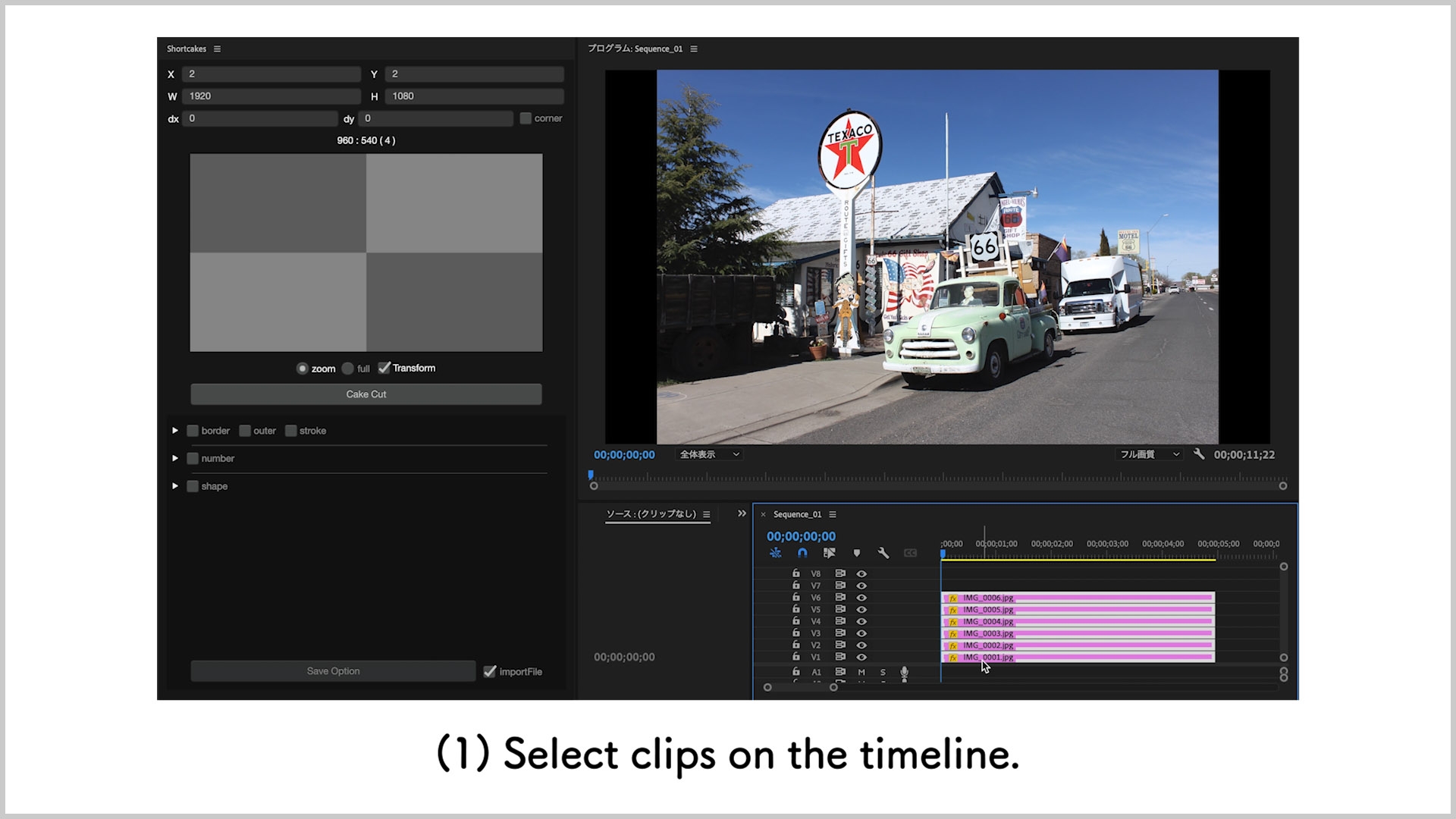
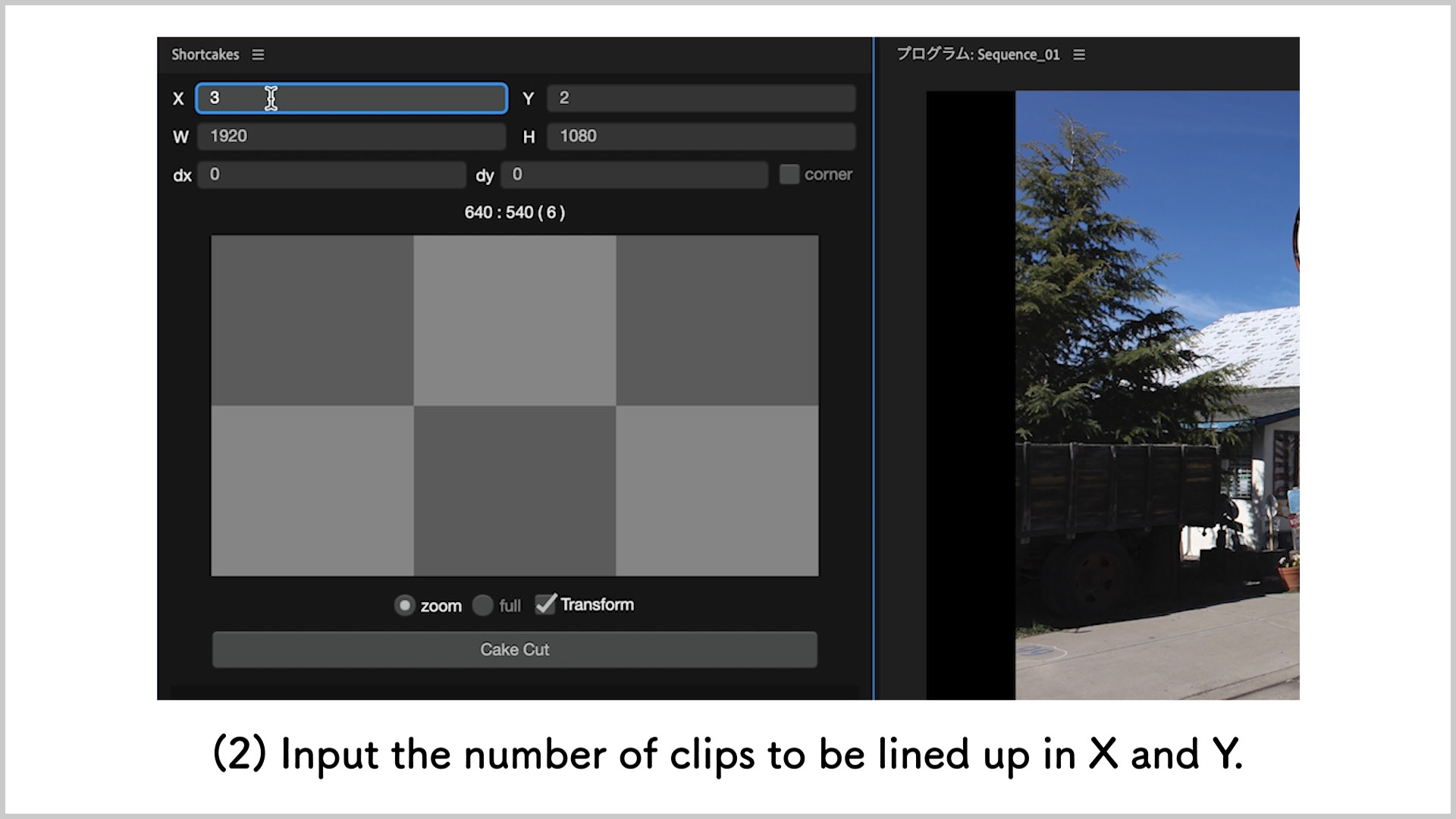
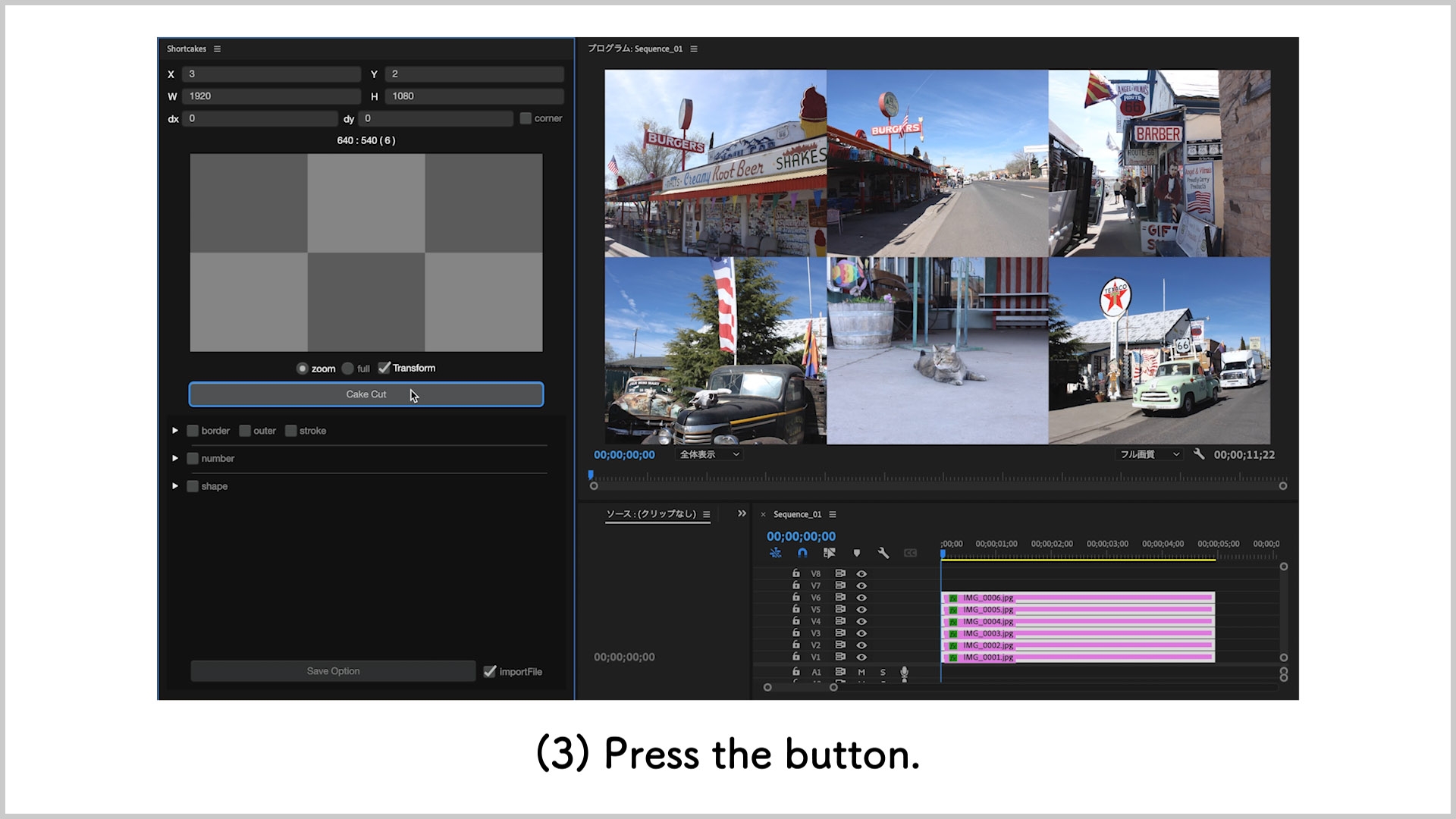
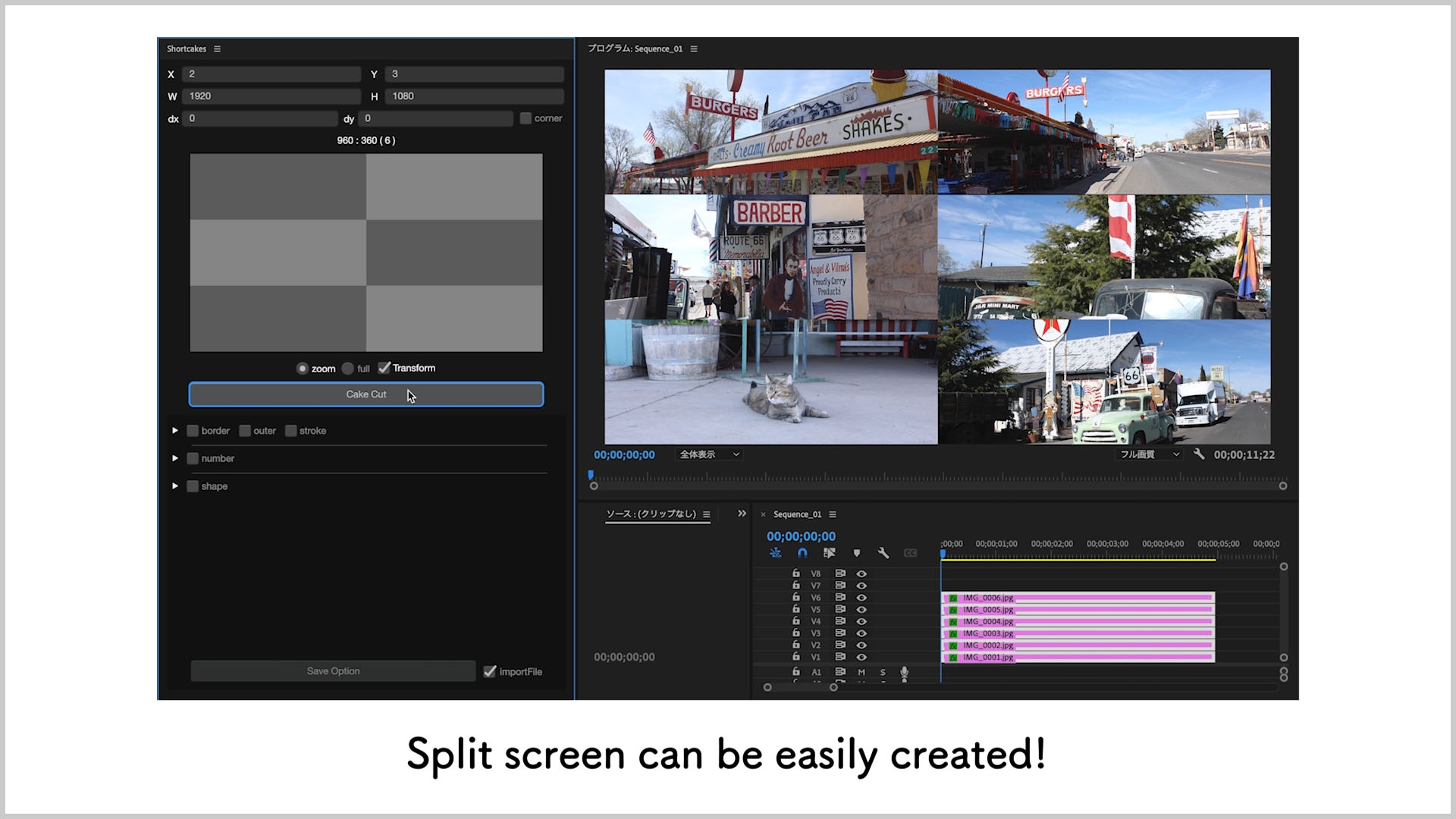
Optional Features
The “Save Option” button exports the items set in Borders, Numbering, and Shapes as a PNG file. Checking the “importFile” checkbox will also import the file into the project.
「Save Option」ボタンを押すと、境界線、ナンバリング、シェイプで設定した項目をPNGファイルとして書き出します。「importFile」にチェックを付けるとプロジェクトへのインポートも行います。
Quick Start Tutorial
The basic usage is the same as in the Premiere Pro version. The selected layers in a composition are arranged in order from the top.
基本的な使い方はPremiere Pro版と変わりません。コンポジション内で選択したレイヤーを上から順番に並べていきます。
Elevate your motion graphics workflow with premium collection of After Effects plugins. Whether you are a seasoned professional or just starting your VFX journey, powerful tools designed to streamline complex tasks, unlock creative possibilities, and save you hours of rendering time. From stunning glitch effects and seamless transitions to advanced 3D extrusion and text animation tools, each plugin in our library is rigorously tested for compatibility with the latest versions of Adobe after Effects. Enhance your video production value today and download industry-leading plugins that help you create breathtaking visuals without the technical headaches. Browse our full range and find the perfect extension to supercharge your editing suite now.
➡️ ➡️ For more after effects Plugins 😀 😀
➡️ ➡️ System requirements AE
Reviews
There are no reviews yet.