
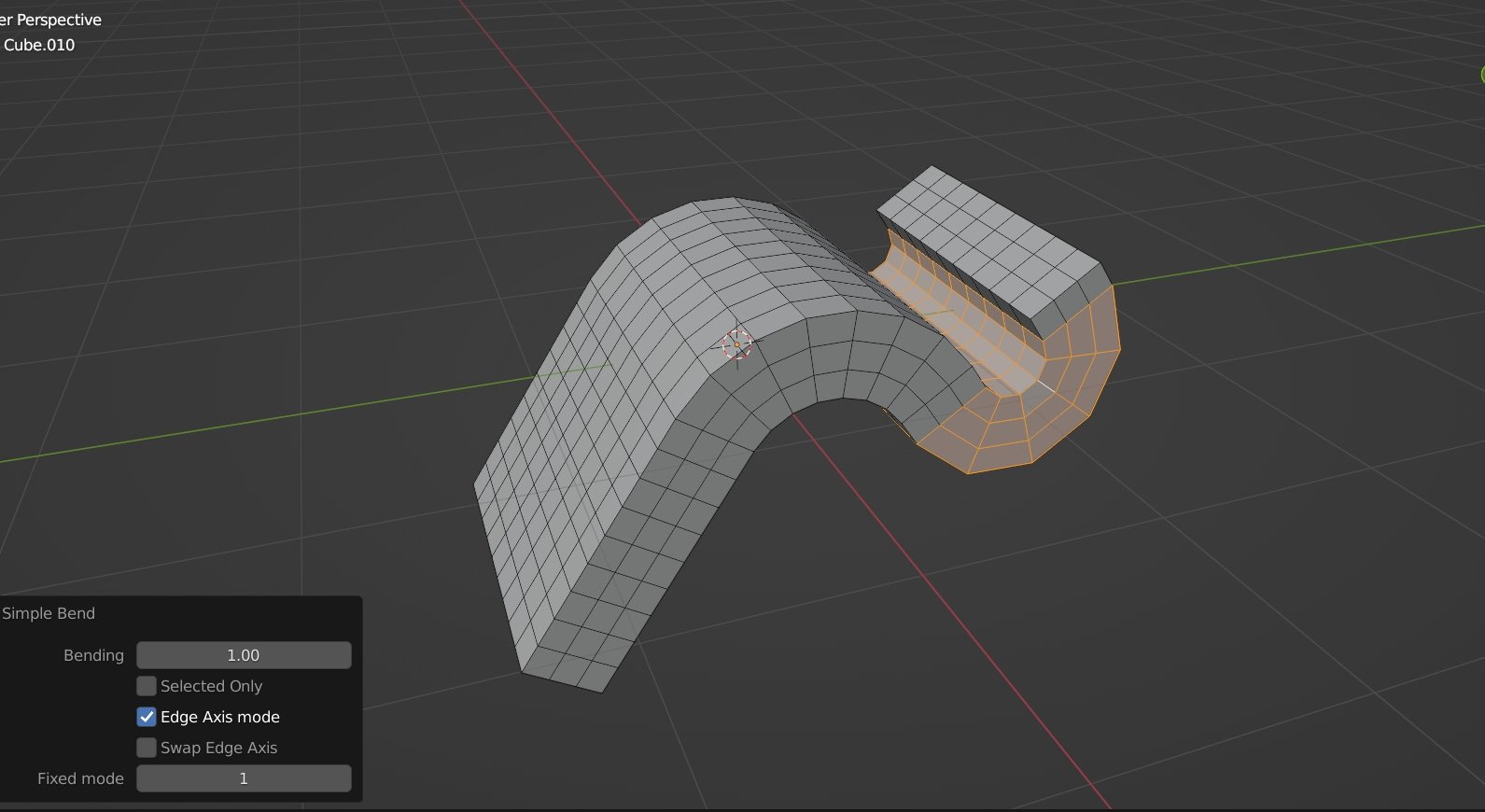
Simple Bend for Blender
Simple Bend for Blender – The Ultimate Intuitive Mesh Curving Tool
Versions: v1.2.1
File Size:1.6 MB
Download Simple Bend for Blender on Windows and Mac, a streamlined addon designed to bend meshes with unparalleled ease and precision. Unlike complex native modifiers, Simple Bend offers a direct, interactive workflow that lets you curve objects, edges, or faces instantly using visual handles. With real-time feedback, automatic segment adjustment, and zero topology destruction, Simple Bend transforms how you create arcs, rings, and organic curves, making it the fastest solution for modeling pipes, roads, and flexible structures.
Key Features of Simple Bend:
Interactive Visual Handles: Manipulate the bend angle and radius directly in the 3D viewport using intuitive gizmos—no need to guess numerical values
Smart Segment Adaptation: Automatically adjusts mesh density along the curve to prevent stretching or collapsing, ensuring smooth geometry even on low-poly objects
Flexible Selection Modes: Bend entire objects, specific edge loops, or isolated face regions with equal ease and control
Multi-Axis Freedom: Bend along any global or local axis, or define a custom pivot point for complex architectural curves and mechanical parts
Non-Destructive Workflow: Apply bends as editable operations that can be tweaked, inverted, or removed at any time without losing original data
Real-Time Preview: See the final result instantly as you drag the handle, allowing for rapid iteration and perfect alignment
Batch Consistency: Apply identical bend settings to multiple selected objects simultaneously for uniform kit-bashing and array creation
Optimized Performance: Lightweight code ensures instant calculation even on high-vertex count meshes without slowing down your viewport
Cross-Platform Support: Works flawlessly on both Windows and Mac systems including Apple Silicon M1/M2/M3 chips
Perfect For:
Hard surface modelers creating exhaust pipes, handrails, and curved panels quickly
Architectural artists designing arches, curved walls, and winding pathways
Prop artists making cables, hoses, vines, and flexible tubes
Game developers needing fast, clean topology for environment assets
Anyone who wants a faster, more visual alternative to the “Simple Deform” modifier
System Requirements:
Blender 3.6, 4.0, 4.1, 4.2, 4.3+ (Latest LTS recommended)
Windows 10/11 (64-bit) or macOS 10.15+
4GB RAM minimum (8GB+ recommended for heavy scenes)
No external plugins or dependencies required
Installation:
Open Blender and go to Edit > Preferences > Add-ons:
Click “Install…” and select the downloaded .zip file for Simple Bend
Enable the checkbox next to “Mesh: Simple Bend”
Access via the Mesh Menu > Simple Bend or the 3D Viewport Sidebar (N-panel) > Simple Bend Tab
Note: The addon features a unique “Auto-Straighten” reverse function, allowing you to instantly straighten previously curved geometry back to its original state, making it perfect for iterative design workflows.
Note : This Simple Bend is the old version. There is another new product called “Simple Bend Ex” )
Simple Bend is a handy tool for bending sub-divided mesh.
- You add the edge-loops or sub-divide your mesh
- Select the faces for bending (it can be all faces of just the middle parts)
- Run the tool, Drag on the yellow axis to bend.


You can bend the selected mesh easily by dragging on the on-screen axis.
Also you can bend the select part only, and let the connected geometries to follow. (Press C key to choose the part)

Edge Axis mode
This is the advanced mode for Simple Bend. It is very useful for bending at any self-defined angle.
It works as follow :
- The tool read your “last-selected edges” for its bending axis and direction. It needs two edges, and they mush not be co-linear (same direction).
- In order to use this mode, you have to switch to Blender’s Edge mode, select the part, hold the Shift key, then un-select the “2 edges”, then re-select the “2 edges” (this procedure will make those edges to become the last selection in blender), then run the tool.
You may watch the follow gif for simple understanding :
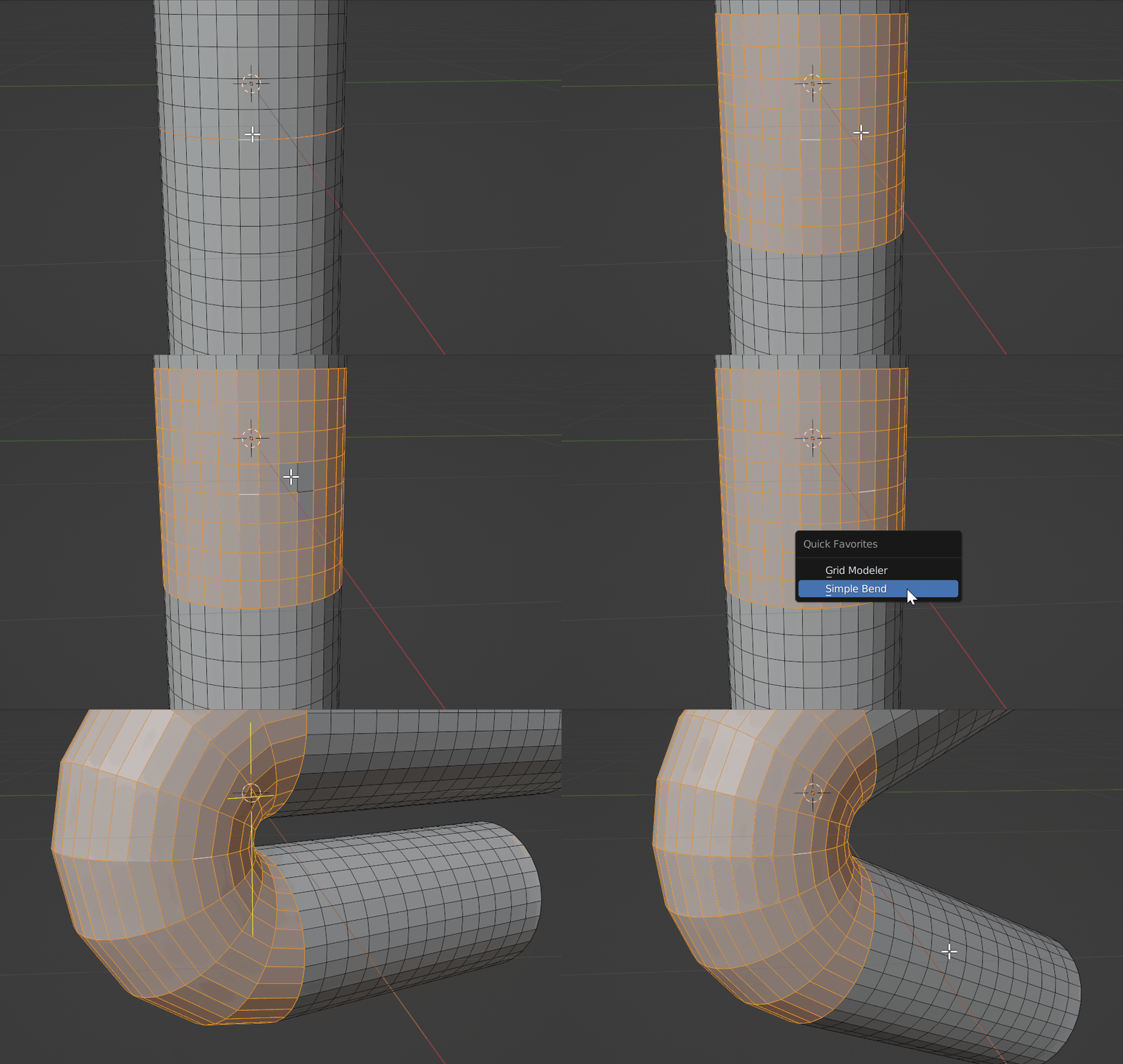
Please note that, from the above gif, when you select the last two edge, the selection order is important :
First edge : Mesh direction.
Second edge : Bending direction.
They have the following meaning :

(When you run the tool, you can also press the W key to swap the axis. )
Usage
=== Please watch this tutorial :
Blender Edit mode > Switch to Face mode or Edge mode.
( Note : Some users reszied their object in Object mode before using the tool, the result will become strange. Please resize the mesh in Edit mode)
There are two modes for the tool :
For Basic mode : Use Face mode to run the tool
For Edge axis mode : Use Edge mode to run the tool
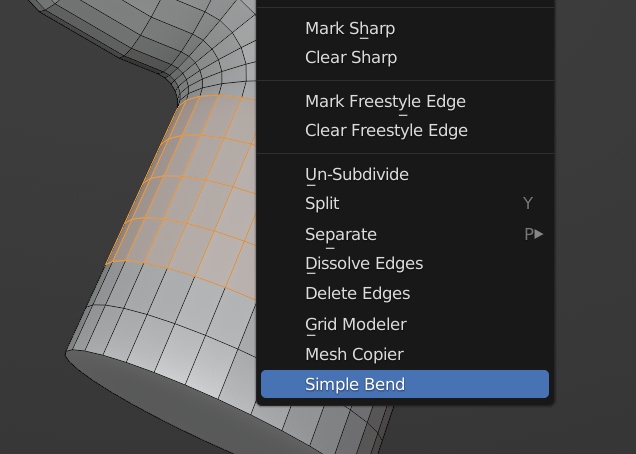
Right click on the 3D viewport, then select “Simple Bend” at the bottom of the pop-up menu (blender’s context menu).

On Screen Key
S key : Only modify the selected vertices. it can be useful when you only select the surface of a mesh, and you want to bend the surface manually.
W key : Swap the bending Axis. It will change the bending direction.
C key : Bend only one side instead of bending both side. Press C key repeatedly to switch between different part.
Q key : Confirm the bending
Shift key : You can hold Shift key to snap the bending amount to 5 degree unit.
After bending the mesh, press Q key to confirm.
Common Problems
Please read the below guidelines before install
- Do not unzip the addon zip file when you install it, otherwise blender will not install it correctly and cause errors.
- If you installed the unzipped files, you should now uninstall the addon and remove them. Re-install it again (select the zip file during install)
- When you are modeling in Blender, do not Scale object in “Object mode”, otherwise it will confuse blender’s mesh data for the addons. Please Scale things in “Edit mode” only. (select all then S key)
Supercharge your 3D creation workflow with premium selection of Blender Add-ons. Whether you are modeling intricate characters, sculpting realistic environments, or animating cinematic sequences, the right add-on can transform how you work inside Blender. Our curated collection includes powerful tools for UV unwrapping, procedural texture generation, rigging automation, rendering optimization, and more—each rigorously tested for compatibility with the latest Blender versions. Eliminate tedious manual processes and unlock advanced functionality that lets you focus on what matters most: bringing your creative vision to life. Explore our full range of professional Blender plugins today and take your 3D projects to the next level.
➡️ ➡️ For more Blender Plugins 😀 😀
Reviews
There are no reviews yet.