
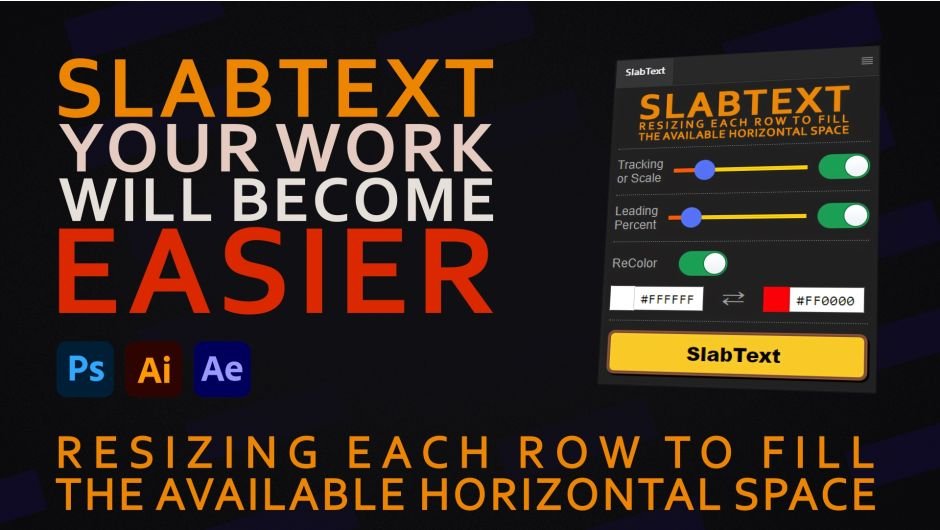
SlabText for After Effects
Primary Keyphrase: text alignment extension
Description:
Download SlabText v1.0.0 for After Effects, Illustrator, and Photoshop on Windows and Mac, a powerful extension that automatically aligns the width of each line in your text paragraphs. Perfect for creating polished typography and professional layouts, SlabText intelligently adjusts text to fill available horizontal space while maintaining readability and style .
Key Features of SlabText v1.0.0:
- Cross-Application Compatibility: Works seamlessly across Adobe After Effects, Illustrator, and Photoshop for consistent text formatting workflows
- Adjustable Threshold Control: Fine-tune how lines expand using the Tracking Scale slider—lines wider than the threshold expand via tracking (letter spacing), while narrower lines expand via character scaling
- Multiple Operation Modes: Several different modes to accommodate various text layout requirements and creative preferences
- Leading Adjustment: Set minimum distance between lines as a percentage of the tallest line height, with optional baseline consideration for tighter layouts
- Auto Coloring (ReColor): Automatically apply gradient colors based on line scaling values—original color for unmodified lines, secondary color for most-scaled lines
- Preserves Original Formatting: All text adjustments maintain your original formatting settings for non-destructive workflow
- Clear Transform Function: One-click reset of all SlabText parameters to default values for easy editing and reformatting
- Comprehensive Compatibility: Supports Adobe After Effects 2024-2025, Illustrator 2024-2025, and Photoshop 2024-2025
- Cross-Platform Support: Works on both Windows and Mac systems
Perfect For:
- Motion graphics artists creating polished title sequences and lower thirds
- Graphic designers needing precise text alignment for posters and layouts
- Video editors formatting multi-line text overlays
- Anyone wanting professional, evenly justified text without manual adjustment
- Studios looking to standardize text formatting across multiple Adobe applications
System Requirements:
- Adobe After Effects 2025, 2024
- Adobe Illustrator 2025, 2024
- Adobe Photoshop 2025, 2024
- Windows 10/11 (64-bit) or macOS
- 4GB RAM minimum (8GB+ recommended)
- 25MB available disk space
Installation:
Copy the extension files to your Adobe CEP extensions folder. After installation, access SlabText via the Window > Extensions menu in your Adobe application.
Note: Version 1.0.0 is the initial release of this text alignment tool . Later versions (v1.0.3) add additional features like Loop Rebirth Assistant . The extension’s intelligent threshold system ensures natural-looking text expansion that maintains readability while achieving perfect line width alignment .
Aligns the width of each line in your paragraphs.
SlabText – Resize each row to fill the available horizontal space.
SlabText – extension for Adobe Photoshop, Illustrator and After Effects, that easily aligns the width of each line in your paragraphs.
Features
- Compatibility: PS, AI, AE
- Adjustable threshold between Scale and Tracking
- Several modes
- Adjustable Leading
- Automatic Coloring
- Preserving the original formatting
- Clearing the transformation
Adjustable threshold between Scale and Tracking
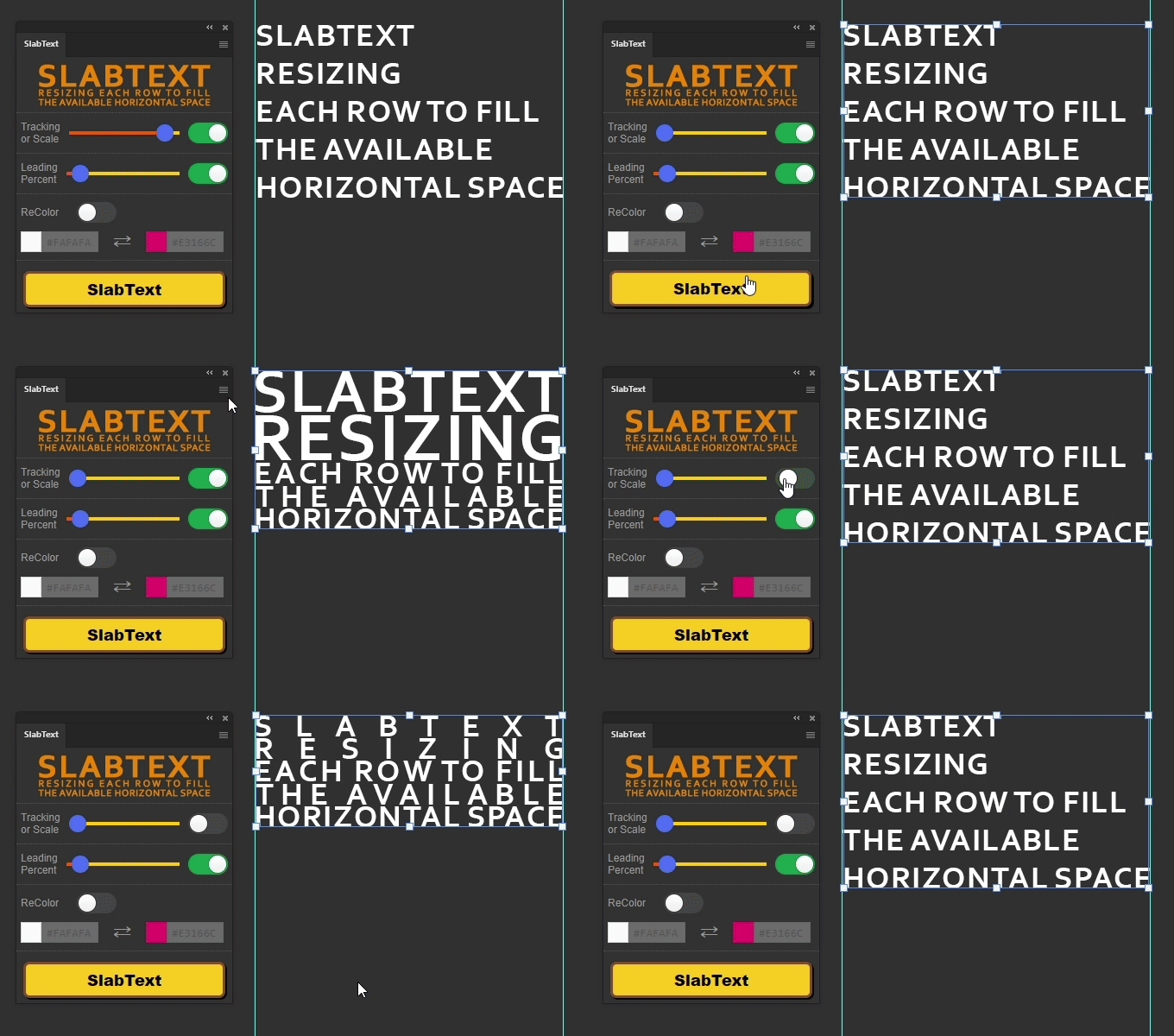
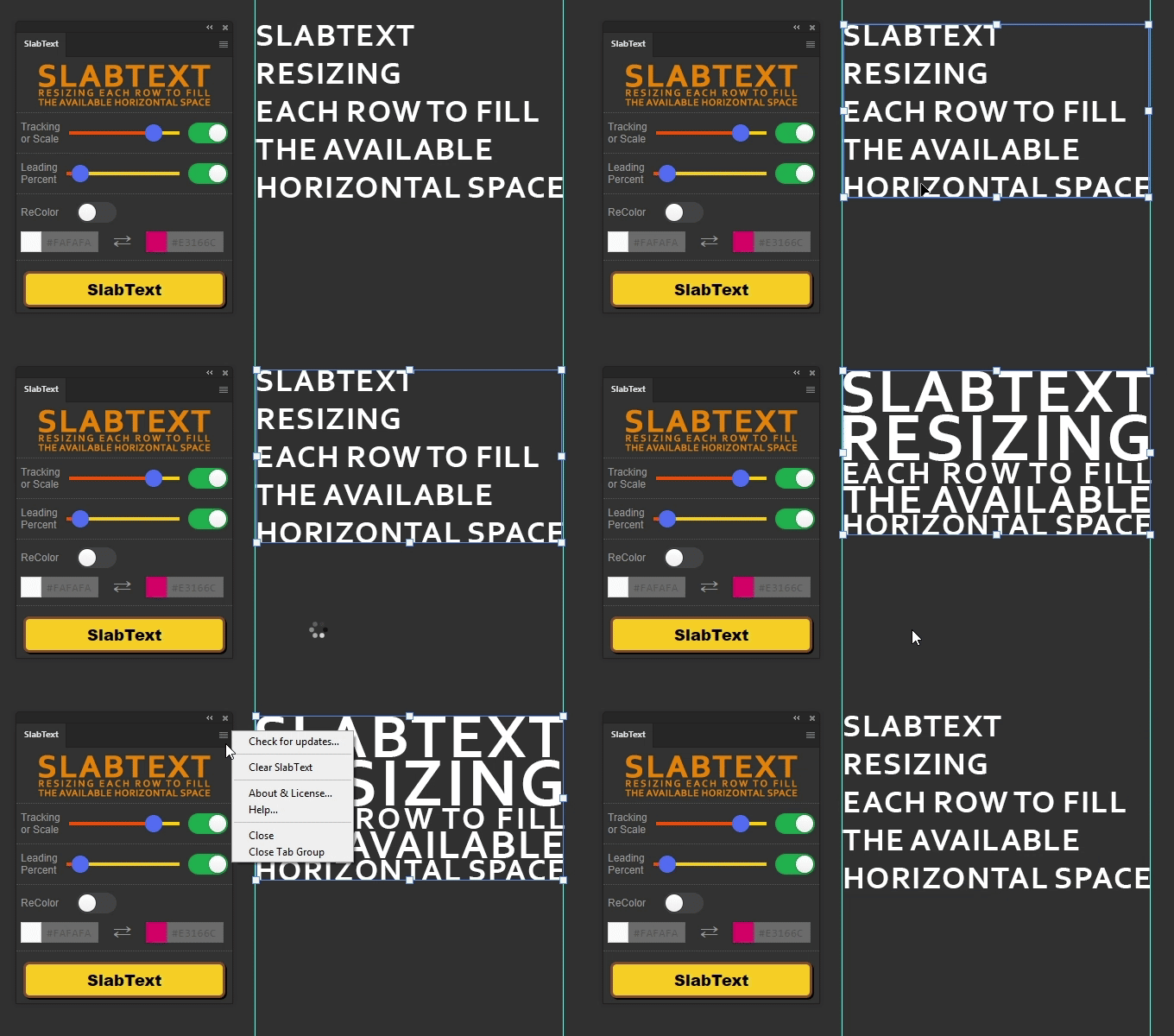
The Tracking Scale slider determines how the line will be increased to the maximum width. If the width of the original line is greater than the slider value, the line will be increased using Tracking, increasing the distance between characters. If less, the characters themselves will be increased – Scale. There is also a switch that prescribes to always increase the line Scale if it has only one word.
Adjustable Leading
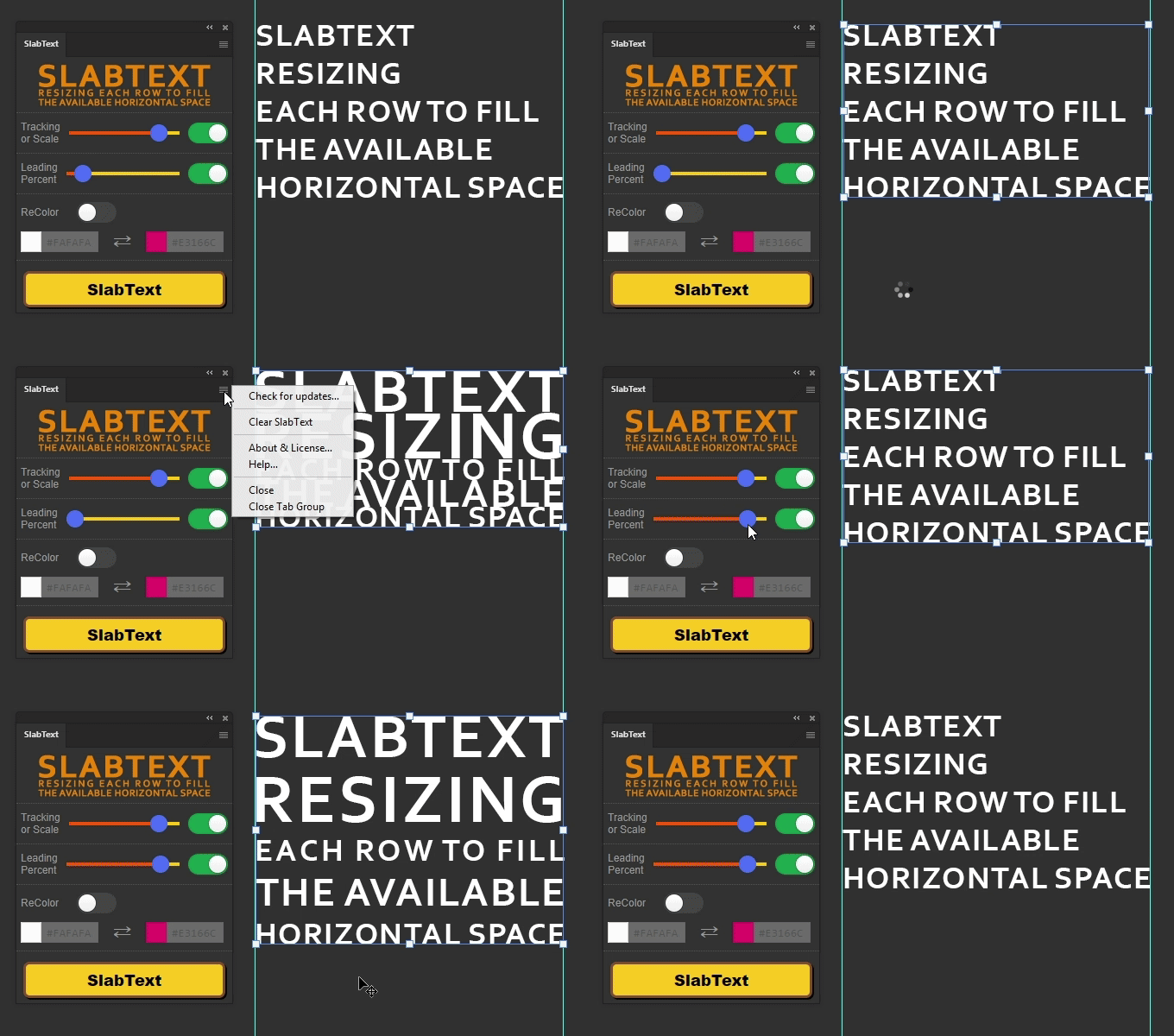
Sets the minimum distance between lines. It is a percentage of the height of the highest line. At the minimum value, the distance between lines will be 0, at the maximum, the height of the highest line. There is a switch that enables/disables taking into account the size of the character below the baseline. Allows you to reduce the distance between lines, but line intersections are possible.
ReColor
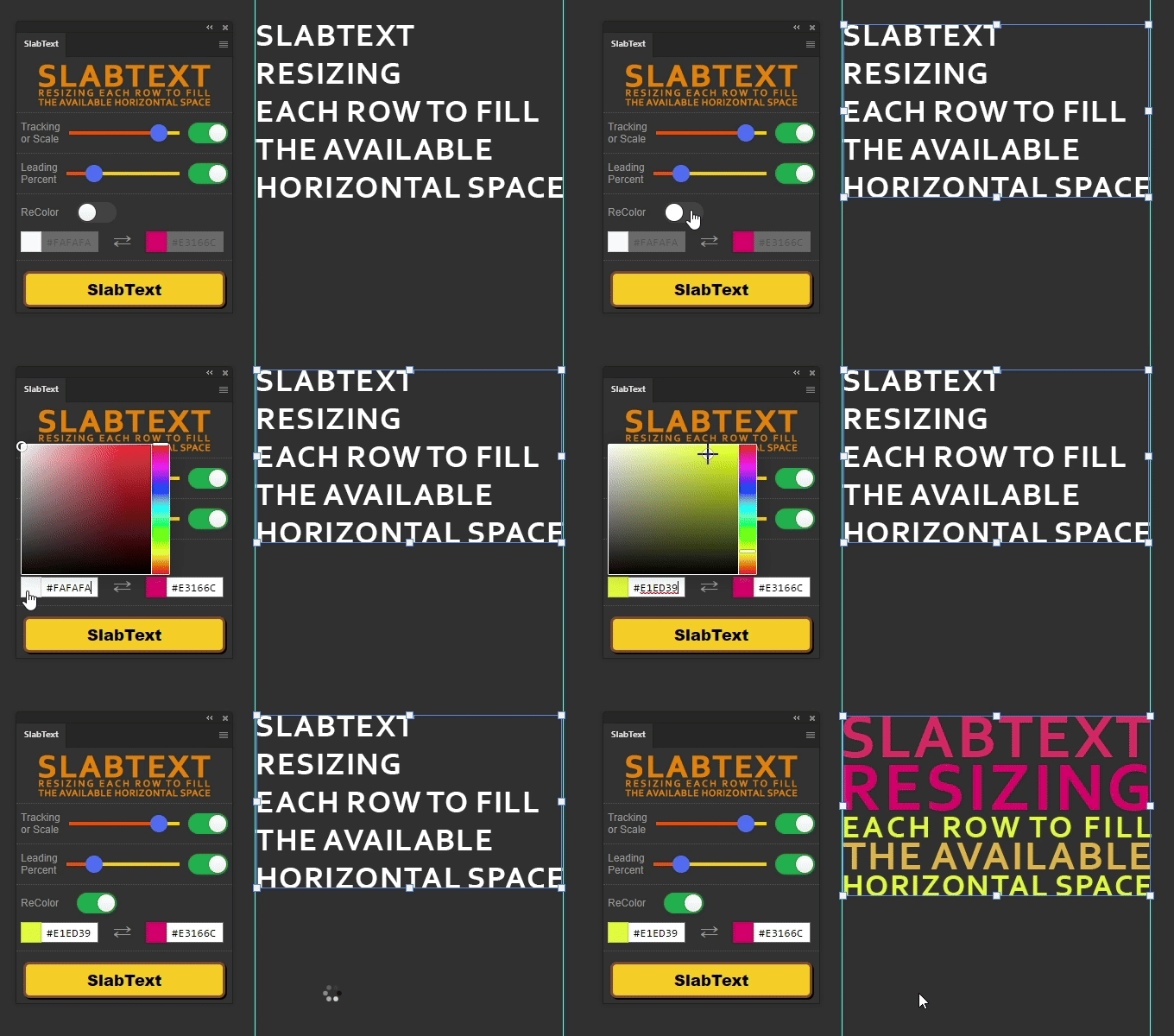
Enables the function of coloring lines with a gradient between two colors depending on the Scale value of this line. Lines that are not enlarged or with Tracking will be colored with the first color, lines with the maximum Scale will be colored in the second color.
Clearing the transformation
In the FlyoutMenu there is a Clear SlabText item that resets some parameters to standard values. This helps if you want to edit or reformat the text. Clear SlabText sets Vertically and Horizontally Scale to 100%, Leading to Auto and Tracking to 0.
Tutorial
Elevate your motion graphics workflow with premium collection of After Effects plugins. Whether you are a seasoned professional or just starting your VFX journey, powerful tools designed to streamline complex tasks, unlock creative possibilities, and save you hours of rendering time. From stunning glitch effects and seamless transitions to advanced 3D extrusion and text animation tools, each plugin in our library is rigorously tested for compatibility with the latest versions of Adobe after Effects. Enhance your video production value today and download industry-leading plugins that help you create breathtaking visuals without the technical headaches. Browse our full range and find the perfect extension to supercharge your editing suite now.
➡️ ➡️ For more after effects Plugins 😀 😀
➡️ ➡️ System requirements AE
Reviews
There are no reviews yet.