
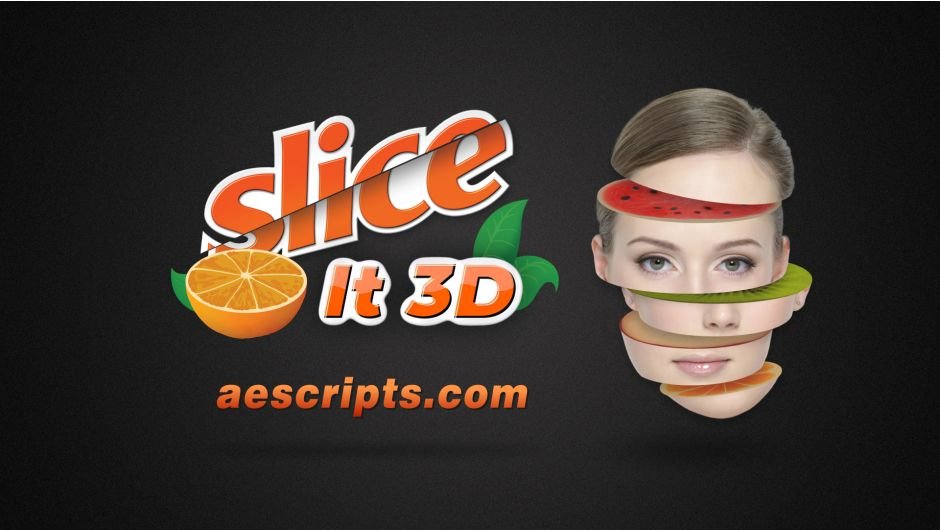
slice it 3d for After Effects
Primary Keyphrase: 3d slice effect script
Description:
Download Slice It 3D v1.1.2 for After Effects on Windows and Mac, a powerful script that slices 3D layers using 2D masks into individual slices with simulated 3D depth . Create stunning dimensional effects by dividing your layers into slices that maintain realistic depth and perspective—perfect for modern motion graphics, dynamic title sequences, and eye-catching visual effects .
Key Features of Slice It 3D v1.1.2:
- Six Cutting Styles: Includes 6 fantastic 3D slicing styles for diverse creative possibilities
- Simulated 3D Depth: Sliced parts automatically generate realistic three-dimensional depth from your 2D素材
- Customizable Slice Surfaces: Select specific footage or textures to appear on the surface of your slices
- Comprehensive Control Panel: Simplified custom controls for color, shadow, transform, lighting, and more
- Adjustable Slice Thickness: Easily modify slice thickness with options for uniform values across all slices or custom per-slice settings
- Automatic Thickness Synchronization: Set maximum thickness and let the script automatically calculate appropriate thickness for each slice based on mask positions
- Keyframe Animation: Fully keyframable thickness parameters for dynamic, evolving slice animations over time
- Texture Management: Creates texture precomps for all slices by default, with option to generate unique precomps per slice using the unique texture button
- Realistic Cross-Section Textures: Textures automatically placed on cross-sections in a completely realistic way for authentic results
- User-Friendly UI: Intuitive interface with simple controllers that make complex 3D slicing accessible to creators of all skill levels
- Simple Workflow: Just precompose your layer, draw a main rectangle mask and simple linear masks, and let the script handle the rest
- Cross-Platform Support: Works on both Windows and Mac systems with After Effects 2025 down through CC 2017
Perfect For:
- Motion graphics artists creating dimensional title sequences and logo reveals
- VFX designers adding dynamic slice effects to their compositions
- Commercial and advertising creators seeking eye-catching 3D visuals
- Video editors wanting to add sophisticated depth effects to their projects
- Anyone looking to create professional 3D slice animations without complex manual setup
System Requirements:
- Adobe After Effects 2025, 2024, 2023, 2022, 2021, 2020, CC 2019, CC 2018, CC 2017
- Windows 10/11 (64-bit) or macOS
- 4GB RAM minimum (8GB+ recommended)
- 50MB available disk space
- Enable “Allow Scripts to Write Files and Access Network” in Preferences > Scripting & Expressions
- English version of After Effects recommended to prevent expression errors
Installation:
Copy the script file to your After Effects ScriptUI Panels folder:
- Windows:
C:\Program Files\Adobe\Adobe After Effects [version]\Support Files\Scripts\ScriptUI Panels\ - Mac:
/Applications/Adobe After Effects [version]/Scripts/ScriptUI Panels/
Access via Window menu > Slice It 3D
Note: A free demo is available after logging in for testing before purchase . The script’s intuitive workflow—simply precomp your layer, draw masks, and let Slice It 3D handle the complex 3D calculations—makes professional slice effects accessible to creators at any skill level . More cutting modes are planned for future free updates .
Slice layers in 3D using 2D masks into slices with simulated 3D depth. Includes 6 awesome slicing styles
Slice layers in 3D using 2D masks
- Sliced parts have simulated 3D depth
- Includes 6 fantastic 3D slicing styles
- Select footage for the surface of the slices.
- Simplified controls for customizing: color, shadow, transform, light, and more.
- Easily adjust the thickness of the slices.
- Automatic thickness synchronization for all slices.
- Keyframe the thickness of slices.


- When slicing the layer, you can set the thickness for the slices.
- This amount can be for all slices, or set a custom value for each slice.
- Using the thickness synchronization feature, you can enter the maximum thickness to set the appropriate thickness for each slice based on the position of the masks.
- After slicing you can change the thickness of the components (in groups or individually) and animate them in 3D.

- By default, it creates a texture precomp for all slices.
- Use the unique texture button for each slice to generate a unique precomp texture for each slice.
- Easily import your texture into the timeline and place it in the appropriate position
- Textures will be placed on the cross-sections in a completely realistic way.


- Easy to use UI.
- Simple controllers to customize the slices.
- The slicing method is the same in all slicing modes.
- Easy to use: Just precomp your layer. Draw a main rectangle mask and simple linear masks.
- Currently there are 6 cutting modes with more to be added in future free updates.
- Try it for free now and enjoy!
Tutorials
Elevate your motion graphics workflow with premium collection of After Effects plugins. Whether you are a seasoned professional or just starting your VFX journey, powerful tools designed to streamline complex tasks, unlock creative possibilities, and save you hours of rendering time. From stunning glitch effects and seamless transitions to advanced 3D extrusion and text animation tools, each plugin in our library is rigorously tested for compatibility with the latest versions of Adobe after Effects. Enhance your video production value today and download industry-leading plugins that help you create breathtaking visuals without the technical headaches. Browse our full range and find the perfect extension to supercharge your editing suite now.
➡️ ➡️ For more after effects Plugins 😀 😀
➡️ ➡️ System requirements AE
Reviews
There are no reviews yet.