
Snapshot FX
Primary Keyphrase: effect snapshot manager script
Description:
Download Snapshot FX v1.05 for After Effects on Windows and Mac, a powerful script that captures and manages snapshots of your effect stacks, allowing you to quickly navigate between different visual states. Record all settings and keyframes from any combination of effects, pseudo effects, or controllers, then instantly recall entire snapshots or selectively update individual components—perfect for rapid creative iteration and exploring endless variations of your designs .
Snapshot FX puts you in complete control of your creative workflow. Apply an entire snapshot to a layer or mix and match components from different snapshots to recall specific settings. The script doesn’t just update existing effects—it can also apply effects as a completely new stack on any selected layer, giving you maximum flexibility when experimenting with different looks .
When working with effects that have numerous parameters, Snapshot FX lets you mark your path, leaving a breadcrumb trail as you navigate through different settings. Freely audition a wide range of configurations to find the perfect combination, and if you get off track, simply navigate back using snapshots you created along the way .
Version 1.05 Updates (September 1, 2025) :
- Refreshed icon design for improved visual experience
- New method for linking FX to layers—renaming no longer breaks links
- Layers are tagged using markers: invisible, at layer inpoint, or at CTI
- Sort the FX list by Alpha, Effect Name, Timestamp, Layer Name, Comp Name
- New snapshot format enabling future roadmap features (older snapshots may display differently)
Key Features of Snapshot FX v1.05 :
- Snapshot Management Tools: Overwrite snapshots when making changes, add tags for extra details, auto-rename to maintain layer links, and find any layer used to create a specific snapshot
- Advanced Search & Filtering: Search snapshot lists by effect, layer, or comp name with Boolean support (AND, OR, NOT). Filter options include Search All Data, Tags Only, Effects Only, Layers Only, and Comps Only. Create filtered lists of snapshots from your currently selected layer
- Directory Jump List: Easily navigate between different directories using a jump list that displays the ten most recently used locations
- Shareable Snapshots: Store snapshots on your hard drive for personal libraries or project-specific use. Place them on a network directory to share effect stacks with team members—snapshots work across the same or newer versions of After Effects
- FX Manager Integration: Generates a list of every layer in your project with effects applied. Search for specific effects, layers, or comps and navigate directly with one click. Toggle resource-heavy effects on/off for improved performance during editing
- Customizable Display: Snapshots combine Tags, Effects, Timestamp, Layer Name, and Comp Name to capture your work state. Choose which components to display, hide labels entirely, or define custom delimiters using any text elements or system glyphs
Perfect For:
- Motion graphics artists experimenting with multiple effect variations on the same layer
- VFX designers needing to quickly compare different looks and settings
- Animators who want to save and recall complex effect configurations instantly
- Post-production professionals managing projects with extensive effect stacks
- Anyone tired of manually recreating effect settings or losing creative experiments
System Requirements :
- Adobe After Effects 2025, 2024
- Windows 10/11 (64-bit) or macOS
- 4GB RAM minimum (8GB+ recommended)
- 50MB available disk space
- Enable “Allow Scripts to Write Files and Access Network” in Preferences > Scripting & Expressions
- English version recommended to prevent expression errors
Installation :
Copy the script file to your After Effects ScriptUI Panels folder:
- Windows:
C:\Program Files\Adobe\Adobe After Effects [version]\Support Files\Scripts\ScriptUI Panels\ - Mac:
/Applications/Adobe After Effects [version]/Scripts/ScriptUI Panels/
Access via Window menu > Snapshot FX
Note: Version 1.05 introduces a new snapshot format that may cause older snapshots to display differently, but enables powerful new features for future updates .
Create snapshots of effect stacks to navigate between different states quickly. Apply an entire snapshot or only update user-selected components. Manage your snapshots with intuitive tools like search, list filtering, tagging, and directory jump-list to create a library or project-specific settings for fast idea iteration.
Snapshots are at the heart of Snapshot FX. Select any combination of effects, pseudo effects, or controllers to record all settings and keyframes.
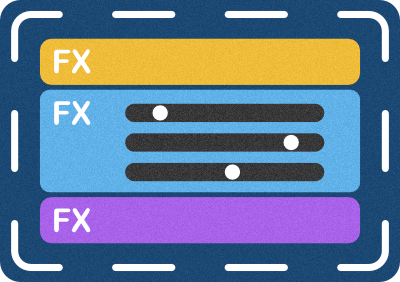
Apply the entire snapshot or select the individual components that should be updated. Easily mix and match between different snapshots to recall specific settings. Snapshot FX doesn’t only update existing effects, effects can also be applied as a new stack on a selected layer.
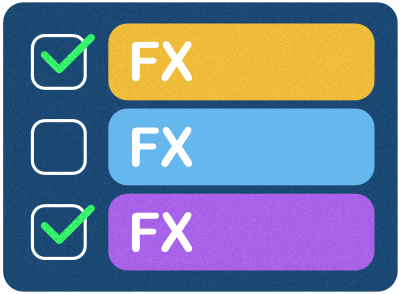
Mark the Path for an effect that has a large number of parameters, not to mention in particular. Snapshot FX makes it easy to leave a breadcrumb trail as you navigate different settings. Feel free to audition a wide range of settings to find the perfect combination. If you get off track, just navigate back with snapshots you made along the way.


Snapshot Management Tools
Overwrite – replace a snapshot, perfect when a small or large change is needed.
Tag – add tags to your snapshots to keep track of extra details.
Manage – keep snapshots organized with the auto-rename feature to ensure layers remain linked.
Find – locate any layer in your project used to create a specific snapshot.
Search the snapshot list by entering any effect, layer, or comp name. Search supports Boolean operations AND, OR, & NOT. New! Search All Data, Tags Only, Effects Only, Layers Only, and Comps Only.
Filter – create a list of snapshots that originated on the currently selected layer.
Directory Jump List – easily navigate between different directories using the jump list that displays the ten last directories used.
Share – snapshots are stored on the hard drive, and users can easily create a general library or project-specific snapshots. Store snapshots on a network directory to share your effect stacks with another person or an entire team. Since Snapshot FX takes advantage of native components of After Effects, the snapshots created can be shared with anyone using the same or newer version of After Effects.
FX Manager generates a list of every layer in your project that has an effect applied to it. Search the list for a specific effect, layer, or comp and navigate directly to it with a single button click. FX Manager also allows the user to turn off all effects on a specific layer or toggle specific effects, which is perfect for toggling resource-heavy effects.
New – Customize Display Snapshots combine Tags, Effects, Timestamp, Layer Name, and Comp Name to capture your work state. Customize your Snapshot navigation by choosing which components to display, or simply hide labels to focus on the content. For even more flexibility, define custom delimiters using any text elements or system glyphs.

Elevate your motion graphics workflow with premium collection of After Effects plugins. Whether you are a seasoned professional or just starting your VFX journey, powerful tools designed to streamline complex tasks, unlock creative possibilities, and save you hours of rendering time. From stunning glitch effects and seamless transitions to advanced 3D extrusion and text animation tools, each plugin in our library is rigorously tested for compatibility with the latest versions of Adobe after Effects. Enhance your video production value today and download industry-leading plugins that help you create breathtaking visuals without the technical headaches. Browse our full range and find the perfect extension to supercharge your editing suite now.
➡️ ➡️ For more after effects Plugins 😀 😀
➡️ ➡️ System requirements AE
Reviews
There are no reviews yet.