
staircase for After Effects
Primary Keyphrase: layer staggering script
Description:
Download Staircase v1.05 for After Effects on Windows and Mac, a powerful script that lets you quickly stagger, sequence, and randomize blocks of layers in your timeline . Divide layers into separate blocks via block size or label color, offset layers individually, and control timing inside and outside blocks with intuitive controls .
Version 1.05 Key Features:
- Stagger: Stagger different blocks of layers in multiple increments and in the order they’re selected. Alt+Click staggers layers based on their position within the composition—choose between sorting by center point or bounding box .
- Easing: Add easing elements to the main UI—apply easing to all selected layers, or choose to ease inside or outside blocks separately .
- Sequence: Sequence layers individually or in blocks. Staircase automatically calculates overall in-point and out-point of each block and adjusts accordingly .
- Randomize: Randomize blocks of layers up to a defined amount forwards in time. Shift+Click to randomize forwards and backwards .
- Fade Controls: Shift+Click to fade in, Alt+Click to fade out, Shift+Alt+Click to fade in and out between blocks of layers .
- Custom UI: Add or hide Inside/Outside Blocks controls and Easing controls to best suit your workflow—just reopen the script to see changes .
- Additional Features: Choose between Frames, Seconds, or Minutes as unit values; round to nearest frame when easing; merge label colors into single blocks even if they’re not together in timeline; move layers to CTI; create a block from all selected layers .
- v1.05 Update (Mar 28, 2022): Updated licensing framework for CC2022 compatibility and added option for setting Layer Direction Order .
- Broad Compatibility: Supports After Effects 2025 down through CC 2014 on both Windows and Mac systems .
Perfect For:
- Motion graphics artists needing to quickly arrange multiple layers in staggered sequences
- Animators creating complex timing patterns across grouped layers
- Anyone tired of manually offsetting layers in the timeline
- Studios looking to speed up timeline organization workflows
System Requirements:
- Adobe After Effects 2025, 2024, 2023, 2022, 2021, 2020, CC 2019, CC 2018, CC 2017, CC 2015.3, CC 2015, CC 2014
- Windows 10/11 (64-bit) or macOS
- 4GB RAM minimum (8GB+ recommended)
- 25MB available disk space
- Enable “Allow Scripts to Write Files and Access Network” in Preferences > Scripting & Expressions
- Supports multiple languages in AE—test trial version before purchasing
Installation:
Copy the script file to your After Effects ScriptUI Panels folder:
- Windows:
C:\Program Files\Adobe\Adobe After Effects [version]\Support Files\Scripts\ScriptUI Panels\ - Mac:
/Applications/Adobe After Effects [version]/Scripts/ScriptUI Panels/
Access via Window menu > Staircase
Trial Version:
Limited to 6 layers and 7 days for testing before purchase
Quickly stagger, sequence and randomise blocks of layers.
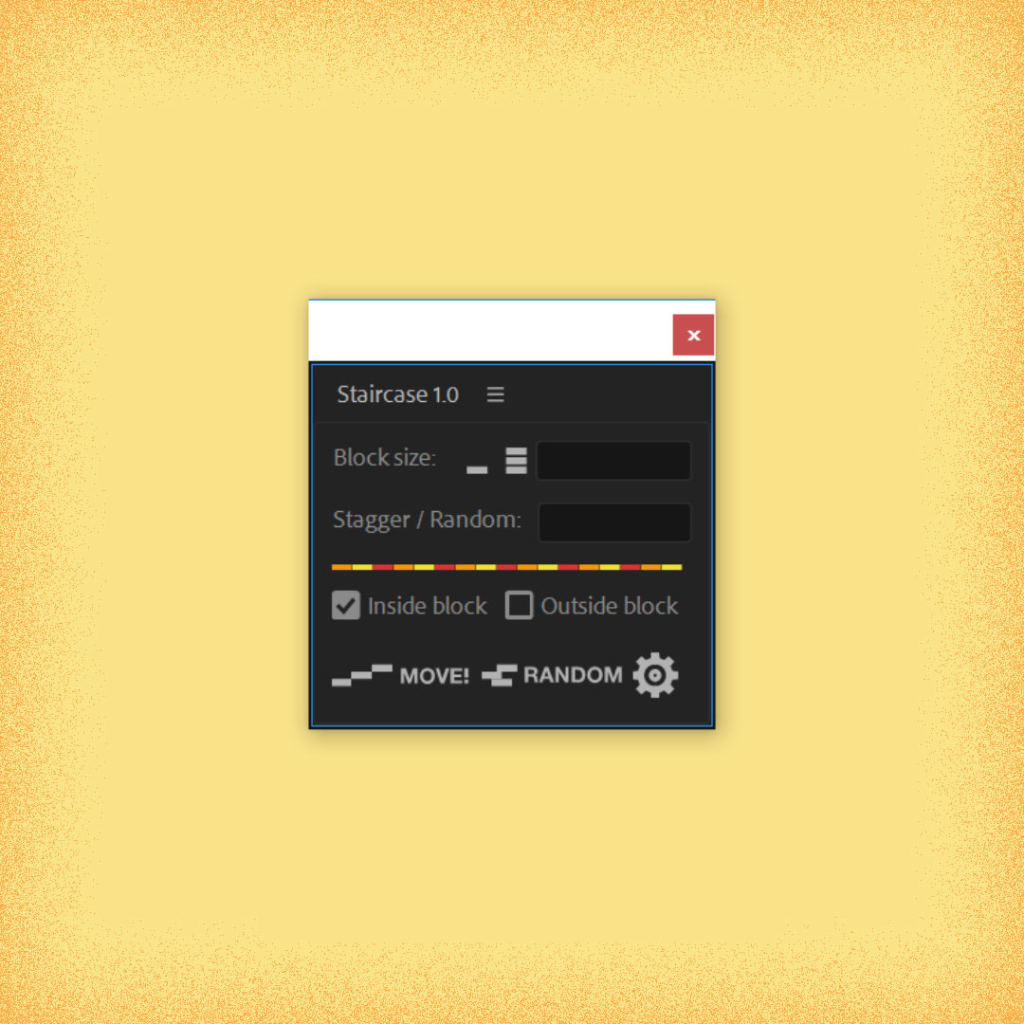
Staircase is a tool for After Effects that allows you to quickly stagger, sequence and randomise blocks of layers.
Divide your layers into separate blocks via block size or via label colour. Hovering over the UI will highlight what labels are selected.
Offset layers individually, or control inside and outside the blocks.
Staircase comes with some great additional features like staggering based on position, adding easing to each block and fading between blocks.

Some of the features in more detail:
Stagger:
Stagger different blocks of layers in multiple increments and in the order they’re selected.
Alt + Click staggers layers and blocks based on their position within the composition.
– Control whether layers with the same position start at the same time
– Base position on the center point of each block and layer, or it’s bounding box.
– Stagger inside blocks and outside blocks based on position seperately.


When staggering by position with bounding box, layers and blocks are sorted based on their nearest edge,
to the direction chosen. E.g. If direction chosen is down: Layers and blocks will be sorted based on their top edge.
See above for example.
Easing:
Add additional easing elements to the main UI.
Ease all selected layers, or choose to ease inside or outside blocks.


Sequence:
Sequence layers individually or in blocks. Staircase works out the overall in-point and out-point of each block and adjusts accordingly.
Fade between blocks of layers and control:
Shift + Click to fade in.
Alt + Click to fade out.
Shift + Alt + Click to fade in and out.

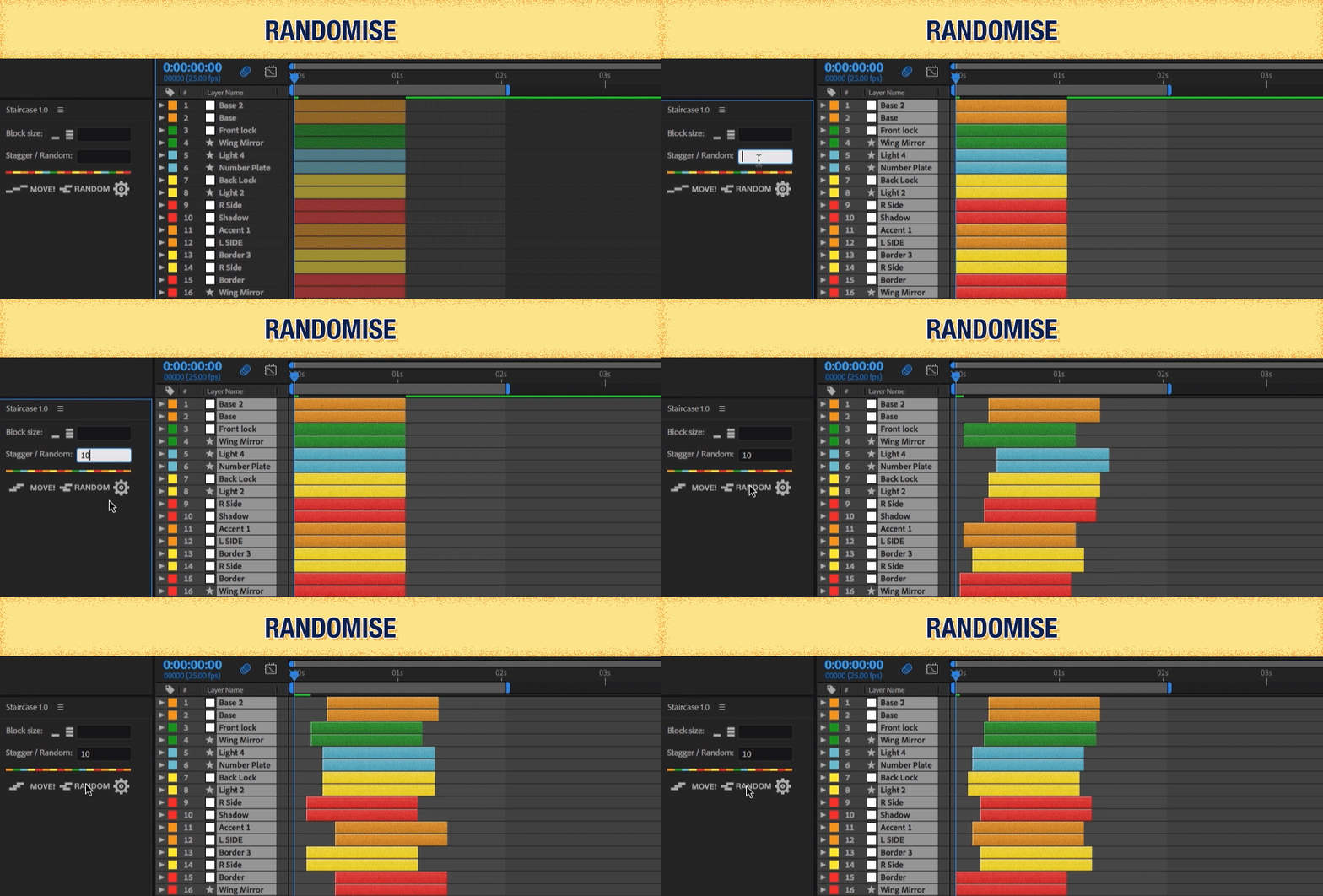
Randomise:
Randomise blocks of layers up to a defined amount forwards in time.
Shift + Click to randomise blocks of layers up to a defined amount forwards and backwards in time.
Custom UI:
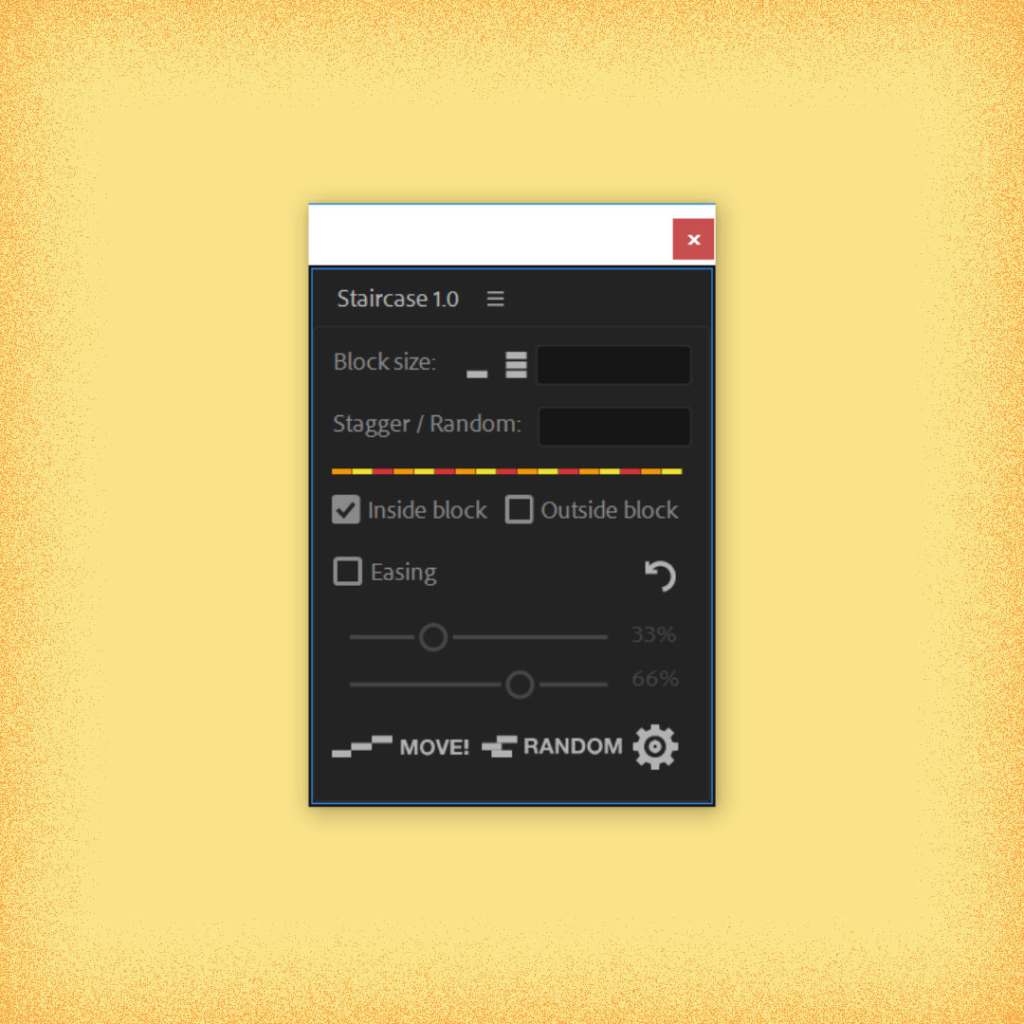
Add additional elements you see in the main UI to what ever best suits your needs. Just re open the script to see the changes.
Staircase currently allows you to add or hide:
– Inside / Outside Blocks controls
– Easing controls
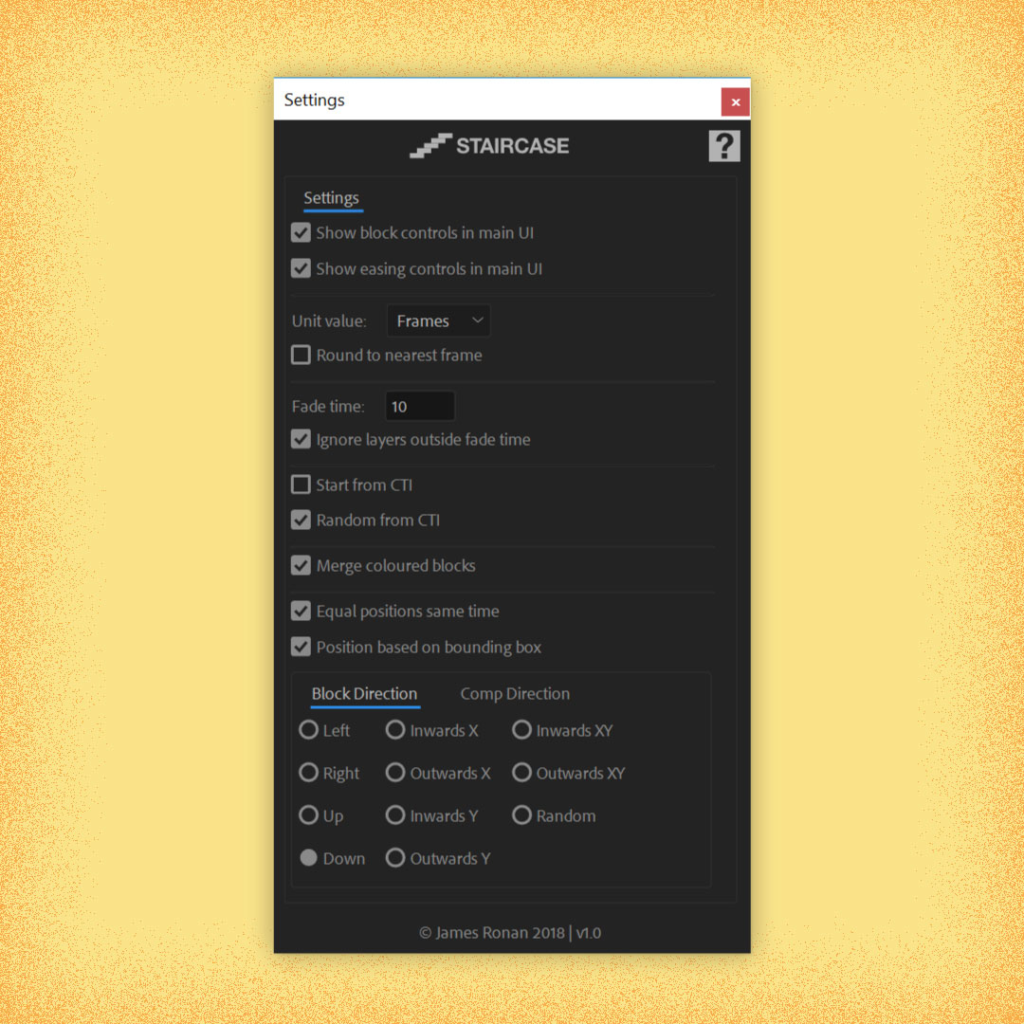
Additional Features:
– Choose a unit value between: Frames, Seconds Minutes.
– Round to the nearest frame when easing.
– Merge label colours into single blocks if they’re not together in the timeline.
– Move layers to the CTI.
– Create a block from all layers selected.
Compatibility:
Staircase works with After Effects CC 2014.2 and up.
Staircase has support for multiple languages in AE. But please test script in Trial mode before purchasing.
Elevate your motion graphics workflow with premium collection of After Effects plugins. Whether you are a seasoned professional or just starting your VFX journey, powerful tools designed to streamline complex tasks, unlock creative possibilities, and save you hours of rendering time. From stunning glitch effects and seamless transitions to advanced 3D extrusion and text animation tools, each plugin in our library is rigorously tested for compatibility with the latest versions of Adobe after Effects. Enhance your video production value today and download industry-leading plugins that help you create breathtaking visuals without the technical headaches. Browse our full range and find the perfect extension to supercharge your editing suite now.
➡️ ➡️ For more after effects Plugins 😀 😀
➡️ ➡️ System requirements AE
Reviews
There are no reviews yet.