
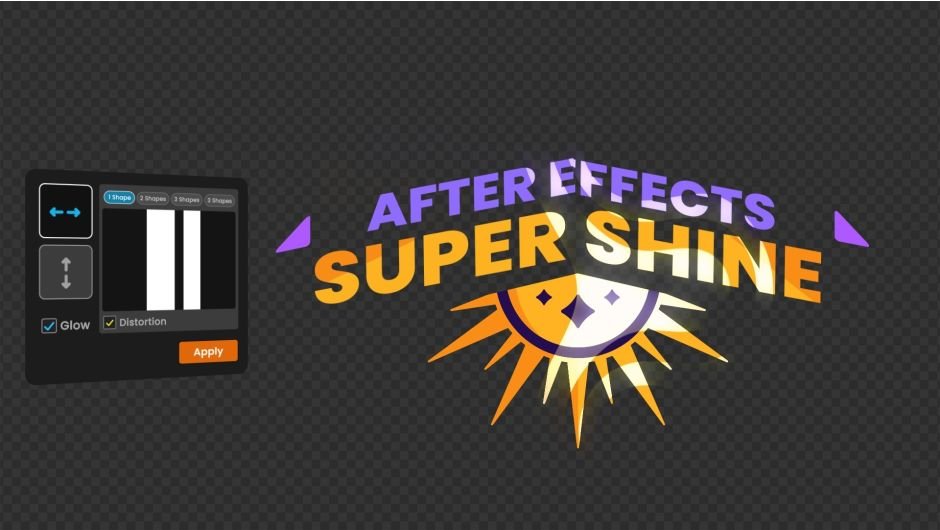
Super Shine for After Effects
Primary Keyphrase: light sweep script
Download Super Shine v1.0 for After Effects on Windows and Mac, a powerful script that creates customizable light sweep and shine effects on any layer with ease . Add dynamic light movements to your text, logos, and graphics using intuitive marker-based controls for precise timing .
Key Features of Super Shine v1.0:
- Marker-Based Timing Control: Use composition markers for quick and simple control over effect start and end times
- Easy Start/End Point Control: Quickly position where your light sweep begins and ends with intuitive controls
- Multiple Shine Layers: Apply multiple light sweep effects to a single layer for complex, layered illumination
- Effect Stacking Compatible: Add additional effects like glow through the effect controls panel for enhanced visual impact
- Mirror Mode Option: Apply mirror effects to your light sweep for symmetrical shine patterns
- User-Friendly Settings: Accessible controls make creating professional light effects quick and simple
- Cross-Platform Support: Works on both Windows and Mac systems with After Effects 2023, 2024
Perfect For:
- Motion graphics artists adding dynamic highlights to logos and text
- Title sequence creators wanting eye-catching shine effects
- Product visualization designers adding realistic reflections
- Anyone looking to add professional light sweep animations without complex manual keyframing
System Requirements:
- Adobe After Effects 2023, 2024
- Windows 10/11 (64-bit) or macOS
- 4GB RAM minimum (8GB+ recommended)
- 25MB available disk space
- Enable “Allow Scripts to Write Files and Access Network” in Preferences > Scripting & Expressions
Installation:
Copy the script file to your After Effects ScriptUI Panels folder:
- Windows:
C:\Program Files\Adobe\Adobe After Effects [version]\Support Files\Scripts\ScriptUI Panels\ - Mac:
/Applications/Adobe After Effects [version]/Scripts/ScriptUI Panels/
Access via Window menu > Super Shine
Note: Version 1.0 is the initial release of this light sweep tool. The script’s marker-based timing system makes it easy to sync light effects with your animations .
Create customizable light & shine sweep effects on any layer in After Effects.
Unleash your creativity by crafting swift and versatile light and shine sweep effects on layers in After Effects!
Our tool allows you to quickly add light movement to your layers
and then apply a wide range of stunning effects using easy-to-use settings
Features :
- Quick and simple start and end time control with markers
- Quick and easy start and end point control
- Easy to use settings
- Ability to apply multiple shines on a layer
- Possibility of adding other effects (such as glow) in Effect Mode
- Ability to apply mirror mode to sweeps
Tutorial
Elevate your motion graphics workflow with premium collection of After Effects plugins. Whether you are a seasoned professional or just starting your VFX journey, powerful tools designed to streamline complex tasks, unlock creative possibilities, and save you hours of rendering time. From stunning glitch effects and seamless transitions to advanced 3D extrusion and text animation tools, each plugin in our library is rigorously tested for compatibility with the latest versions of Adobe after Effects. Enhance your video production value today and download industry-leading plugins that help you create breathtaking visuals without the technical headaches. Browse our full range and find the perfect extension to supercharge your editing suite now.
➡️ ➡️ For more after effects Plugins 😀 😀
➡️ ➡️ System requirements AE
Reviews
There are no reviews yet.