
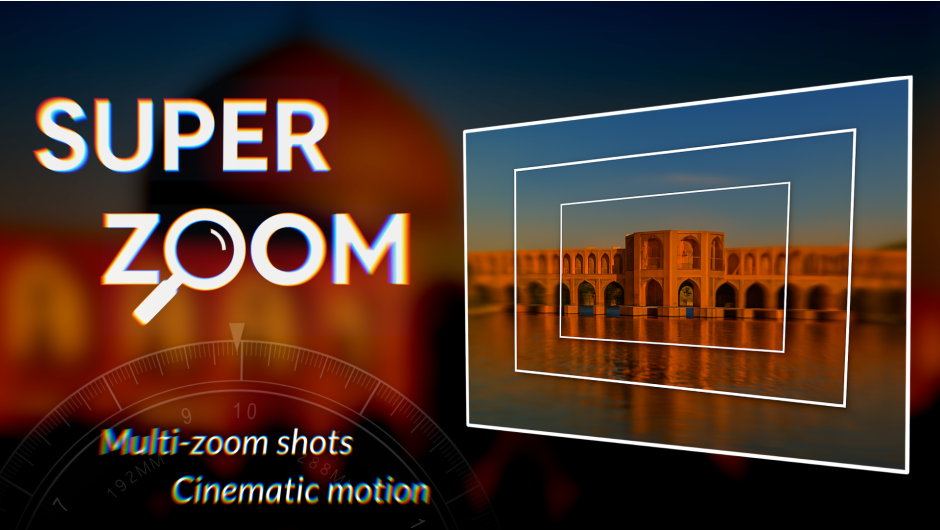
SuperZoom for After Effects
superzoom script
SuperZoom v1.1.0 for After Effects – Dynamic Zoom & Scale Animation Toolkit
Download SuperZoom v1.1.0 for After Effects on Windows and Mac, a powerful script that creates professional zoom, scale, and pan animations with a single click. Perfect for dynamic photo slideshows, product reveals, and cinematic title sequences—SuperZoom gives you complete control over zoom speed, easing, and motion blur .
Key Features of SuperZoom v1.1.0:
- One-Click Zoom Animations: Instantly create smooth zoom in, zoom out, and pan animations with professional timing and easing
- Customizable Zoom Speed: Control zoom duration and acceleration for subtle or dramatic effects
- Motion Blur Integration: Automatically adds and adjusts motion blur for cinematic zoom effects
- Multiple Zoom Styles: Choose from standard zooms, whip pans, crash zooms, and smooth dolly effects
- Preset System: Save favorite zoom configurations for consistent results across projects
- Layer Selection Options: Apply zooms to individual layers, selected layers, or entire compositions
- Anchor Point Management: Intelligent anchor point positioning ensures zooms center exactly where you want them
- Real-Time Preview: See zoom effects update instantly as you adjust parameters
- v1.1.0 Updates: New zoom styles, improved easing controls, and performance enhancements
- Cross-Platform Support: Works on both Windows and Mac systems
Perfect For:
- Motion graphics artists creating dynamic photo slideshows
- Video editors adding dramatic zoom effects to interviews and product shots
- Title sequence designers building cinematic reveal animations
- Content creators wanting to add professional zoom effects to their videos
- Anyone needing quick, professional zoom animations without manual keyframing
System Requirements:
- Adobe After Effects 2025, 2024, 2023, 2022
- Windows 10/11 (64-bit) or macOS
- 4GB RAM minimum (8GB+ recommended)
- 25MB available disk space
- Enable “Allow Scripts to Write Files and Access Network” in Preferences > Scripting & Expressions
Installation:
Copy the script file to your After Effects ScriptUI Panels folder:
- Windows:
C:\Program Files\Adobe\Adobe After Effects [version]\Support Files\Scripts\ScriptUI Panels\ - Mac:
/Applications/Adobe After Effects [version]/Scripts/ScriptUI Panels/
Access via Window menu > SuperZoom
Note: Version 1.1.0 includes new zoom styles and improved easing controls . The script’s one-click zoom animations make it essential for creating professional reveal effects without complex manual keyframing .
From Basic Shots to Professional Zooms. Turn multi-zoom images into cinematic zoom-ins—effortlessly
Just import your shots. It sorts, auto-stacks, warps, color-enhances, and builds a parented comp that auto-focuses on your subject.
Smart zooms—cinematic results, zero manual setup.
Works only on Windows.
Precision Zooming Made Effortless in After Effects
Auto-stacks, warps, and color-enhances.
Cinematic Zooms from Your Shots to After Effects
Shoot shots with different zooms. Turn everyday your shots into professional zoom sequences with zero manual effort.
Overview
Super Zoom is a smart After Effects extension designed for creators who want to build immersive zoom-in effects using real-world photography. Whether you’re shooting with a DSLR, a mirrorless camera, or just your smartphone, Super Zoom transforms your multi-zoom images into a seamless, cinematic zoom composition—automatically.

What It Does
Super Zoom analyzes a series of images taken at different zoom levels or distances, warps each one to match the previous, adjusts brightness and color, and builds a layered, parented composition inside After Effects. The result is a smooth, elegant zoom-in effect that lands perfectly on your subject.
How It Works
1Capture Your Images: Use your camera or smartphone to take multiple shots of the same subject at different zoom levels or distances.
2Sort Automatically: With one click, the extension sorts your images from the widest (base) to the most zoomed-in (top), ready for processing.
3Warp & Align: Each image is analyzed and warped to match the previous one. It’s then positioned precisely over the earlier layer.
4Blend & Match: All layers are stacked, feathered at the edges, and color-matched to create a unified visual flow.
5Customize the Zoom: Use the effect panel to tweak zoom behavior—layer visibility, feathering, zoom rotation, wiggle motion, and more.
6Animate the Final Zoom: Keyframe the scale of the main layer to create a smooth, cinematic zoom-in that lands perfectly on your subject.
Sample Workflow with Super Zoom Extension:

Step 1 — Import Zoomed Images:
Capture a series of images at different zoom levels or distances using your camera or smartphone. Then import them into the extension via drag-and-drop or folder selection.
https://player.vimeo.com/video/1120054279?autoplay=1&loop=1&background=1Step 2 — Automatic Processing:
Click the “Go” button. The extension automatically sorts the images from widest to most zoomed, warps each image to match the previous one, stacks them in order, and prepares them for final composition.
https://player.vimeo.com/video/1120053436?autoplay=1&loop=1&background=1Step 3 — Final Integration:
Each layer is automatically feathered, color-matched, and adjusted based on the previous one. The result is a unified zoom structure, ready for animation and cinematic scaling.
Some Advanced Features of the Super Zoom Extension:
https://player.vimeo.com/video/1120030259?autoplay=1&loop=1&background=1
Manual Zoom Targeting
Add any object to your timeline and click the “Set Zoom” button to redirect the final zoom to that layer.
You can repeat this process infinitely—creating billions of zoom levels.
You can also merge multiple zoom sequences generated by the extension to build a continuous, infinite zoom.
https://player.vimeo.com/video/1120068356?autoplay=1&loop=1&background=1
Geolocation-Based Zoom Generation
Use the built-in panel to enter a geographic location.
The extension will automatically generate zoomed images from that point and build a cinematic zoom sequence.
You can control zoom motion and behavior using scale keyframes and the effect panel.
https://player.vimeo.com/video/1120088544?autoplay=1&loop=1&background=1
Exponential Scale Simulation
Scale keyframes simulate exponential zoom behavior, allowing you to add unlimited scale keys—even at extreme zoom levels—without breaking the animation flow or causing visual artifacts.
| Super Zoom |
|---|
| Create cinematic zoom-ins using real-world photography—even with your phone.Just capture images at different distances—no special gear required.Automatically warps, aligns, and color-matches each image to build a seamless zoom sequence.Images are layered and parented inside After Effects for intuitive scaling and control.Scale the main layer to zoom through all frames and land precisely on your subject.Perfect for mobile creators, motion designers, and editors seeking elegant zoom transitions. |
Elevate your motion graphics workflow with premium collection of After Effects plugins. Whether you are a seasoned professional or just starting your VFX journey, powerful tools designed to streamline complex tasks, unlock creative possibilities, and save you hours of rendering time. From stunning glitch effects and seamless transitions to advanced 3D extrusion and text animation tools, each plugin in our library is rigorously tested for compatibility with the latest versions of Adobe after Effects. Enhance your video production value today and download industry-leading plugins that help you create breathtaking visuals without the technical headaches. Browse our full range and find the perfect extension to supercharge your editing suite now.
➡️ ➡️ For more after effects Plugins 😀 😀
➡️ ➡️ System requirements AE
Reviews
There are no reviews yet.