
Swiss Knife for After Effects
swiss knife script
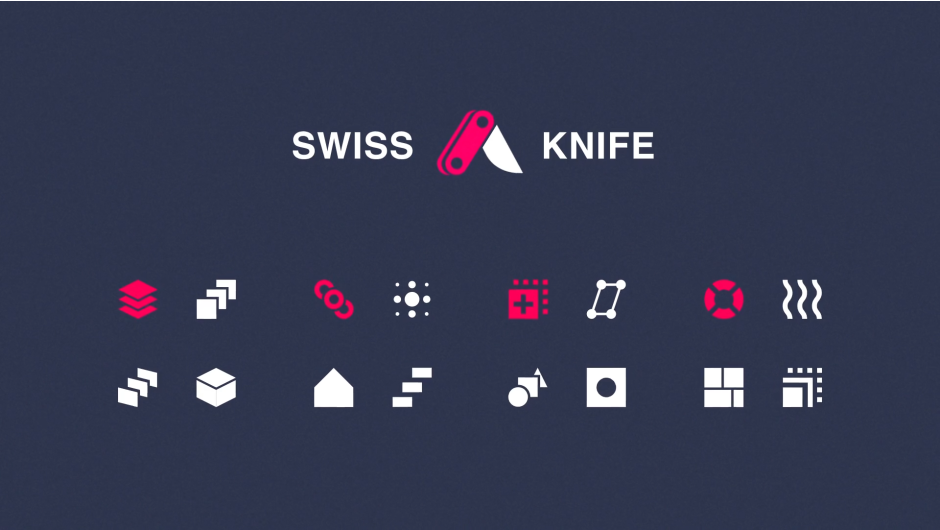
Download Swiss Knife v1.2.2 for After Effects on Windows and Mac, a powerful collection of 20 essential tools that can be combined in thousands of variations to streamline your motion graphics workflow . Developed by Motion Design School, this versatile script acts as your creative Swiss Army knife, offering four main tool groups for parallax effects, interactive animations, placeholder management, and general project support .
Version 1.2.2 Updates (April 1, 2025):
- Placeholder Improvements: Fixed precompose functionality for layers with parent layers and improved handling of complex parenting connections in compositions
- Stability Fix: Resolved empty error on startup
- License Update: Updated license framework to v4.3.2
Key Features of Swiss Knife v1.2.2:
Parallax Tools:
- Parallax 2D: Create convincing fake parallax effects using 2D layers without switching to 3D space
- Parallax 3D: Generate true 3D distribution between near and far distances with manually adjustable parameters
- Extruder: Create extrusions from placeholder layers for dimensional effects
- Stack: Build linear stacks of layers in either 2D or 3D space with extensive options
Interaction Tools:
- Dependence: Link any animation to the behavior of any other property for interdependent motion
- Interactor: Position animations based on the relationship between your last selected layer and others
- Animarker: Trigger animations based on composition markers for precise timing control
- Offset: Animate all parameters with identical values but staggered time delays
- Revolver: Link object rotations to a master object for coordinated movement
Placeholder Tools:
- Placeholder: Use shape or picture layers as flexible placeholders for any stack of footage
- Piner: Pin images to selected path vertices for precise positioning
- Switcher: Batch precompose selected layers, crop to the largest layer, and enable Time Remap with one click
- Alpha Matte: Clone the top selected layer as an Alpha Matte for all other selected layers
- Slideshow: Create simple, automated slideshows within precompositions
Support Tools:
- Reorder: Reverse the order of selected layers with a single click
- Bake: Convert expressions to keyframes while optimizing them for performance
- Tangents: Create proper arcs and smooth position movements with ease
- Resize: Make all selected layers or project items the same size instantly
- Slice: Split layers into fragments with dedicated menu controls
- Swap: Change the source of selected layers with a single click
Perfect For:
- Motion graphics artists creating parallax animations and complex layer interactions
- Character animators needing interdependent movement and timing controls
- Video editors streamlining template workflows with placeholder management
- UI/UX designers prototyping interactive animations and transitions
- Anyone looking to dramatically speed up everyday After Effects tasks
System Requirements:
- Adobe After Effects 2025, 2024, 2023, 2022, 2021, 2020, CC 2019, CC 2018, CC 2017, CC 2015, CC 2014, CC, CS6
- Windows 10/11 (64-bit) or macOS
- 4GB RAM minimum (8GB+ recommended)
- 50MB available disk space
- Important: English version of After Effects recommended—Chinese version may cause expression errors
- Enable “Allow Scripts to Write Files and Access Network” in Preferences > Scripting & Expressions
Installation:
Copy the script file to your After Effects ScriptUI Panels folder:
- Windows:
C:\Program Files\Adobe\Adobe After Effects [version]\Support Files\Scripts\ScriptUI Panels\ - Mac:
/Applications/Adobe After Effects [version]/Scripts/ScriptUI Panels/
Access via Window menu > Swiss Knife v1.2.2
Swiss Knife is a group of 20 tools that can be combined in thousands of variations.
Swiss Knife it is one tool and unlimited possibilities
Play with 4 groups including parallaxer, interactor, placeholder and support.
Use it for any kind of projects, character animation, video editing, templates, UI/UX animation
Parallax
The main purpose of this group of tools is to allow you make parallax animation as easier, as possible.
- Parallax 2D will make fake parallax effect with 2D layers, if you don’t want to go to 3D.
- Parallax 3D makes true 3D distribution between Near and Far Distances, which you can type manually.
- Extruder main feature is that you can make extrude from placeholders.
- Stack is a huge option, which allows you to make linear stacks in 2D or 3D space.
Interaction
Interactions is very helpful to make interdependent animations.
- Dependence is a wonderful tool which allows you to put any animation in dependence of any other property.
- Interactor put your animation in dependence of positions between last selected layer and others.
- Animarker allows you to put your animation in dependence of markers.
- Offset animates all parameters on the same value, but with time delay.
- Revolver take rotation of the objects and links to the main object

Placeholder
Allows you to optimize, probably, your every day’s routine.
- Placeholder allows you to use shape layers or picture layers as placeholders to any stack of footages.
- Piner put your image in dependence of selected path vertices
- Switcher puts all selected layers to precompose, crop precompose to biggest layer in it and turns on Time Remap.
- Alpha Matte clones very top selected layer as Alpha Matte to all others.
- Slideshow allows you to make simpliest slideshow in precompose.
Support
Support functions is a suit of different functions witch helps you with your projects.
- Reorder will reverse your order. By Click there is simple reverse of order of selected layers.
- Bake will bakes your expressions to keys and optimize them as possible.
- Tangents is simple tool to make position moves with proper arcs.
- Resize is a wonderful tool. It will help you to make all selected layers (or items) the same size.
- Slice is beautiful. It’s slices the layer on the pieces, it has it’s own menu, just click on it and you will see.
- Swap is very interesting and variable tool. It changing source off selected layers with just click.

Examples


Tutorials





Elevate your motion graphics workflow with premium collection of After Effects plugins. Whether you are a seasoned professional or just starting your VFX journey, powerful tools designed to streamline complex tasks, unlock creative possibilities, and save you hours of rendering time. From stunning glitch effects and seamless transitions to advanced 3D extrusion and text animation tools, each plugin in our library is rigorously tested for compatibility with the latest versions of Adobe after Effects. Enhance your video production value today and download industry-leading plugins that help you create breathtaking visuals without the technical headaches. Browse our full range and find the perfect extension to supercharge your editing suite now.
➡️ ➡️ For more after effects Plugins 😀 😀
➡️ ➡️ System requirements AE
Reviews
There are no reviews yet.