
TextExploder for After Effects
textexploder script
Download TextExploder v3.0.001 for After Effects on Windows and Mac, a powerful script developed by mamoworld that instantly splits text layers into individual characters, words, lines, or custom selections. The placement of each letter is perfectly preserved without expressions, text animators, or other tricks—giving you clean, independent layers for ultimate creative control .
Version 3.0.001 Key Updates (December 2024):
- RTL Text Support: Version 3.0.001 now fully supports right-to-left text, allowing you to split Hebrew and Arabic text into layers just as easily as left-to-right languages
- Precise Positioning: Each split letter maintains its exact original position without expressions or text animators—just clean, independent layers ready for animation
Key Features of TextExplorer v3.0.001:
- Multiple Split Options: Split text layers by characters, words, lines, or isolate single custom words with powerful, flexible options
- Regular Expression Support: Use regular expressions for advanced, custom splitting scenarios to handle complex text structures
- Clean Layer Output: Each letter becomes a genuine, independent text layer containing only that character—no expressions, no text animators, no hidden tricks
- Perfect for Individual Letter Animation: Ideal for creating dynamic kinetic typography where each letter needs independent movement, scale, rotation, or color
- BeatEdit Integration: Works seamlessly with BeatEdit for creating complex text animations synchronized to music—animate each letter individually in perfect rhythm
- Preserves Original Properties: Maintains font, size, color, and other text properties across all generated layers for consistency
- Broad Compatibility: Supports After Effects 2024 down through CC 2015 on both Windows and Mac systems
Perfect For:
- Motion graphics artists creating kinetic typography with individual letter animations
- Title sequence designers needing per-character control for dynamic text reveals
- Music video producers syncing text animations to beat with BeatEdit integration
- Anyone who wants to animate each letter independently without manual layer splitting
- Projects requiring precise control over individual characters for complex text effects
System Requirements:
- Adobe After Effects 2024, 2023, 2022, 2021, 2020, CC 2019, CC 2018, CC 2017, CC 2015
- Windows 10/11 (64-bit) or macOS
- 4GB RAM minimum (8GB+ recommended)
- 25MB available disk space
- Enable “Allow Scripts to Write Files and Access Network” in Preferences > Scripting & Expressions
Installation:
Copy the script file to your After Effects ScriptUI Panels folder:
- Windows:
C:\Program Files\Adobe\Adobe After Effects [version]\Support Files\Scripts\ScriptUI Panels\ - Mac:
/Applications/Adobe After Effects [version]/Scripts/ScriptUI Panels/
Access via Window menu > TextExploder
Note: Version 3.0.001 is available from mamoworld via aescripts.com . The script is also built into Squash & Stretch Pro, or available as a standalone tool . Perfect for creating dynamic typography where each letter needs independent animation capabilities.
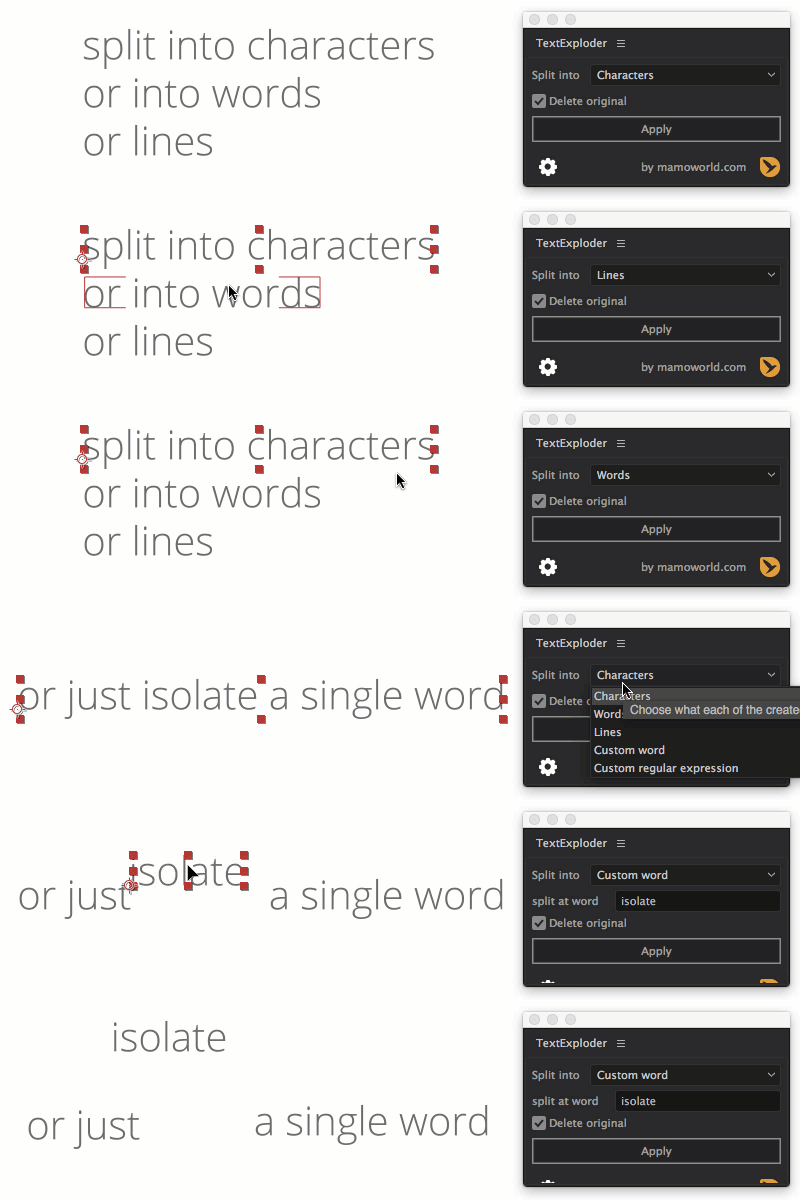
Split text layers into characters, words, lines and more. The placement of each character is accurately preserved without expressions, text animators or other tricks.
Split Text Layers Easily
- split into characters
- split into words
- split into lines
- isolate a single custom word
- powerful and flexible custom splits with Regular Expressions
Accurate Placement
After the split, the position of each letter is accurately preserved! But TextExploder doesn’t just “hide” letters from the text – you get truly “clean” text layers that only contain the text you see, with no expressions, text animators or other tricks.
New in V3: Per Character Text Styles
Text Exploder finally supports texts with more than one color, font or other text styles. This feature requires Ae 24.3 or newer.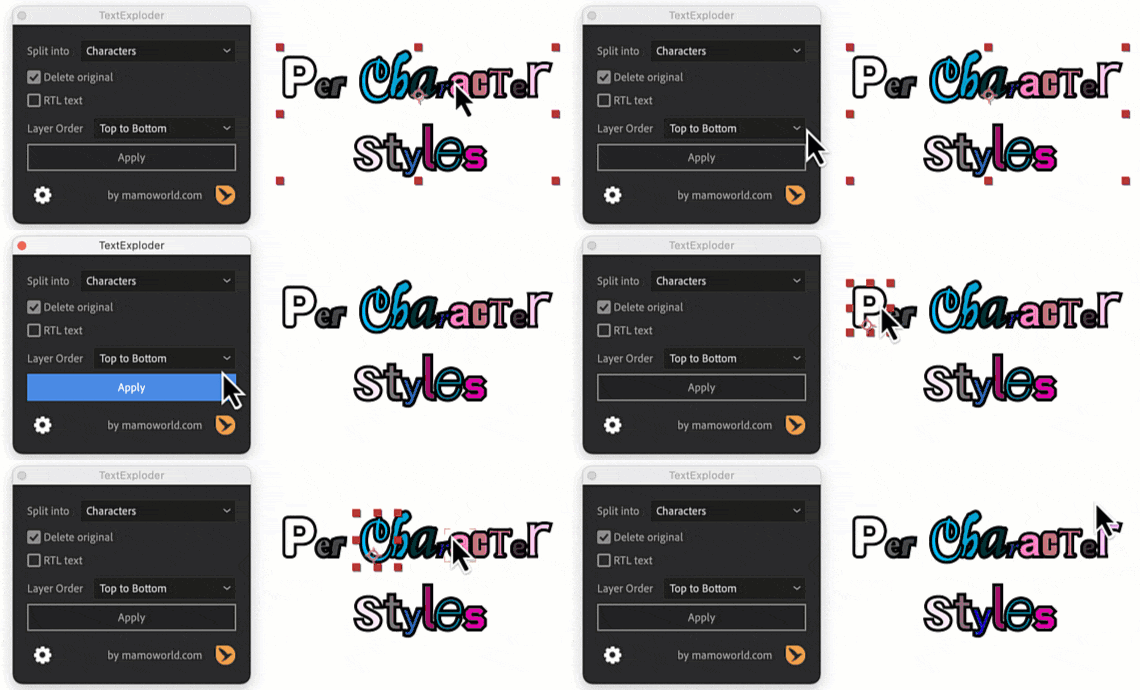
KBar Support
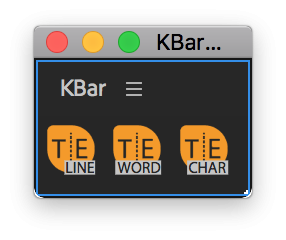
If you use KBar, you can use TextExploder with your favorite settings directly from a KBar button.learn more
Scripting Support
You can also execute TextExploder directly from your own Ae scripts. Use TextExploder as part of your automated pipelines and your own custom workflow tools!
 //use TextExploder in your own scripts
 var API = getTextExploderV3();
 API.explode({split:"words", deleteOriginal:true});

Tutorials
What Sets Text Exploder Apart from Decompose Text?
Text Exploder and Decompose Text handle text decomposition differently, leading to distinct advantages for Text Exploder users:
Decompose Text: Each text layer retains the full, original text but reduces the opacity of unwanted characters to zero using expressions. This approach results in all layers having the same bounding box as the full text, making it difficult to select individual layers by clicking on them.
Text Exploder: Avoids these issues entirely. Each layer is truly decomposed, allowing for precise selection and manipulation. No expressions or modifiers – just clean and simple text layers.
Elevate your motion graphics workflow with premium collection of After Effects plugins. Whether you are a seasoned professional or just starting your VFX journey, powerful tools designed to streamline complex tasks, unlock creative possibilities, and save you hours of rendering time. From stunning glitch effects and seamless transitions to advanced 3D extrusion and text animation tools, each plugin in our library is rigorously tested for compatibility with the latest versions of Adobe after Effects. Enhance your video production value today and download industry-leading plugins that help you create breathtaking visuals without the technical headaches. Browse our full range and find the perfect extension to supercharge your editing suite now.
➡️ ➡️ For more after effects Plugins 😀 😀
➡️ ➡️ System requirements AE
Reviews
There are no reviews yet.