
TypeMonkey3D for After Effects
typemonkey 3d script
Download TypeMonkey3D v1.01 for After Effects on Windows and Mac, a revolutionary add-on that instantly converts your TypeMonkey builds into stunning 3D kinetic typography. As the first After Effects script to leverage the Advanced 3D Renderer introduced in AE2024, TypeMonkey3D brings your text animations into the third dimension with just one click .
Key Features of TypeMonkey3D v1.01:
- One-Click 3D Conversion: Instantly transform any existing TypeMonkey build into fully realized 3D typography with a single click—no complex 3D setup required
- Advanced 3D Renderer Support: Takes full advantage of AE2024’s new Advanced 3D Renderer for professional-quality 3D text with realistic lighting, reflections, and materials
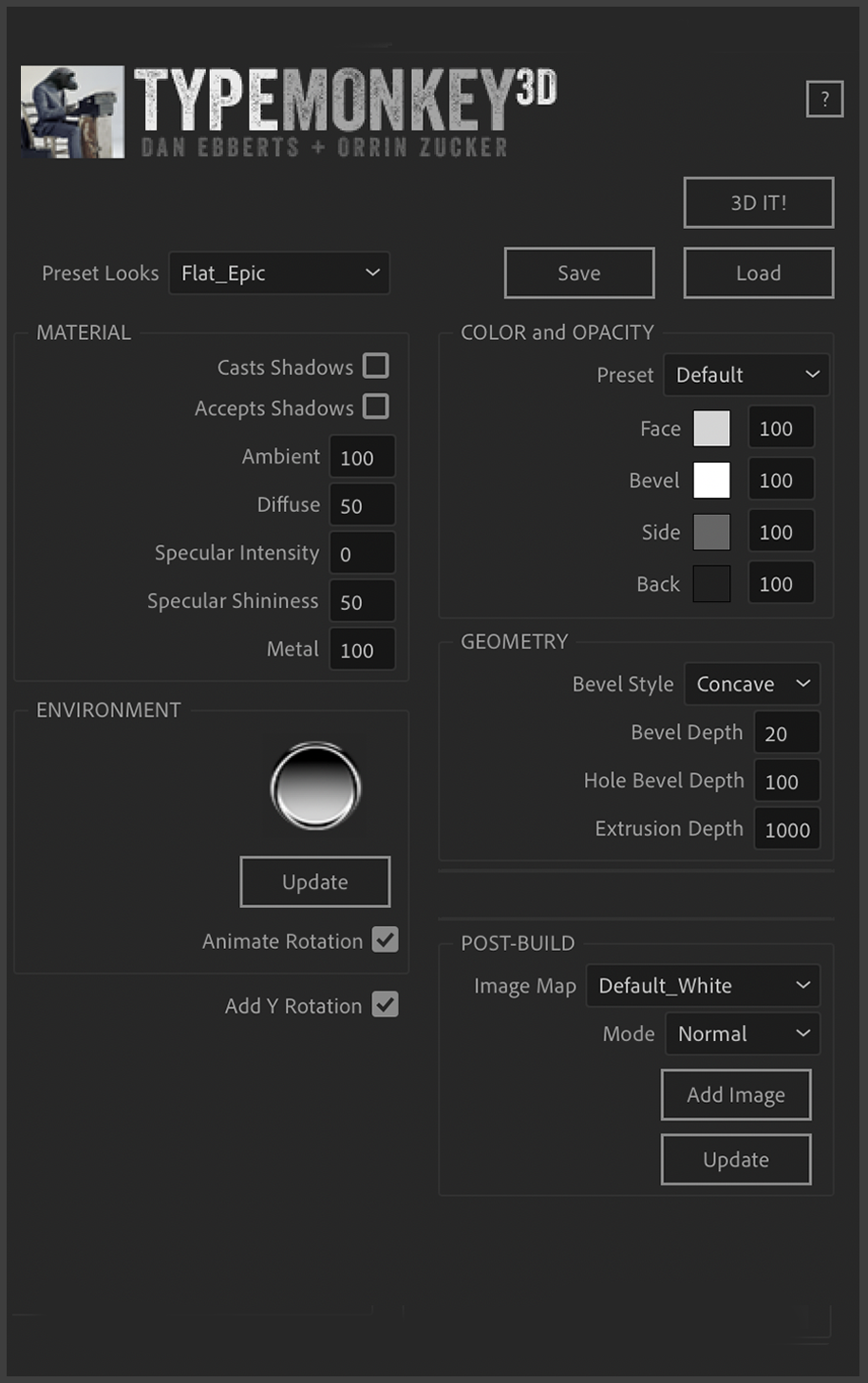
- Real-Time Effects Controls: Adjust geometry, materials, color, transparency, lighting, reflections, and textures in real-time through intuitive effects controllers
- Preset Lighting & Textures: Choose from included preset lighting environments and textures, or create your own custom setups for unique visual styles
- Environment Map Control: Fine-tune global environment rotation and reflections with dedicated effect controls
- Image Mapping System: Apply custom textures to the face of your text using the innovative iMap comp system—combine multiple images with blend modes, opacity controls, and transform effects
- Customizable Geometry: Adjust bevel styles, extrusion depth, and other geometric properties for complete control over your 3D text appearance
- Post-Build Adjustments: Continue refining your 3D text after conversion using the effects controllers—everything remains fully editable
- v1.01 Update: Automatically sets the source for environment light for improved workflow
Important Requirements:
- Requires After Effects 2024 or newer (AE2024+ with Advanced 3D Renderer)
- Requires TypeMonkey installed separately—this is an add-on that operates on existing TypeMonkey builds
- Note: Pre-built comps created with TypeMonkey3D can be opened by clients or associates without needing their own copy of the script—they just need a current version of After Effects
Perfect For:
- Motion graphics artists creating stunning 3D kinetic typography
- Title sequence designers wanting dimensional text animations
- Anyone who already uses TypeMonkey and wants to take their text into the third dimension
- Studios looking to create professional 3D text animations without complex 3D software
System Requirements:
- Adobe After Effects 2024, 2025, 2026
- Windows 10/11 (64-bit) or macOS
- Requires TypeMonkey (sold separately)
- 4GB RAM minimum (8GB+ recommended)
- 50MB available disk space
- Enable “Allow Scripts to Write Files and Access Network” in Preferences > Scripting & Expressions
Installation:
Copy the script file to your After Effects ScriptUI Panels folder:
- Windows:
C:\Program Files\Adobe\Adobe After Effects [version]\Support Files\Scripts\ScriptUI Panels\ - Mac:
/Applications/Adobe After Effects [version]/Scripts/ScriptUI Panels/
Access via Window menu > TypeMonkey3D after installation. A free demo is available after logging in for testing before purchase .
Convert TypeMonkey to stunning 3D in seconds. TypeMonkey & AE 2024+ required.
TypeMonkey3D is the first After Effects script to take advantage of the new Advanced 3D Renderer introduced in AE2024. With a single click TM3D will convert your TypeMonkey build to 3D instantly. Use a preset lighting environment & texture or make your own. Effects controllers allow for realtime adjustment of geometry, materials, color, transparency, lighting, reflections and textures. Quick & Easy kinetic 3D typography is finally a reality!
**For AE 2024.5 users, please make sure the Property panel is closed before clicking 3D IT!. Adobe is currently working on a fix**

Elevate your motion graphics workflow with premium collection of After Effects plugins. Whether you are a seasoned professional or just starting your VFX journey, powerful tools designed to streamline complex tasks, unlock creative possibilities, and save you hours of rendering time. From stunning glitch effects and seamless transitions to advanced 3D extrusion and text animation tools, each plugin in our library is rigorously tested for compatibility with the latest versions of Adobe after Effects. Enhance your video production value today and download industry-leading plugins that help you create breathtaking visuals without the technical headaches. Browse our full range and find the perfect extension to supercharge your editing suite now.
➡️ ➡️ For more after effects Plugins 😀 😀
➡️ ➡️ System requirements AE
Reviews
There are no reviews yet.