
Warping Wheels Plugin 3.4.0 Plugin For Ae And Pr
Warping Wheels 3.4.0 Color & Light Adjustment Plugin in After Effects & Premiere
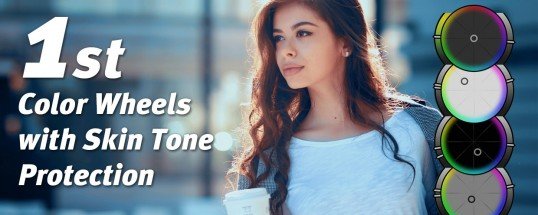
Color Wheels with skin tone protection and dedicated wheel controls for skin, sky, greenery and film contrast. With the Look Generator you find always a good starting point for your look. New: Apple Silicon support, cross-host presets toolbar, new controls and much more!
This section includes the Warping Wheels plugin version 3.4.0 for After Effects and Premiere, which is available for download on the site. With the help of this plugin, you can make color and light adjustments. You can also change different color and light channels to other channels, or increase or decrease the light of each part.
Professional color grading in less than 5 minutes
- You can master the tool within a few minutes: Save the learning curve and tweak your look right away.
- Look Generator: Generate as many new looks as you like at the touch of a button. This way, you’ll always find a good starting point for your look.
- Extra skin tone wheel to protect and edit skin tones: No more complicated masking of skin tones via secondaries.
- Precise color grading: Fine-tune the range of influence of the color wheels not only in terms of tone and spectrum, but also separately control saturation for different brightness ranges.
- Separate wheels for core image processing elements: Use the Sky Blue, Plant Green, and Film Contrast wheels to quickly create expressive looks
- Cross-host presets & LUT export: Use your saved looks in all compatible applications.
- Color grading directly in your editing program: A time-consuming round trip is no longer necessary.
- Same color processing for photo and video.
New in Warping Wheels 3
- Compatibility with the latest Adobe and Apple interfaces, especially FxPlug4 support for FCPX
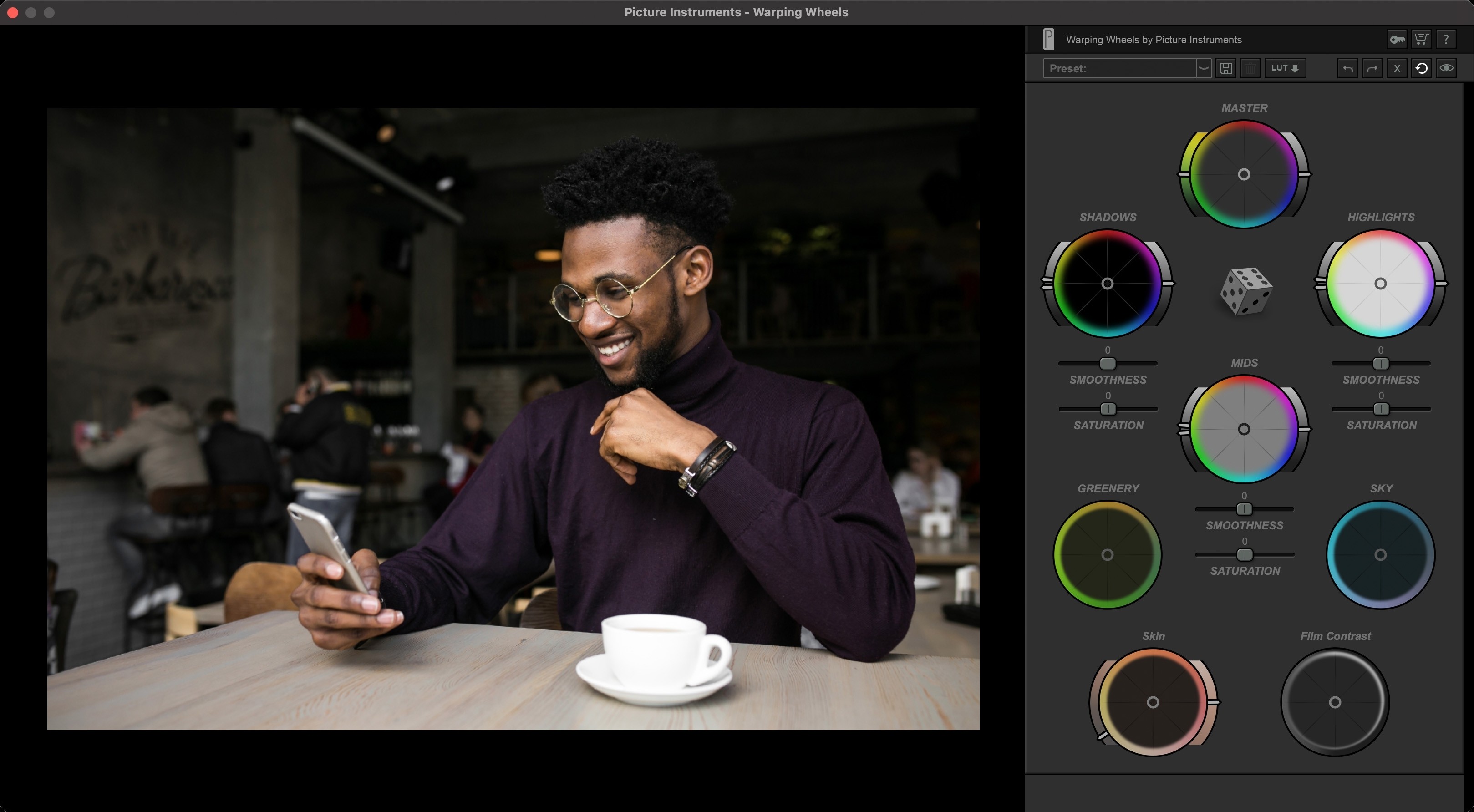
- Wheel Controls for Skin, Sky, Greenery and Film Contrast
- Look-Finder
- Undo/Redo
- M1 Support for FCPX and After Effects
- Retina scaling for Windows
- M1 Support for Premiere and Photoshop (FCPX in progress)
- Cross-host presets
- LUT export
- Before/after comparison
- One button reset
- Closing without applying
- Saturation per brightness range
- Skin tone brightness
- Film contrast
- Sky blue control
- Plant green modification
The complete color grading with only one plugin
You want a big budget look for your videos and photos? You want to work in your familiar environment and not use different tools for video and image editing? Are you tired of masking color areas and round-tripping through different programs? Would you rather use an easy-to-learn tool that lets you create stunning and professional looks in no time? Then Warping Wheels is everything you need for your color grading. You can use the plugin in Premiere, After Effects and Final Cut Pro X as well as in Photoshop to create high-end looks in no time, even without years of color grading experience, just by pressing a button.
An endless source of inspiration
Developing new looks is super fun, but also takes a lot of time and requires at least advanced knowledge. The Warping Wheels Look Generator kills two birds with one stone. Just roll the dice until you find the right look for your image. Once you have found it, you can further optimize it with the intuitive functions.
The (R)evulution of Color Wheels
Warping Wheels represent a new generation of color wheels: To optimally adapt the look to your image material, you can not only fine-tune the range of influence of the color wheels in terms of tonal value and spectrum, but also separately control the saturation for different brightness ranges.
Protect and edit skin tones
Have you created a great look, but compromised your skin tones in the process? With the Skin Tone Wheel, you’ll always have skin tones under control. With full customization options, you’ll save yourself complicated masking via secondaries and a lot of time.
Dedicated color wheels for sky and plant green
Sky blue and plant green often dominate outdoor scenes, and their color processing is often crucial to the look of your footage. That’s why we’ve dedicated color wheels to these two color areas in Warping Wheels. This way you can instantly give your image a different mood.
The Film Contrast Wheel – adds another dimension to the contrast control
The Warping Wheels Film Contrast Wheel is unlike any other contrast control. Since these simply make an image look dull after decreasing the contrast, or often create a rather harsh contrast when increasing it. With the Film Contrast wheel, you create a particularly harmonious contrast and can choose from a range reminiscent of the look and feel of analog film to modern high-end productions.
Toolbar with cross-host presets & LUT export
The Toolbar lets you conveniently save your settings as a preset. For example, if you save a preset in Photoshop, you can use it in Premiere, After Effects, Final Cut Pro X, or vice versa. In addition, you can export your look as a LUT via the toolbar, make a before/after comparison or reset the whole plugin at the push of a button.
Color Warp Technology – Bend the Color Space
The name Warping Wheels refers to the Color-Warp technology invented by Picture Instruments. With Color-Warp technology, colors can be bent very harmoniously in the color space. This reduces compression artifacts such as blocking or banding artifacts. Since the trend, especially through smartphone photos and videos as well as mini-gimbals and photo drones, is moving more and more towards highly compressed image material, we consider it an important step to design our algorithms in such a way that they amplify the sometimes unavoidable compression artifacts as little as possible in post-processing.
After effects templates
Amazing clips to use and help you create your own unique projects from AE templates or to improve the design of your existing broadcasts.
We have a wide range of templates for you to choose from. You can find PowerPoint Video Templates, Motion Graphics Templates, and After Effects Logo Templates, Scripts, Promos, news, fashion, sports, social media, titles…
After Effects Templates, Wedding Templates as well, After Effects Intro Templates, Transitions, Products Promos, Instagram stories, Scripts, Call Titles, Elements 3D, Corporate , and many more.
With After Effects project files, or templates, your work with motion graphics and visual effects will get a lot easier. In short, they are customizable After Effect files, neatly organized and labelled. You can easily change colors, text and other design elements without having to spend time on creating timelines and effects. It’s all there-you just need to customize it to fit your project.
What you waiting for? Hurry up and download the best after effects templates
➡️ ➡️ For more Ready Project Files Templates 😀 😀
➡️ ➡️ For more after effects plugins 😀 😀
Reviews
There are no reviews yet.