

3D Hair Brush for Blender
3D Hair Brush v4.7.3 for Blender
The Ultimate Hair Grooming and Styling Tool for Blender
Download 3D Hair Brush v4.7.3 today. Consequently, you can instantly create stunning hairstyles and realistic animal fur directly inside Blender. Because character artists and VFX professionals demand precise control over every strand, having a dedicated grooming toolkit is absolutely essential.
Nevertheless, achieving natural, believable hair manually often requires complex particle setups and tedious brush work. Fortunately, 3D Hair Brush eliminates this bottleneck completely. Moreover, it provides a comprehensive suite of 3D brushes and non-destructive modifiers. In short, you can groom professional-quality hair with unprecedented speed and control.
Comprehensive 3D Brush System
The core of this addon lies in its powerful, intuitive brush collection. For instance, it includes 16 specialized brushes such as Comb, Smooth, Length, and Noise . Furthermore, the 3D brushes intelligently interact with your model’s surface, distinguishing complex muscle structures for natural results .
Additionally, the addon features a convenient Pie Menu. You simply press the V key to switch brushes instantly without breaking your creative flow . Since the brushes work directly on the surface, you avoid the limitations of traditional 2D painting. Consequently, your grooming process becomes significantly faster and more enjoyable.
Non-Destructive Hair Modifiers
Professional workflows demand flexibility and control. Therefore, 3D Hair Brush provides a robust modifier system. For example, you can layer Length, Clump, and Noise modifiers to refine your hairstyle without destroying previous work .
Furthermore, these modifiers operate in a hierarchical, reversible manner . Additionally, the latest v4.7.3 update adds new hair dynamics support and simulation nodes for even more realistic results . Since the system is non-destructive, you can experiment freely and adjust parameters at any time. Thus, you maintain complete creative authority over your character’s hair.
Extensive Preset Library and Hair Cards
Time is precious in production, and this addon accelerates your workflow. For instance, it includes a preset library with over 32 high-quality hairstyles for male and female characters . Furthermore, you can switch between styles instantly to find the perfect look for your model.
Additionally, the addon includes a powerful Hair to Hair Cards feature. You can quickly convert particle hair into optimized hair cards for game engines and real-time applications . Since the conversion is adjustable and non-destructive, you can refine the cards to match your specific project requirements. Consequently, you can deliver both cinematic and real-time assets from a single workflow.
Real-Time Performance and Compatibility
Creative exploration demands immediate visual feedback. Accordingly, v4.7.3 is fully optimized for modern Blender versions. For instance, it officially supports Blender 4.4, 5.0, and 5.1 . Furthermore, the update includes performance fixes for EEVEE material preview and improved weight brush mirroring .
Additionally, the addon works seamlessly with Blender’s Cycles and EEVEE render engines. Since the tool is highly optimized, you can groom complex hairstyles without slowing down your viewport. Consequently, you can iterate rapidly and achieve polished results quickly.
Perfect for Character Artists and VFX Professionals
This addon is particularly well-suited for character artists creating stylized or realistic heroes. Similarly, VFX professionals will appreciate the ability to generate convincing fur and hair for creatures. Additionally, game developers can use the Hair Cards feature to optimize assets for real-time engines. Ultimately, 3D Hair Brush v4.7.3 accelerates your entire character creation pipeline.
System Requirements and Compatibility
3D Hair Brush v4.7.3 supports Blender versions 3.5 and above, including 4.3, 4.4, 5.0, and 5.1 . It works on Windows, macOS, and Linux operating systems . You will need a standard workstation with at least 8GB of RAM.
Installation and Usage Guide
To install, first download the ZIP file from your library. Next, open Blender and navigate to Edit > Preferences > Add-ons. Then, click Install and select the downloaded ZIP file. After that, enable the 3D Hair Brush addon.
Finally, select your model, access the grooming tools from the sidebar, and press V to open the Pie Menu. Thus, your professional hair grooming workflow will be ready instantly.
What is Included Inside?
The pack contains the complete 3D Hair Brush v4.7.3 addon for Blender. Furthermore, it includes the comprehensive 3D brush system and the non-destructive hair modifiers. Additionally, you receive the extensive preset library and the Hair to Hair Cards conversion tool. Ultimately, you receive everything needed for professional hair and fur creation.
Final Thoughts on the Addon
Effortless hair grooming evokes profound creative freedom. Therefore, this addon provides the ultimate foundation for your character workflows. You can create stunning hairstyles and fur with unprecedented speed and precision. Consequently, your creative vision becomes a stunning reality.
4 well-made human hair presets for free! Only Blender 3.1 or above is supported.
Download 3D Hair Brush Free Viewer and get free hairstyles! Load with one click, it’s so easy to use.
This add-on is just a viewer of 3D Hair Brush, if you want more hairstyles and more features, please purchase the full version to unlock all features
Full version
Introduction
3D Hair Brush is a powerful hair grooming tool that fully supports the new hair system, allowing users to easily achieve stunning hairstyles and animal fur effects. The addon offers a variety of hair brushes, children modifiers, preset libraries, CyclesHair Render, and efficient hair grooming tools. With its user-friendly interface and diverse functionalities, even beginners can easily use this tool. Using this addon can enhance the efficiency of hair grooming and styling adjustments in Blender, while achieving a professional level of quality. 3D Hair Brush is undoubtedly the productivity tool for 3D artists.
Features1. 3D BrushesGet rid of traditional 2D brushes and bring users brand-new 3D brushes that perfectly support the new hair system. Multiple new hair brushes are provided for both the old and new hair systems, making hair grooming more efficient.
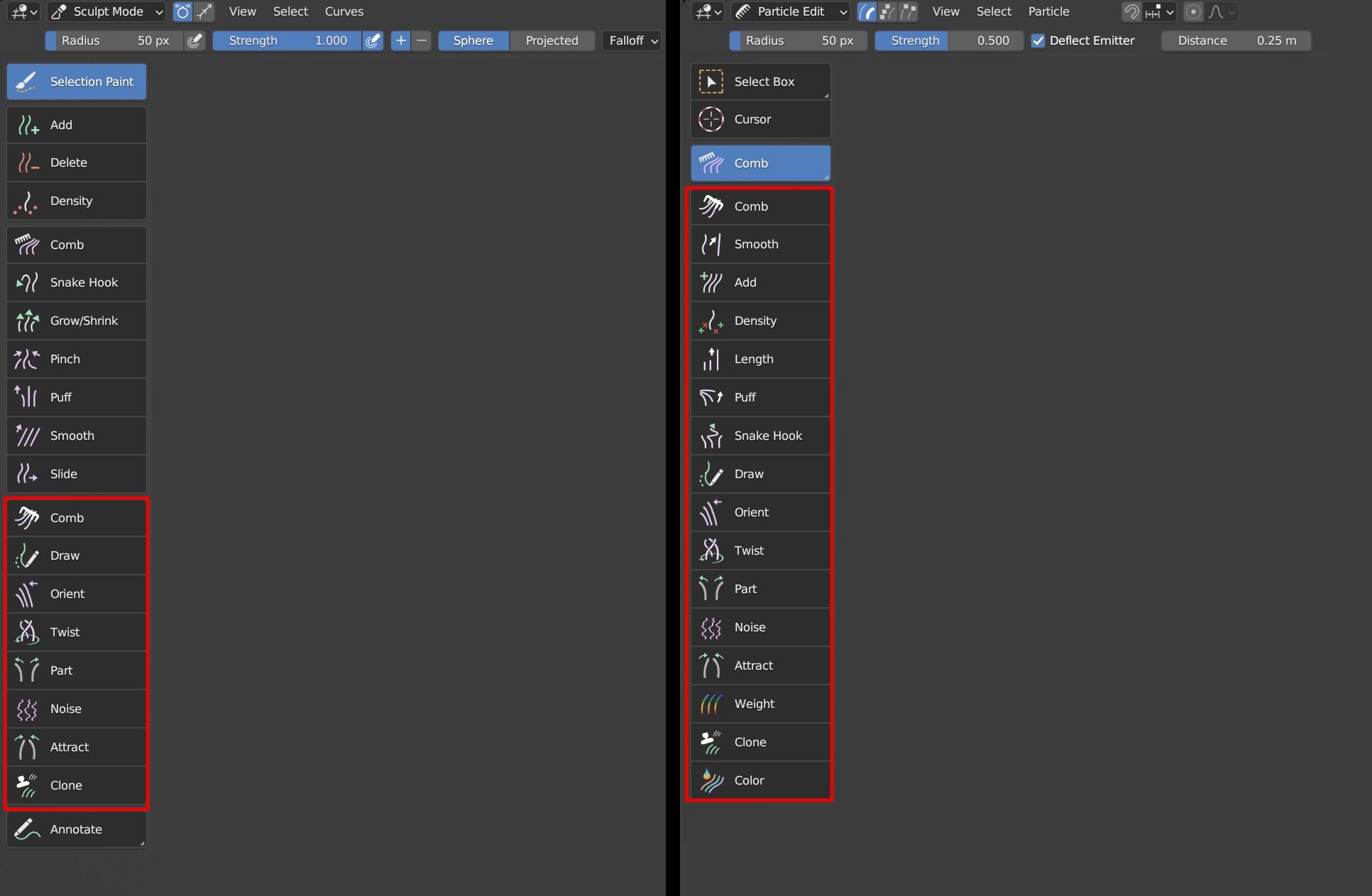
New hair system brush tutorial
Old hair particle system brush tutorial
User Manual
https://docs.vfxgrace.com/3d-brush/3-1-brush.html
2. Modifiers
This feature provides users with the ability to modify the shape of hair children using modifiers such as Length, Noise and Clump. The modifier is managed in a hierarchical mode that is non-destructive and reversible, allowing users to modify all parameters according to the desired effect and making hair styling more flexible and controllable.
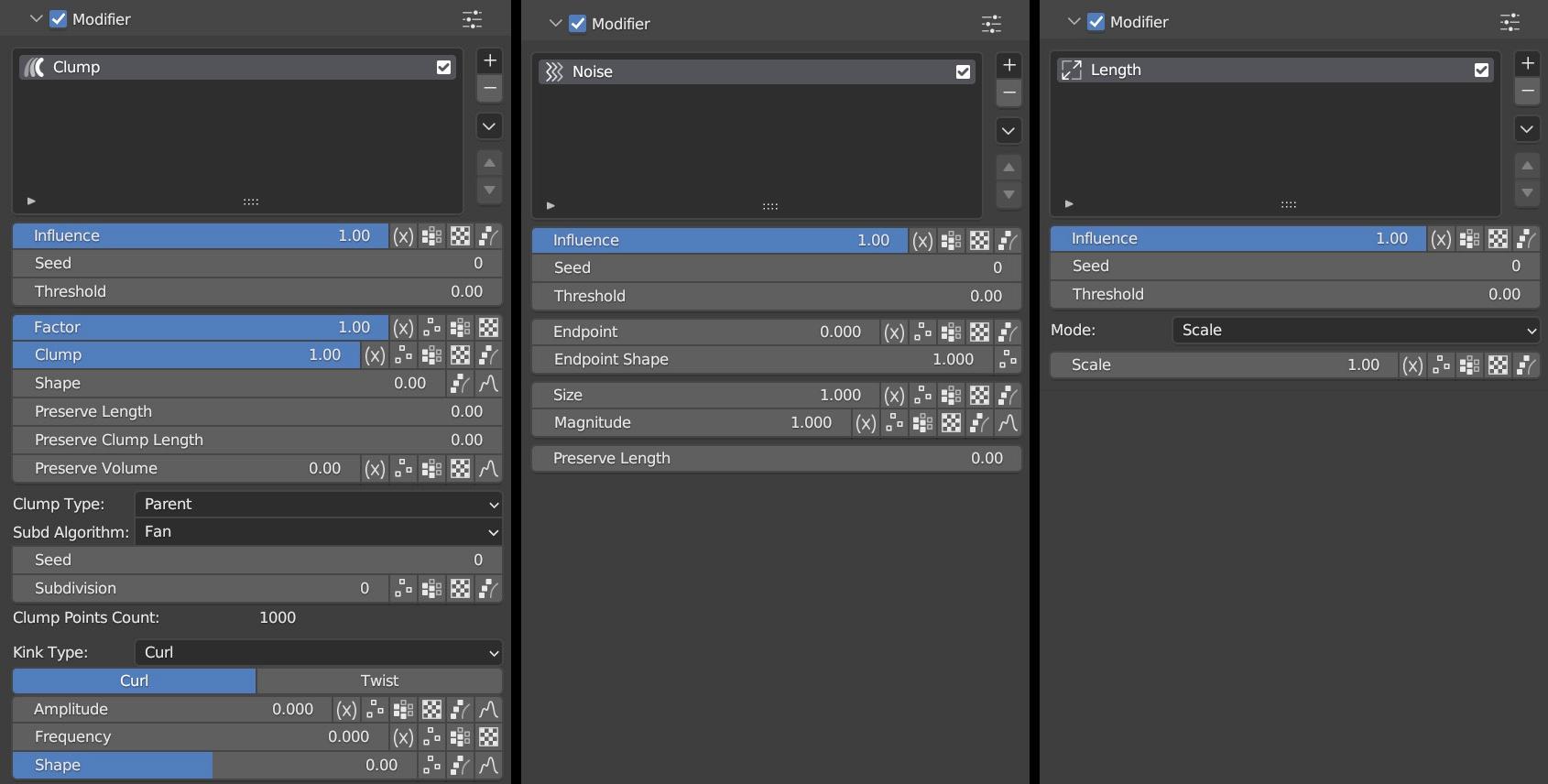
tutorial
User Manual
https://docs.vfxgrace.com/3d-brush/4-1-modifier.html
3. Preset Library
The preset library provides users with 32 high-quality hairstyle presets for both male and female characters, each with complete materials and particle systems. Various features are also provided to help users quickly switch between different hairstyles for their characters. Users can also create their own preset libraries using the preset panel.
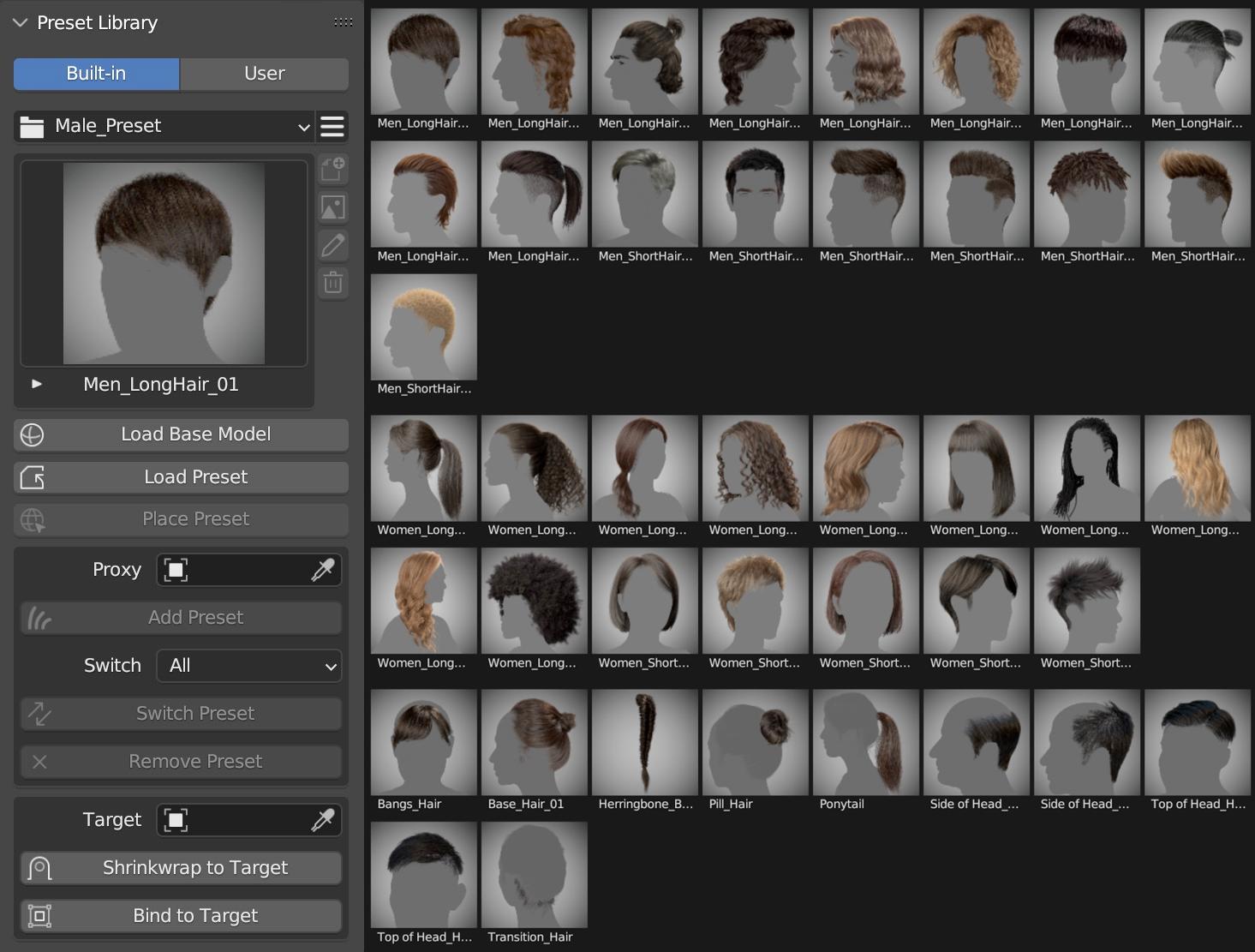
Tutorial
3D Hair Brush is a powerful hair tool, including 3D brushes with Pie Menu, Use Radius Curve, Use Diameter Random, and Hair Modifier
3D brushes can distinguish complex muscle surfaces of models and provide artists with a wonderful experience of grooming hairstyles in Blender; With multiple well-designed brushes presets, it gives efficient solutions to making varying hairstyles;
Using Radius Curve makes it convenient for us to control hair shape;
Using Diameter Random makes it possible to randomize the thickness of hair in just one particle system.
Modifier gives us an opportunity to add modifiers layer by layer until we get a good result and it doesn’t destroy any hair shape we created before.
https://docs.vfxgrace.com/3d-brush/5-preset-library.html
4. Hair to Hair Cards
This feature enables users to quickly convert particle hair to hair cards. Based on Eevee and Cycles renderers, hair texture can be adjusted in real time, and the shape of hair in the texture can be modified directly via hair modifiers. This intuitive and fast conversion method opens up new possibilities for creating hair in Blender.
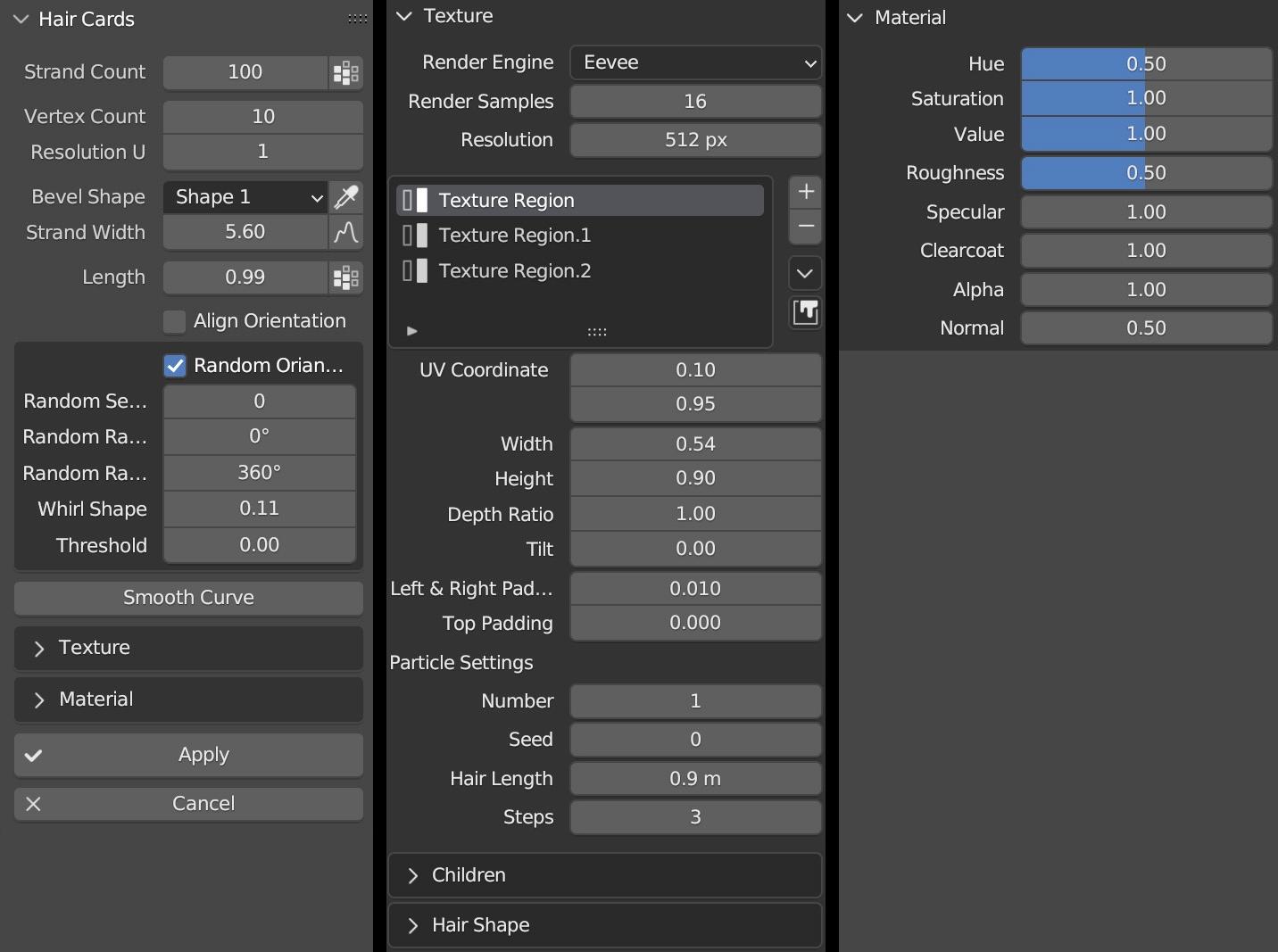
Tutorial
User Manual
5. CyclesHair Render
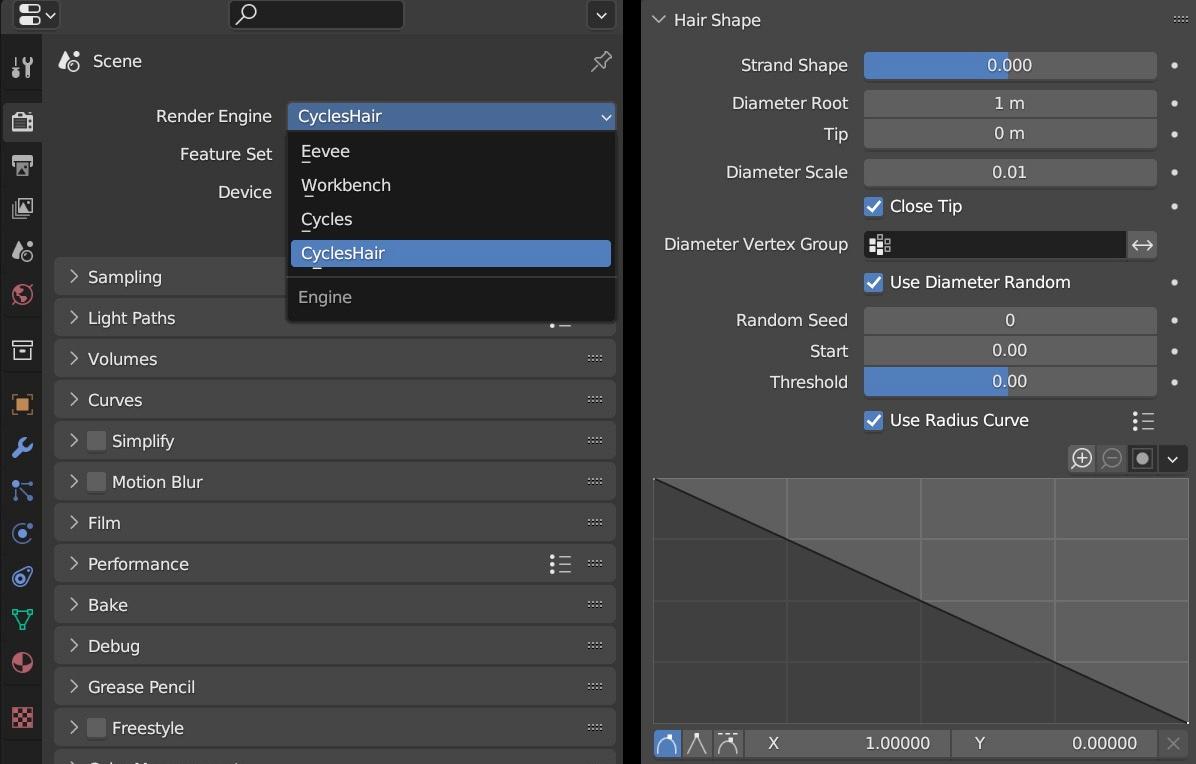
Cycles Hair Renderer is a rendering engine developed based on the Cycles renderer. It is fully compatible with the Cycles renderer and provides users with functions such as Use Radius Curve, Use Diameter Random, change hair thickness by weight, and real-time display of color groups.
User Manual
https://docs.vfxgrace.com/3d-brush/6-4-cycles-hair-render.html
6. Hair Tools
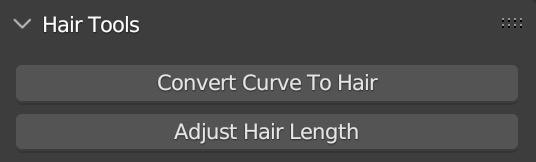
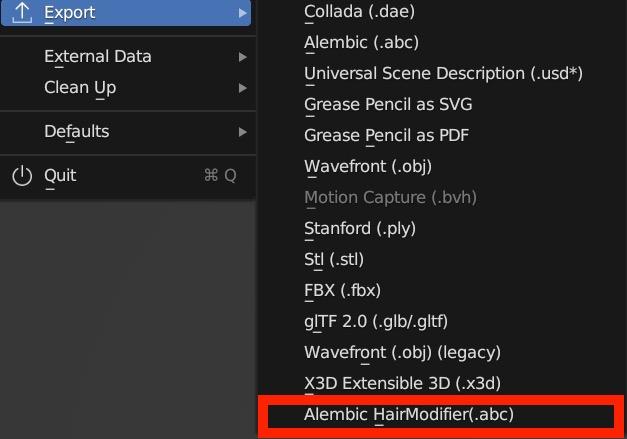
The hair tools that come with the addon can quickly convert curves to hair and modify the overall hair length. It also provides an option to export abc files, allowing you to perfectly export hair effects created with modifiers.
User Manual
https://docs.vfxgrace.com/3d-brush/6-2-convert-curve-to-hair.html
https://docs.vfxgrace.com/3d-brush/6-3-export-abc.html
Installation
Click Edit -> Preferences -> Add-ons -> Install, select the Zip file, and hit Install Add-on.
Uninstallation
Disable this add-on.
Save Preference settings, which is done automatically by default.
Restart Blender, and then remove this add-on.
Supercharge your 3D creation workflow with premium selection of Blender Add-ons. Whether you are modeling intricate characters, sculpting realistic environments, or animating cinematic sequences, the right add-on can transform how you work inside Blender. Our curated collection includes powerful tools for UV unwrapping, procedural texture generation, rigging automation, rendering optimization, and more—each rigorously tested for compatibility with the latest Blender versions. Eliminate tedious manual processes and unlock advanced functionality that lets you focus on what matters most: bringing your creative vision to life. Explore our full range of professional Blender plugins today and take your 3D projects to the next level.
➡️ ➡️ For more Blender Plugins 😀 😀
Reviews
There are no reviews yet.