
3DGS Render by KIRI Engine for Blender
The Ultimate Gaussian Splatting Import and Rendering Tool for Blender
Download 3DGS Render by KIRI Engine today. Consequently, you can import, edit, and render 3D Gaussian Splatting (3DGS) scans directly inside Blender. Because 3DGS is a revolutionary capture format that restores reality with incredible fidelity, having a dedicated bridge to your 3D workflow is absolutely essential.
Nevertheless, 3DGS files are not natively compatible with Blender. Fortunately, this add-on eliminates that barrier completely. Moreover, it is a free and open-source tool created by KIRI Engine . In short, you can bring cutting-edge scan data into your scenes with unprecedented ease.
Intelligent Dual-Mode Workflow
The core of this add-on lies in its smart separation of editing and rendering. For instance, it provides an Edit Mode that treats your splats as editable mesh data . Furthermore, it offers a Render Mode that uses a lightweight proxy object for real-time, lag-free viewing .
Additionally, this dual-mode system lets you clean up scans without slowing down your viewport. Since the proxy handles the heavy lifting, you can navigate complex scenes smoothly. Consequently, you can work efficiently on high-density scans without frustration.
Comprehensive Editing and Conversion Tools
Professional workflows demand control over raw scan data. Therefore, 3DGS Render includes robust editing features. For example, you can crop unwanted background areas and remove isolated points using Blender’s native selection tools .
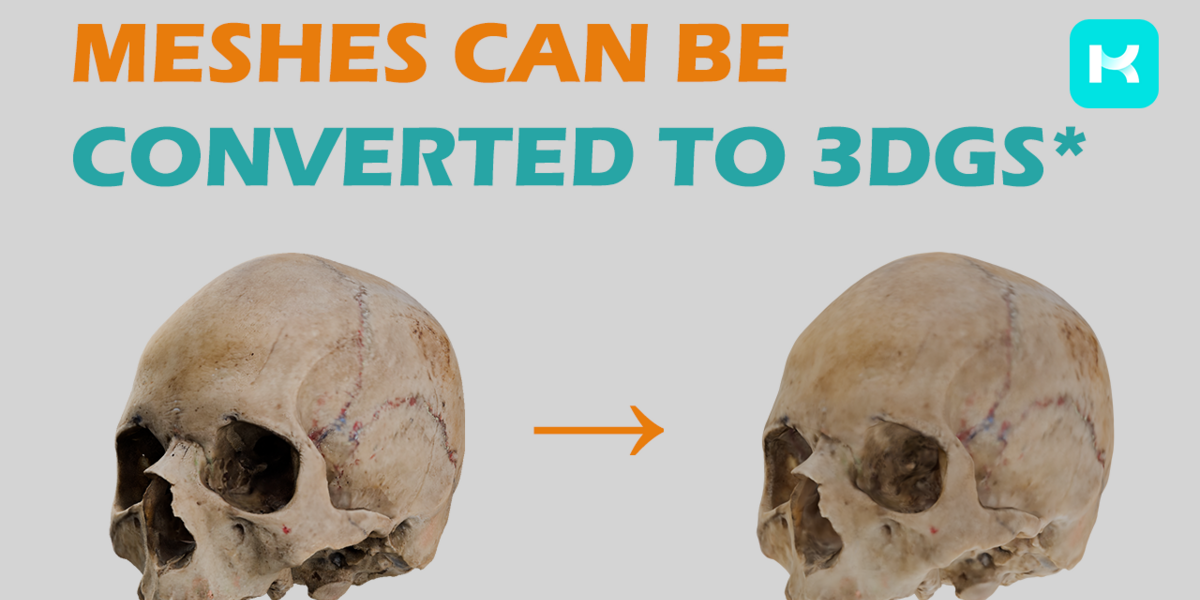
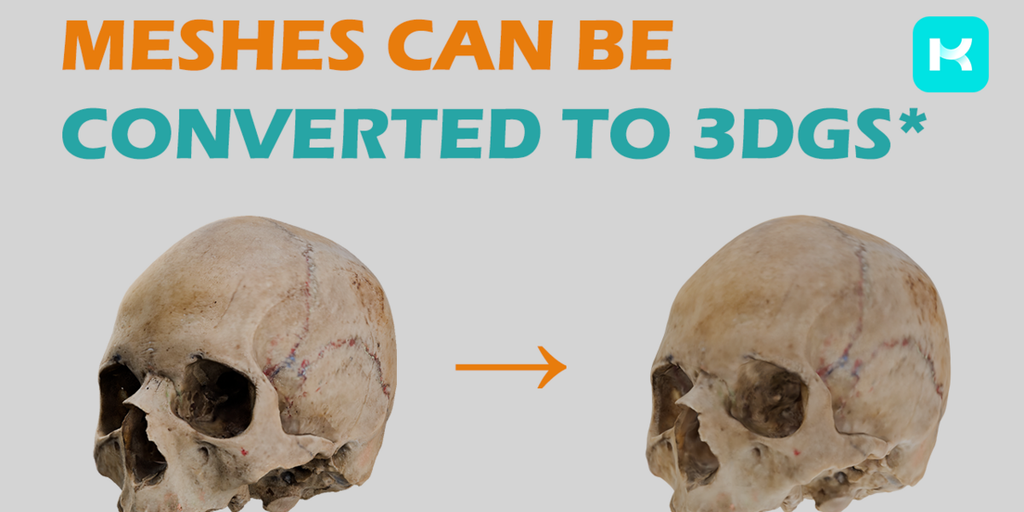
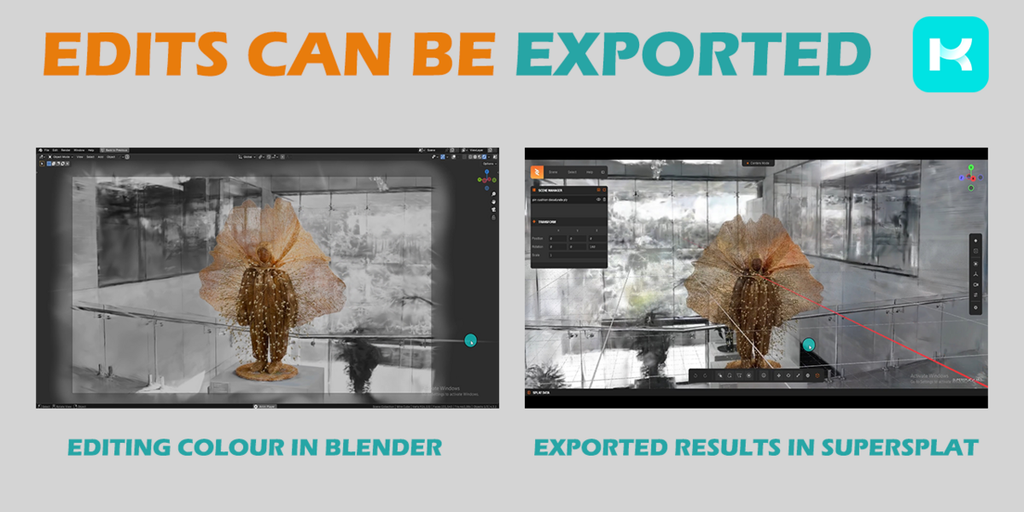
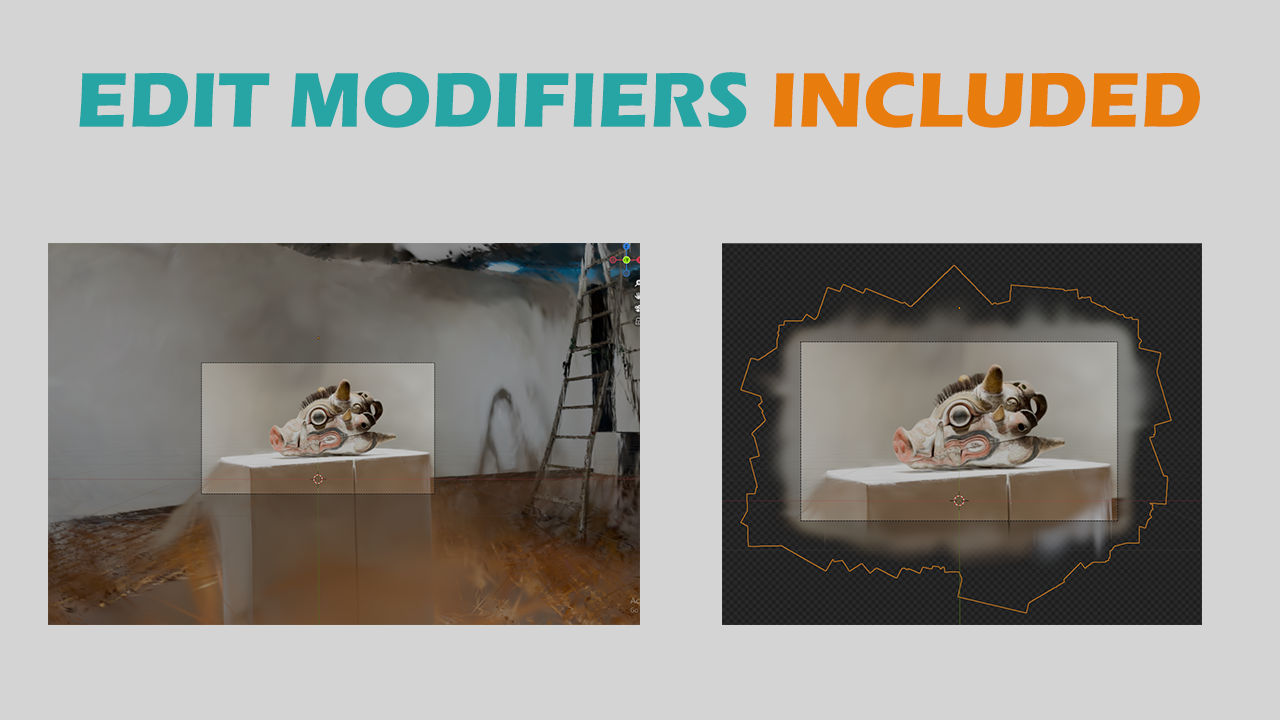
Furthermore, you can convert mesh data into 3DGS format using the Mesh 2 3DGS feature . Additionally, you can bake lighting information from proxy meshes onto your splats . Since the add-on integrates with Blender’s modifier stack, you can apply procedural adjustments non-destructively. Thus, you maintain complete authority over your captured assets.
Real-Time Rendering and Composite Output
Creative exploration requires immediate feedback. Accordingly, the Render Mode utilizes a smart proxy for real-time viewport updates . For instance, you can preview final renders with HQ (High Quality) transparency settings for clean, flicker-free output .
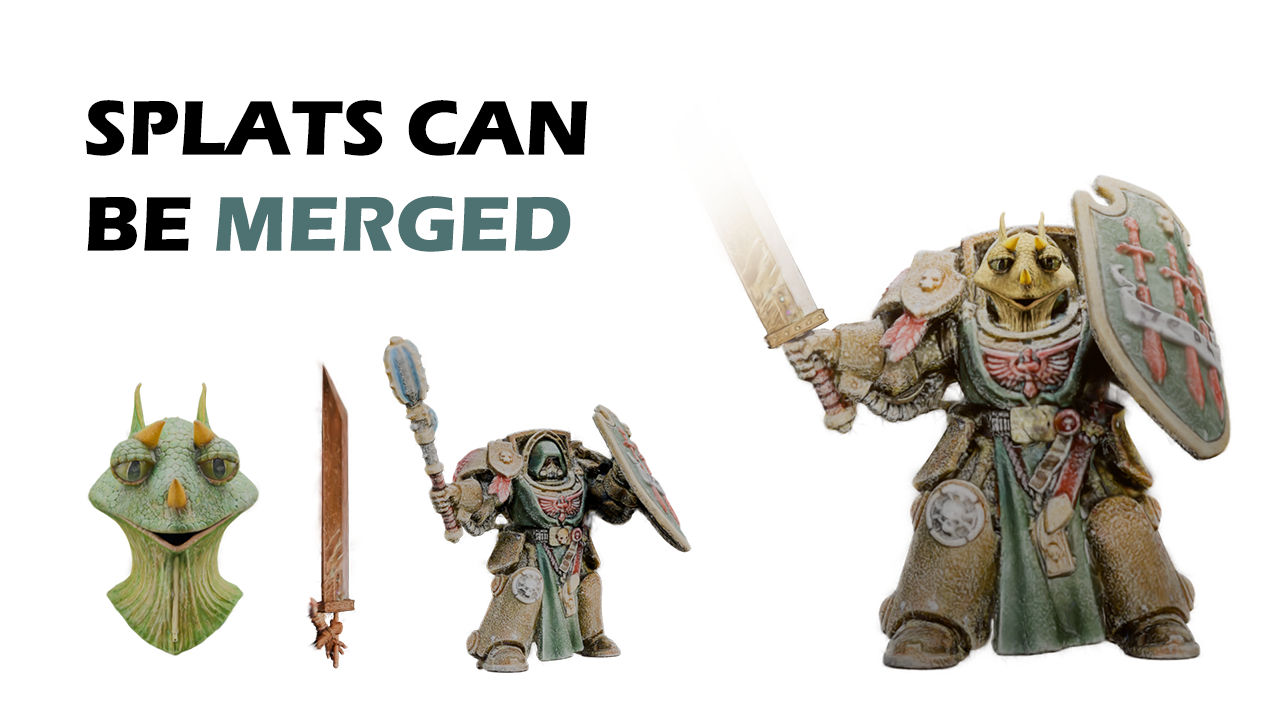
Furthermore, the add-on supports combining splats with native Blender meshes. It automatically renders temporary layers and outputs a clean composite image or sequence . Since this process merges your scan data with standard 3D objects seamlessly, you can build complex mixed-media scenes. Consequently, you can deliver polished final shots entirely within Blender.
Perfect for 3D Artists and Scan Enthusiasts
This add-on is particularly well-suited for environment artists incorporating photorealistic scans into their scenes. Similarly, VFX artists will appreciate the ability to composite splats with traditional mesh renders. Additionally, anyone using KIRI Engine for 3D scanning will find this add-on indispensable for finishing their work. Ultimately, 3DGS Render accelerates your entire scan-to-render pipeline.
System Requirements and Compatibility
3DGS Render supports a wide range of Blender versions, with recent releases adding support for Blender 5.1 and 5.2 . It works on Windows and macOS operating systems. You will need a standard workstation with at least 8GB of RAM, though 16GB or more is recommended for large, high-density splat scenes.
Installation and Usage Guide
To install, first download the ZIP file from the official GitHub releases page. Next, open Blender and navigate to Edit > Preferences > Get Extensions. Then, open the menu in the upper-right and choose Install from Disk. After that, select the downloaded ZIP file and enable the add-on.
Finally, open the 3D Viewport, press N, and select the 3DGS Render tab. Import your PLY file and begin working. Thus, your Gaussian Splatting workflow will be ready instantly.
What is Included Inside?
The pack contains the complete 3DGS Render add-on for Blender. Furthermore, it includes the dual Edit and Render modes, comprehensive cropping and cleaning tools, and the Mesh 2 3DGS conversion feature. Additionally, you receive real-time proxy rendering and one-click composite output with native meshes. Ultimately, you receive everything needed for professional Gaussian Splatting integration.
Final Thoughts on the Add-on
Effortless splat integration evokes profound creative freedom. Therefore, this add-on provides the ultimate foundation for your scan-based workflows. You can import and render 3DGS data with unprecedented speed and flexibility. Consequently, your reality-capture vision becomes a stunning reality.
Free & open-source Blender add-on
Bring Gaussian Splats into Blender.
Import 3DGS .ply files, clean and style splats with familiar Blender tools, build mixed mesh-and-splat scenes, animate through proxy geometry, and export the result.
See it in action
From captured splats to a Blender scene.
Import, edit, render, rig and export without leaving the Blender workflow.
 ▶Watch on YouTube
How it works
One add-on. Three connected workflows.
Edit
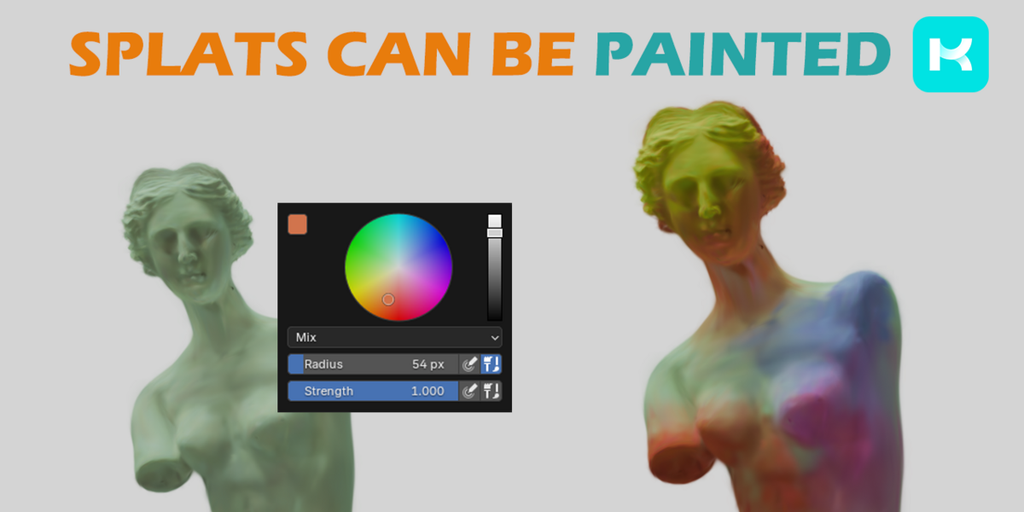
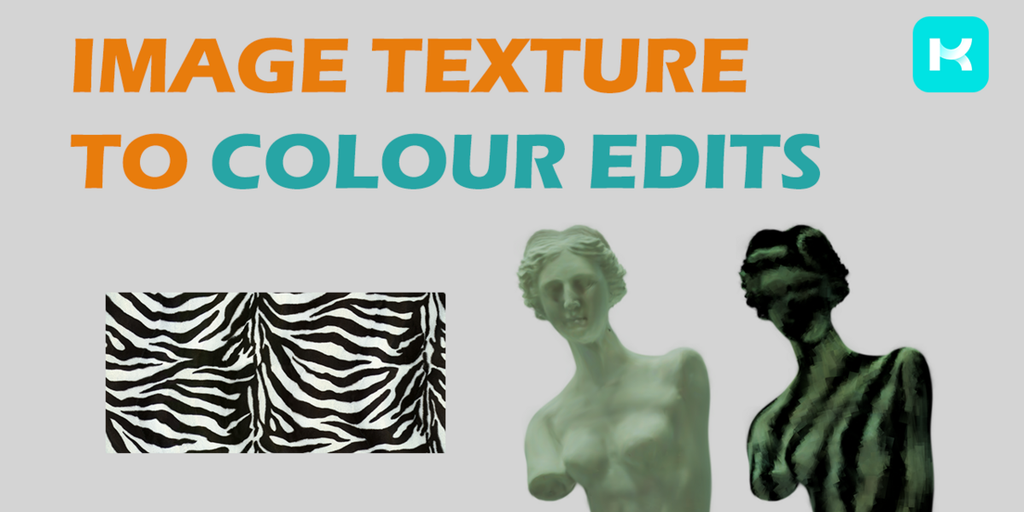
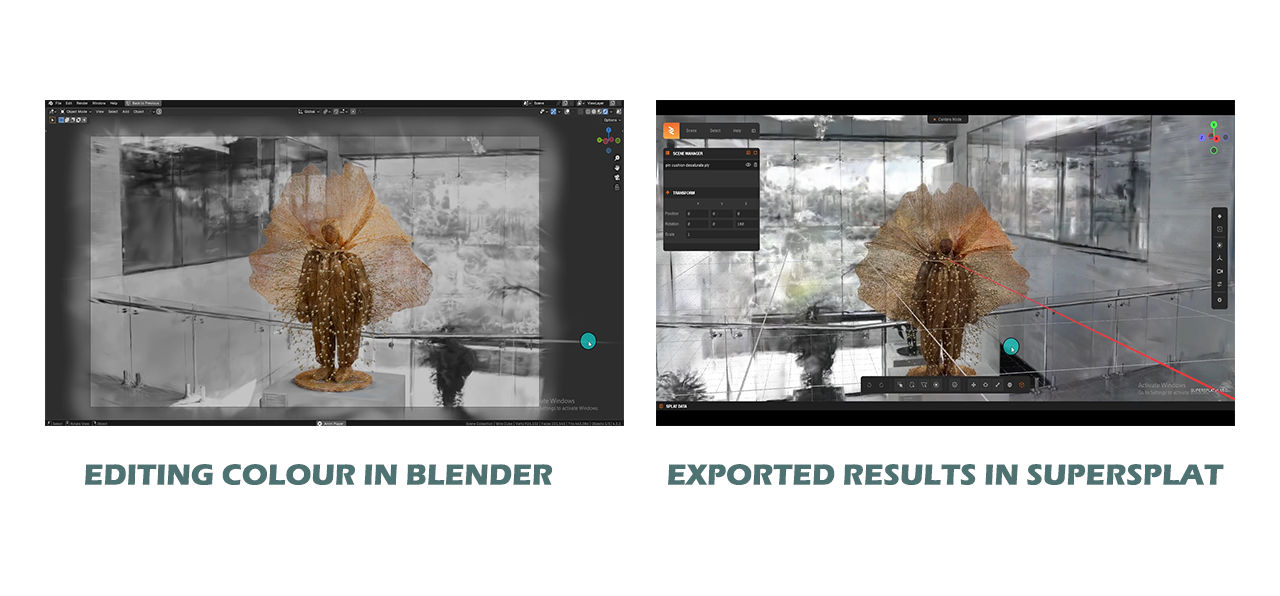
Import, select, crop, reduce, recolour, paint and apply modifiers.
Render
View and output splats alongside native Blender scene elements.
Create
Try proxy animation, lighting, .ply sequences and mesh conversion.
Core workflow
Edit splats with Blender tools.
Treat your scan as part of the scene, not as a locked result. Remove unwanted splats, isolate regions, adjust colour, apply camera culling and build stylised effects with familiar selection and modifier workflows.
Core workflow
Render splats alongside Blender scenes.
Move between an editable mesh-based view and a dedicated splat render workflow. Compose 3DGS content with native Blender meshes and use the result for stills, animation and VFX experiments.
Experimental
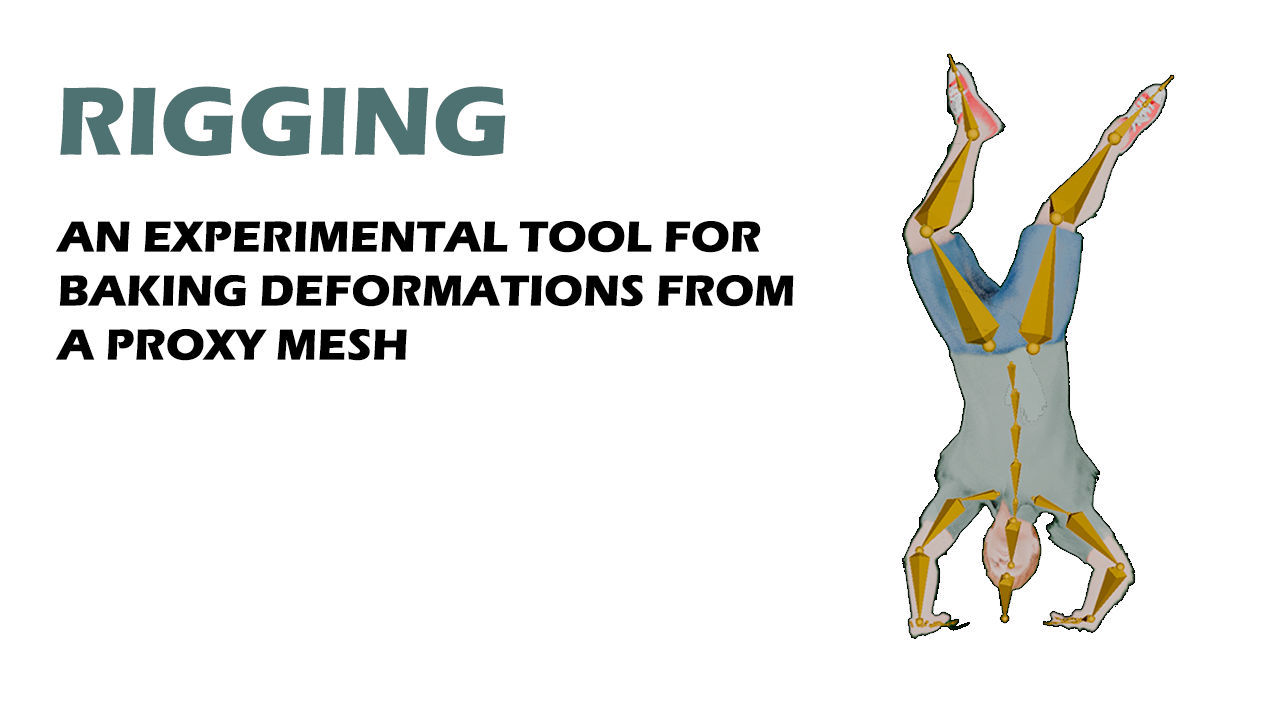
Proxy rigging
Animate splats through proxy geometry.
Bind a smaller object scan to proxy geometry, animate that proxy with an armature, lattice or another deformation workflow, then transfer the motion back to the splats. Bake the result for rendering or export it as a .ply sequence.
Lighting workflows
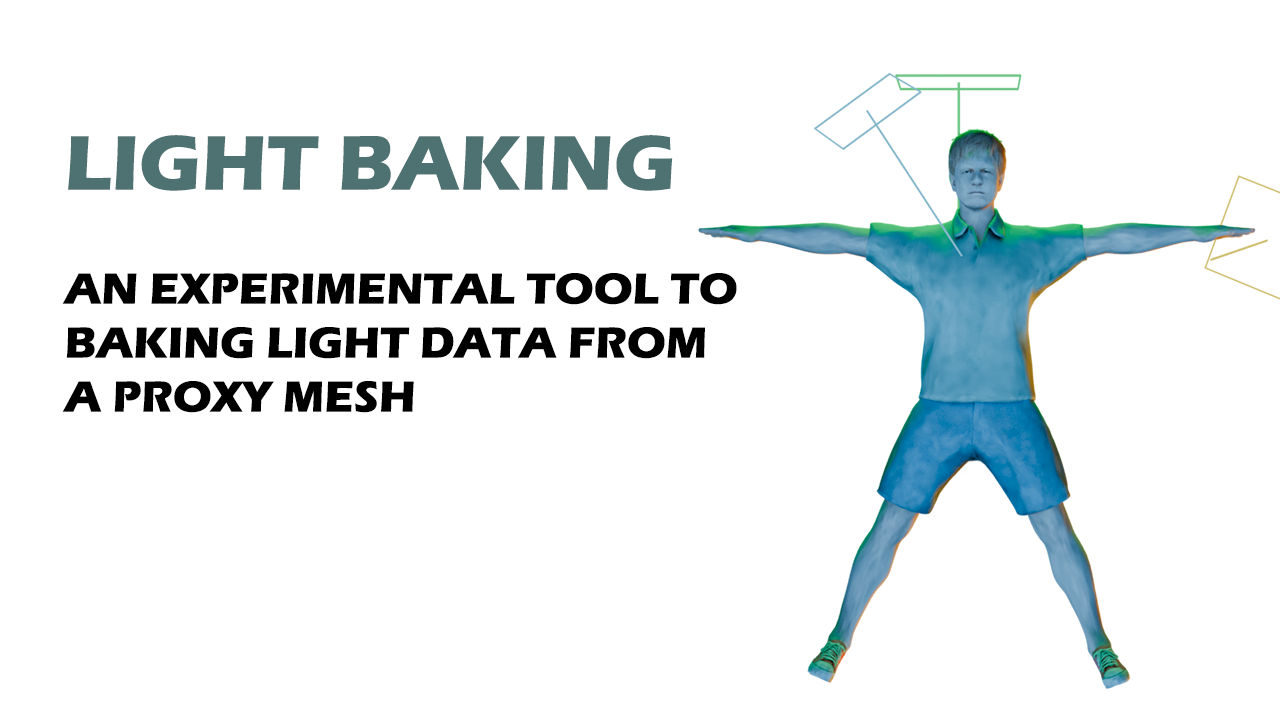
Explore relighting and light baking.
Experiment with integrating splats into new lighting. The add-on includes proxy light baking, while recent community work adds real-time relighting and mesh shadows to the real-time render workflow.
Animation export
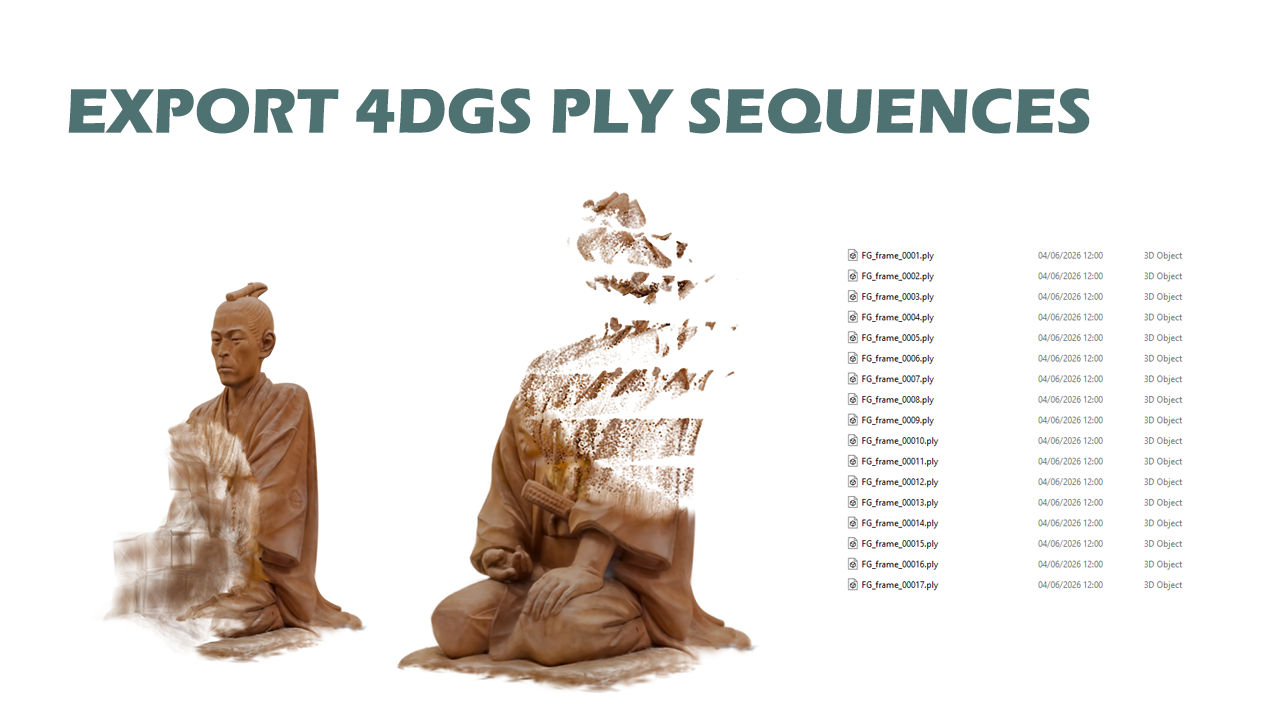
Edit in Blender. Carry the motion onward.
Export geometry changes and baked animation as numbered .ply sequences for 4DGS-style workflows and compatible external tools.
Full feature list
More ways to work with splats.
- Import and export 3DGS .ply files
- Edit and Render workflows
- Crop, cull, decimate, colour and size tools
- Colour painting and attribute adjustments
- Native Blender scene compositing
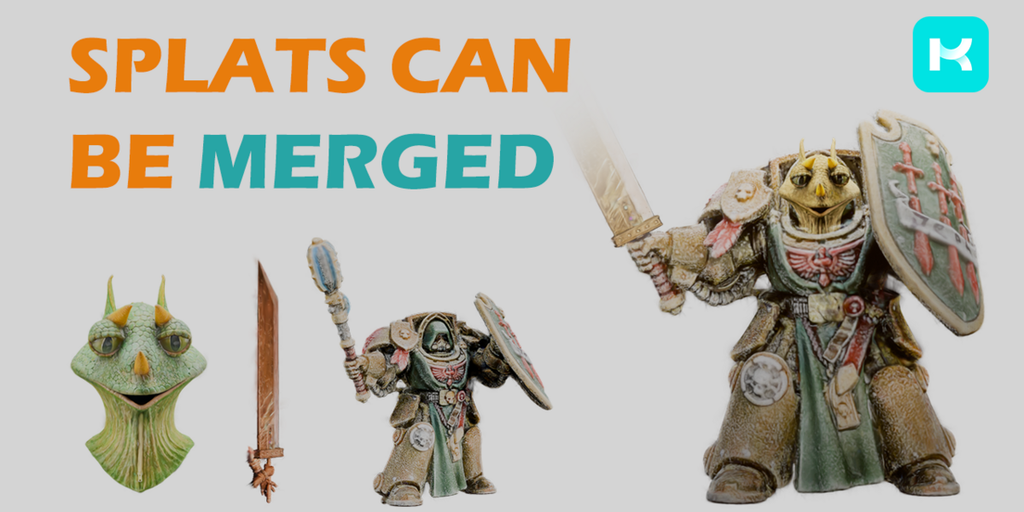
- Merge multiple splat objects
- Animated .ply sequence export
- Supported mesh-to-splat conversion
- Experimental proxy rigging
- Experimental light baking and relighting
Project update
Free, open source and moving into community maintenance.
KIRI Engine created and maintained 3DGS Render as a free community tool. KIRI Engine is now inviting trusted maintainers and contributors to help review changes, test compatibility and prepare future releases, while remaining the repository owner and project steward.
Use it
Choose the packaged release that matches your Blender setup.
Test it
Compare workflows and help validate new features.
Build it
Contribute code, guides, test scenes or artwork.
Found a bug or have useful test results? Open a GitHub issue. Want to contribute? Visit the repository.
Before you download
Check GitHub for the current release.
Community development may move faster than this listing, KIRI Engine’s written guide or older YouTube tutorials. Before choosing a package, check the matching GitHub release notes for supported Blender versions, changes and known issues.
Most artists should use a packaged release. The repository’s main branch may contain newer work that has not yet been packaged or fully tested. Direct support and response times are not guaranteed for this free, community-maintained project.
Supercharge your 3D creation workflow with premium selection of Blender Add-ons. Whether you are modeling intricate characters, sculpting realistic environments, or animating cinematic sequences, the right add-on can transform how you work inside Blender. Our curated collection includes powerful tools for UV unwrapping, procedural texture generation, rigging automation, rendering optimization, and more—each rigorously tested for compatibility with the latest Blender versions. Eliminate tedious manual processes and unlock advanced functionality that lets you focus on what matters most: bringing your creative vision to life. Explore our full range of professional Blender plugins today and take your 3D projects to the next level.
➡️ ➡️ For more Blender Plugins 😀 😀
Reviews
There are no reviews yet.