
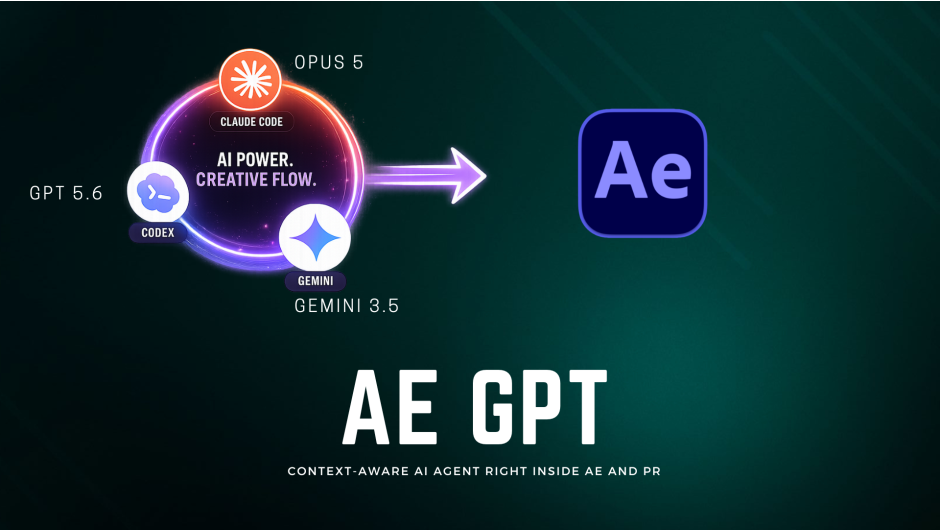
AEGPT for After Effects
AE GPT v1.2.7 for After Effects and Premiere Pro
The Ultimate Context-Aware AI Assistant for Motion Design and Video Editing
Download AE GPT v1.2.7 today. Consequently, you can instantly write expressions, fix errors, and automate complex tasks using simple natural language commands directly inside After Effects and Premiere Pro. Because motion designers and video editors increasingly rely on expressions and scripting to achieve sophisticated effects, having access to an intelligent, context-aware assistant is absolutely essential. Nevertheless, mastering After Effects expressions or ExtendScript can be a daunting challenge, often requiring hours of debugging and research. Fortunately, AE GPT eliminates this bottleneck completely. Moreover, it introduces an innovative Agent Mode that can write and run ExtendScript inside your compositions, turning plain multi-language prompts into real, actionable results. In short, you can focus entirely on your creative vision while this powerful AI handles the technical heavy lifting.
Next-Generation Agent Mode and Automation
The hallmark of v1.2.7 is its enhanced Agent Mode, which sets it apart from standard AI chatbots. Unlike tools that only provide text output, AE GPT can now take practical action within your project. For instance, you can ask it to build a scene, add specific effects, or create complex animations, and the AI will write and execute the necessary ExtendScript to bring your request to life . Furthermore, the latest update has significantly boosted the speed and performance of the Agent, ensuring it now works in detailed, reliable steps with a built-in retry mechanism for any failed operations . Consequently, you can automate entire workflows that previously required tedious, step-by-step manual execution.
Multi-Model AI Support and Context-Aware Analysis
A core strength of AE GPT lies in its flexibility in choosing the best AI for the task at hand. Specifically, you can switch between ChatGPT, Google Gemini, and Anthropic Claude models on the fly, or even connect to local LLMs through Ollama for enhanced privacy and offline capability . Furthermore, the plugin automatically analyzes your active composition or sequence, providing smarter, more relevant responses based on your project’s specific layers, effects, and timeline structure . Since the AI understands the context of your entire project, its suggestions are remarkably accurate and tailored to your needs. Thus, you can achieve highly targeted assistance without lengthy explanations.
Versatile Toolset for Every Motion Designer
Professional workflows demand a comprehensive suite of practical features, and AE GPT delivers exactly that. For instance, you can instantly fix expression errors: the AI identifies the problem, generates the correct code, and applies it with a single click. Similarly, you can generate complex expressions from simple natural language prompts like “Create a wiggle expression for a smooth camera shake” , and get step-by-step implementation guides for creative effects and techniques. The plugin is also an excellent learning companion, providing clear explanations for complex techniques without requiring you to leave your project environment. The dark theme interface matches the Adobe UI seamlessly, ensuring a comfortable and familiar workspace .
Seamless Integration and Broader Compatibility
AE GPT is designed to integrate flawlessly into your existing post-production pipeline. Its clean, dockable interface can be launched instantly from the Window > Extensions menu, keeping you in your creative flow . Moreover, v1.2.7 now supports both Windows and macOS systems across a vast range of software versions, including After Effects and Premiere Pro from 2021 through the latest 2026 releases . This ensures the tool is available across your entire toolkit, whether you’re working on motion graphics, visual effects, or video editing projects.
Perfect for Motion Designers, Video Editors, and Power Users
This plugin is particularly well-suited for motion designers who need to write or debug expressions regularly. Similarly, video editors working in Premiere Pro will benefit from the same AI assistance for their editing workflows—organizing clips and automating tasks with natural language . Additionally, power users and studios can leverage the Agent Mode to automate complex operations and standardize creative processes. Ultimately, AE GPT v1.2.7 accelerates your entire post-production pipeline, making it an indispensable tool for creators of all skill levels.
System Requirements and Compatibility
The plugin supports After Effects 2021 through 2026, as well as Premiere Pro 2021 through 2026 on both Windows and macOS . You will need an internet connection for cloud AI services and an API key from your chosen provider (OpenAI, Google AI Studio, or Anthropic). Local LLM support via Ollama is also available for enhanced privacy and offline use .
Installation and Usage Guide
To install, first download the plugin installer from your library. Next, close Adobe After Effects or Premiere Pro if they are running. Then, install the extension following the standard aescripts + aeplugins installation process. After installation, launch your host application and navigate to Window > Extensions > AE GPT. Finally, enter your API key in the settings panel, choose your preferred AI model, and start asking questions or giving commands to your new creative partner. Thus, your professional AI-assisted workflow will be ready instantly.
What is Included Inside?
The pack contains the complete AE GPT v1.2.7 extension for After Effects and Premiere Pro. Furthermore, it includes the Agent Mode for practical automation, access to multiple AI models (ChatGPT, Gemini, Claude, and local LLMs via Ollama), and the full suite of expression, error-fixing, and creative assistant tools. Additionally, you receive a secure local storage system for your API keys. Ultimately, you receive everything needed for a professional AI-powered post-production workflow.
Final Thoughts on the Plugin
Effortless AI-powered assistance evokes profound creative freedom. Therefore, this plugin provides the ultimate foundation for your motion design and video editing workflows. You can create, fix, and automate complex tasks with unprecedented speed and simplicity. Consequently, your creative vision becomes a stunning reality.
AE GPT brings full AI automation to After Effects. The new Agent Mode goes beyond chat — it writes and runs ExtendScript inside your compositions automatically, turning plain multi-language prompts into real actions. Fix errors, build scenes, add effects, and more. Supports ChatGPT, Claude, Gemini, and local Ollama models.

Now With Agent Mode — AI That Actually Does The Work
AE GPT goes beyond chat. The new Agent Mode writes and executes ExtendScript directly inside your After Effects compositions — no copy-paste, no manual steps. Just describe what you want. AE GPT does the rest.
After EffectsPremiere ProWindowsmacOS
NEW IN v1.2
The Biggest Update Yet
FLAGSHIP
⚡
Agent Mode
The first AI that doesn’t just answer — it acts. Agent Mode writes and runs ExtendScript directly in After Effects. Create scenes, add effects, animate layers, all from a single plain-English prompt.
🧠
Multi-Model Intelligence
Latest models from all three providers: GPT-5.5 — Claude Opus 4.8, Claude Fable 5 — Gemini 3.1 Pro, . Always on the cutting edge.
🦙
Local AI with Ollama
Run AI completely offline. AE GPT auto-detects models installed in Ollama — Llama, Mistral, DeepSeek, Qwen and more. No API key. No internet. No data leaving your machine.
🔍
Deep Composition Awareness
AE GPT reads your active composition — layers, effects, properties, expressions — giving the AI full context to produce answers and scripts that are tailored precisely to your project.
NEW IN v1.2.1
Skip the API Key — Use Your Existing Subscription
Sign in with your ChatGPT Plus / Pro or Claude Pro / Max account directly. No API key needed.
🤖 OpenAI✦ Claude
Claude Code in After Effects 🔥
Demo
Full AI Workflow Tutorial
Tutorial
Powerful Features
💬
Chat Mode
AE GPTClaude Sonnet 4.6
Write a wiggle expression for camera shake
Here’s a smooth camera shake expression:
wiggle(3, 25)
Frequency: 3/sec · Amplitude: 25px
Ask anything about After Effects…
↑
Ask anything in plain English — expressions, effects, animation techniques, troubleshooting. AE GPT responds with context-aware answers and ready-to-use code.
⚡
Agent Mode
AE GPT⚡ Agent Mode
Create a snowy background scene
⚡ EXECUTING 4 STEPS
Creating dark solid background layer
Applying CC Snow particle effect
Adding Ramp gradient for sky depth
Setting snow density & opacity
✓ Done! Snowy scene created in your comp.
Describe what to create in After Effects…
↑
Switch to Agent Mode and AE GPT plans and executes multi-step scripts automatically inside your composition — no copy-paste, no manual coding.
🧠
Multiple AI Models
SELECT PROVIDER & MODEL
🟢 OpenAI
GPT-5.5GPT-5.4GPT-4.1
🟠 AnthropicACTIVE
Claude Opus 4.8Claude Fable 5
Gemini 3.1 ProGemini 3.0 ProGemini 3.0 Flash
🦙 Local (Ollama)
Auto-detectedNo API key needed
Pick the best AI for each task. Switch providers instantly — use GPT for precision, Claude for reasoning, Gemini for speed, or Ollama for full offline privacy.
🦙
Run AI Locally
AE GPT — Local AIConnected
🦙 Detect Ollama ModelsAuto-scan
Connected — 4 models found
llama3.2
2.0 GB · ready
mistral
4.1 GB · ready
deepseek-r1
4.9 GB · ready
qwen2.5-coder
4.7 GB · ready
🔒No API key · No internet · 100% private
Install Ollama and AE GPT automatically detects all your local models. Complete privacy — your prompts, your compositions, and your AI all stay on your machine.
How It Works
1
Configure Your AI
Enter your API key for OpenAI, Anthropic, or Google — or connect Ollama for fully local, offline AI. Takes less than a minute.
2
Choose Chat or Agent Mode
Use 💬 Chat to ask questions, get expressions, and brainstorm ideas. Switch to ⚡ Agent to let AE GPT automate tasks directly in your composition.
3
Type Your Request
“Make this text bounce with elastic easing” or “Create a gradient sky background with animated clouds.” No scripting knowledge required — just describe it.
4
Watch It Happen
In Agent Mode, AE GPT breaks your request into steps and executes them one by one in real time inside After Effects. Your composition updates right before your eyes.
Why Motion Designers Love AE GPT
⚡
From Idea to Comp in Seconds
Agent Mode turns a plain-English description into a fully built scene — layers, effects, expressions — without you touching a single timeline control.
🎯
No Coding Required
Write expressions and automation scripts using plain English. The AI handles all the ExtendScript syntax — you stay in the creative zone.
⏱️
Save Hours Every Project
Stop digging through forum threads and YouTube tutorials. Get instant, context-aware answers tailored exactly to your project, every time.
🦙
Run Offline with Ollama
No subscriptions, no API costs, no internet required. Run powerful local models with Ollama and keep every project detail completely private.
🔒
Your Data, Your Control
API keys are stored locally on your machine. Nothing is sent to any third-party server. AE GPT talks directly to your chosen AI provider.
📈
Always Improving
Regular updates with the newest AI models, features, and performance improvements. Buy once — get updates for life.
Two Modes. One Panel.
Switch between Chat and Agent mode with a single click.
💬 Chat Mode
AE GPT≡
Claude Sonnet 4.8
How do I make text animate in letter by letter?
Use the Range Selector on a Text Animator with Opacity set to 0%:
Start: 0%
End: 0% → 100%
Offset: 0% → 100%
Can you add an ease to the animation?
Sure! Set the Ease High to 75% in the Range Selector — this gives each letter a smooth deceleration as it enters.
💬 Chat⚡ Agent
Ask something about your project…
↑
Familiar chat experience with syntax-highlighted code, copyable responses, and full conversation history.
⚡ Agent Mode
AE GPT≡
GPT-5.5
⚡ AGENT
Create an animated neon glow title
⚡ EXECUTING 4 STEPS
✓Created text layer “NEON”
✓Applied Glow effect (threshold 60%, radius 25)
✓Added opacity pulse expression
✓Set neon cyan color #00ffff
✓ Done! Neon glow title created.
💬 Chat⚡ Agent
Describe what to create in After Effects…
↑
Agent Mode executes each step in real time, showing you exactly what’s happening inside your composition as it builds.
Complete Feature List
🧠 AI & Models
- ✓ OpenAI GPT-5.5, GPT-5.4, GPT-4.1
- ✓ Anthropic Claude Opus 4.8, Fable 5
- ✓ Google Gemini 3.1 Pro, 3.0 Pro, 3.0 Flash
- ✓ Local AI via Ollama (auto-detect models)
- ✓ Adjustable temperature & response settings
⚡ Agent Mode
- ✓ Executes ExtendScript directly in AE
- ✓ Multi-step plan with real-time progress
- ✓ Full composition context awareness
- ✓ Conversation history across prompts
- ✓ After Effects only (chat works in Premiere)
🔧 Expression Tools
- ✓ Natural language to expression
- ✓ One-click expression error fixing
- ✓ Context-aware code generation
- ✓ Syntax highlighting in responses
- ✓ Copy code with one click
✨ User Experience
- ✓ Dark theme matching Adobe UI
- ✓ Selectable & copyable chat text
- ✓ Conversation history with context
- ✓ Markdown & code formatting
- ✓ Secure local API key storage
Elevate your motion graphics workflow with premium collection of After Effects plugins. Whether you are a seasoned professional or just starting your VFX journey, powerful tools designed to streamline complex tasks, unlock creative possibilities, and save you hours of rendering time. From stunning glitch effects and seamless transitions to advanced 3D extrusion and text animation tools, each plugin in our library is rigorously tested for compatibility with the latest versions of Adobe after Effects. Enhance your video production value today and download industry-leading plugins that help you create breathtaking visuals without the technical headaches. Browse our full range and find the perfect extension to supercharge your editing suite now.
➡️ ➡️ For more after effects Plugins 😀 😀
➡️ ➡️ System requirements AE
Reviews
There are no reviews yet.