
aePipeline for After Effects
aePipeline V1.0.3 for After Effects
The Ultimate Automated VFX Shot Management and Pipeline Tool
Download aePipeline V1.0.3 today. Consequently, you can automate the repetitive setup of every VFX shot — including slates, LUTs, references, handles, CDLs, versions, and render queue — so you can start compositing immediately rather than wasting time on manual preparation . Because professional VFX workflows demand consistency, speed, and error-free file management, having access to a dedicated pipeline automation tool is absolutely essential. Nevertheless, manually building shot comps, versioning up, and queuing renders for each shot consumes countless hours of valuable creative time. Fortunately, aePipeline eliminates this bottleneck completely. Moreover, it lets you set up your show’s conventions once per client and then switch between jobs with a single dropdown. In short, you can replace hours of manual setup per week with just four buttons .
One-Click AutoComp Shot Creation
The foundation of this plugin lies in its intelligent AutoComp system that builds an entire shot stack from selected footage with a single click. For instance, you select your footage and aePipeline generates a full shot stack including a working preslate, a final comp_v001, and a preview comp_lut_v001 — with reference, color, and burn-ins already wired in . The system automatically handles all the tedious setup tasks that compositors typically repeat for every shot, ensuring consistent naming conventions and folder structures across your entire project. Consequently, you can move from footage to compositing in moments rather than minutes.
VersionUp for Smart Version Management
Professional VFX workflows demand strict version control to track revisions and collaborate effectively. Therefore, aePipeline includes a powerful VersionUp system that bumps comps to the next version with a single click. Furthermore, you can add a slate note during the versioning process and optionally create a one-click backup of the entire comp stack . This ensures that previous versions are preserved safely while you continue refining your work. Version 1.0.3 introduces a key improvement: generated comp names no longer include the image-sequence frame range, keeping your project panel cleaner and more organized .
QueueUp for Automated Render Management
Rendering is often the most time-consuming part of any VFX pipeline. Accordingly, aePipeline’s QueueUp feature sends comps to the render queue with the correct settings, output module, path, and filename for each comp type — automatically . The system intelligently determines the appropriate render settings based on whether you are rendering a final comp, a preview, or a slate, eliminating the risk of misconfigured outputs. Consequently, you can queue multiple shots with confidence, knowing that each one will render with the correct specifications.
matteMaker for Frame-Accurate Matte Extraction
Creating matte comps from slates is a common but tedious task that often leads to timing errors. Therefore, aePipeline includes matteMaker, which generates frame-accurate *matte comps from any preslate, aligned to live version and timing . This ensures that mattes are always perfectly synchronized with your shot versions, eliminating the guesswork and manual alignment that often plague this process. Thus, your matte extraction workflow becomes fast, reliable, and error-free.
Integrated Color Pipeline with fnord CDL
Professional color management is essential for VFX work. Therefore, aePipeline includes the free, open-source fnord CDL plugin, with the CDL.aex bundled directly in the package . You simply copy it to the Mediacore folder and relaunch After Effects to enable a complete color pipeline that ensures consistent color grading across your entire show. Consequently, you can maintain color accuracy from shot setup through final delivery without manual color adjustments at every stage.
Seamless Client and Show Switching
Managing multiple projects or clients simultaneously requires flexible, adaptable tools. Therefore, aePipeline allows you to set up your show’s conventions — including naming, folder structure, and render settings — once per client. You can then switch between jobs with a single dropdown, instantly reconfiguring the entire pipeline for the new project’s requirements . This is particularly valuable for freelancers and studios juggling multiple productions with different specifications.
Perfect for VFX Artists, Compositors, and Pipeline TDs
This plugin is particularly well-suited for VFX artists and compositors who regularly handle large volumes of shots. Similarly, pipeline TDs and supervisors will appreciate the ability to standardize workflows across their teams. Additionally, freelancers working with multiple clients can quickly reconfigure the pipeline to match each client’s specific delivery requirements. Ultimately, aePipeline V1.0.3 accelerates your entire VFX and compositing pipeline.
System Requirements and Compatibility
aePipeline supports After Effects versions 2023, 2024, 2025, and 2026 . The plugin is compatible with both Windows and macOS operating systems. The fnord CDL plugin is bundled with the package for the color pipeline .
Installation and Usage Guide
To install, first download the plugin installer from your library. Next, close Adobe After Effects if it is running. Then, install the extension following the standard aescripts + aeplugins installation process. After installation, copy the CDL.aex file to your Mediacore folder to enable the color pipeline, then relaunch After Effects . Finally, launch After Effects and navigate to Window > Extensions > aePipeline, set up your show conventions once, and begin building, versioning, and rendering your shots with a single click. Thus, your professional VFX pipeline workflow will be ready instantly.
What is Included Inside?
The pack contains the complete aePipeline V1.0.3 extension for After Effects. Furthermore, it includes the AutoComp system for one-click shot setup, VersionUp for smart version management, QueueUp for automated render queuing, and matteMaker for frame-accurate matte extraction. Additionally, you receive the fnord CDL plugin for a complete color pipeline. Ultimately, you receive everything needed for professional VFX pipeline automation.
Final Thoughts on the Plugin
Effortless automated VFX pipeline management evokes profound creative freedom. Therefore, this plugin provides the ultimate foundation for your compositing and VFX workflows. You can automate shot setup, versioning, and rendering with unprecedented speed and consistency. Consequently, your VFX pipeline vision becomes a stunning reality.
Automate your After Effects VFX workflow. Build shots, version, render, and matte in one click — no more repetitive setup, no more naming mistakes, no more wasted time.
aePipeline
aePipeline automates the repetitive parts of every VFX shot — slates, LUTs, references, handles, CDLs, versions, render queue — so you can start compositing.
Set up your show’s conventions once per Client, then switch jobs with a single dropdown.
Four buttons replace hours of manual setup per week.

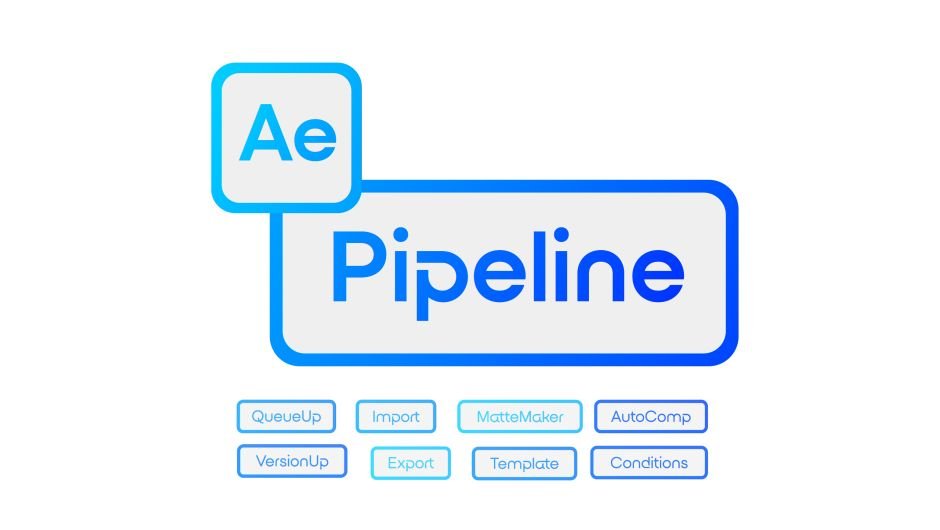
| AutoComp Select footage → get a full shot stack: working _preslate, final _comp_v001, and preview _comp_lut_v001 — with reference, color and burn-ins already wired in. | versionUp Bump comps to the next version with a slate note. One-click backup of the entire comp stack is optional. |
| QueueUp Send comps to the render queue with the right settings, output module, path and filename for each comp type — automatically. | matteMaker Generate frame-accurate _matte comps from any preslate, aligned to live version and timing. |
Tutorial
https://youtube.com/watch?v=NCQ2ml9CbiU%3Fenablejsapi%3D1%26origin%3Dhttps%253A%252F%252Faescripts.com%26widgetid%3D1%26forigin%3Dhttps%253A%252F%252Faescripts.com%252Faepipeline%252F%26aoriginsup%3D1%26gporigin%3Dhttps%253A%252F%252Fwww.google.com%252F%26vf%3D1
- 00:00 – Intro
- 00:16 – AutoComp Demo
- 00:25 – Tour: Preslate, Comp, Comp LUT
- 01:19 – QueueUp Demo
- 02:00 – New Client Wizard
- 02:23 – Step 1: Slate & Preview Toggles
- 02:46 – Step 2: Output Folder
- 03:06 – Handles & Start Frame
- 03:24 – Company Name & CDL Folder
- 03:41 – Custom Template Folders
- 04:05 – Step 3: AutoComp Resolutions
- 04:36 – Scale Settings (6K → UHD example)
- 05:04 – Step 4: QueueUp Render Settings
- 05:35 – Matte Output Module
- 05:55 – Save & Switch Back to Tutorial Client
- 06:13 – Logo Path
- 06:34 – Template Comps Explained
- 07:00 – OCIO / CDL / LUT Setup
- 07:40 – Toggle Burn-Ins
- 08:08 – versionUp + Note Prompt
- 08:41 – Backup Feature
- 09:25 – matteMaker: Fake VFX Shot Setup
- 10:14 – Run matteMaker on the Preslate
- 11:24 – How matteMaker Compensates for the Slate
- 11:55 – QueueUp Filename Safety Check
- 12:55 – Output Paths & Routing
- 14:01 – Matte Render Settings (Alpha-only ProRes 422)
- 14:24 – Conditions / Rules
- 14:35 – Example: Night Shots Use a Different LUT
- 15:56 – Other Condition Options (Contains, Width, Aspect Ratio)
- 16:30 – Workflow Summary
- 16:55 – Less Mode (Tiny UI)
- 17:08 – Outro
Elevate your motion graphics workflow with premium collection of After Effects plugins. Whether you are a seasoned professional or just starting your VFX journey, powerful tools designed to streamline complex tasks, unlock creative possibilities, and save you hours of rendering time. From stunning glitch effects and seamless transitions to advanced 3D extrusion and text animation tools, each plugin in our library is rigorously tested for compatibility with the latest versions of Adobe after Effects. Enhance your video production value today and download industry-leading plugins that help you create breathtaking visuals without the technical headaches. Browse our full range and find the perfect extension to supercharge your editing suite now.
➡️ ➡️ For more after effects Plugins 😀 😀
➡️ ➡️ System requirements AE
Reviews
There are no reviews yet.