
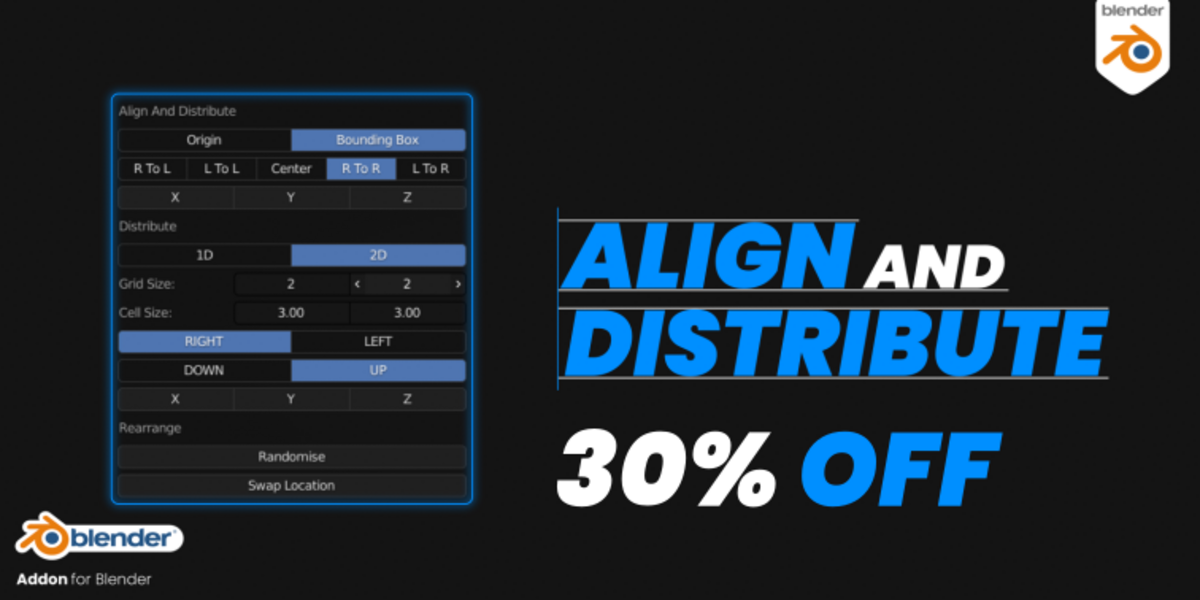
Align And Distribute for Blender
align and distribute addon
Align And Distribute V3.0.1 for Blender – Precision Object Alignment & Distribution Toolkit
Versions: v3.0.3
File Size: 136 KB
Download Align And Distribute V3.0.1 for Blender on Windows, Mac, and Linux, a powerful add-on that provides professional alignment and distribution tools for objects, vertices, edges, and faces. Perfect for modelers, layout artists, and technical designers who need precise control over object positioning without manual adjustments.
Key Features of Align And Distribute V3.0.1:
- Object Alignment: Align objects to left, right, top, bottom, center, or custom reference points
- Distribution Tools: Evenly distribute objects horizontally or vertically with adjustable spacing
- Gap Management: Set exact pixel or unit gaps between objects
- Relative Positioning: Align based on object origins, bounding boxes, or custom pivot points
- Mesh Component Alignment: Align vertices, edges, and faces within edit mode
- Batch Operations: Apply alignment to multiple objects simultaneously
- Preset System: Save and load alignment configurations for reuse
- Real-Time Preview: See alignment results update instantly
- v3.0.1 Updates: Enhanced precision, new distribution modes, and Blender 4.0+ compatibility
Perfect For:
- UI/UX designers creating precise interface layouts
- Architectural modelers aligning building elements
- Product designers arranging components in scenes
- Motion graphics artists positioning elements accurately
- Anyone needing professional alignment tools in Blender
System Requirements:
- Blender 3.6, 4.0, 4.1, 4.2, 4.3
- Windows 10/11 (64-bit), macOS, or Linux
- 4GB RAM minimum (8GB+ recommended)
- 10MB available disk space
Installation:
- Download the add-on zip file
- In Blender, go to Edit > Preferences > Add-ons
- Click “Install” and select the downloaded zip file
- Enable the add-on by checking the box next to “Align And Distribute”
Note: Align And Distribute V3.0.1 provides professional alignment and distribution tools for Blender, far beyond the native options. The precise gap control, mesh component alignment, and batch operations make it essential for UI designers, architects, product designers, and anyone who needs exact object positioning. Designed for Blender 3.6 and above.

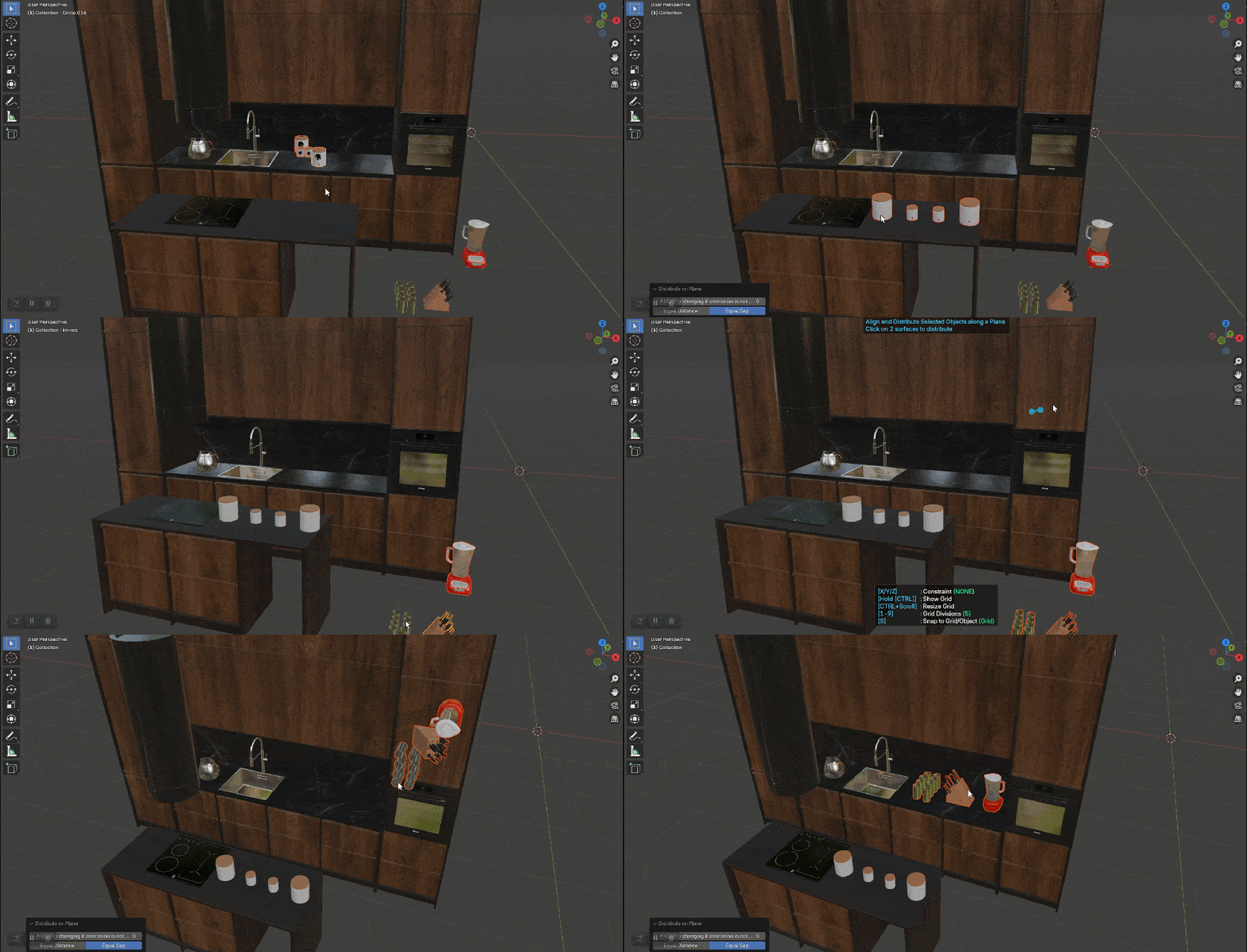
V3.0:
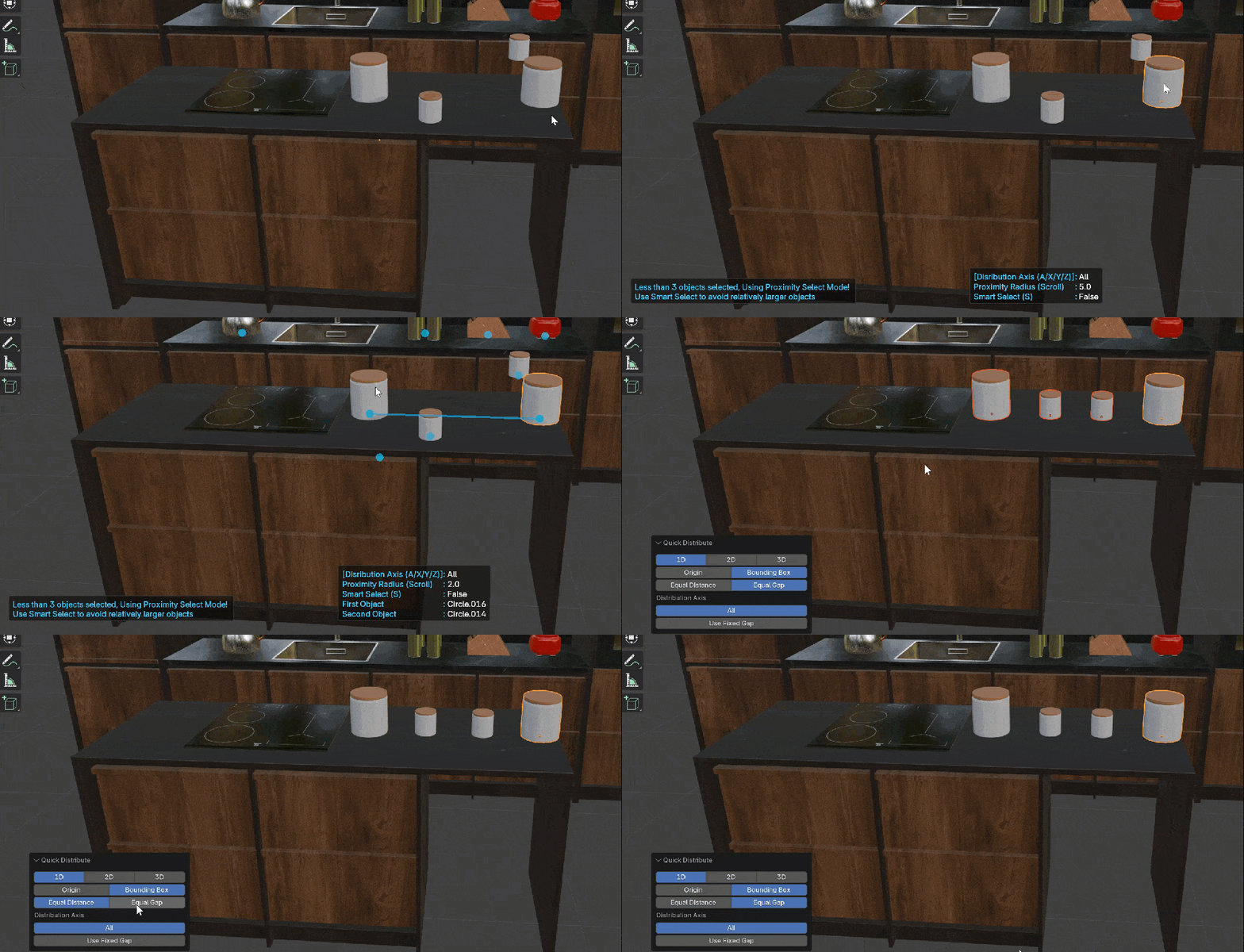
New Quick Distribute functions:
Improved UI:
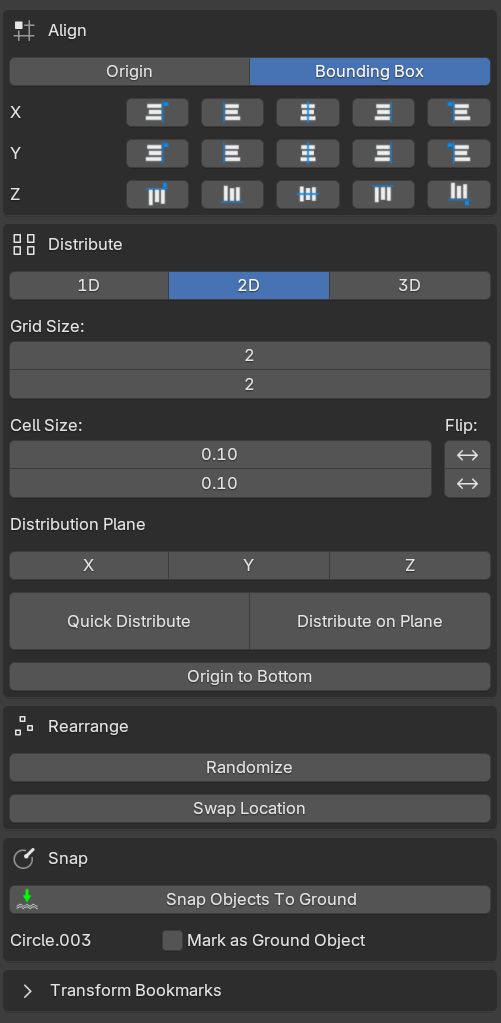
Align And Distribute is a Blender add-on that adds some necessary aligning and distributing utilities (similar to Inkscape) to Blender.
Align:
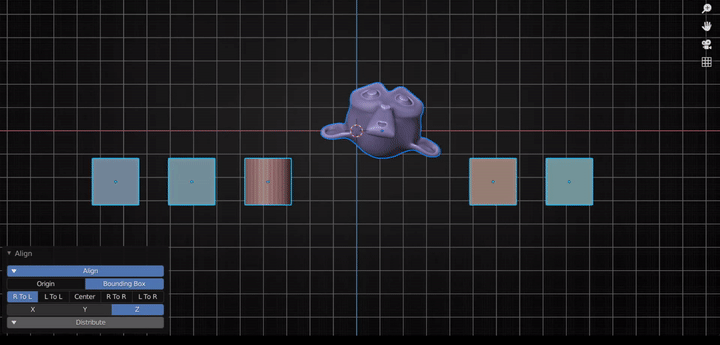
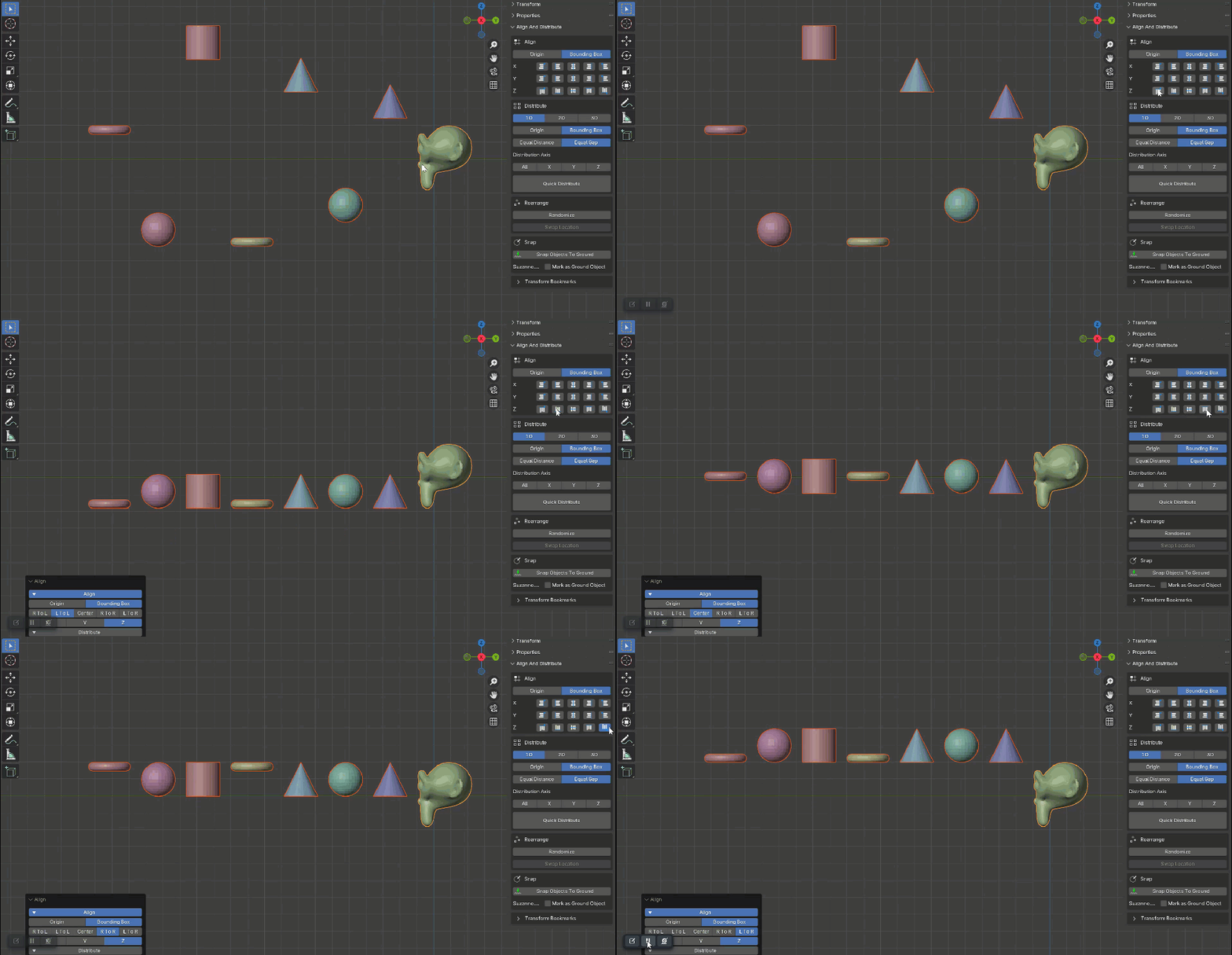
Aligning has two methods: Origin and Bounding Box.
When you set the method to ‘Bounding Box’ more options become available.(See Gif Below)
Select the Axis on which you want to align the objects.
Use the lower-left panel to add or remove more axis or to change any other parameter.
Distribute:
Objects can be distributed into 1 Dimension (Linear) or 2 Dimensions (Grid)
1D:
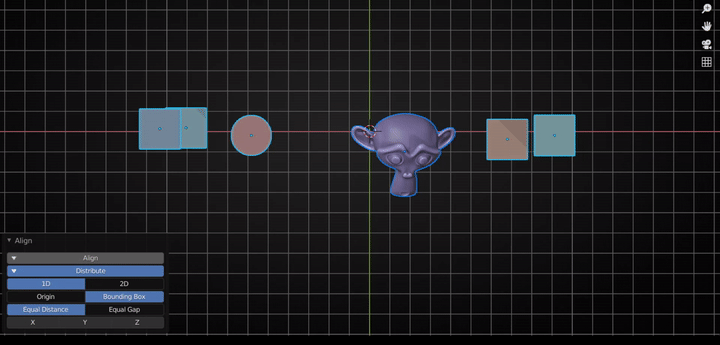
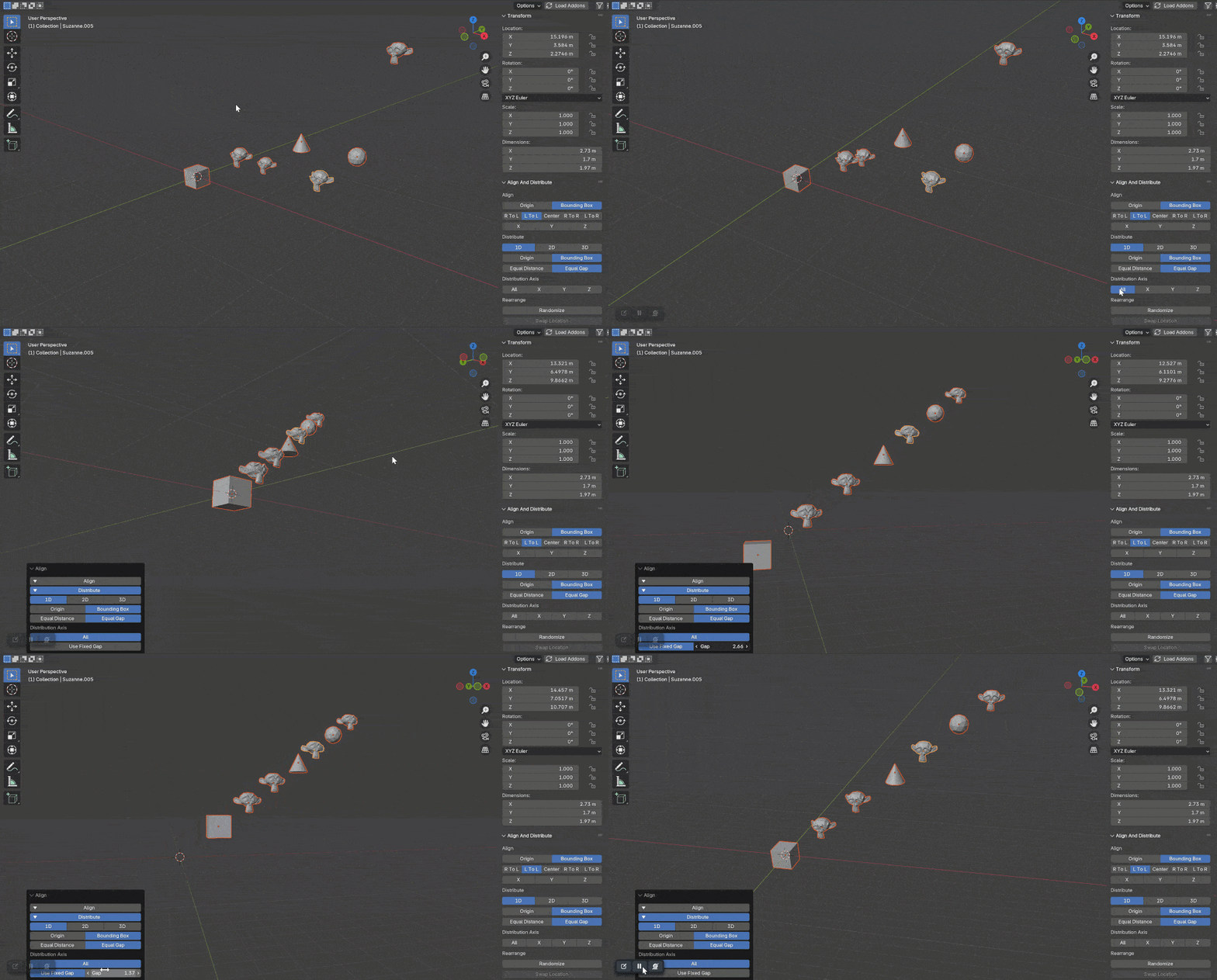
1 Dimension distribution also has two methods: Origin and Bounding Box. And similar to Align when you use the Bounding Box method more options become available.
Select the Axis along which you want to distribute the selected objects.
Objects will be distributed between the first and the last object along that axis.
Equal Distance vs Equal Gap:
Distribute along arbitrary axis:
Select ‘All’ axis to distribute the object between the 2 furthest selected objects.
2D:
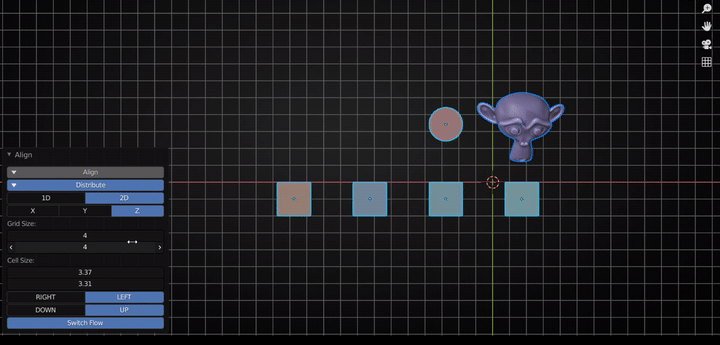
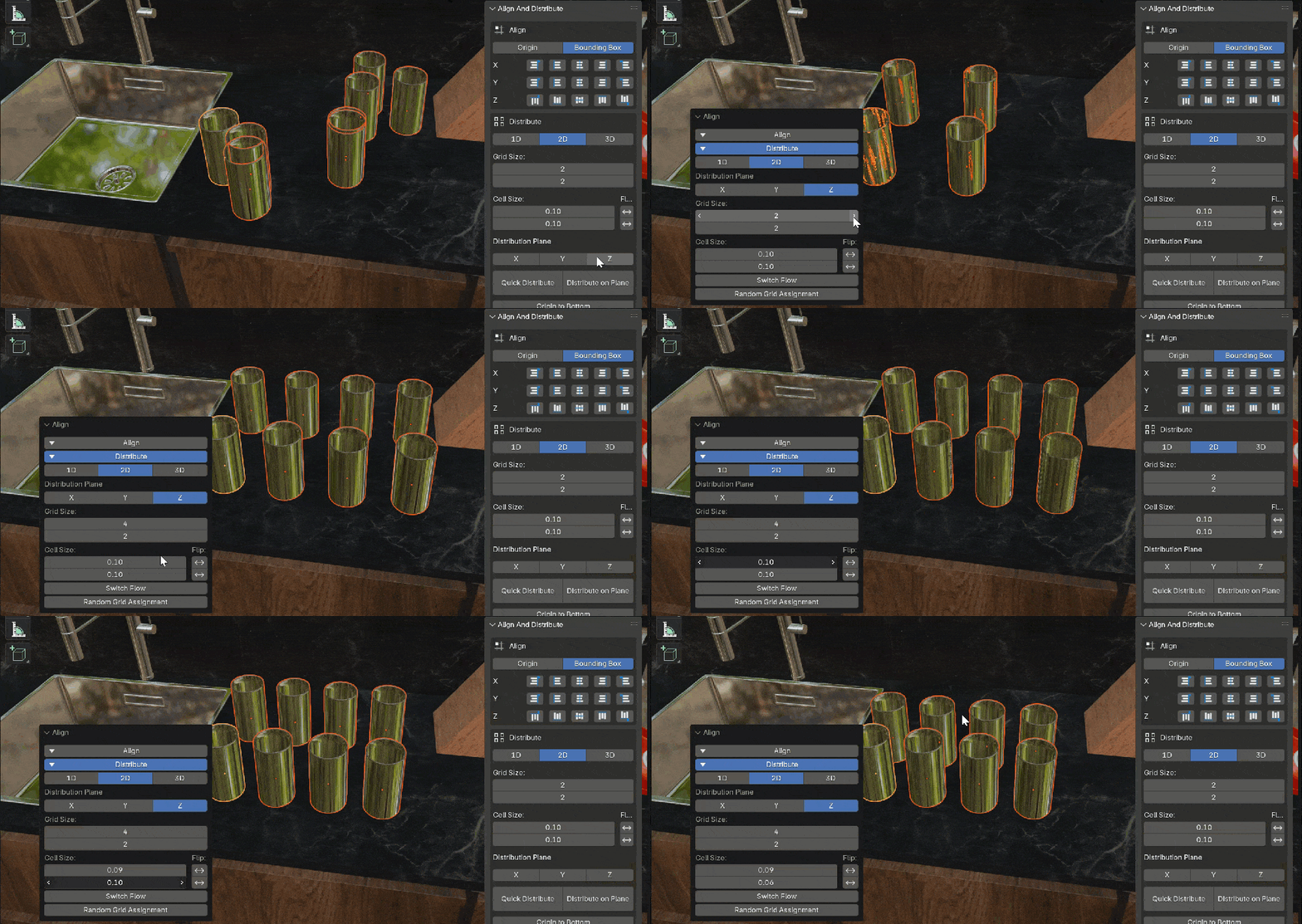
Set the Grid Size(Number of Cells) and Cell Size
Select the placement of the Grid with respect to the Active Object using the Right/Left and Up/Down options.
And then select the plane of distribution to distribute the objects in a grid.
See Gif Below.
Rearrange:
Randomize:
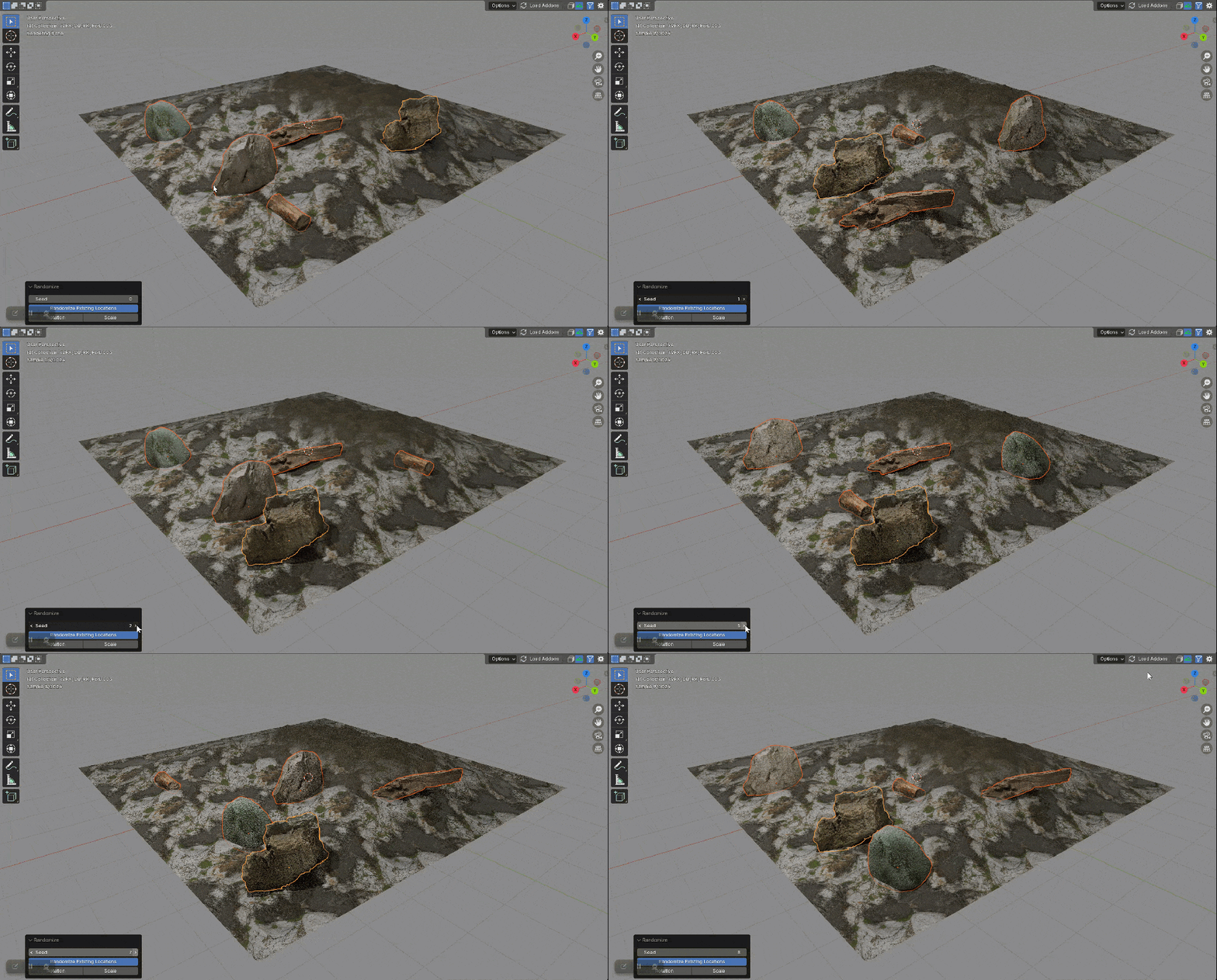
Randomize the location of selected objects in specified Axis or switch existing postions.
Swap Location:
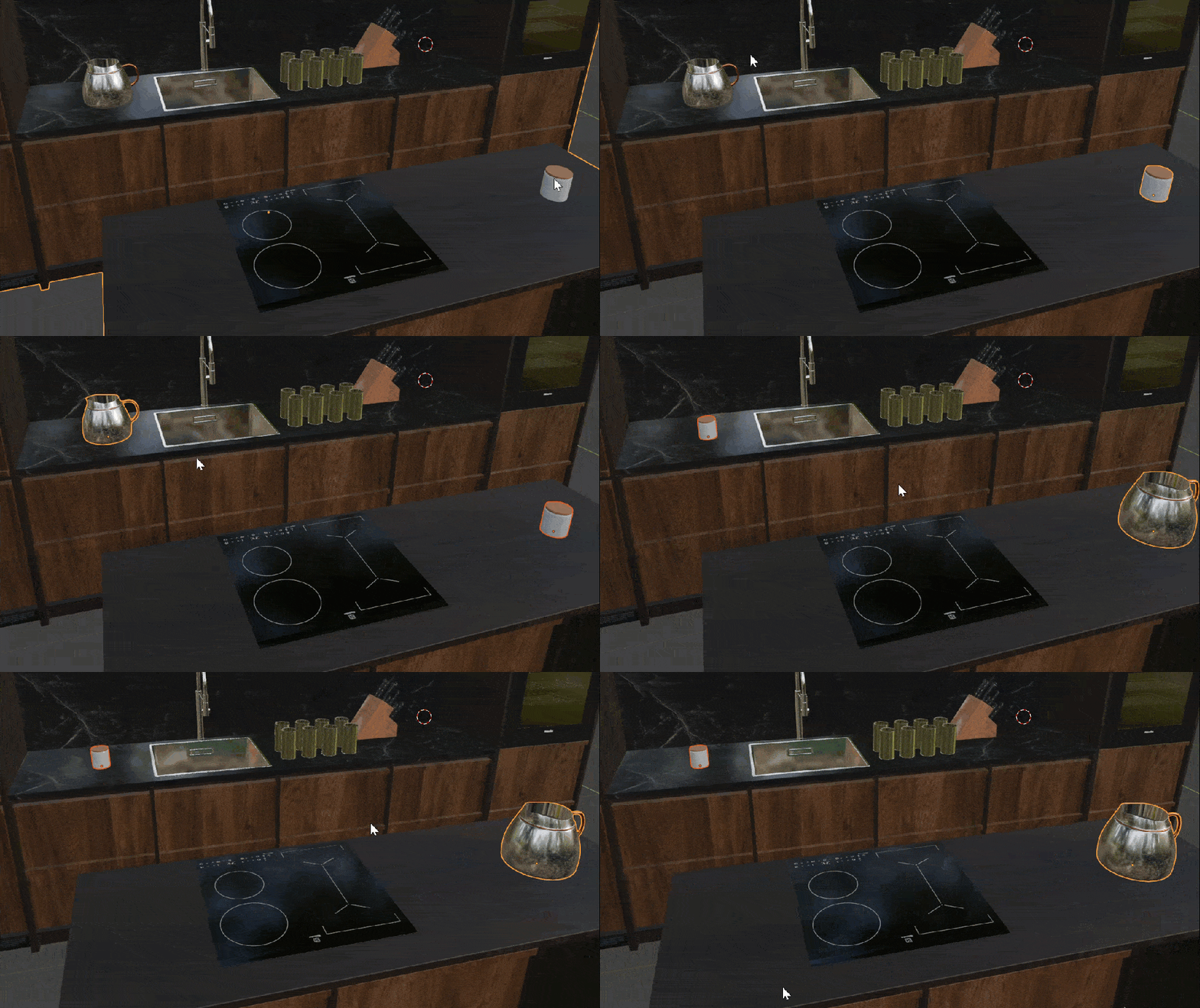
Swap the location of 2 selected objects by pressing SHIFT+ALT+S
Snap:
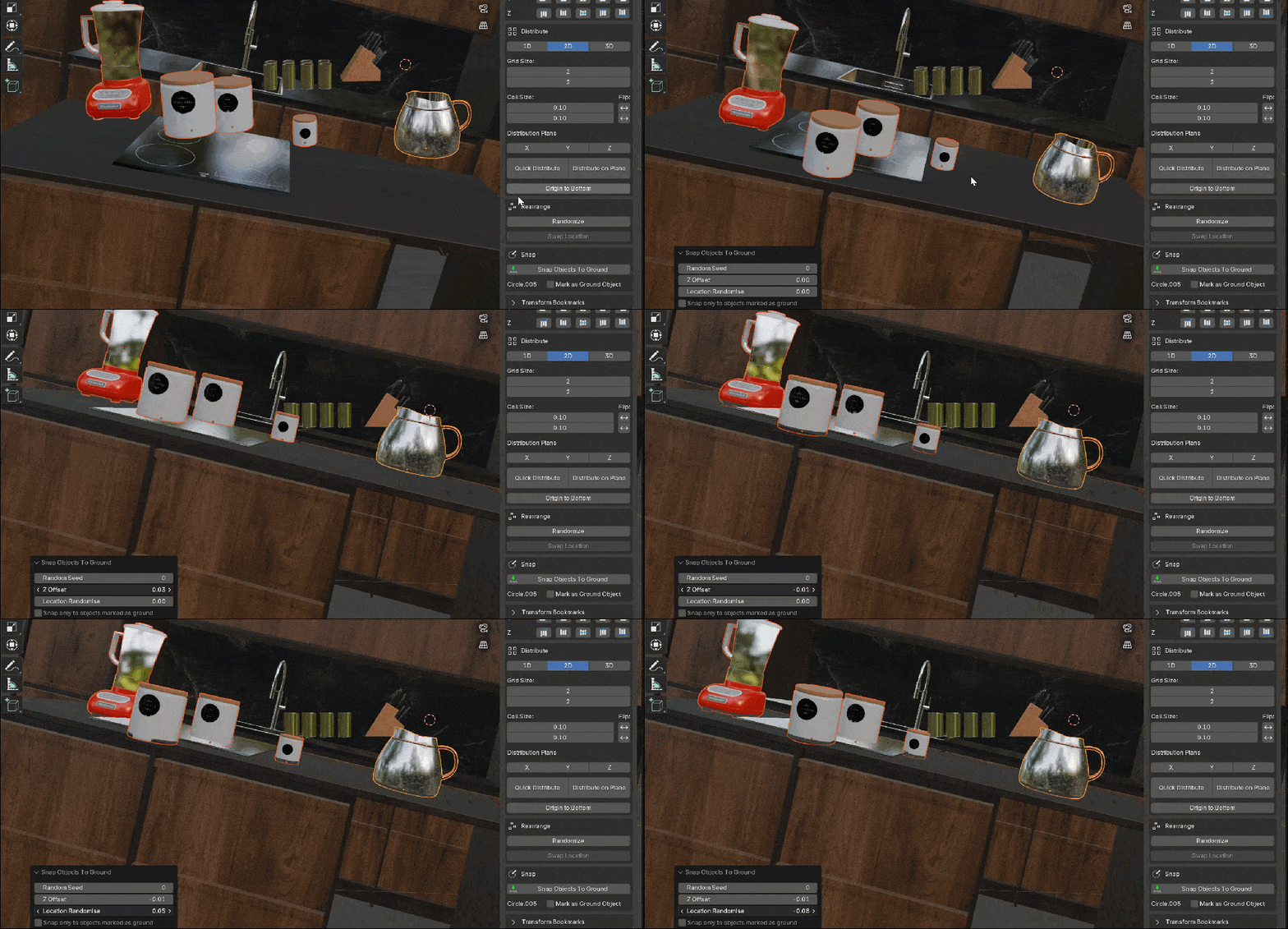
Supercharge your 3D creation workflow with premium selection of Blender Add-ons. Whether you are modeling intricate characters, sculpting realistic environments, or animating cinematic sequences, the right add-on can transform how you work inside Blender. Our curated collection includes powerful tools for UV unwrapping, procedural texture generation, rigging automation, rendering optimization, and more—each rigorously tested for compatibility with the latest Blender versions. Eliminate tedious manual processes and unlock advanced functionality that lets you focus on what matters most: bringing your creative vision to life. Explore our full range of professional Blender plugins today and take your 3D projects to the next level.
➡️ ➡️ For more Blender Plugins 😀 😀
Reviews
There are no reviews yet.