
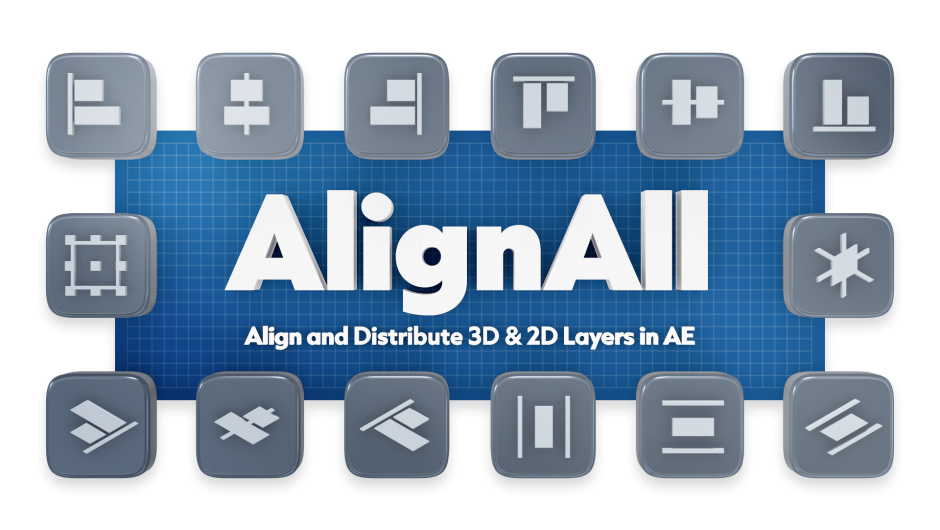
AlignAll for After Effects
AlignAll V1.1.0 for After Effects
The Ultimate 2D and 3D Layer Alignment and Distribution Tool
Download AlignAll V1.1.0 today. Consequently, you can finally overcome the limitations of After Effects’ native align panel and achieve precise, professional layer layouts in both 2D and 3D space . Because motion designers and compositors frequently need to align complex compositions with multiple layers and cameras, having access to a robust alignment tool is absolutely essential. Nevertheless, After Effects’ built-in Align panel cannot align or distribute 3D layers, cannot evenly distribute layers of different sizes, and cannot correctly handle layers parented to rotated layers . Fortunately, AlignAll eliminates all these frustrations completely. Moreover, it provides intuitive alignment options based on composition, selection, or a key object (your last selected layer), giving you the control that native tools simply cannot offer . In short, you can align and distribute layers with unprecedented speed and precision.
Smart Alignment Based on Key Objects and Composition
The core of this script lies in its flexible alignment modes that adapt to your workflow. For instance, you can align layers to the composition frame, to the current selection, or to a key object (the last layer you selected) — similar to the familiar behavior in Adobe Illustrator . Furthermore, AlignAll supports both 2D layers and standard 3D layers, including shapes, solids, images, text, precomps, extruded text, extruded shapes, and parametric meshes . This versatility ensures that regardless of what type of layer you are working with, AlignAll can handle it.
Even Distribution for Layers of Different Sizes
Uneven spacing between different-sized layers is a common frustration with After Effects’ native distribute functions. Therefore, AlignAll includes intelligent distribution that evenly spaces layers regardless of their individual sizes . Unlike the default behavior, which spaces layers based on their centers and often results in visually uneven gaps, AlignAll ensures that the spaces between layers are truly consistent . Additionally, the new “Distribute By Distance” feature in V1.1.0 allows you to set a custom spacing distance, giving you even more precise control over your layouts.
Advanced 3D Layer Alignment with Camera Support
Working with 3D layers introduces additional complexity that native tools cannot handle. Therefore, AlignAll offers specialized 3D features that respect your camera perspective. For example, you can align layers in depth by arranging them in front, middle, and back relative to the selection or key object . The “Scale Compensate” feature ensures that layers appear correctly scaled when positioned at different depths in the viewport . Furthermore, when your camera is rotated relative to world space, you can choose to align layers based on the camera’s view plane or based on world coordinates, ensuring that your layout remains visually consistent regardless of the camera angle .
Parented Layer Support and Common Parent Recognition
One of the most powerful features of AlignAll is its intelligent handling of parented layers. For instance, when selected layers share a common parent within the parent chain, AlignAll can align and distribute them based on that common parent’s rotation . This means you can maintain complex hierarchical structures while still achieving perfect alignment — a capability that After Effects’ native tools lack entirely.
V1.1.0 New Features and Polling Improvements
Version 1.1.0 introduces several significant enhancements based on user feedback. For example, you can now align layers to Comp Edge, Action Safe, or Title Safe by right-clicking the Comp icon, providing more precise framing options for broadcast and cinematic projects . Additionally, the improved polling system ensures that the AlignAll panel UI stays synchronized with your layer selections across multiple open extensions, reducing performance overhead . If you use AlignAll alongside other tools like RectControl or Type ReAlign, upgrading all of them to V1.1.0 ensures the shared polling system works optimally .
Perfect for Motion Designers, Editors, and VFX Artists
This script is particularly well-suited for motion designers who need precise layouts for UI elements, title sequences, and lower thirds. Similarly, video editors and VFX artists working with multi-layer composites will appreciate the ability to align and distribute layers quickly and accurately. Additionally, anyone frustrated by the limitations of After Effects’ native align panel will find AlignAll an indispensable time-saver. Ultimately, AlignAll V1.1.0 accelerates your entire composition and layout workflow.
System Requirements and Compatibility
AlignAll supports After Effects versions 2024, 2025, and 2026 . It is compatible with both Windows and macOS operating systems . You will need a standard workstation with at least 8GB of RAM.
Installation and Usage Guide
To install, first download the script installer from your library. Next, close Adobe After Effects if it is running. Then, install the extension following the standard aescripts + aeplugins installation process. After installation, launch After Effects and navigate to Window > Extensions > AlignAll . Finally, select your layers, choose your alignment mode (Composition, Selection, or Key Object), and click the desired alignment or distribution button. For 3D layers, adjust depth and scale compensation settings as needed. Thus, your professional alignment workflow will be ready instantly.
What is Included Inside?
The pack contains the complete AlignAll V1.1.0 extension for After Effects. Furthermore, it includes smart alignment for 2D and 3D layers, even distribution for different-sized layers, depth alignment for 3D, scale compensation, camera-based alignment, parented layer support, and the new V1.1.0 features including Comp/Action Safe/Title Safe alignment and Distribute By Distance . Ultimately, you receive everything needed for professional layer alignment and distribution.
Final Thoughts on the Script
Effortless smart layer alignment evokes profound creative freedom. Therefore, this script provides the ultimate foundation for your composition and layout workflows. You can align and distribute layers with unprecedented speed and accuracy, even in complex 3D scenes. Consequently, your alignment vision becomes a stunning reality.
Now You Can Align And Distribute 3D Layers
After Effect’s native align panel cannot align or distribute 3D layers. It cannot align layers to a key object. It cannot evenly distribute layers of different sizes. It cannot correctly align or distribute layers that are parented to a layer that’s been rotated.
AlignAll can do it all!
A Panel Designed to Fit In
The AlignAll panel was designed to seamlessly fit into your existing After Effects workspace, and feel like native UI.


Align layers based on Comp, Selection, or Key Object
AlignAll works similar to Illustrator’s Align panel where you can align layers to three different targets:
- Align to the composition
- Align to the selection
- Align to the key object. (key object being the last object selected)
AlignAll works with 2D layers, standard 3D layers (shapes, solids, images, text, precomps), extruded text, extruded shapes and parametric meshes.
Evenly Distribute Layers of Different Sizes
Unlike the native After Effects distribute, which only distributes layers based their center point or edges, AlignAll’s distribute works like Figma, creating even distribution between layers regardless of their size.


Align layers by depth
You can align layers by depth to the back, middle or front of selection, or key object.
Scale Compensate
While aligning layers by view, you can enable Scale Compensate which aligns layers depth but then compensates each layer’s scale and x/y values so that they appear the same in view.


Align layers based on camera view
When your camera is rotated in relation to world values, you can align and distribute layers based on the view of the camera, moving layers parallel to the camera view plane.
Align layers based on world coordinates
When your camera is rotated in relation to world values, you can align and distribute layers based on world coordinates.


Align layers based on camera view via world coordinates
When your camera is rotated in relation to world values, you can align and distribute layers based on the view of the camera, but by moving the layers through their world coordinates instead of in relation to the camera view plane.
Align layers based on shared parent null
When all selected layers share a common ancestor in their parent chain, you can align and distribute layers based on the rotation of the shared parent layer.

New Features in v1.1.0
Align to Comp, Action Safe, Title Safe
Right click the Comp icon to switch between aligning to comp edge, action safe edge, or title safe edge.
Distribute By Distance
Set the distance you want to distribute layers by. Movement anchored to the Key Object (your last selected layer).
Improved Polling
My tools AlignAll, RectControl, and Type ReAlign each use polls to keep their panel UI in sync with your layer selections. I’ve merged these into a single shared poll, so that even with all three extensions open, only one poll will run.
If you’re worried about performance, or notice keystrokes are getting lost, you can turn polling off in the settings menu. With polling disabled, the UI only updates when your cursor enters the panel. Note: to stop polling entirely, you need to disable polling in each extension you have open.
- 00:00 Intro
- 00:30 Overview AlignAll’s abilities when a comp has 2D layers or 3D layers with no depth and no camera.
- 00:49 Overview of Align by: View vs Align by: World when there is no depth or camera
- 01:06 Overview of Align to: Comp, Selection, and Key Object
- 01:16 Align to: Comp
- 01:39 Align to: Selection
- 01:53 Align to: Key Object
- 02:08 Align via Parent
- 03:22 Difference between Align by: View and Align by: World for via Parent
- 04:02 Distribute when there is no depth or camera
- 04:31 Distribute via Parent
- 04:50 Overview of AlignAll when a comp has 3D layers with different depths and no camera
- 05:00 Align by: View when layers are at different depths
- 05:23 Align by: World when layers are at different depths
- 05:50 How Align by: View and Align by: World differ in what layer they use when Align to: Selection is chosen
- 06:30 Align depth buttons when there is no camera
- 07:47 Align depth with Scale Compensate enabled to change 3D depth but have it look the same
- 9:13 Depth buttons with via Parent enabled
- 10:13 Differences in Distribute by: View and Distribute by: World when layers have different depths
- 11:13 Overview of AlignAll when a comp has 3D layers with different depths and a camera with rotation
- 11:22 Align by: View with 3D layers with different depths and a camera with rotation
- 12:30 Align by: World with 3D layers with different depths and a camera with rotation
- 12:50 Distribute by: View vs Distribute by: World with 3D layers with different depths and a camera with rotation
- 13:39 Align by View via World
- 14:31 Outro
Reviews
There are no reviews yet.