
Alt Tab Easy Hdriv for Blender
easy hdri addon
Alt Tab Easy HDRI v1.0.2 for Blender – One-Click HDRI Environment & Lighting System
Versions: v1.1
File Size: 399 KB
Download Alt Tab Easy HDRI v1.0.2 for Blender on Windows, Mac, and Linux, a streamlined HDRI environment add-on that applies high-quality lighting and background images with a single click. Browse, preview, and apply HDRI environments for instant realistic lighting—perfect for product designers, architectural visualizers, and motion graphics artists.
Key Features of Alt Tab Easy HDRI v1.0.2:
- One-Click HDRI Application: Apply HDRI environments with proper lighting setup instantly
- Built-in HDRI Library: Curated collection of indoor, outdoor, studio, and night environments
- Custom HDRI Import: Add your own HDRI files to the library
- Real-Time Preview: See HDRI lighting updates instantly in the viewport
- Rotation Control: Rotate HDRI environments to adjust lighting direction
- Intensity Control: Adjust HDRI brightness independent of background visibility
- Background Toggle: Show or hide HDRI background while keeping lighting
- Render Engine Support: Works with Eevee and Cycles render engines
- v1.0.2 Updates: Enhanced library, improved preview, and Blender 4.0+ compatibility
Perfect For:
- Product designers creating studio-quality renders
- Architectural visualization artists lighting interior and exterior scenes
- Motion graphics artists adding realistic reflections
- Game developers prototyping environment lighting
- Anyone needing fast, professional HDRI lighting in Blender
System Requirements:
- Blender 3.6, 4.0, 4.1, 4.2, 4.3
- Windows 10/11 (64-bit), macOS, or Linux
- 4GB RAM minimum (8GB+ recommended)
- 200MB available disk space
Installation:
- Download the add-on zip file
- In Blender, go to Edit > Preferences > Add-ons
- Click “Install” and select the downloaded zip file
- Enable the add-on by checking the box next to “Alt Tab Easy HDRI”
Note: Alt Tab Easy HDRI v1.0.2 simplifies HDRI lighting in Blender with one-click environment application and a curated library of high-quality HDRIs. The rotation and intensity controls make it essential for product designers, architectural visualizers, and motion graphics artists needing fast, professional lighting. Designed for Blender 3.6 and above.
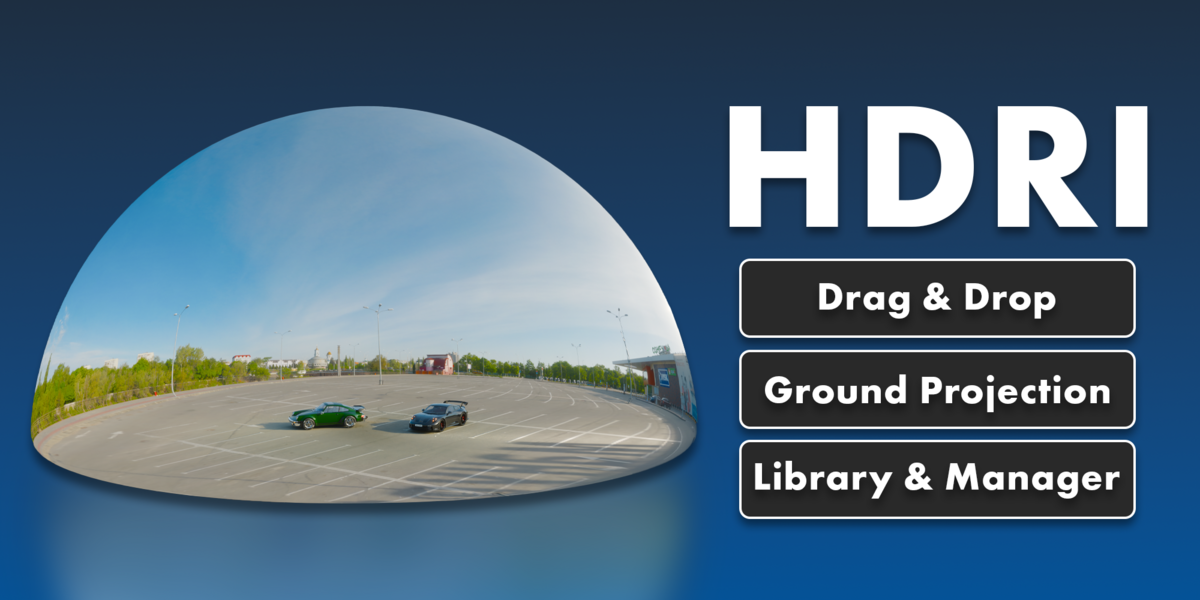
Drag & Drop
Simply drag & drop HDRI files directly into your viewport, and they will be automatically configured as world setups.
Ground Projection
A simple toggle projects the HDRI ground onto a sphere model – which allows you to place your models inside the HDRI itself and get the most accurate shadows and reflections.
Turn HDRI’s into Worlds
Every HDRI used when this addon is installed is added to your library. This allows you to build your own HDRI collection.
Perfect for anything
1 3D Model + 1 HDRI file = Is all you need to get great looking results
Accurate Shadows & Reflections
Optional ground projection mode allows you to get more realistic reflections in your renders, with full control over the mapping parameters.
Rotation & Strength Control
In the UI you can easily rotate your HDRIs with simple slider controls to perfect the lighting in your scene. Fine-tune the intensity of your HDRI lighting with intuitive strength controls.


Supercharge your 3D creation workflow with premium selection of Blender Add-ons. Whether you are modeling intricate characters, sculpting realistic environments, or animating cinematic sequences, the right add-on can transform how you work inside Blender. Our curated collection includes powerful tools for UV unwrapping, procedural texture generation, rigging automation, rendering optimization, and more—each rigorously tested for compatibility with the latest Blender versions. Eliminate tedious manual processes and unlock advanced functionality that lets you focus on what matters most: bringing your creative vision to life. Explore our full range of professional Blender plugins today and take your 3D projects to the next level.
➡️ ➡️ For more Blender Plugins 😀 😀
Reviews
There are no reviews yet.