
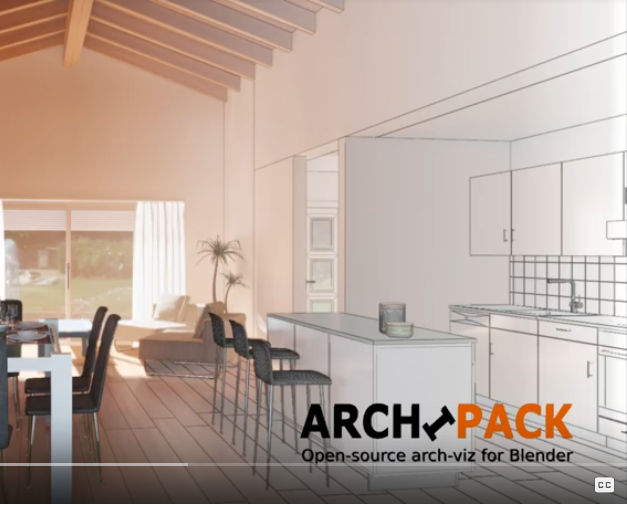
Archipack for Blender
Archipack v2.7.2 for Blender
The Ultimate Architectural Modeling Tool
Download the Archipack v2.7.2 addon today. Therefore, you can model buildings instantly. Because architectural visualization requires precise dimensions, you need proper tools. However, manual wall creation takes many frustrating hours. Consequently, this powerful addon solves that problem completely. Furthermore, it provides a fast, parametric workflow. Thus, you can construct entire houses in seconds.
Fast Parametric Generation
First, the core of this addon is parametrics. Specifically, it generates complex walls and roofs instantly. Furthermore, you can adjust real-world dimensions easily. Additionally, the tool applies doors and windows seamlessly. Thus, you can build endless floor plan variations quickly. Moreover, you can customize material assignments perfectly. Consequently, your 3D buildings will look highly professional.
Advanced Architectural Features
Ultimately, complex structures require advanced modeling control. Therefore, this addon includes smart building tools. Specifically, you get automatic stair and railing generation. Furthermore, the algorithms preserve structural integrity perfectly. Additionally, the tools simulate realistic floor and ceiling layouts. Consequently, your architectural models will look incredibly accurate. Thus, the workflow reacts beautifully to your input.
Real-Time Optimization and Performance
However, heavy architectural scenes can slow down viewports. Therefore, the addon is perfectly optimized for performance. Specifically, it utilizes Blender’s efficient native mesh systems. Consequently, you can process large building models easily. Meanwhile, your viewport frame rate remains completely stable. Ultimately, this ensures a smooth and fast workflow.
Perfect for ArchViz Artists
Additionally, this addon is ideal for architectural visualizers. Furthermore, it suits interior designers and real estate agents perfectly. Moreover, game developers will love the rapid level blocking. Ultimately, it accelerates your entire 3D production pipeline.
System Requirements and Formats
Specifically, the addon requires Blender 3.6 or newer. Furthermore, it supports both Cycles and Eevee render engines. Additionally, you get regular free updates from the developer. Therefore, it works perfectly across all major operating systems. Moreover, you will need a standard workstation. Thus, 16GB of RAM is highly recommended. Consequently, a modern GPU ensures smooth viewport playback.
Installation and Usage Guide
First, download the zip file from your library. Next, open Blender and go to Edit Preferences. Then, select Add-ons and click Install. After that, enable the Archipack v2.7.2 addon. Finally, press the hotkey to add a wall. Thus, your parametric building will be ready quickly.
What is Included Inside?
Specifically, the pack contains multiple architectural presets. Furthermore, it includes smart parametric generation algorithms. Additionally, you get several door and window variants. Moreover, there are detailed video tutorial guides. Ultimately, you receive everything for professional architectural creation.
Final Thoughts on the Addon
Ultimately, precise architecture evokes profound professional quality. Therefore, this addon provides the ultimate creative foundation. Furthermore, you can build detailed residential homes. Alternatively, you can create complex commercial buildings. Consequently, your architectural vision becomes a stunning reality.
The Archipack addon for Blender 2.8 contains a collection of parametric primitives for ArchViz. You can manipulate these primitives with a realtime on-screen editing interface. Primitives like wall, floor, slab, windows, door, stairs and more are included. Some of them have presets, like type of roof, door and window.
Archipack 1.28x vs Archipack 2.x versions
There are two versions of the Archipak addon. While the build in version ( 1.2.8x series) in Blender has surely enough features to build your archviz scene, the Archipack 2.x version has extensive features. The 2.x version has more generators, better material management, sunlight and much more. To set clear expectations, the Archipack 1.2.8x is free and Archipack 2.x with extensive features is the version you can buy on Gumroad. Let’s talk about the free version first.
Quick overview of the Archipack addon
After enabling the addon in the preferences, you can find Archipack in several places. It’s will save you some time understanding the setup in case you are not familiar with the Archipak addon yet.

Three places the Archipack addon is active in Blender:
- Add menu. Press Shift + A, M, A. That is the quickest way to add archviz primitives.
- Create TAB in the N-Panel. In this tab you can add archviz primitives as well. And in this panel you have for some primitive more options. Like the Floor, you can here create a floor from the active wall and it will fit automagically.
- Archipak TAB. Here (N-panel) you find settings for the active archviz primitive. Those are settings like Length, Angle, With, Height, parts, etc.
Once you know this, it is easy to get the hang out of how the Archipack addon is organized. There are a few more tips I want to give that will save you time getting familiar with the Archipak addon. That is the on-screen editing interface. Let’s start with the wall.
On-screen editing interface

- Where you see two arrows, one to the left, and two the right, that is to make another side of the wall. In case you are surprised why the wall got extended to another direction, click on the 90 degrees symbol. You can then enter a value, probably -90. Then press Enter. (You can also flip the wall if need).
- Other arrows on the floor-level are for the lenght of each side of the wall. You can also click on the number and enter a value. And there is an arrow for the thickness of the wall.
- In case you don’t see the on-screen manipulators, go to the Archipak TAB in the N-panel and click on manipulate.
Autoboolean
Next is the auto-boolean. This is handy to make openings in the walls for doors and windows automagically. Here an exercise to get the hang out of it.
- Press Shift+A, M, A, W which will ad a wall primitive. Make the wall a bit longer with the arrow next to the value by dragging the arrow. (Or you click on the value 2.0 and enter a value like: 4.
- Shift and then right-click on the wall. Probably you have to do it again, to place the mouse cursor on the wall. Put the mouse cursor near the bottom (floor) of the wall.
- Press Shift+A, M, A, D. And this will place a door at the mouse cursor. Now you might want to rotate the wall 90 degrees on Z-axis. To do that, press: R, 90, Z.
- Click the wall, go to the Create TAB in the N-Panel, and click on the button Boolean. There you have your door in the wall, and in the on-screen interface, you can still manipulate the size etc, of the door you just created.
How to get the Archipack addon
The free archipack addon (1.2.8x series) is already build in Blender 2.80. To activate Archipack you go in Blender to Edit > Preferences > Addons. There you click on the button “Community” (on top). And then you type in the search field: “Archipack”. Enable the addon by using the checkbox, and render the preset thumbs which might take a few minutes.
For more information about the Archipack 2.x version, I recommend you to visit the Blender-Archipack.org website. Some more links to the Archipack 2.x version:
- Archipack 2.0 Documentation
Full Documentation for Archipack 1.2.8x version (the build in version).
Supercharge your 3D creation workflow with premium selection of Blender Add-ons. Whether you are modeling intricate characters, sculpting realistic environments, or animating cinematic sequences, the right add-on can transform how you work inside Blender. Our curated collection includes powerful tools for UV unwrapping, procedural texture generation, rigging automation, rendering optimization, and more—each rigorously tested for compatibility with the latest Blender versions. Eliminate tedious manual processes and unlock advanced functionality that lets you focus on what matters most: bringing your creative vision to life. Explore our full range of professional Blender plugins today and take your 3D projects to the next level.
➡️ ➡️ For more Blender Plugins 😀 😀
Reviews
There are no reviews yet.