

Auto Bake Texture Baker Exporter for Blender
auto bake texture baker exporter addon
Auto Bake Texture Baker Exporter v1.5 for Blender – Intelligent Texture Baking & Export Tool
Versions: v1.5
File Size: 2.5 MB
Download Auto Bake Texture Baker Exporter v1.5 for Blender on Windows, Mac, and Linux, a powerful baking add-on that automates the process of baking PBR textures, normal maps, ambient occlusion, and custom shader outputs. Perfect for game developers, asset creators, and anyone who needs to convert complex Blender materials to export-ready texture maps.
Key Features of Auto Bake Texture Baker Exporter v1.5:
- One-Click PBR Baking: Bake complete PBR texture sets—diffuse, normal, roughness, metallic, ambient occlusion, displacement
- Multi-Map Baking: Bake multiple texture types simultaneously with consistent settings
- Smart UV Handling: Automatically creates UV maps if missing, with packing options
- High-Resolution Output: Supports 1K, 2K, 4K, 8K texture resolutions
- Batch Processing: Bake multiple objects at once with identical settings
- Preset System: Save baking configurations for different asset types
- Material to Texture: Convert any node-based material to export-ready texture maps
- Export Formats: Save as PNG, JPEG, TIFF, or OpenEXR
- v1.5 Updates: Enhanced baking algorithms, new map types, and Blender 4.0+ compatibility
Perfect For:
- Game developers baking textures for Unity and Unreal Engine
- 3D artists preparing models for real-time rendering
- Asset creators needing export-ready texture maps
- VFX artists converting complex materials to textures
- Anyone needing professional texture baking in Blender
System Requirements:
- Blender 3.6, 4.0, 4.1, 4.2, 4.3
- Windows 10/11 (64-bit), macOS, or Linux
- 4GB RAM minimum (8GB+ recommended)
- 30MB available disk space
Installation:
- Download the add-on zip file
- In Blender, go to Edit > Preferences > Add-ons
- Click “Install” and select the downloaded zip file
- Enable the add-on by checking the box next to “Auto Bake Texture Baker Exporter”
Note: Auto Bake Texture Baker Exporter v1.5 automates the complex process of texture baking in Blender, making it easy to convert node-based materials to export-ready texture maps for game engines and real-time applications. The one-click PBR baking and batch processing make it essential for game developers and asset creators. Designed for Blender 3.6 and above.
Bake a wide range of texture maps, preview them before baking, inspect the baked results, and export them along with their objects. Apply the baked textures with automatic material and object setup. Bake UDIM and atlas textures, apply anti-aliasing, and channel pack textures. Generate new UVs, target specific UV maps, and remove unused ones. Bake from source to target objects, create cage objects, visualize the extrusion, create custom presets and choose your prefered workspace!

WORKFLOW
Set up a bake list for your textures, select objects directly in the viewport, start the bake and track the progress in the bake queue! Create baked versions of objects by applying the baked textures with a material. Export both baked textures and objects using your customized formats and settings.
Bake Process
EASE OF USE
All buttons and options are equipped with tooltips, explaining their functions. Any misconfigured settings are highlighted and paired with a text alert that provides instructions on what to do. A dedicated online documentation page is also available, along with video tutorials on YouTube for further guidance.
Manual
Tutorials
Tooltips
Alerts
BAKE MAPS
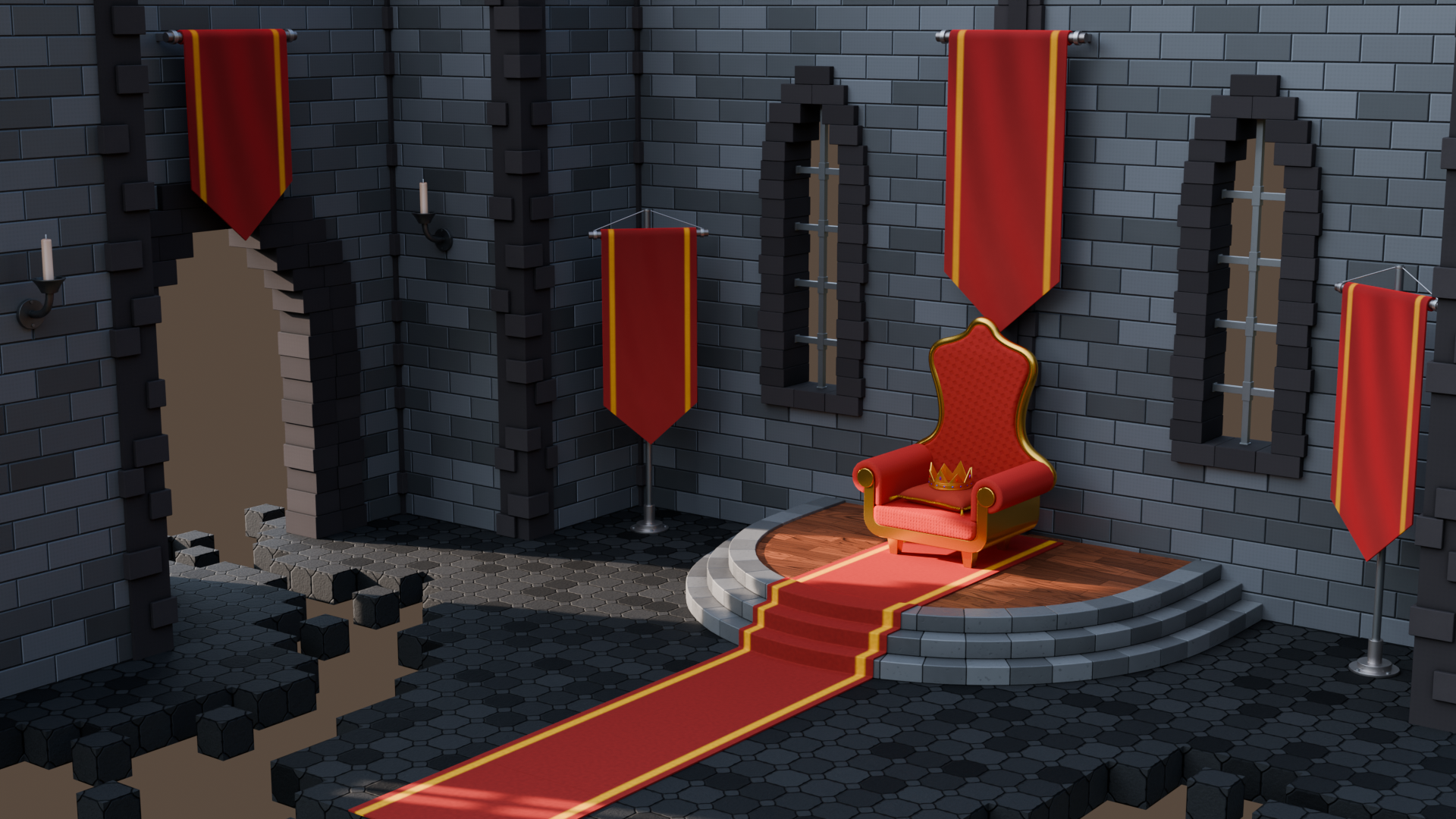
Bake a wide variety of texture maps, including shader sockets, multiresolution modifier’s normal and displacement data, Blender’s default bake passes, and adjustable miscellaneous maps such as edge, ID, gradient, bevel, curvature, ambient occlusion, and more!
All Bakeable Texture Maps
PREVIEW TEXTURES
Preview the texture maps before baking by selecting them in the viewport and enabling the preview from the bake list. The preview is available for all shader and miscellaneous bake maps.
Texture Preview
Customize the texture maps with adjustable properties and view the changes in real-time while previewing them. Different texture maps offer varying options and properties to modify.
Real-time Preview Update
CHANNEL PACKING
Pack multiple grayscale textures into a single RGB image using the channel packing bake map. Select any of the grayscale maps and choose which one to bake onto each of the three available RGB channels.
All Packable Texture Maps
Roughness + Specular + Ambient Occlusion
ANTI-ALIASING
Apply anti-aliasing to the baked textures! Use the upscaled method for higher quality, though more resource-intensive, or the downscaled method for faster baking with a potential loss in detail. Both methods can be adjusted for both the upscale and downscale rates.

ATLAS BAKE
Bake multiple objects onto shared textures with a single option, rather than baking each object onto its own separate textures. This method allows atlas baking without the need to merge the objects.
Atlas Baked Objects
SOURCE TO TARGET
Bake textures from source to target objects using the default method of selecting the objects in the viewport, or the advanced method of constructing a list of target objects with their corresponding source objects, extrusion, and other source to target settings for each, before baking.
Target List
Use many smart tools to streamline your workflow by setting the cage and source objects automatically based on the target object’s name, generating cage objects, or visualizing the set extrusion value.
Extrusion Visualizer
Cage Object Generation
Enable the location copy option to snap the source objects to the target object’s location during the bake, making object selection easier and avoiding object overlap.
MULTIRESOLUTION
Bake normal and displacement textures from the multiresolution modifiers, with the modifiers automatically removed from the baked object versions after baking, leaving them set up and ready.
With Multiresolution & After Bake
MATERIAL SUPPORT
Bake both simple and complex materials the same way. Objects can have multiple materials, with both simple and advanced node setups. Use node groups and multiple shaders, mixing and combining them.
Node Setup Example
Use shader nodes other than the Principled BSDF. While the shader texture maps are designed around the Principled BSDF, other shader nodes are also supported for baking, some fully and others partially, depending on the shader’s input sockets.
Fully & Partially Supported Examples
When a shader node has matching input sockets with the Principled BSDF node, the matching sockets can be baked using the same texture map used for baking the input sockets of the Principled BSDF node.
BAKED VERSION
Bake and convert the objects into a final version, creating a copy of the original object with new final materials assigned, merged from the originals, and with the baked textures applied automatically.
Original & Final
Have all the baked textures automatically set up for the final material, with each texture applied and connected to its corresponding socket in the shader node. The textures will be positioned and aligned to each other, ensuring a complete conversion from the original to the baked version.
Automatic Texture Setup
BAKE PROCESS
Keep using Blender while the textures are being baked, Blender won’t freeze! Follow the baking progress in the queue panel, easily cancel or pause the process at any time. Track what is currently being baked, what has already been baked, and what is still pending.
Bake Queue
INSPECT TEXTURES
Overview the results after the textures are baked by enabling the texture inspection option directly from the queue panel. The selected bake maps are then projected onto their corresponding objects.
Texture Inspection
EXPORT
Export baked textures and objects to the specified filepath, using your own export settings. This includes file formats, color management for the textures, and transform and geometry settings for the objects. Toggle off an object or texture in the export window when you don’t want to export it.
Texture & Object Export
Control the folders created for the exported objects and textures, deciding which ones to create and which to skip. Set whether to create a master folder or subfolders for different texture map types.
UDIM
Bake UDIM textures in a fully supported environment. Set up the UDIM tile list, customize the tile numbers and scale, or import the UDIM tiles from an existing UDIM image. Enable and edit the tile labels, which will then be assigned to the UDIM tiles of the baked textures.
UDIM List
Tile Labels
UV TOOLS
Set any of the UV maps of the objects as the target UV for baking textures, opening up the possibility to use different UV maps in the shaders or to rebake textures from one UV to another.
UV Maps
Smart UV Project
Unused UV maps can also be removed from the final objects, keeping only the one the textures were baked to. Objects without a UV map will have one generated via Blender’s Smart UV Project.
WORKSPACES
Choose the workspace you prefer! Use the add-on from the Properties Render section, the 3D Viewport’s sidebar, or the Shader Editor’s sidebar menu. Select your preferred one and switch whenever you like!
Render Properties
3D Viewport
Shader Editor
PRESETS
Save your settings and options as custom presets and access them from any of your other Blender projects. Customize which properties to save when creating the presets and which ones to exclude.
Saving Preset
Loading Presets
SAMPLING
Use the split sampling option to bake only textures that require higher sampling settings for good results, optimizing both time and resources. While some textures need high sampling for quality, most achieve identical results with lower sampling settings.
Sampling Low
Sampling High
COLOR SPACE
Allow the color space to be automatically managed and set based on the texture maps for all baked textures. You can also adjust at any time which color space to assign to each texture map.
Color Space Examples
NAME
Customize how the textures are named by editing the basic name elements for quick changes, or use the name structure editor for more advanced modifications, which will be shared across all .blend files.
Basic Name Elements
Default Name Structure
PACK & USERS
Enable the packing option to embed baked textures into the .blend file, or use the fake user option to automatically assign one to the textures, both ensuring they won’t be lost, even if not exported.
Packed Texture
Fake User
COLOR & ALPHA
Edit whether to create an alpha channel, and set the default color to use when creating the textures. This color will appear on areas with no UV islands and where nothing is baked.
Default Color
Supercharge your 3D creation workflow with premium selection of Blender Add-ons. Whether you are modeling intricate characters, sculpting realistic environments, or animating cinematic sequences, the right add-on can transform how you work inside Blender. Our curated collection includes powerful tools for UV unwrapping, procedural texture generation, rigging automation, rendering optimization, and more—each rigorously tested for compatibility with the latest Blender versions. Eliminate tedious manual processes and unlock advanced functionality that lets you focus on what matters most: bringing your creative vision to life. Explore our full range of professional Blender plugins today and take your 3D projects to the next level.
➡️ ➡️ For more Blender Plugins 😀 😀
Reviews
There are no reviews yet.