
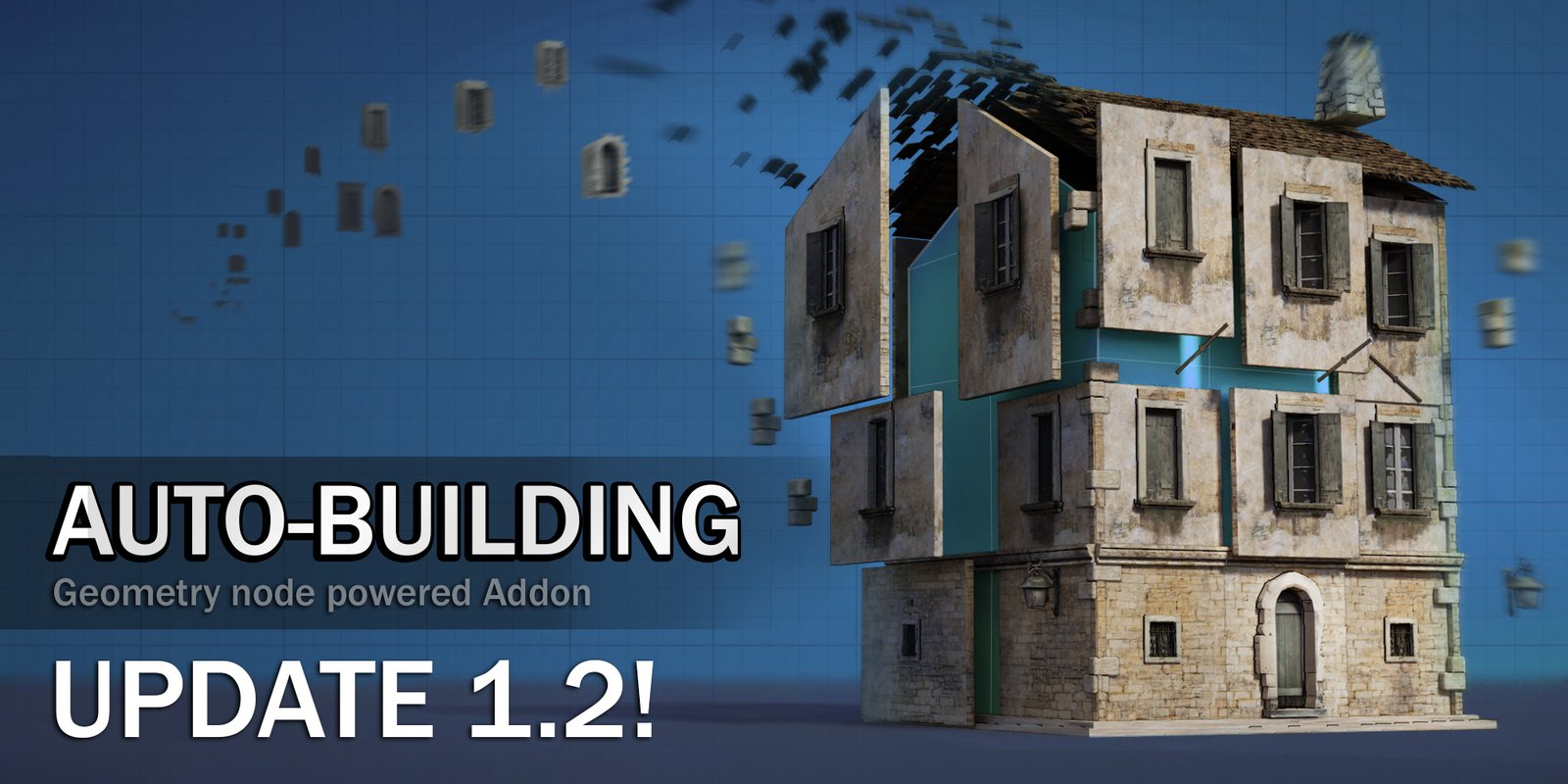
Auto Building for Blender
Auto Building for Blender
The Ultimate Procedural Building and City Generation Tool
Download Auto Building today. Consequently, you can instantly generate complex, fully detailed buildings and entire city blocks directly inside Blender. Because environment artists and level designers constantly need to populate large scenes, having an automated architectural tool is absolutely essential.
Nevertheless, modeling every window, floor, and rooftop manually takes days of tedious work. Fortunately, Auto Building eliminates this bottleneck completely. Moreover, it uses a powerful procedural system to construct varied structures from simple base shapes. In short, you can create massive urban environments with unprecedented speed.
Intelligent Procedural Architecture
The core of this addon lies in its smart generation algorithms. For instance, you can draw a simple footprint shape, and the tool instantly extrudes it into a multi-story building. Furthermore, it automatically adds realistic architectural details like windows, ledges, and roof structures.
Additionally, you can control the number of floors, the style of the facade, and the complexity of the details. Since the system is fully procedural, you can adjust the building’s height or width at any time without remodeling. Consequently, your city layouts will feel organic and highly detailed.
Comprehensive Customization and Styling
Professional workflows demand complete control over the final aesthetic. Therefore, Auto Building provides a robust suite of styling parameters. For example, you can choose from multiple architectural styles, ranging from modern glass skyscrapers to classic brick apartments.
Furthermore, you can randomize the colors and textures across different buildings to create realistic urban variation. Additionally, the addon includes tools to generate interior walls and floors for background shots. Since every parameter is keyframable, you can even animate the buildings growing over time. Thus, you maintain complete creative authority over your city design.
Real-Time Workflow and Seamless Integration
Creative exploration requires immediate visual feedback. Accordingly, Auto Building is fully optimized for real-time performance inside Blender. For instance, the viewport updates instantly as you tweak the generation sliders.
Furthermore, the addon integrates natively with Blender’s Geometry Nodes and modifier stack. Additionally, it supports seamless scattering of your buildings across terrain using other popular Blender tools. Since the geometry is highly optimized, it handles hundreds of buildings without lagging. Consequently, you can iterate rapidly and deliver massive scenes on time.
Perfect for Environment Artists and Level Designers
This addon is particularly well-suited for environment artists building open-world game maps. Similarly, level designers will appreciate the ability to rapidly prototype city layouts and blockouts. Additionally, architectural visualizers can use the tool to quickly populate background scenery for their renders. Ultimately, Auto Building accelerates your entire 3D environment pipeline.
System Requirements and Compatibility
Auto Building supports Blender versions 3.0, 3.1, 3.2, 3.3, 3.4, 3.5, 3.6, 4.0, 4.1, 4.2, and 4.3. It works on both Windows and macOS operating systems. The addon requires at least 8GB of RAM, though 16GB is recommended for large scenes.
Installation and Usage Guide
To install, first download the ZIP file from your library. Next, open Blender and navigate to Edit > Preferences > Add-ons. Then, click Install and select the downloaded ZIP file. After that, enable the Auto Building addon.
Finally, access the tool from the 3D viewport sidebar, draw your building footprint, and click Generate. Thus, your procedural architecture workflow will be ready instantly.
What is Included Inside?
The pack contains the complete Auto Building addon. Furthermore, it includes the procedural building generation engine and the comprehensive styling parameters. Additionally, you receive real-time performance optimization and full integration with Geometry Nodes. Ultimately, you receive everything needed for professional urban generation.
Final Thoughts on the Addon
Effortless city generation evokes profound creative freedom. Therefore, this addon provides the ultimate foundation for your architectural workflows. You can create entire skylines with unprecedented speed and precision. Consequently, your creative vision becomes a stunning reality.
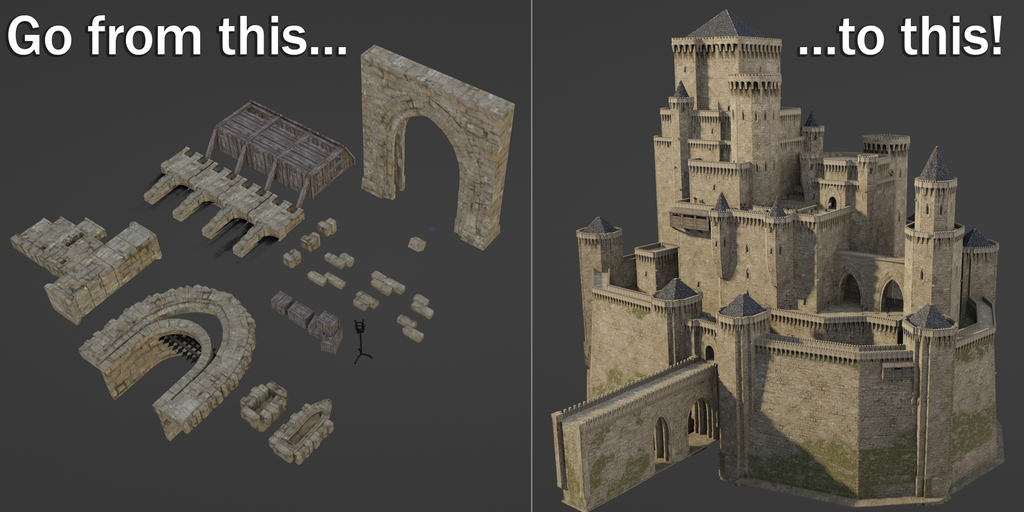
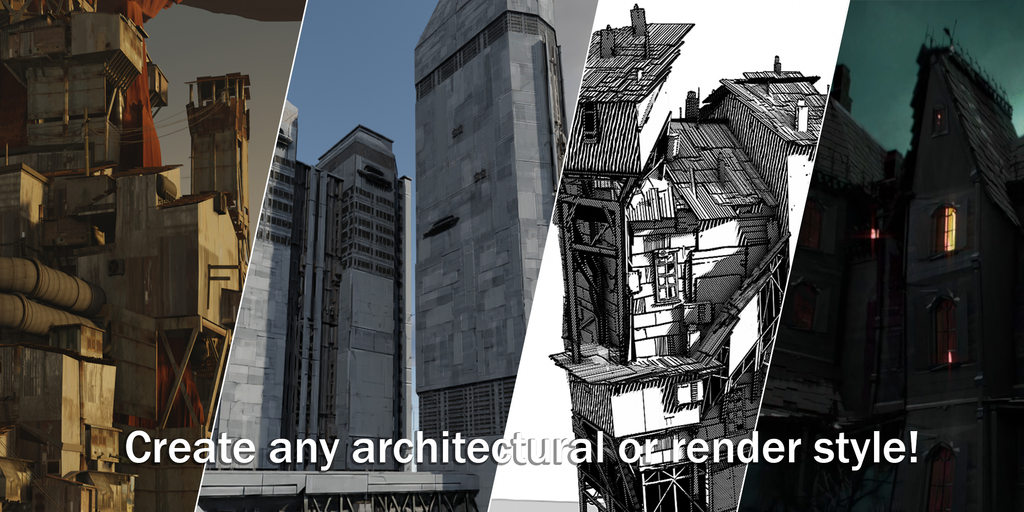
Auto-Building is a powerful add-on that utilises Blender’s Geometry Node to effortlessly create a wide range of building structures according to your preferences!
You don’t need to know Geometry Node to use this, everything is streamlined under an easy to use interface 😀
Video Tutorial here: https://www.youtube.com/watch?v=XxaVFetBivs
Building process timelapse example: https://youtu.be/T3SIMvKGJH0
Those are using the older version of the tool but the core idea remain the same, there are just more options now 😀
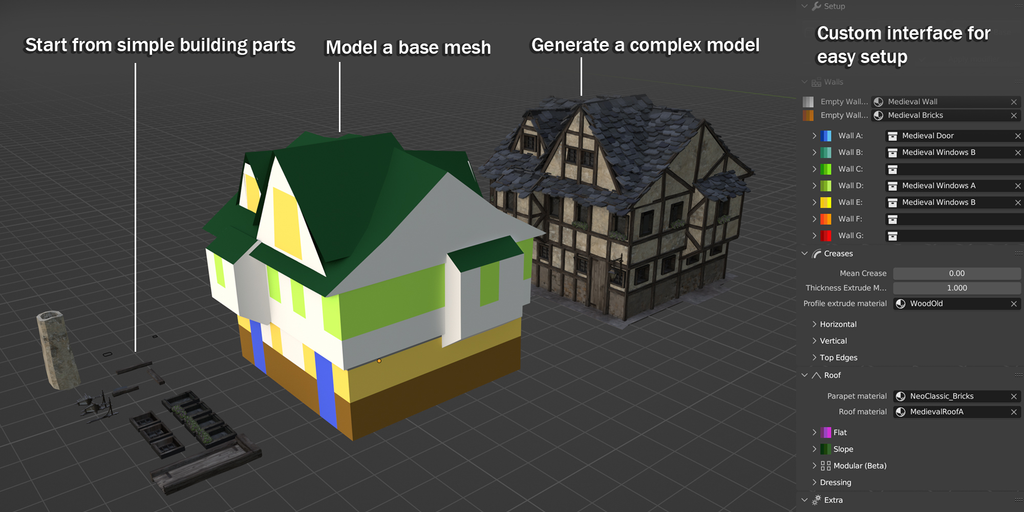
With this add-on, you can input various building elements such as doors, windows, panels, and more, which will be procedurally distributed across a simple mesh, resulting in a complex and detailed building.
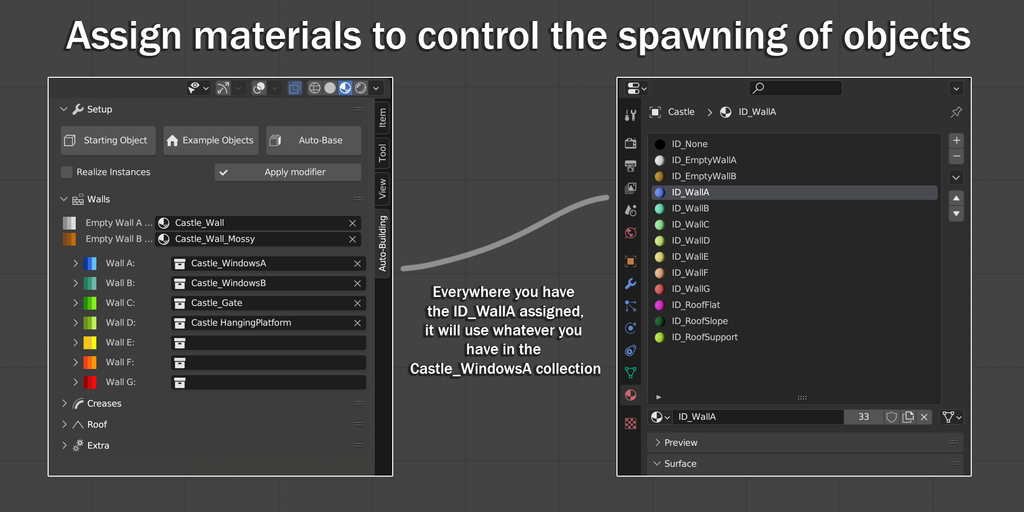
It comes with a custom interface to make the creating process easy for you. You don’t need to know geometry node to use it! Simply drag and drop the collections of object you want to use and change the settings to get the result you want. The beauty of this add-on lies in the balance it offers between automation and manual control. While it streamlines the building creation process, it also allows you to retain some handmade modeling control. This way, you can fine-tune the look and achieve the exact aesthetic you desire. 🙂
The main idea of the tool workflow is that you will assign special materials to the faces you want to see turned into objects. And if this is object has a mesh with a boolean material applied to it, it will even create a hole in your facade. No more flat windows because you’re lazy to add a hole in your facade!
The add-on automatically place then for you. 🙂
The principle also applies on edges. Using the Crease attribute, you can decide to scatter a specific object along the top of your building to create repetitive details for instance. Or extrude it to add ledges.

Apply a roof material on your simple geometry to instantly see roof tiles appear, so you don’t have to place them yourself!

Sample Buildings:
The add-on comes with a blend file containing sample buildings for you to see what you can do or to use them in your own project! There are more than 50 of them 🙂
They are also marked as Asset with their own thumbnail if you want to use them in your asset browser.

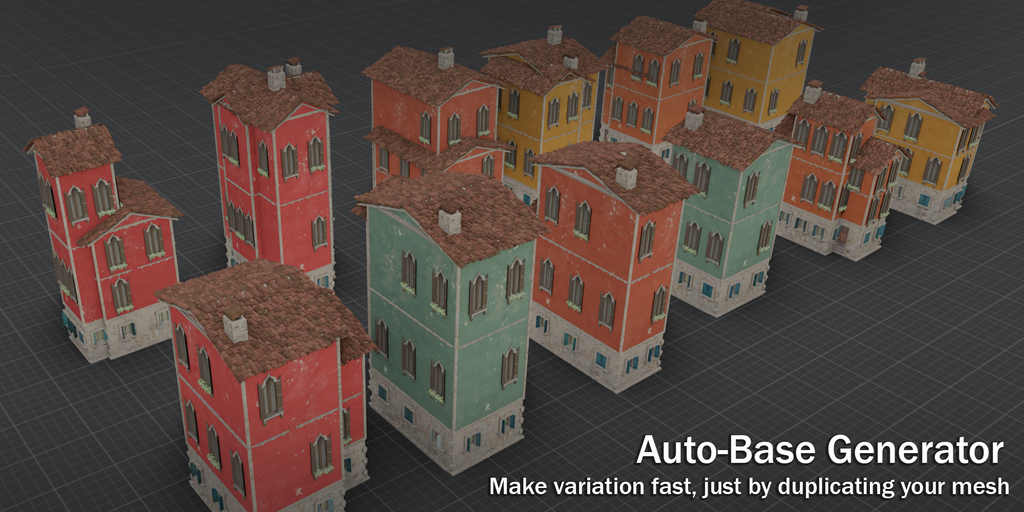
Auto-Base:
The Auto-Base will help you create a base for the Auto-Building to work. It won’t replace a hand modeled one but it’s perfect to get a kick start or generate cheap background buildings.

Feature List:
- Spawn objects from a collection onto faces.
- Control the density, the randomness, automatic boolean, offset, etc.
- Deform the objects to adapt to the shape of the face, ideal to add irregularity and stylized design.
- Spawn objects on either horizontal or vertical edges. Choose the distance between them, if they should be deformed or centered.
- Extrude the edges following a profile to add ledges.
- Automatic roof parapet control or roof tile distribution.
- The roof tiles can be randomly place or follow a regular distribution.
- Scatter objects on the roof or on the facade.
- Automatic create support pillar and foundation.
- Modular roof (beta)
- Basic interior.
What you get with the Lite version:
-Auto-Building Add-on with all the features
-7 Building style samples (Venice, Medieval, Neo Classical, Asian Block, Skyscraper, Old Japanese, Old House, )
-Auto-Base geometry node modifier

What you get with the Full version:
-Auto-Building Add-on with all the features
-13 Building style samples (Venice, Venetian Palace, Medieval, Castle, Neo Classical, Asian Block, Skyscraper, Old Japanese, Old House, Wasteland, SciFi, 2D Stylized, Tatooine )
-Multiple building example per style. For a total of ~50 buildings!
-Auto-Base geometry node modifier

Supercharge your 3D creation workflow with premium selection of Blender Add-ons. Whether you are modeling intricate characters, sculpting realistic environments, or animating cinematic sequences, the right add-on can transform how you work inside Blender. Our curated collection includes powerful tools for UV unwrapping, procedural texture generation, rigging automation, rendering optimization, and more—each rigorously tested for compatibility with the latest Blender versions. Eliminate tedious manual processes and unlock advanced functionality that lets you focus on what matters most: bringing your creative vision to life. Explore our full range of professional Blender plugins today and take your 3D projects to the next level.
➡️ ➡️ For more Blender Plugins 😀 😀
Reviews
There are no reviews yet.