

BatchOps for Blender
batchops addon
BatchOps v1.16 for Blender – Batch Operations & Automation Toolkit
Versions: v1.16
File Size: 350 KB
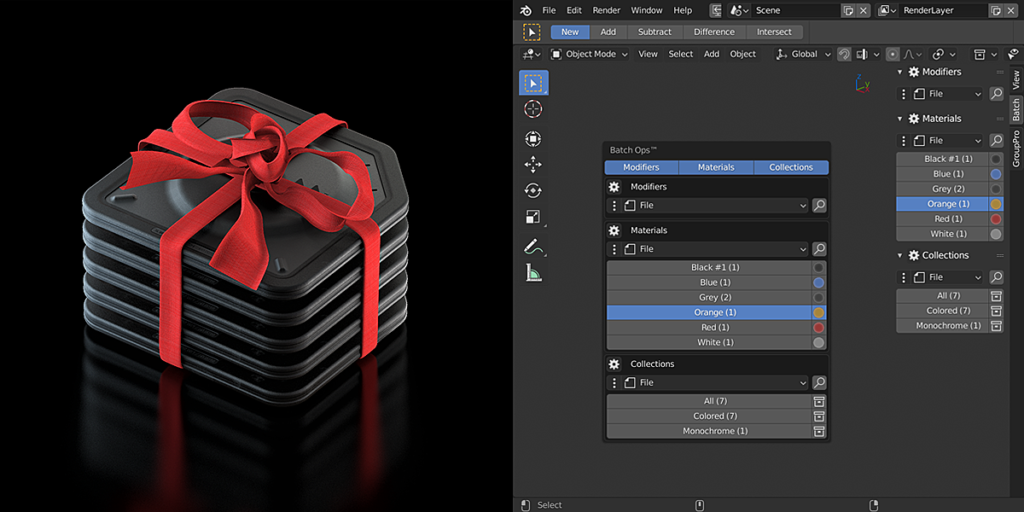
Download BatchOps v1.16 for Blender on Windows, Mac, and Linux, a powerful automation add-on that applies batch operations to multiple objects, materials, and scenes simultaneously. Perfect for game developers, environment artists, and technical artists who need to process large numbers of assets efficiently.
Key Features of BatchOps v1.16:
- Batch Export: Export multiple objects or scenes to FBX, OBJ, GLTF, and other formats
- Batch Rename: Rename multiple objects, materials, textures, and collections with custom patterns
- Batch Transform: Apply position, rotation, and scale operations to multiple objects
- Batch Material: Assign, replace, or remove materials from multiple objects
- Batch Modifier: Apply, remove, or apply modifiers to multiple objects
- Batch UV: Unwrap, pack, or transform UVs on multiple objects
- Batch Origin: Set origin position for multiple objects simultaneously
- Batch Parent: Parent multiple objects to the same parent or clear parenting
- v1.16 Updates: New batch operations, improved performance, and Blender 4.0+ compatibility
Perfect For:
- Game developers processing large numbers of assets for export
- Environment artists organizing and preparing scenes
- Technical artists automating repetitive tasks
- Studios needing efficient batch processing workflows
- Anyone who works with large numbers of objects in Blender
System Requirements:
- Blender 3.6, 4.0, 4.1, 4.2, 4.3
- Windows 10/11 (64-bit), macOS, or Linux
- 4GB RAM minimum (8GB+ recommended)
- 15MB available disk space
Installation:
- Download the add-on zip file
- In Blender, go to Edit > Preferences > Add-ons
- Click “Install” and select the downloaded zip file
- Enable the add-on by checking the box next to “BatchOps”
Note: BatchOps v1.16 provides essential batch processing tools for Blender, dramatically speeding up workflows that involve large numbers of objects. The batch export, rename, transform, and material operations make it indispensable for game developers, environment artists, and anyone who needs efficient batch processing. Designed for Blender 3.6 and above.
ADD-ON BLENDER COMPATIBILITY / UPGRADE PATHS
If are getting errors, please double-check which version are you running first before you ask for the support:
- BatchOPS Version 1.x – Blender 5/4 (Compatible version)
- BatchOPS Version 0.9 – Blender 3.x (Legacy version)
The legacy version is currently discounted by 50%. If you are already a customer, you also get 50% off the full price. In the last case, if it’s not automatically applied, just contact me directly.
Supercharge your 3D creation workflow with premium selection of Blender Add-ons. Whether you are modeling intricate characters, sculpting realistic environments, or animating cinematic sequences, the right add-on can transform how you work inside Blender. Our curated collection includes powerful tools for UV unwrapping, procedural texture generation, rigging automation, rendering optimization, and more—each rigorously tested for compatibility with the latest Blender versions. Eliminate tedious manual processes and unlock advanced functionality that lets you focus on what matters most: bringing your creative vision to life. Explore our full range of professional Blender plugins today and take your 3D projects to the next level.
➡️ ➡️ For more Blender Plugins 😀 😀
Reviews
There are no reviews yet.