
BB Tools Shadow v2 for After Effects
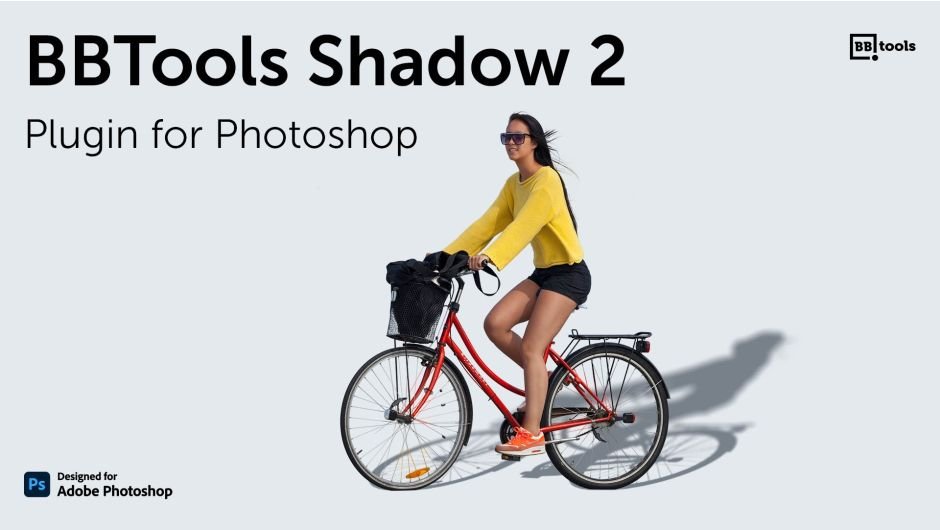
BBTools Shadow 2 for Adobe Photoshop
The Ultimate Lifelike Shadow Creation Tool for Digital Artists and Designers
Download BBTools Shadow 2 today. Consequently, you can add stunning, highly realistic shadows to text, smart objects, and regular layers with just a few clicks directly inside Adobe Photoshop . Because digital painters, retouchers, illustrators, and graphic designers frequently need to create convincing drop shadows for objects in a standing position, having access to a dedicated, powerful shadow tool is absolutely essential. Nevertheless, achieving realistic shadows manually often requires complex layer duplication, transformation, and blurring techniques that consume hours of production time. Fortunately, BBTools Shadow 2 eliminates this bottleneck completely. Moreover, this native UXP extension offers automatic, almost real-time updates, ensuring you see your results instantly as you adjust parameters . In short, you can generate stunning, professional shadows with unprecedented speed and simplicity.
Intuitive Controls for Perfect Shadows
The core of this plugin lies in its simple, yet powerful control panel, which allows you to achieve the perfect shadow look in seconds. For instance, you can adjust the Angle of the shadow (1-359 degrees) to match your scene’s lighting, or use the convenient Sun Position feature to determine the angle based on a user-defined point created with Photoshop’s Pen tool . Furthermore, you can fine-tune the Scale to set the shadow length (1-100) relative to your object’s size, and control the Blur (1-100 pixels) to manage the softness or dispersion of the shadow’s edge . Additionally, you have full control over the shadow’s Opacity and can select any Color to match your composition perfectly .
Professional Features for Advanced Workflows
BBTools Shadow 2 is designed to meet the demands of professional artists and studios. For example, the Auto-update feature automatically adjusts the shadow whenever you change any of the parameters, providing immediate visual feedback and significantly speeding up your workflow . The plugin also includes a Presets Manager, allowing you to save and reuse your favorite shadow styles for consistency across projects . A notable addition in version 2.7.0 is the Depth feature, which enables the creation of shadows that appear to have depth, adding an extra layer of realism to your artwork . Version 2.4.1 also introduced the ability to record the “Create Shadow” action, allowing you to automate the process further .
Comprehensive Layer Support and System Compatibility
BBTools Shadow 2 is compatible with a wide range of layer types, including text, smart objects, and regular layers, making it a versatile tool for any project . It is fully compatible with Adobe Photoshop versions 2023, 2024, 2025, and 2026, ensuring it works seamlessly with the latest software releases . The plugin is a native UXP extension, which ensures it runs smoothly and efficiently on both Windows and macOS operating systems .
Perfect for Graphic Designers, Digital Painters, and Illustrators
This plugin is particularly well-suited for graphic designers creating realistic product mockups and 3D-inspired compositions. Similarly, digital painters and illustrators will appreciate the ability to add authentic shadows to characters and objects, grounding them in their environment. Additionally, anyone looking to elevate the professionalism of their Photoshop projects with realistic lighting effects will find BBTools Shadow 2 an invaluable tool. Ultimately, this plugin accelerates your entire digital art and design workflow.
System Requirements and Compatibility
BBTools Shadow 2 supports Adobe Photoshop versions 2023, 2024, 2025, and 2026 on both Windows and macOS operating systems . You will need a standard workstation with at least 8GB of RAM.
Installation and Usage Guide
To install, first download the plugin installer from your library. Next, close Adobe Photoshop if it is running. Then, install the extension following the standard installation process for UXP plugins. After installation, launch Photoshop and locate BBTools Shadow 2 in the Plugins panel. Finally, select your layer, adjust the Angle, Scale, Blur, Opacity, and Color to fine-tune your shadow, and use the Presets Manager to save your favorite settings for future projects. Thus, your professional shadow creation workflow will be ready instantly.
What is Included Inside?
The pack contains the complete BBTools Shadow 2 plugin extension for Adobe Photoshop. Furthermore, it includes all core shadow controls, the Presets Manager, the Sun Position feature, and the Depth control. Additionally, you receive full compatibility with Photoshop versions 2023 through 2026. Ultimately, you receive everything needed for professional, lifelike shadow creation.
Final Thoughts on the Plugin
Effortless, realistic shadow creation evokes profound creative freedom. Therefore, this plugin provides the ultimate foundation for your digital art and design workflows. You can add stunning, professional shadows to your artwork with unprecedented speed and control. Consequently, your creative vision becomes a stunning reality.
Photoshop plugin designed to help digital painters, retouchers, illustrators, and graphic designers generate stunning, highly realistic, and completely customizable shadows for standing objects.
Plugin for Adobe Photoshop that adds lifelike shadows to objects in a standing position.
- Compatible layer kinds: text, smart objects, and regular layers.
- Opt for an angle (manually set or utilize the “Sun position” choice), adjust scale, blur (for shadow dispersion), opacity, and color settings.
- Almost real-time automatic updates.
- Native UXP extension.
Panel UI Controls
- Angle: Shadow angle (1 – 359 degrees)
- Scale: Shadow length (1 – 100), a relative value based on the object’s size and varying with shadow angle.
- Blur: Shadow dispersion in pixels (1 – 100)
- Opacity: Shadow opacity (1 – 100)
- Color: Shadow color
- Sun Position: Determines shadow angle based on the object’s relative position from a user-defined point created using Photoshop’s Pen tool.
- Auto-update: Automatically adjusts the shadow whenever any of the above parameters are changed.
Elevate your motion graphics workflow with premium collection of After Effects plugins. Whether you are a seasoned professional or just starting your VFX journey, powerful tools designed to streamline complex tasks, unlock creative possibilities, and save you hours of rendering time. From stunning glitch effects and seamless transitions to advanced 3D extrusion and text animation tools, each plugin in our library is rigorously tested for compatibility with the latest versions of Adobe after Effects. Enhance your video production value today and download industry-leading plugins that help you create breathtaking visuals without the technical headaches. Browse our full range and find the perfect extension to supercharge your editing suite now.
➡️ ➡️ For more after effects Plugins 😀 😀
➡️ ➡️ System requirements AE
Reviews
There are no reviews yet.