
BG Renderer MAX for After Effects
bg renderer max script
BG Renderer MAX v1.0.27 for After Effects – Ultimate Background Rendering & Automation Tool
Download BG Renderer MAX v1.0.27 for After Effects on Windows and Mac, the most advanced background rendering and automation tool for Adobe After Effects. Render multiple compositions, projects, and even different After Effects versions in the background while you continue working—maximizing productivity and eliminating render queue bottlenecks .
Key Features of BG Renderer MAX v1.0.27:
- Background Rendering: Keep working in After Effects while BG Renderer processes your renders in the background—no more waiting for render queues to finish
- Batch Composition Rendering: Select any number of compositions from your current project and render them sequentially or in parallel
- Multi-Project Batch Processing: Add multiple AEP files to the queue and render entire projects automatically—perfect for overnight or off-hours batch processing
- Cross-Version Rendering: Render compositions using different After Effects versions simultaneously—v1.0.27 adds support for AE 2025, 2024, 2023, 2022, 2021, and 2020
- Watch Folders: Monitor folders for new project files and automatically render them when added—ideal for automated studio workflows
- Smart Error Handling: BG Renderer can automatically re-encode failed renders, move completed files, and notify you via email when jobs finish
- Comprehensive Render Settings: Save and load render presets, customize output modules, and control every aspect of your render jobs
- Network Rendering Support: Distribute renders across multiple machines on your network for faster processing
- Advanced Queue Management: Prioritize jobs, set start times, and manage complex render schedules with ease
- Email Notifications: Get notified when your render jobs complete, even if you’re away from your machine
- v1.0.27 Updates: Added support for AE 2025 and fixed compatibility issues with latest Adobe updates
Perfect For:
- Motion graphics artists who need to render while continuing to work
- Studios processing large batches of compositions or multiple projects
- Post-production facilities requiring automated overnight rendering
- Anyone tired of waiting for render queues to finish before continuing work
- Teams needing to distribute renders across multiple machines
System Requirements:
- Adobe After Effects 2025, 2024, 2023, 2022, 2021, 2020
- Windows 10/11 (64-bit) or macOS
- 4GB RAM minimum (8GB+ recommended)
- 50MB available disk space
- Enable “Allow Scripts to Write Files and Access Network” in Preferences > Scripting & Expressions
Installation:
Copy the script file to your After Effects ScriptUI Panels folder:
- Windows:
C:\Program Files\Adobe\Adobe After Effects [version]\Support Files\Scripts\ScriptUI Panels\ - Mac:
/Applications/Adobe After Effects [version]/Scripts/ScriptUI Panels/
Access via Window menu > BG Renderer MAX after installation.
Note: Version 1.0.27 adds support for After Effects 2025, ensuring compatibility with the latest Adobe release . The script’s ability to render in the background while you work dramatically improves productivity for anyone who regularly outputs multiple renders .
Now supports native multi-threaded render. The power to render compositions in the background with full control!
Multiprocessing, rendering to both sequence and mp4/ProRes, remote monitoring, lots of integrations, notifications – all in one super tool.
Meet the new BG Renderer Max!
What’s it for?
BG Renderer Max gives you the power to render compositions in the background with After Effects’ rendering engine while still working on your projects. See ya later Media Encoder!
Easier workflow
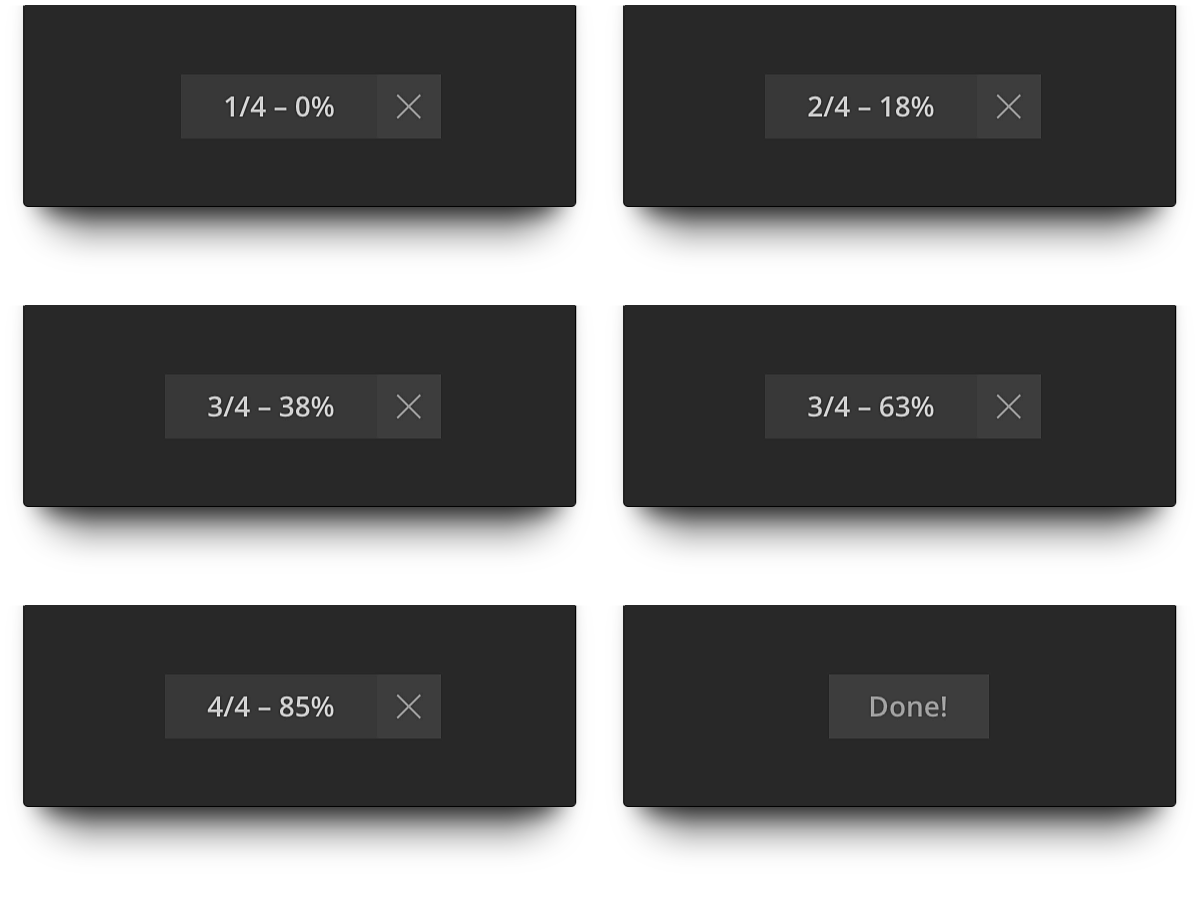
We love smooth one-click workflows.
So we made a minimalistic render indicator. Yeah, just like in GifGun.
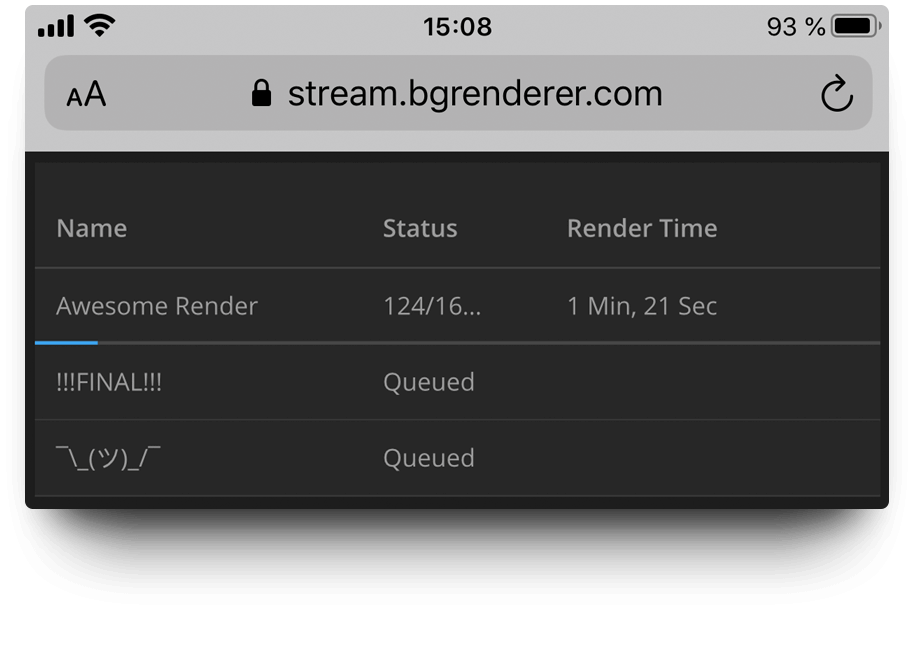
Free remote monitoring
Monitor your render progress on any machine on mobile device anywhere. For free.
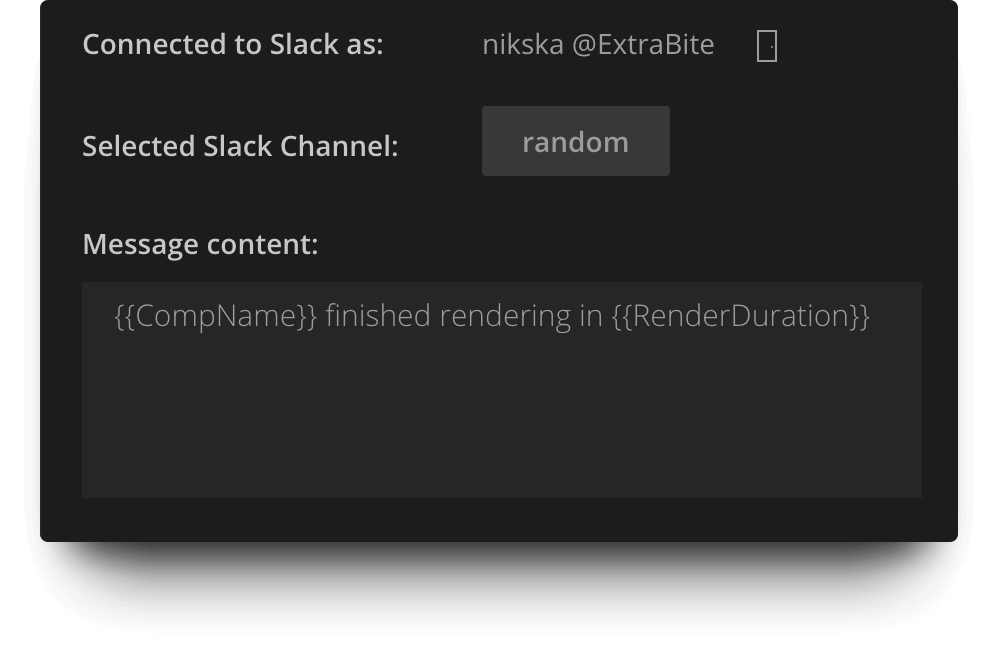
Native notification system
Send render notifications as Slack messages and emails right from the BG Renderer Max. No third-party accounts needed.
Tons of integrations
Zapier, Microsoft Power Automate, IFTTT, and Pushover integrations mean more notification options and better workflow enhancement.
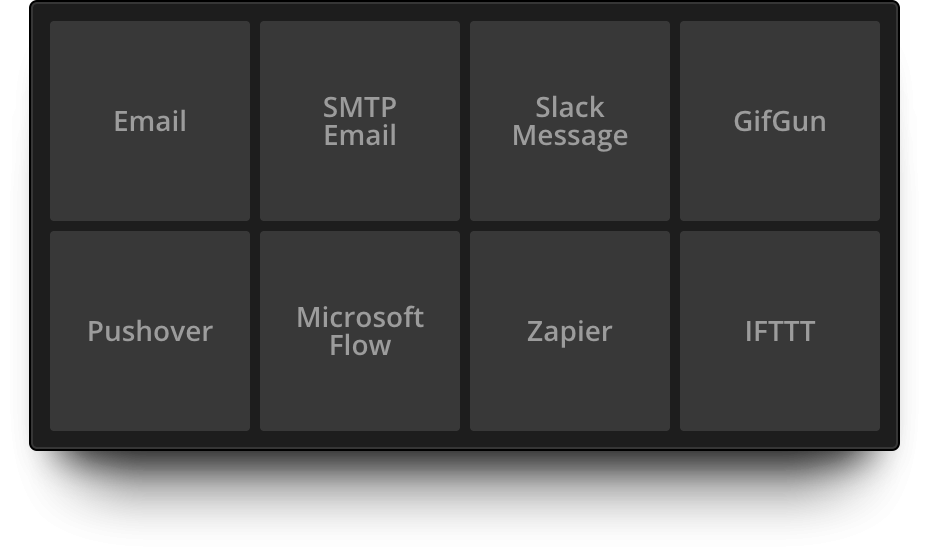
This means, you can access the full power of Push notifications, SMS messages, writing render confirmations to Google Sheets, Trello cards, turning off your smart lightbulbs… Oh, the options!
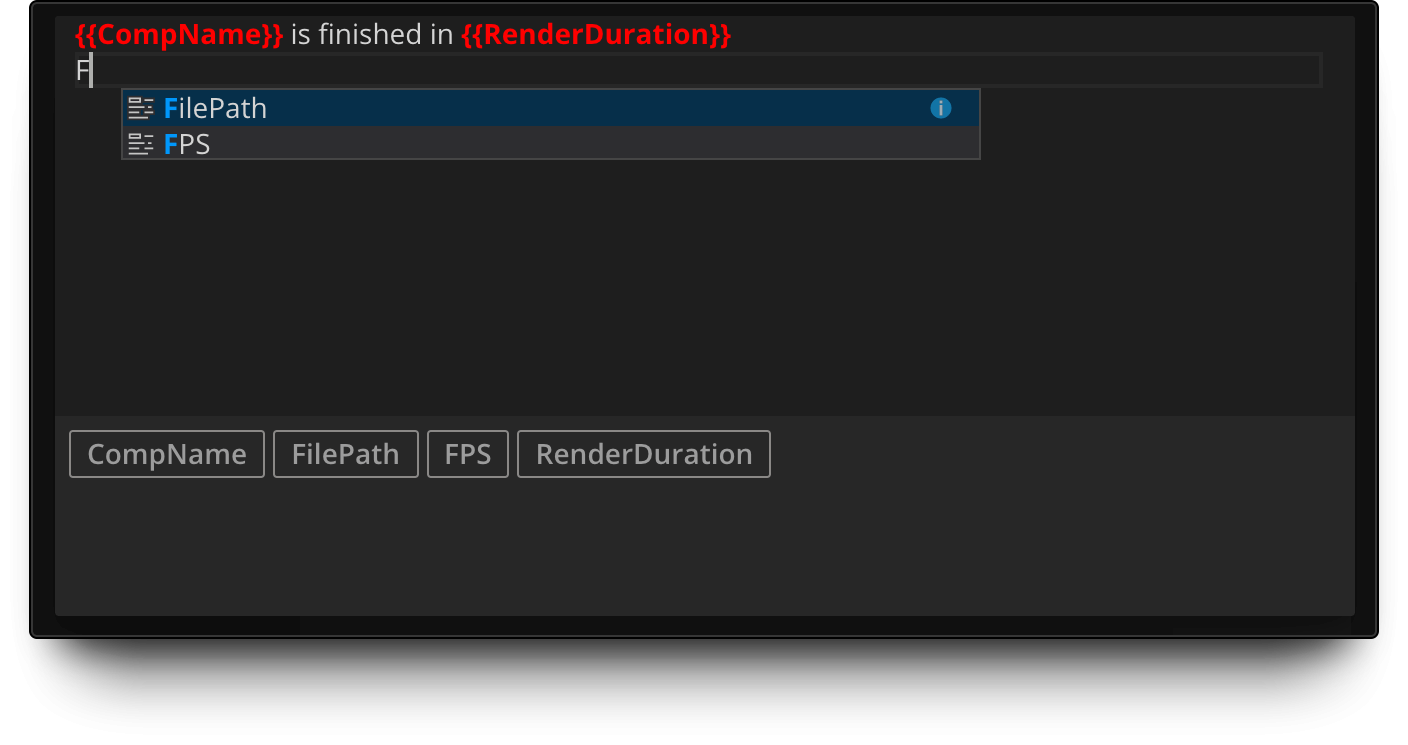
Powerful message composer
Create custom render notifications with our built-in Message Composer.
Add tags easily with autocomplete and suggest features.
Compile sequence to animation
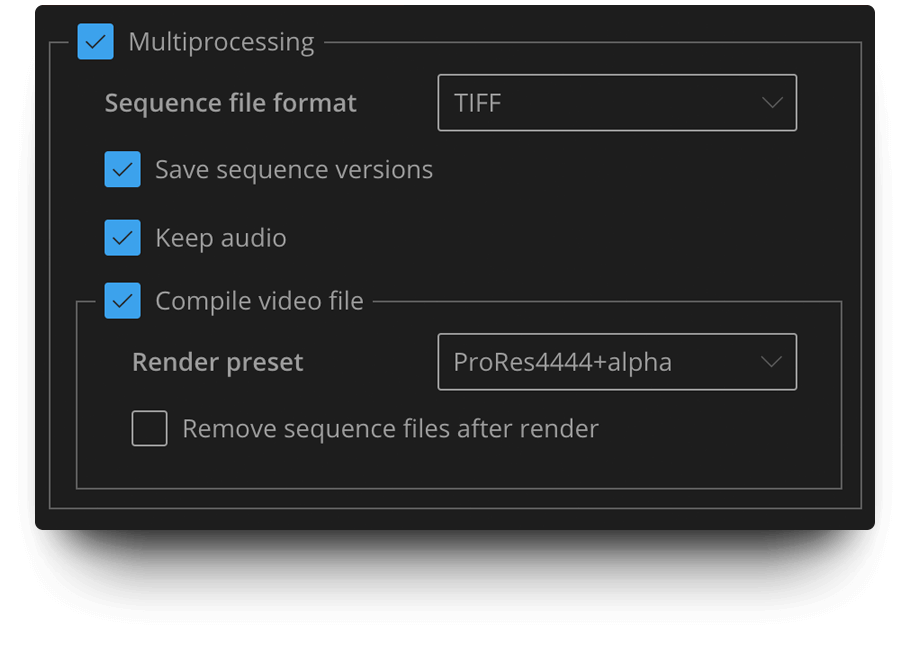
Render to sequence for pipeline intergation and produce mp4 or ProRes at the same time!
Custom render queue view
Enjoy easier render visual control with our custom Render Queue view.
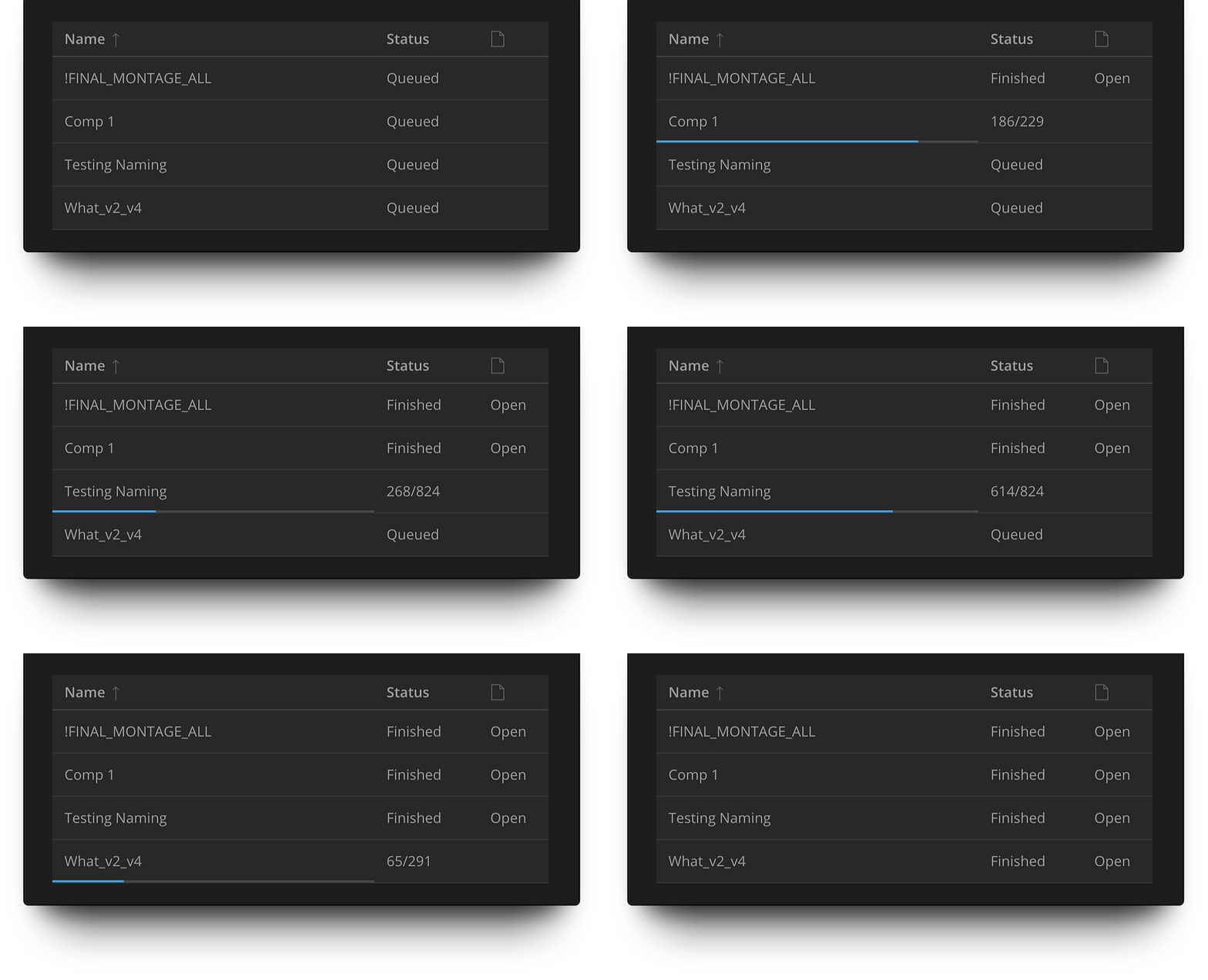
See the exact progress for each render queue element, sort by name, open render folders.
It contains an extensive description of each feature as well as tutorials and screencasts to help you start using all the BG Renderer Max’ features faster.
System Requirements
- After Effects CC2018+
Please note that due to an Adobe bug, BG Renderer is not compatible with AE 17.5, please use 17.1.4 or 17.5.1 - macOS 10.13 and newer
- Windows 10/11
Elevate your motion graphics workflow with premium collection of After Effects plugins. Whether you are a seasoned professional or just starting your VFX journey, powerful tools designed to streamline complex tasks, unlock creative possibilities, and save you hours of rendering time. From stunning glitch effects and seamless transitions to advanced 3D extrusion and text animation tools, each plugin in our library is rigorously tested for compatibility with the latest versions of Adobe after Effects. Enhance your video production value today and download industry-leading plugins that help you create breathtaking visuals without the technical headaches. Browse our full range and find the perfect extension to supercharge your editing suite now.
➡️ ➡️ For more after effects Plugins 😀 😀
➡️ ➡️ System requirements AE
Reviews
There are no reviews yet.