
Blender Live Paint Filter for Blender
blender live paint filter addon
Blender Live Paint Filter v2.1 – Real-Time Non-Destructive Texture Painting Tool
Version: V2.1
File Size: 39 MB
Download Blender Live Paint Filter v2.1 for Blender on Windows, Mac, and Linux, a revolutionary non-destructive texture painting add-on that allows you to apply live paint effects as filters on your materials. Paint procedurally with adjustable blending, opacity, and layer stacking—all without permanently altering your base textures.
Key Features of Blender Live Paint Filter v2.1:
- Non-Destructive Painting: All paint strokes remain editable and adjustable after application
- Layer System: Stack multiple paint layers with independent blend modes and opacity controls
- Procedural Brushes: Generate brush strokes procedurally for repeatable, adjustable results
- Mask Support: Use masks to control where paint effects are applied
- Real-Time Preview: See paint filter updates instantly in the viewport
- Tiling Controls: Create seamless, tileable painted textures automatically
- Color Adjustment: Adjust colors, saturation, and brightness of paint layers at any time
- Stamp & Pattern Tools: Apply custom stamps and patterns as paint overlays
- v2.1 Updates: Enhanced brush engine, new blend modes, and Blender 4.0+ compatibility
Perfect For:
- Texture artists who want editable, non-destructive painting workflows
- Game developers creating layered, customizable textures for assets
- 3D artists who want to experiment with texture variations without permanent changes
- Motion designers adding hand-painted effects to materials
- Anyone who needs flexible, adjustable texture painting in Blender
System Requirements:
- Blender 3.6, 4.0, 4.1, 4.2, 4.3
- Windows 10/11 (64-bit), macOS, or Linux
- 4GB RAM minimum (8GB+ recommended)
- 25MB available disk space
Installation:
- Download the add-on zip file
- In Blender, go to Edit > Preferences > Add-ons
- Click “Install” and select the downloaded zip file
- Enable the add-on by checking the box next to “Blender Live Paint Filter”
Note: Blender Live Paint Filter v2.1 brings non-destructive, layer-based texture painting to Blender, allowing you to apply paint effects as adjustable filters on materials. The layer system, procedural brushes, and real-time preview make it essential for texture artists and game developers who need flexible, editable painting workflows. Designed for Blender 3.6 and above.

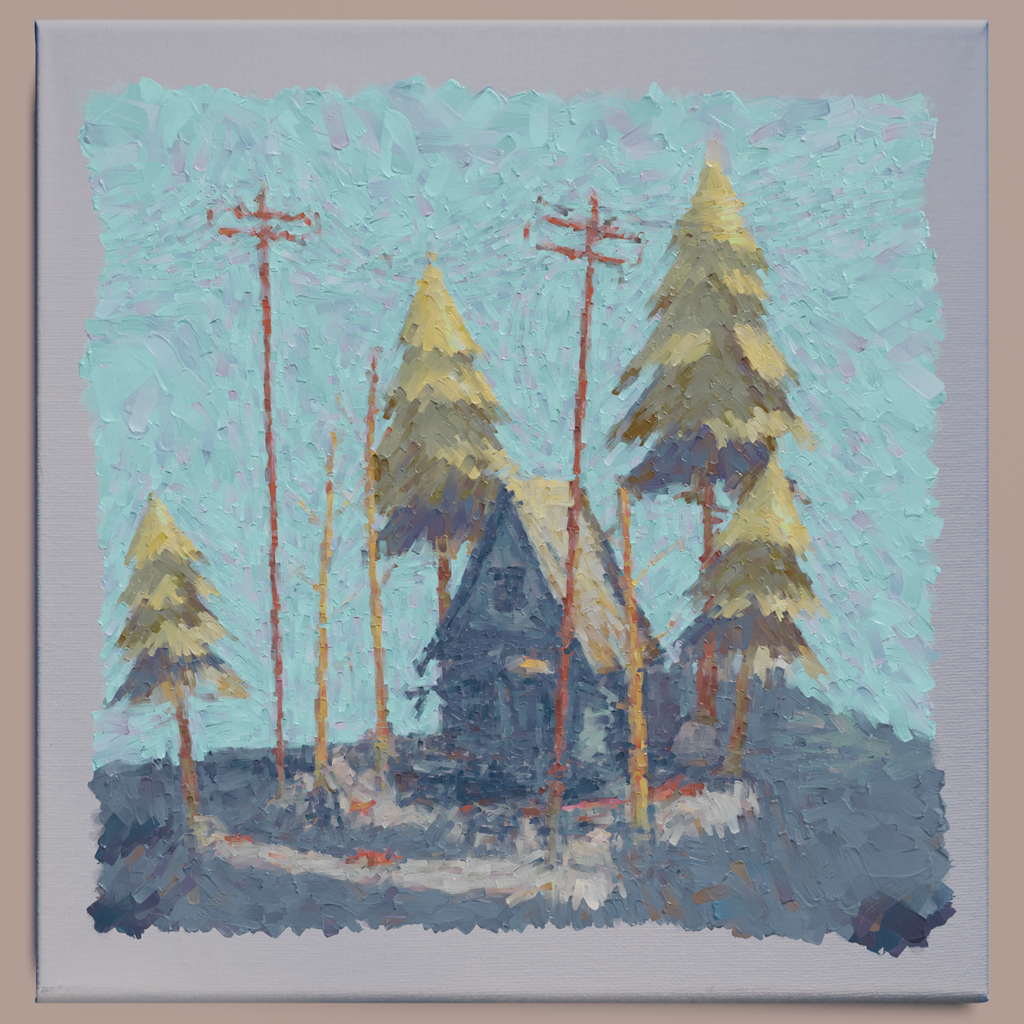
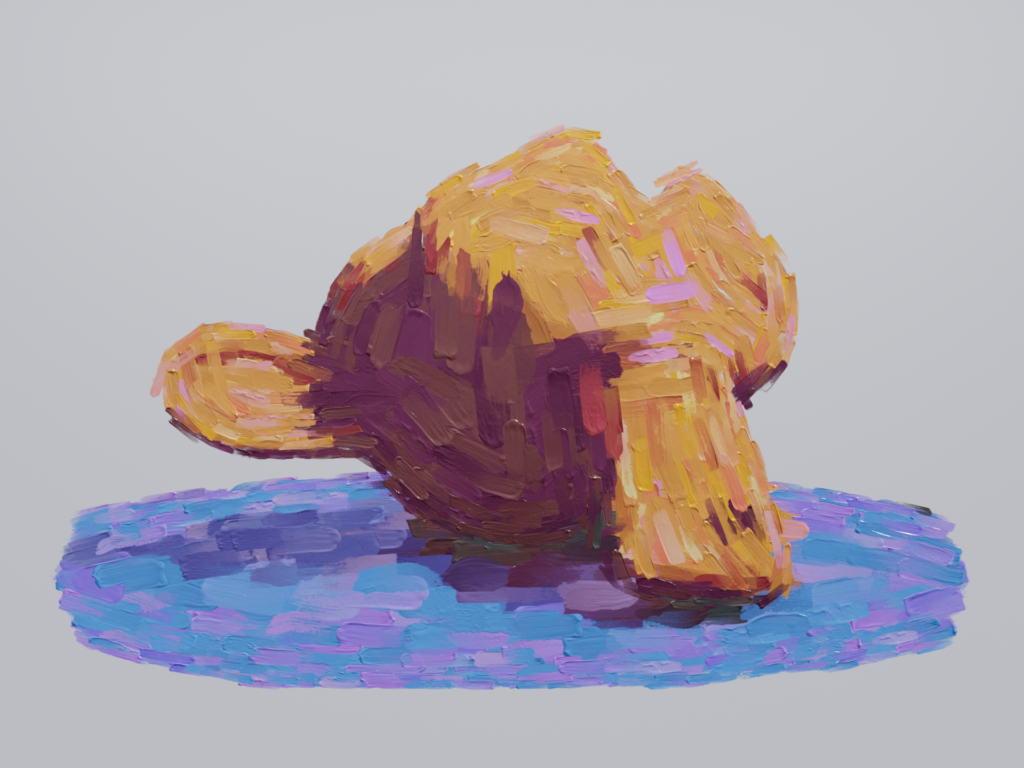
the Blender Paint Filter to empower digital artists struggling to match that traditional feel that only comes from physical artwork. With this tool you can create spectacular pieces of artwork. Whether you are a beginner, intermediate, or professional artist, YOU can create beautiful paintings using these tools at your disposal.
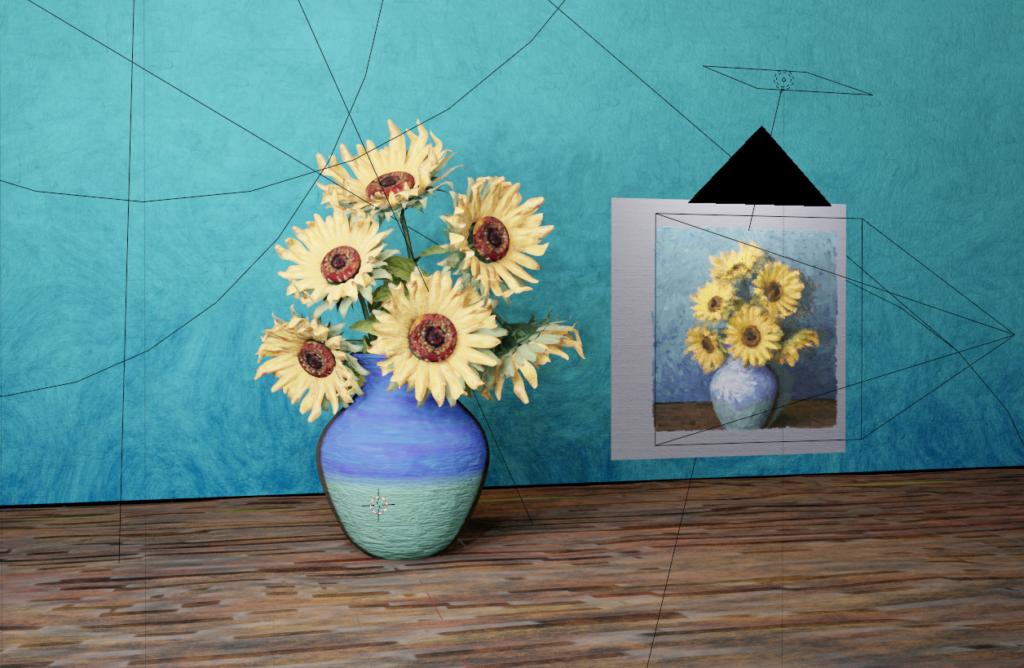
This is a live feed camera filter that can be assigned to any object in your scene. Once your scene collection and camera are input into the geometry nodes you will see a plane appear in front of your camera that will reflect the scene you have behind it!
Update 3.2 is only compatible in Blender 4.5+
Update 1.1
A pretty decent sized update with quite a few settings and tools added to help make the process easier and more mainstreamed for the user.
Changes:
- Custom Curve Input
- If you are trying to use an image input with no objects in the background, then a default spiral curve will appear that will influence the direction and scale of the strokes.
- If you want custom curves to influence the direction and scale of the strokes, then add a curve object to your scene collection and use the new curve draw tool to draw the lines onto your painting!
- Bump Strength
- You now have complete control over the strength of bump you want from each stroke.
- You now have complete control over the strength of bump you want from each stroke.
- Transparent Background
- This setting will allow you to render out with/without the Canvas and HDRI.
- 0 = with HDRI & Canvas
- 1 = with HDRI, without Canvas
- 2 = without HDRI & Canvas
- 0 = with HDRI & Canvas
- This setting will allow you to render out with/without the Canvas and HDRI.
- Camera Settings
- You can now input the camera:
- Resolution
- Field of View
- Padding
- All settings of the filter, including the canvas size and brush strokes, will adjust to the assigned camera settings. You can use drivers to connect these to your actual camera settings to make it something you will only have to set once.
- You can now input the camera:
- Baking
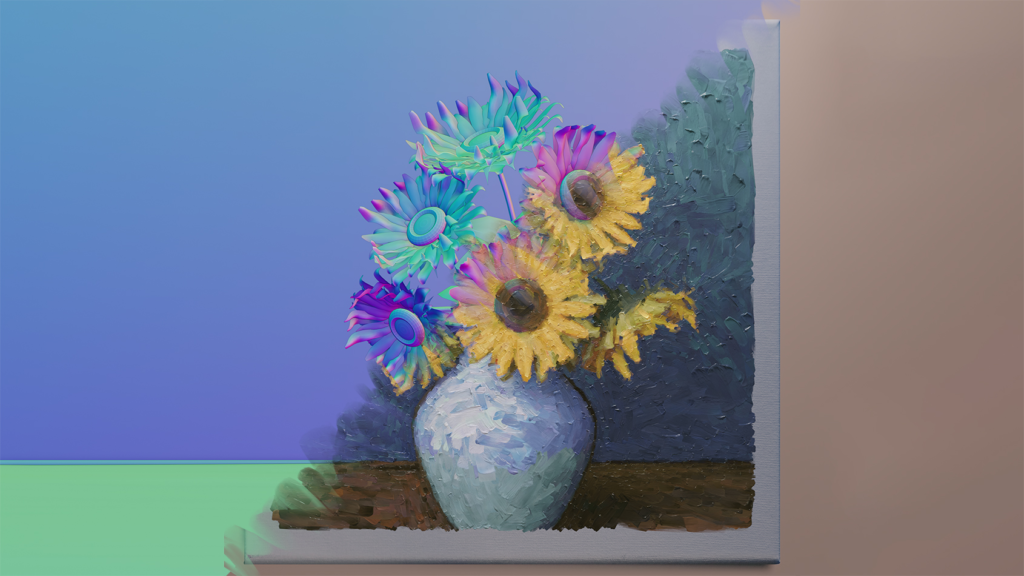
- You will now be able to render baked versions of your paintings. These can be used later on for other 3D projects.
- 0 = Default Render
- 1 = Base Color
- 2 = Normal Map
- 0 = Default Render
- You will now be able to render baked versions of your paintings. These can be used later on for other 3D projects.
Update 1.2
Bug Fixes and Optimization
Update 2.0
An overhaul of the entire filter to both make things easier, give more advanced settings, and increase optimization for your projects!
Changes:
- Better Frame to Frame transition.
- Now your animations will be far less jittery and more uniform!
- You have Seed Control if you still want everything to be randomized per frame.
- Advanced Camera Settings
- Now works much better with High and Low FOV settings!
- Clip Start and End input to better suit your specific camera settings!
- Crease Angle Edges
- Crease Angle support for your line art to add more edges and enhance the overall detail of your painting!
- Painting Thickness Settings
- You now have full control over the thickness of the painting which will help prevent clipping issues in your final renders.
- Stroke Detail Overhaul
- The Painting’s Detail is now controlled by the Minimum and Maximum Stroke Scale. The Density of the strokes will adapt as you adjust the scale.
- You also have control to increase or decrease the stroke density!
- Stroke Threshold is a new setting that controls the line between the min and max stroke scale to better determine which areas will be detailed and which will be more abstract!
- Stroke Threshold = 1
- Stroke Threshold = 0.5
- Stroke Threshold = 3
- Stroke Threshold = 1
- Stroke Opacity Control
- You have full control over the min and max stroke opacity which can “blur” the strokes together so it will better blend like water color and mixed paints.
- Min Stroke Opacity = 1
- Max Stroke Opacity = 0.1
- You have full control over the min and max stroke opacity which can “blur” the strokes together so it will better blend like water color and mixed paints.
- Broken Edges
- A new setting that will delete strokes that are directly on the line art of painting. This will give cleaner edges on your paintings!
- Disabled
- Enabled
- Disabled
- A new setting that will delete strokes that are directly on the line art of painting. This will give cleaner edges on your paintings!
Update 3.0
Another overhaul of the entire filter to both make things easier, give more advanced settings, and increase optimization for your projects!
Changes:
New Add-On Format:
No more manual appending. Simply install and it’s ready to go, seamlessly integrating into your Blender scenes!
Eevee Next & Cycles Support:
Compatible with both engines for stable performance.
Temporal Coherence:
Better spatial coherence with a new point distribution method that helps with animation to avoid jitter. (Still experimental and not perfect)
DAUB Brushes Integration:
Five new brush packs and dynamic bump mapping for realistic textures.
Layer Support:
Separate foreground and background elements for greater control over detail.
Curve Interpolation:
Dynamic strokes that follow the mesh’s silhouette for a natural, painterly effect.
Calibration Views & Min/Max Threshold:
Fine-tune the effect with new calibration views and control abstraction levels.
Supercharge your 3D creation workflow with premium selection of Blender Add-ons. Whether you are modeling intricate characters, sculpting realistic environments, or animating cinematic sequences, the right add-on can transform how you work inside Blender. Our curated collection includes powerful tools for UV unwrapping, procedural texture generation, rigging automation, rendering optimization, and more—each rigorously tested for compatibility with the latest Blender versions. Eliminate tedious manual processes and unlock advanced functionality that lets you focus on what matters most: bringing your creative vision to life. Explore our full range of professional Blender plugins today and take your 3D projects to the next level.
➡️ ➡️ For more Blender Plugins 😀 😀
Reviews
There are no reviews yet.