
Blender Open Import for Blender
blender open import addon
Blender Open Import v1.1.0 – Universal File Format Importer for Blender
Versions: v1.1.0
File Size: 18 KB
Download Blender Open Import v1.1.0 for Blender on Windows, Mac, and Linux, a powerful import add-on that supports dozens of additional 3D file formats not natively supported by Blender. Import FBX, OBJ, STL, PLY, 3DS, DAE, GLTF, USD, and many more with advanced options and batch processing.
Key Features of Blender Open Import v1.1.0:
- Universal Format Support: Import FBX, OBJ, STL, PLY, 3DS, DAE, GLTF, USD, ABC, X3D, and more
- Batch Import: Import multiple files simultaneously with consistent settings
- Material Preservation: Maintain material assignments and textures during import
- Transform Controls: Apply position, rotation, and scale during import
- Mesh Cleanup: Automatic normal fixing, duplicate vertex removal, and geometry optimization
- Animation Import: Import animated sequences and armature data
- UV Preservation: Maintain UV maps and texture coordinates
- Progress Tracking: Real-time progress indicators for large imports
- v1.1.0 Updates: New format support, enhanced import options, and Blender 4.0+ compatibility
Perfect For:
- 3D artists importing assets from external sources
- Game developers bringing assets into Blender from various formats
- Architects importing CAD models for visualization
- VFX professionals integrating assets from different pipelines
- Anyone who works with multiple 3D file formats
System Requirements:
- Blender 3.6, 4.0, 4.1, 4.2, 4.3
- Windows 10/11 (64-bit), macOS, or Linux
- 4GB RAM minimum (8GB+ recommended)
- 20MB available disk space
Installation:
- Download the add-on zip file
- In Blender, go to Edit > Preferences > Add-ons
- Click “Install” and select the downloaded zip file
- Enable the add-on by checking the box next to “Blender Open Import”
Note: Blender Open Import v1.1.0 dramatically expands Blender’s import capabilities, supporting dozens of additional 3D file formats not natively available. The batch import and advanced options make it essential for artists and developers who work with multiple file formats. Designed for Blender 3.6 and above.
Blender Open Import is an add-on that allows you to browse for a desired file and import it – no extra steps! With the Add-on you can save time by not having to check what File Type is the file you want to import.
Supported Types
Current version of Blender Open Import supports
FBX, GLB, GLTF, OBJ, MTL, X3D, WRL, ABC, PLY, STL, BVH, SVG, PNG, JPG, JPEG, TIFF, VDB, USD, USDC, USDA, DAE, BLEND, GIF, MP4, MOV, BPM, PY, DXF
IMPORTING
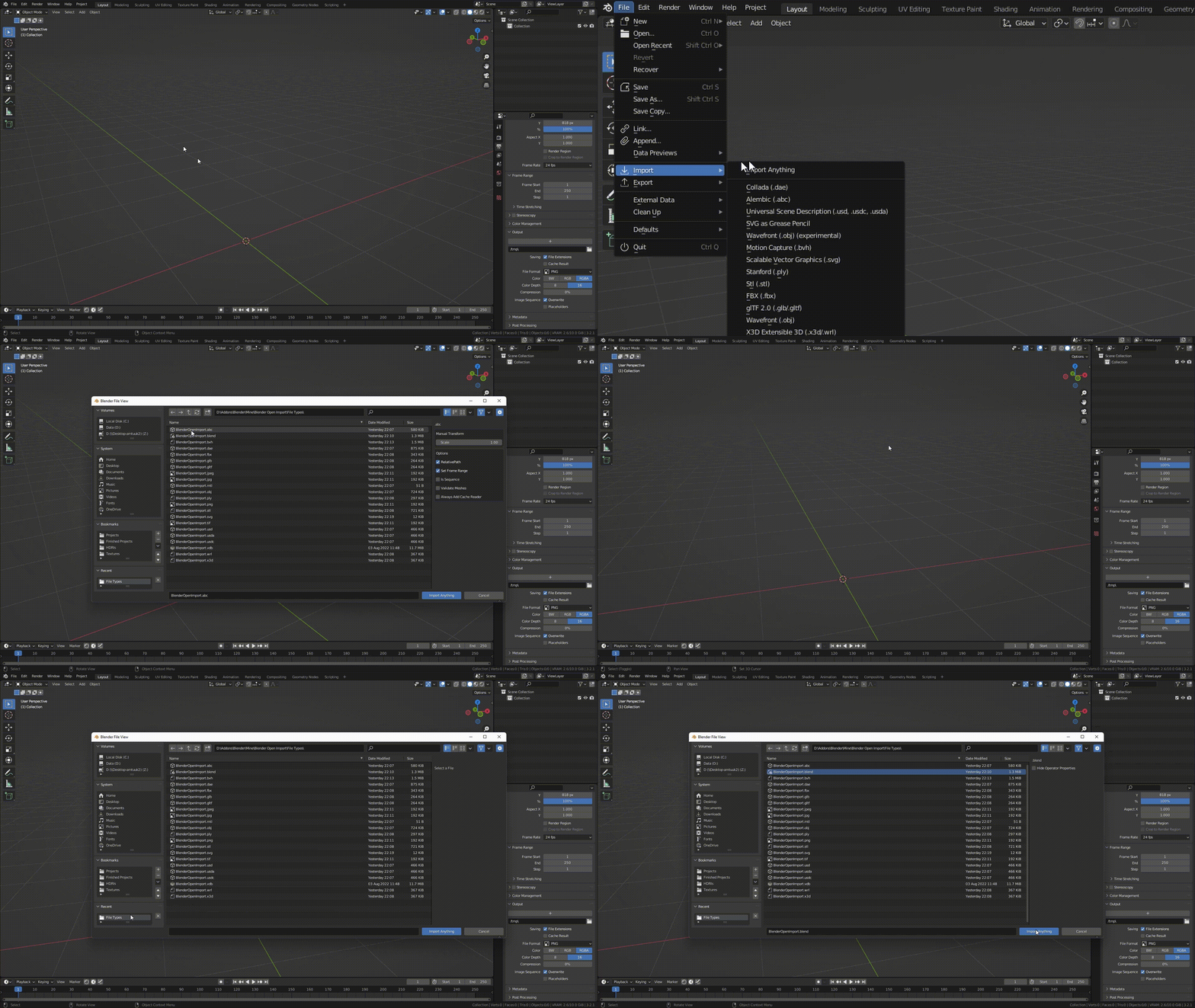
Import By clicking File > Import> Import Anything or Add Menu > Import Anything
SETTINGS
Settings will adapt to any selected File Type

MULTIPLE FILES
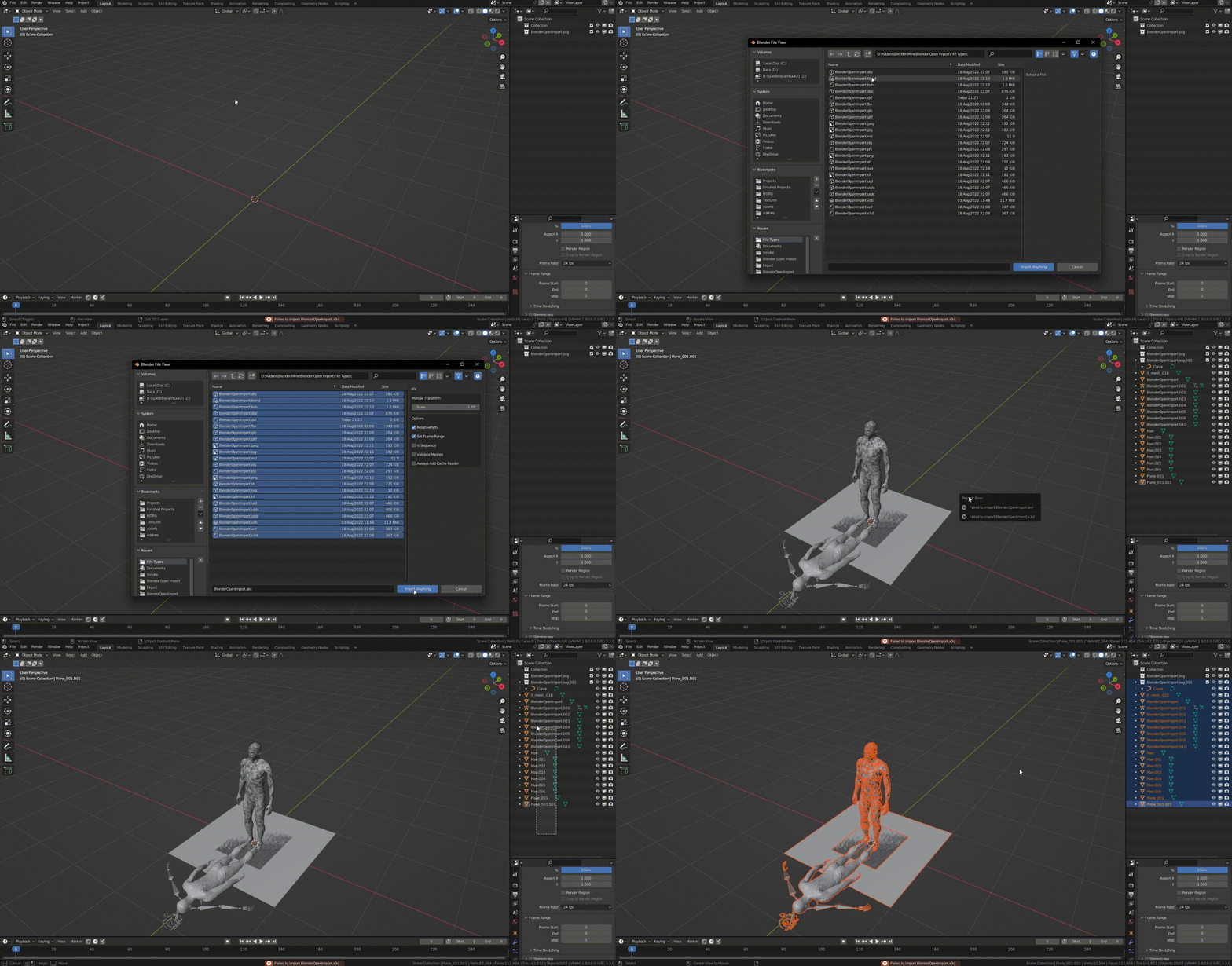
Select and Import multiple files at once. If some files failed to import, it will let you know which one failed
HELP US
Report a bug: https://forms.gle/t3wcxinrpf91SxjAA
Suggest New File Types: https://forms.gle/E8LGps5j5rzg6Vgy7
RELEASE LOG:
1.0.0 – First Release – Supports 22 File Types – FBX, GLB, GLTF, OBJ, MTL, X3D, WRL, ABC, PLY, STL, BVH, SVG, PNG, JPG, JPEG, TIFF, VDB, USD, USDC, USDA, DAE, BLEND
1.1.0 – (1) Added 6 new File Types for the total of 28 – GIF, MP4, MOV, BPM, PY, DXF. (2) Ability to Import Multiple Files at once (3) Ability to Import files with capital extensions (4) Ability to Import VDB Sequences
1.1.1 – Added ability to place button in the add menu on top or bottom; Updated importers for newer version
Supercharge your 3D creation workflow with premium selection of Blender Add-ons. Whether you are modeling intricate characters, sculpting realistic environments, or animating cinematic sequences, the right add-on can transform how you work inside Blender. Our curated collection includes powerful tools for UV unwrapping, procedural texture generation, rigging automation, rendering optimization, and more—each rigorously tested for compatibility with the latest Blender versions. Eliminate tedious manual processes and unlock advanced functionality that lets you focus on what matters most: bringing your creative vision to life. Explore our full range of professional Blender plugins today and take your 3D projects to the next level.
➡️ ➡️ For more Blender Plugins 😀 😀
Reviews
There are no reviews yet.