
Blender to Unity for Blender
blender to unity addon
Blender to Unity v2.1.1 – One-Click Asset Export & Optimization for Unity
Versions: v2.1.1
File Size: 400 KB
Download Blender to Unity v2.1.1 for Blender on Windows and Mac, a powerful export add-on that prepares and exports 3D assets for Unity Engine with optimized settings. Automatically apply correct scale, rotation, material conversion, and LOD generation—perfect for game developers and technical artists who need efficient Blender to Unity pipeline.
Key Features of Blender to Unity v2.1.1:
- One-Click Export: Export selected objects to Unity with optimal scale, rotation, and pivot points
- Material Conversion: Automatically convert Blender materials to Unity compatible materials
- Texture Packing: Pack PBR textures into Unity-friendly formats automatically
- LOD Generator: Generate Level of Detail meshes for optimized performance
- Collision Mesh: Auto-generate simplified collision meshes for Unity
- Animation Export: Export armature animations with proper bone scaling
- Prefab Creation: Generate Unity prefabs directly from Blender export
- Batch Export: Process multiple objects with consistent settings
- v2.1.1 Updates: Enhanced material conversion, improved LOD generation, and Blender 4.0+ compatibility
Perfect For:
- Game developers exporting assets to Unity Engine
- Technical artists preparing assets for game pipelines
- Indie developers streamlining asset creation workflow
- Anyone who needs reliable Blender to Unity export
- Studios standardizing asset export processes
System Requirements:
- Blender 3.6, 4.0, 4.1, 4.2, 4.3
- Windows 10/11 (64-bit) or macOS
- 4GB RAM minimum (8GB+ recommended)
- 15MB available disk space
Installation:
- Download the add-on zip file
- In Blender, go to Edit > Preferences > Add-ons
- Click “Install” and select the downloaded zip file
- Enable the add-on by checking the box next to “Blender to Unity”
Note: Blender to Unity v2.1.1 streamlines the asset export pipeline, automatically handling scale, rotation, material conversion, and LOD generation for Unity Engine. The one-click export and batch processing make it essential for game developers and technical artists. Designed for Blender 3.6 and above. Works with Unity 2019 and above.
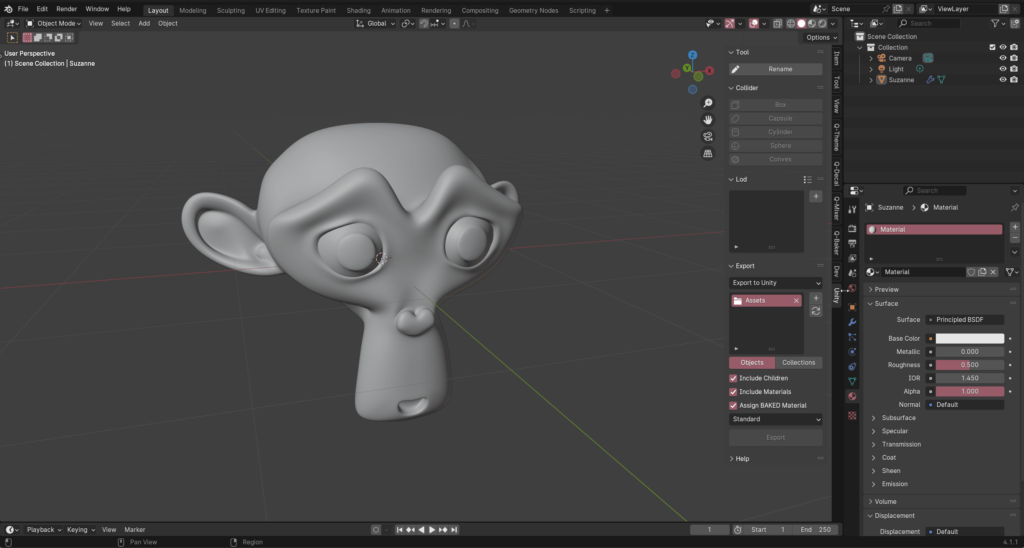
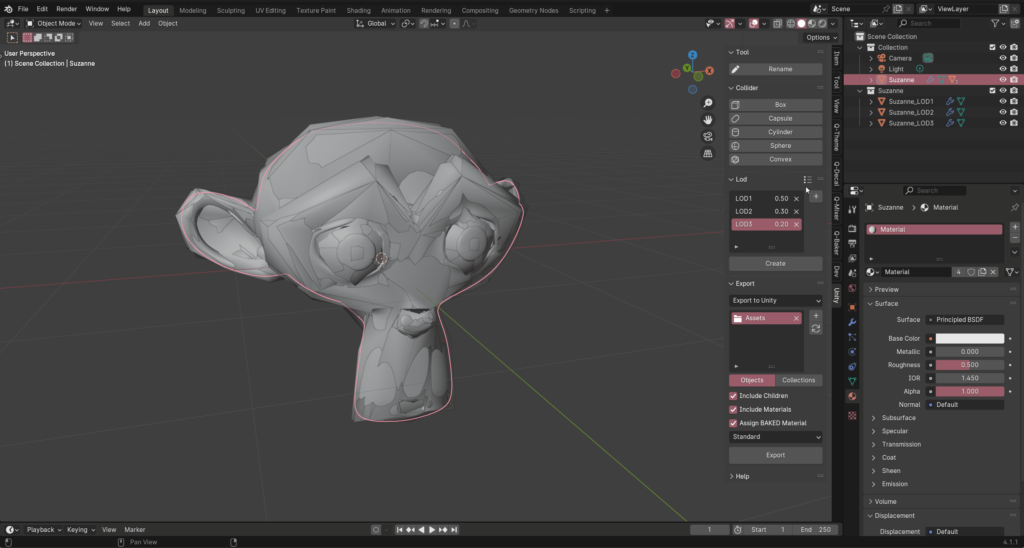

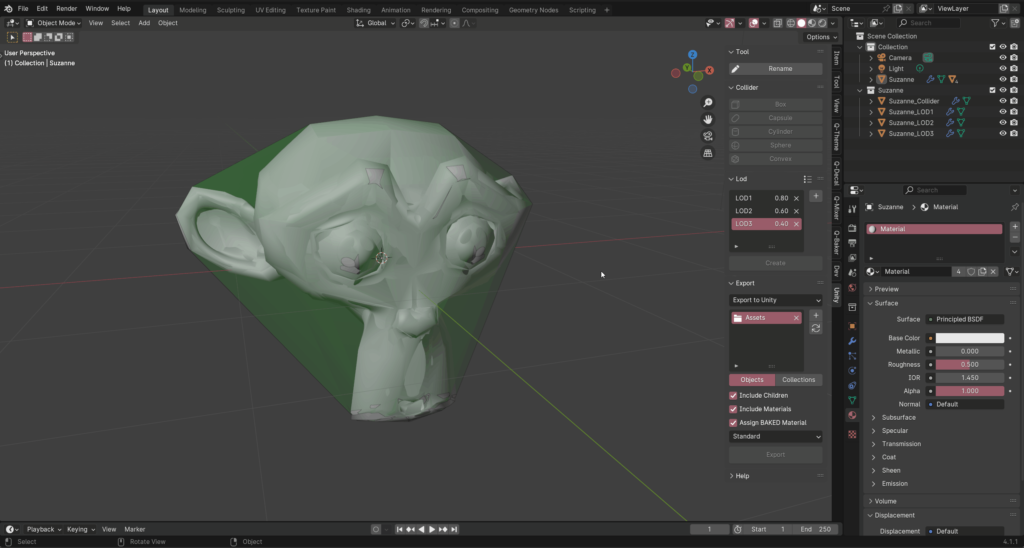

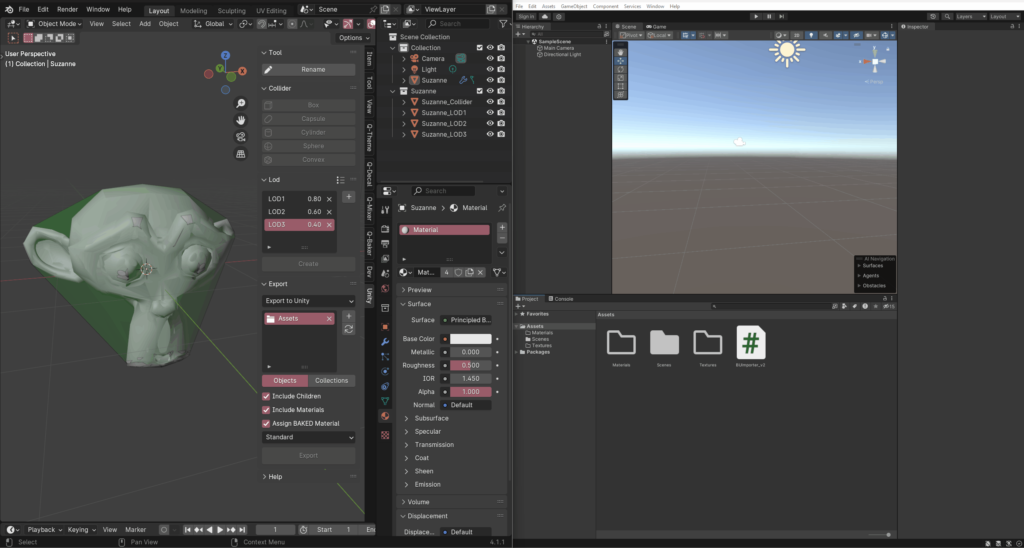
Blender-to-Unity is a Blender addon that exports objects, animations, colliders, and LODs to Unity Engine. It is designed to be simple and easy to use. You can export your models to Unity with just a few clicks. This addon is perfect for game developers, architects, and 3D artists who want to export their models to Unity Engine. Get Blender-to-Unity today and start exporting your models to Unity with ease!
Why to choose Blender-to-Unity?
Blender-to-Unity vs Others
| Features | Blender-to-Unity | Others |
|---|---|---|
| Object Export | ||
| Collections Export | ||
| Collider Export | ||
| LOD Export | ||
| Animation Export | ||
| Rename Tool | ||
| Export to Unity & Disk | ||
| Auto Extract Materials & Textures | ||
| Auto Create Shader Types | ||
| Clean UI/UX |
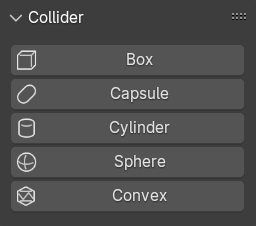
Collider
Add auto and custom collider.
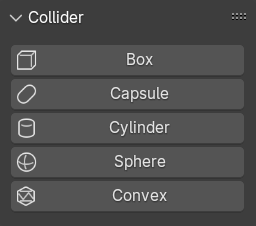
Box
Box collider will create based on the bounding box of the selection.



Previous slideNext slide
Capsule
Capsule collider will create based on the bounding box and the depth of the selection.



Previous slideNext slide



Sphere
Sphere collider will create based on the bounding box of the selection.
Previous slideNext slide
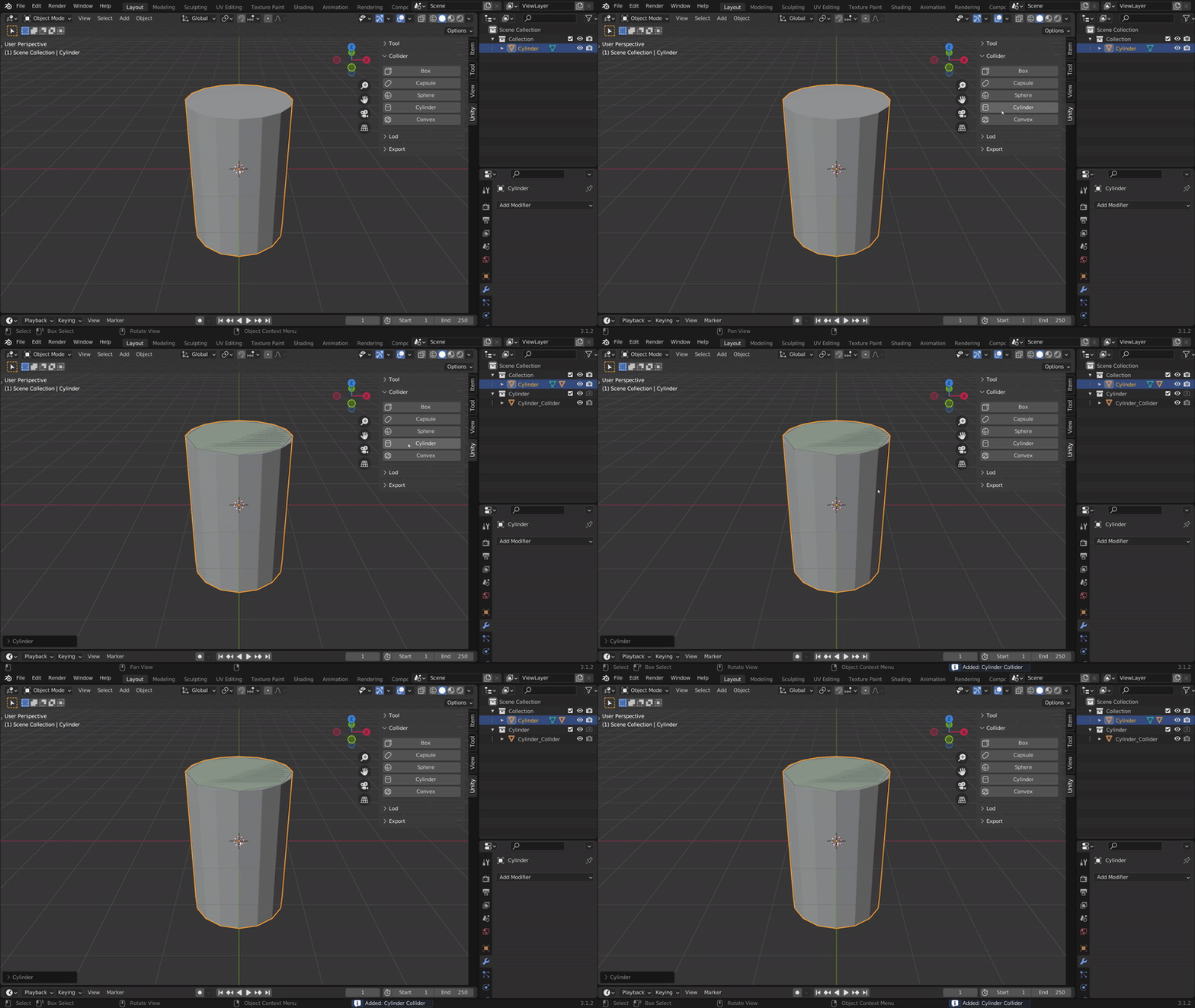

Cylinder
Cylinder collider will create based on the bounding box and the depth of the selection.
Previous slideNext slide


Convex
Convex collider will create based on the selection.


Previous slideNext slide
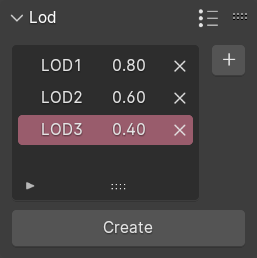
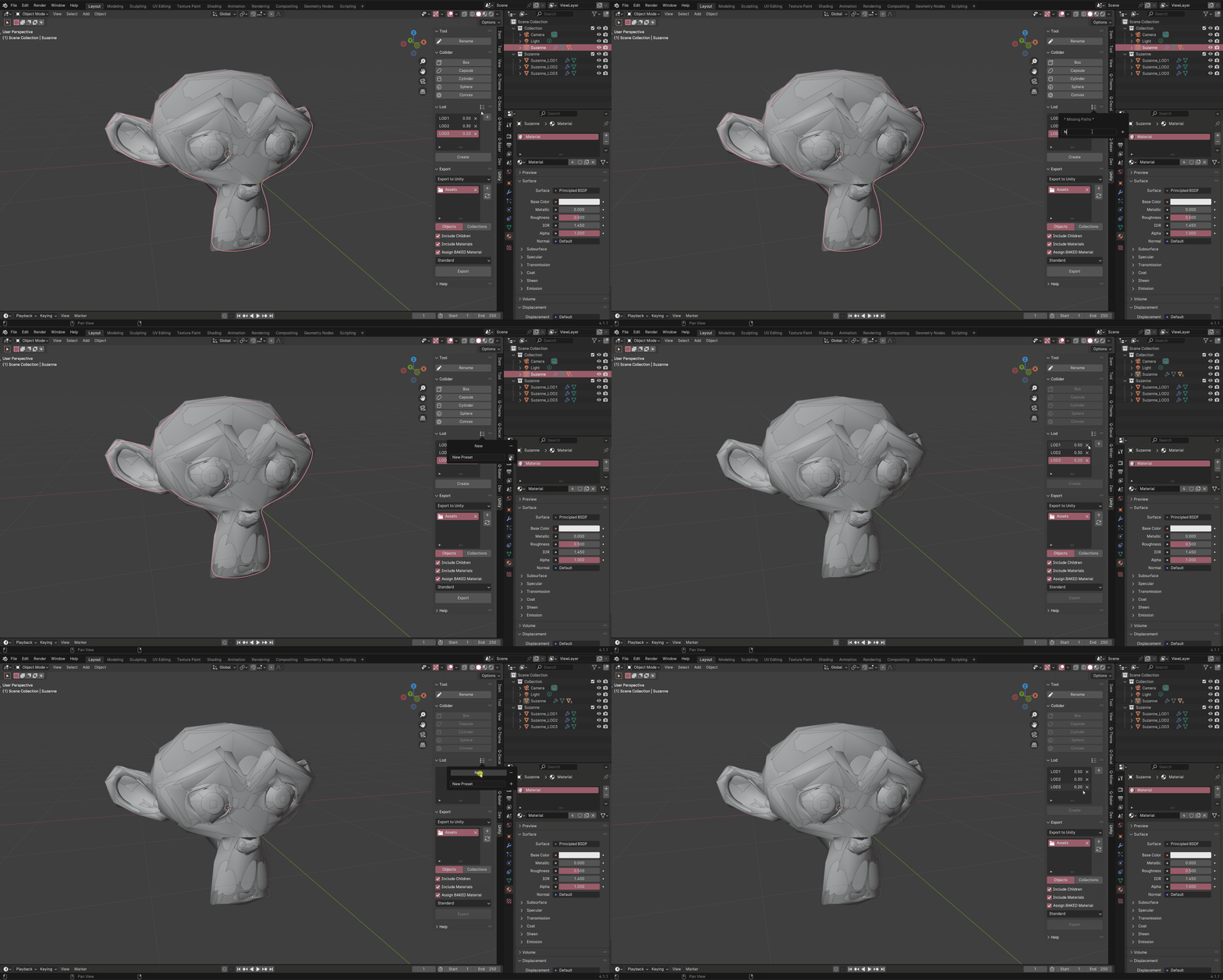
LOD
Create, Update, and Preset LODs.

Create
Create LODs for the selected objects.

Update
Update LODs for the selected objects.
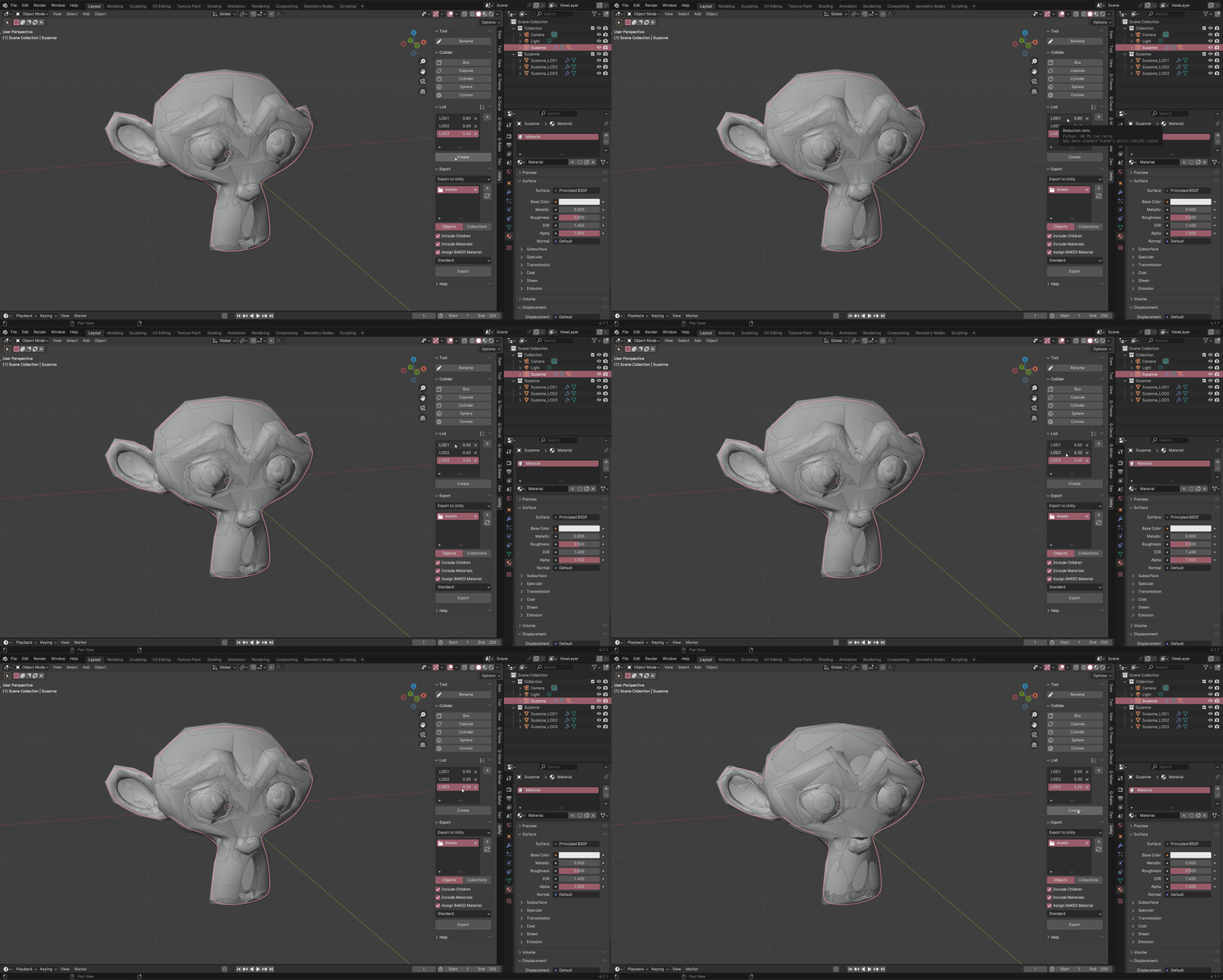
Preset
Preset LODs for future use.
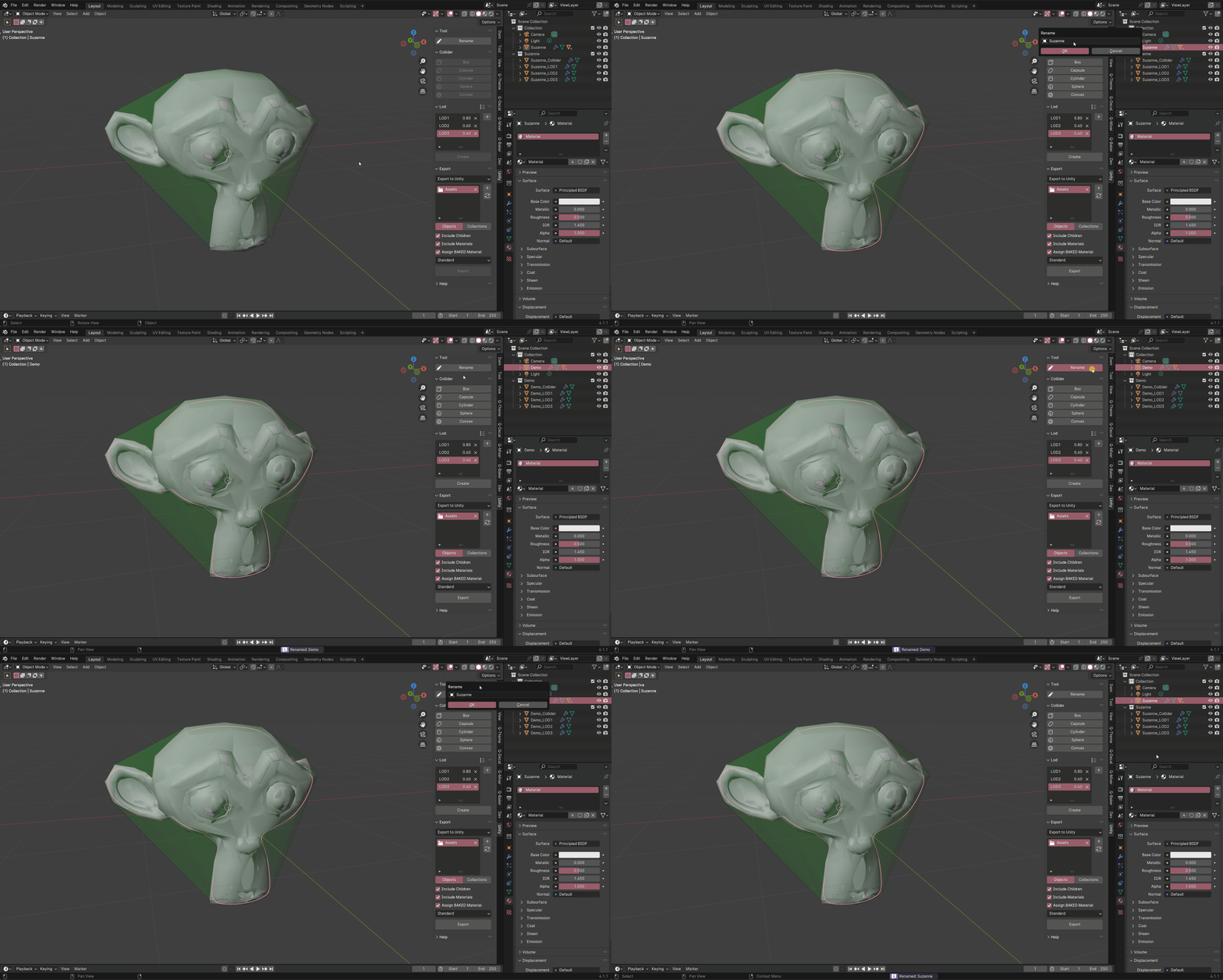
Rename Tool
Rename objects and its Colliders and LODs.
Export
Export objects and collections to Unity or Disk.
– Add a folder path.
– Select the objects or collections.
– Hit export.

If you want to have colliders and create shader types in Unity automatically.
– Import the BUImporter_v3 script while the Unity project is open(drag-n-drop), it should compile the script.
– Install the com.unity.nuget.newtonsoft-json unity package (required for BUImporter_v3).
To install the com.unity.nuget.newtonsoft-json package in Unity:
Step 1: Open Unity Package Manager, go to Window > Package Manager in the Unity Editor.
Step 2: Add Package by name, click the + button in the top left corner of the Package Manager window.
Step 3: Enter com.unity.nuget.newtonsoft-json as package name.
Supercharge your 3D creation workflow with premium selection of Blender Add-ons. Whether you are modeling intricate characters, sculpting realistic environments, or animating cinematic sequences, the right add-on can transform how you work inside Blender. Our curated collection includes powerful tools for UV unwrapping, procedural texture generation, rigging automation, rendering optimization, and more—each rigorously tested for compatibility with the latest Blender versions. Eliminate tedious manual processes and unlock advanced functionality that lets you focus on what matters most: bringing your creative vision to life. Explore our full range of professional Blender plugins today and take your 3D projects to the next level.
➡️ ➡️ For more Blender Plugins 😀 😀
Reviews
There are no reviews yet.