
bookmark view for Blender
Bookmark View v1.3 for Blender – The Ultimate Camera & Angle Memory System
Version: V1.3
File Size: 1 MB
Download Bookmark View v1.3 for Blender on Windows and Mac, a streamlined addon designed to save, organize, and instantly recall your favorite camera angles, viewport perspectives, and collection visibility states. With one-click bookmarking, smooth animated transitions, and support for custom thumbnails, Bookmark View transforms how you navigate complex scenes and present your work, eliminating the need to manually reposition cameras or remember specific orthographic views for every shot.
Key Features of Bookmark View v1.3:
Instant View Saving: Capture your current viewport position, rotation, zoom level, and shading mode (Solid, Rendered, Wireframe) into a named bookmark with a single click
Smooth Animated Transitions: Fly seamlessly between saved viewpoints with adjustable speed and easing curves, perfect for creating quick turntable previews or client presentations
Collection Visibility States: Save which collections are hidden or visible alongside the camera angle, allowing you to instantly toggle between “Modeling View,” “Lighting View,” or “Final Render View”
Custom Thumbnail Generation: Automatically generates a preview image for each bookmark so you can visually identify angles in the list without guessing by name
Folder Organization: Group bookmarks into logical folders (e.g., “Hero Shots,” “Detail Close-ups,” “Client Revisions”) to keep large projects tidy and accessible
Keyboard Shortcut Integration: Assign specific bookmarks to number keys (Numpad 1-9) for lightning-fast navigation during modeling or sculpting sessions
Camera Object Sync: Option to automatically create or update a real Camera object to match the saved bookmark, bridging the gap between viewport navigation and final rendering
Enhanced Stability v1.3: Improved handling of orthographic vs. perspective switches, better compatibility with Blender 4.x viewport APIs, and faster loading of bookmark lists in heavy scenes
Cross-Platform Support: Works flawlessly on both Windows and Mac systems including Apple Silicon M1/M2/M3 chips
Perfect For:
Architectural visualizers needing to quickly switch between room views and exterior shots
Character artists saving specific angles for sculpting details like faces, hands, or armor
Animators setting up quick playblast cameras for reviewing motion
Freelancers creating instant portfolio turntables or client review videos
Anyone tired of losing their perfect camera angle after accidentally navigating away
System Requirements:
Blender 3.6, 4.0, 4.1, 4.2, 4.3+ (Latest LTS recommended)
Windows 10/11 (64-bit) or macOS 10.15+
4GB RAM minimum (8GB+ recommended for large scenes)
No external dependencies required
Installation:
Open Blender and go to Edit > Preferences > Add-ons:
Click “Install…” and select the downloaded .zip file for Bookmark View
Enable the checkbox next to “Interface: Bookmark View”
Access via the 3D Viewport Sidebar (N-panel) > Bookmark View Tab or the View Menu
Note: Version 1.3 introduces a new “Presentation Mode” that cycles through your selected bookmarks automatically with customizable dwell times, turning your viewport into a self-running slideshow for client meetings or kiosks.
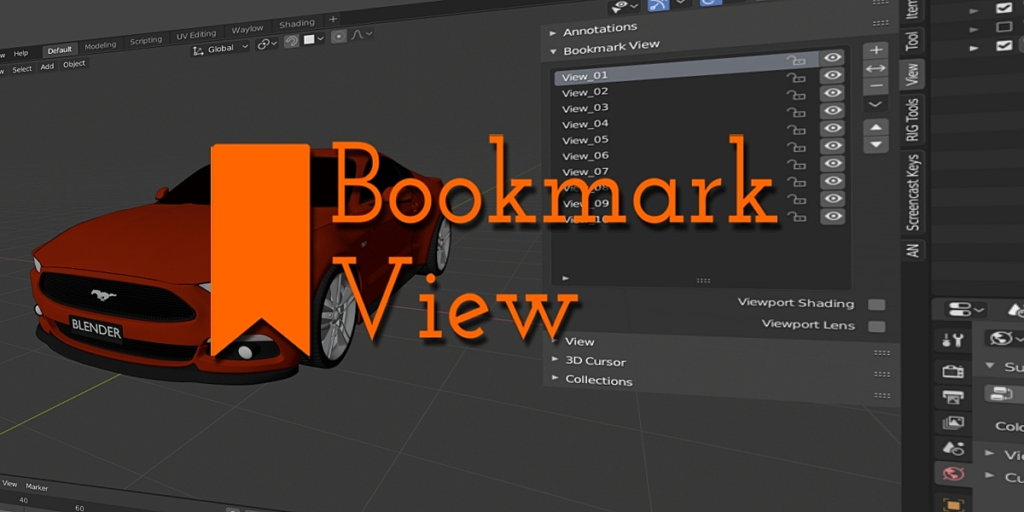
Bookmark View
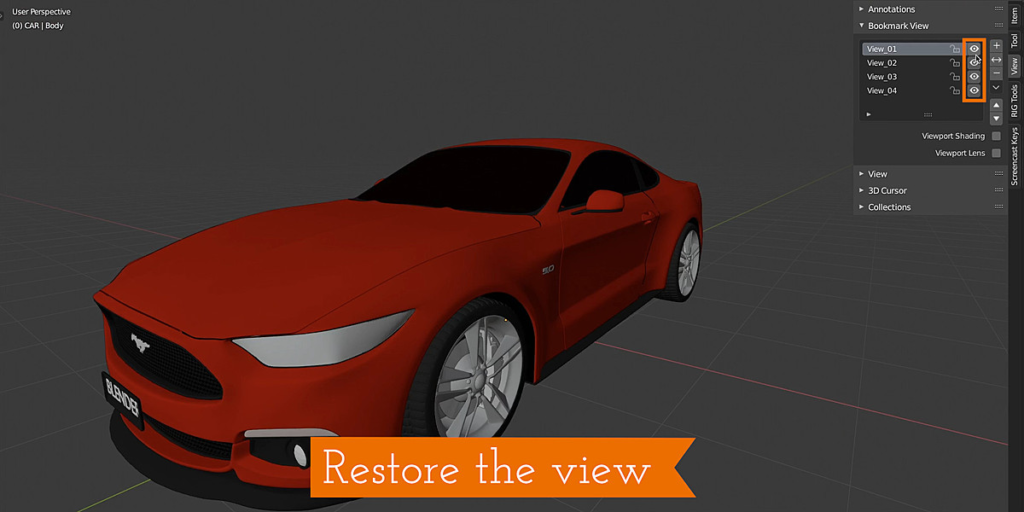
Bookmark view is a Blender Add-on that will save multiple positions of the 3d view and make it simple to switch back in an instant. Don’t spend your day zooming, panning and rotating the view. Bookmark it like a boss.
What does it do?
Bookmark View will bookmark the view. OK, so what does that mean? Well, it will save the exact position of the viewport, so you can get back to that exact position with a click of a button. The idea is to save you the hassle of constantly navigating back to multiple awkward view position.
Features:
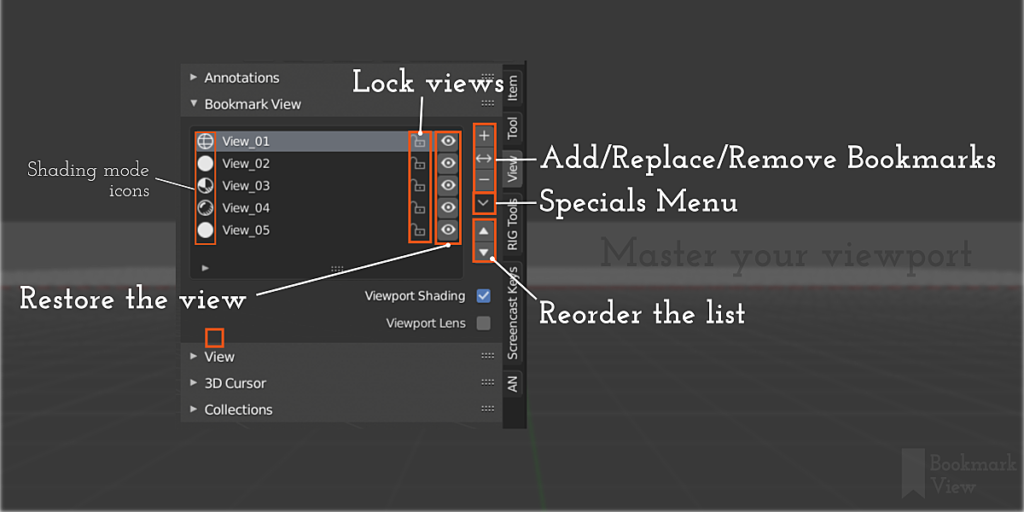
- Add as many bookmarks as you need (or more than you need – it’s up to you!).
- Delete bookmarks.
- Replace a bookmark with the current view.
- Reorder the bookmarks in the list.
- Name each bookmark (or let BM View do that for you).
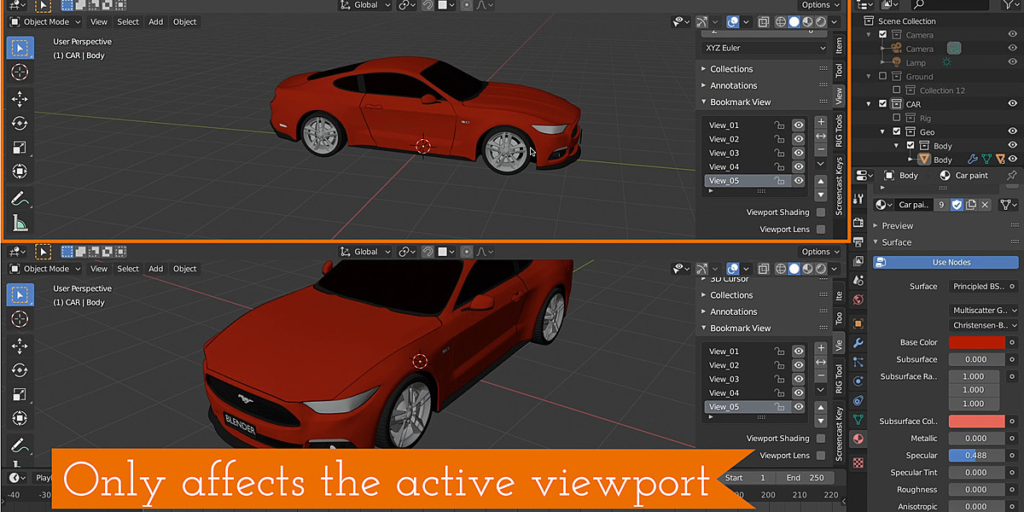
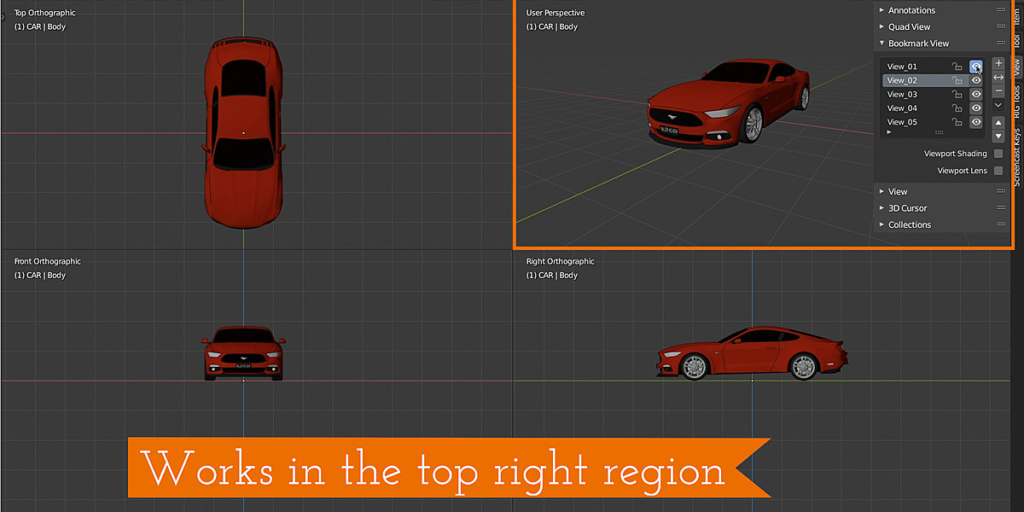
- Only changes the active 3d view.
- Works in Quad mode.
- Viewport shading option will also record/restore the shading mode (i.e. Wireframe, Solid, Rendered etc )
- Includes the option to record/restore the viewport lens (in case that’s something you need to do)
Who is it for?
BM View is for modellers, animators and anybody who doesn’t want to navigate the viewport into that tricky position more than once.
- Need to see in between the fingers of a model?
- Zooming in and out to check how your tweaks are looking globally?
- Trying to animate your character and it’s difficult to get an unobstructed view?
- Ever wish you could jump back to where the view was just before?
BM View will help you with that.
Why did I make this?
While animating on one particular project, I was finding it hard to get a good vantage point to work in. Then once I found a good spot, I’d start animating and flip to the front or side view to continue to work and then I would inevitably need to get back to the view I was just at. I thought wouldn’t it be nice If I could save the time and the hassle of getting the view back to that tricky spot it was just at. Bookmark view was born.
Supercharge your 3D creation workflow with premium selection of Blender Add-ons. Whether you are modeling intricate characters, sculpting realistic environments, or animating cinematic sequences, the right add-on can transform how you work inside Blender. Our curated collection includes powerful tools for UV unwrapping, procedural texture generation, rigging automation, rendering optimization, and more—each rigorously tested for compatibility with the latest Blender versions. Eliminate tedious manual processes and unlock advanced functionality that lets you focus on what matters most: bringing your creative vision to life. Explore our full range of professional Blender plugins today and take your 3D projects to the next level.
➡️ ➡️ For more Blender Plugins 😀 😀
Reviews
There are no reviews yet.