
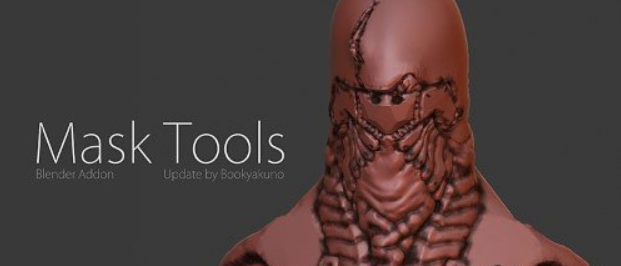
Bookyakuno s Mask Tools for Blender
Bookyakuno’s Mask Tools v4.2.3 for Blender – The Ultimate Precision Selection & Isolation Suite
Versions: v4.2.3
File Size: 1.37 MB
Download Bookyakuno’s Mask Tools v4.2.3 for Blender on Windows and Mac, a professional-grade addon designed to create complex masks, isolate specific geometry, and generate clean compositing passes with unmatched speed. With advanced edge detection, smart material grouping, and one-click render layer generation, Bookyakuno’s Mask Tools transforms how you prepare assets for post-production in After Effects, Nuke, or Fusion, eliminating the need for manual rotoscoping or tedious node setup in the Compositor.
Key Features of Mask Tools v4.2.3:
Smart Edge Detection: Automatically identifies high-contrast boundaries and silhouette edges to create pixel-perfect masks for hair, foliage, and transparent objects instantly
One-Click Render Passes: Generates dedicated Cryptomatte, ID, and Alpha passes for selected objects or collections with a single button, ready for industry-standard compositing workflows
Interactive Mask Painting: Includes a specialized brush set for painting selection weights directly on the mesh, allowing for soft transitions and custom mask refinement without leaving the viewport
Boolean Selection Logic: Combine, subtract, or intersect multiple object selections using intuitive boolean operators to create complex grouped masks without scripting
Auto-Group by Material: Instantly creates mask groups based on material slots, perfect for isolating specific parts of a multi-material asset for independent color grading
Compositor Node Generator: Automatically builds the necessary node tree in the Compositor to output your masks as separate image files or EXR layers, saving hours of manual connection
Batch Mask Export: Process multiple scenes or frames simultaneously to export mask sequences for animation projects efficiently
Improved Accuracy v4.2.3: Enhanced algorithm for handling semi-transparent surfaces (glass, smoke), better anti-aliasing on curved edges, and faster processing for high-resolution renders
Cross-Platform Support: Works flawlessly on both Windows and Mac systems including Apple Silicon M1/M2/M3 chips
Perfect For:
VFX artists needing clean plates and isolated elements for compositing
Motion graphics designers separating foreground and background for post-effects
Texture artists creating specific masks for Substance Painter or Photoshop workflows
Architectural visualizers isolating furniture, lighting, or structural elements for client edits
Anyone tired of manually painting alpha channels or setting up complex render layers
System Requirements:
Blender 3.6, 4.0, 4.1, 4.2, 4.3+ (Latest LTS recommended)
Windows 10/11 (64-bit) or macOS 10.15+
8GB RAM minimum (16GB+ recommended for high-res sequence processing)
Cycles or Eevee render engine supported
Installation:
Open Blender and go to Edit > Preferences > Add-ons:
Click “Install…” and select the downloaded .zip file for Bookyakuno’s Mask Tools
Enable the checkbox next to “Render: Mask Tools”
Access via the View Layer Properties panel > Mask Tools Tab or the 3D Viewport Sidebar (N-panel)
Note: Version 4.2.3 introduces a new “Smart Grow/Shrink” feature that intelligently expands or contracts mask boundaries while respecting object geometry, ensuring clean edges even when objects move close to the camera, along with improved stability for large-scale scene exports.
Supercharge your 3D creation workflow with premium selection of Blender Add-ons. Whether you are modeling intricate characters, sculpting realistic environments, or animating cinematic sequences, the right add-on can transform how you work inside Blender. Our curated collection includes powerful tools for UV unwrapping, procedural texture generation, rigging automation, rendering optimization, and more—each rigorously tested for compatibility with the latest Blender versions. Eliminate tedious manual processes and unlock advanced functionality that lets you focus on what matters most: bringing your creative vision to life. Explore our full range of professional Blender plugins today and take your 3D projects to the next level.
➡️ ➡️ For more Blender Plugins 😀 😀
Reviews
There are no reviews yet.