
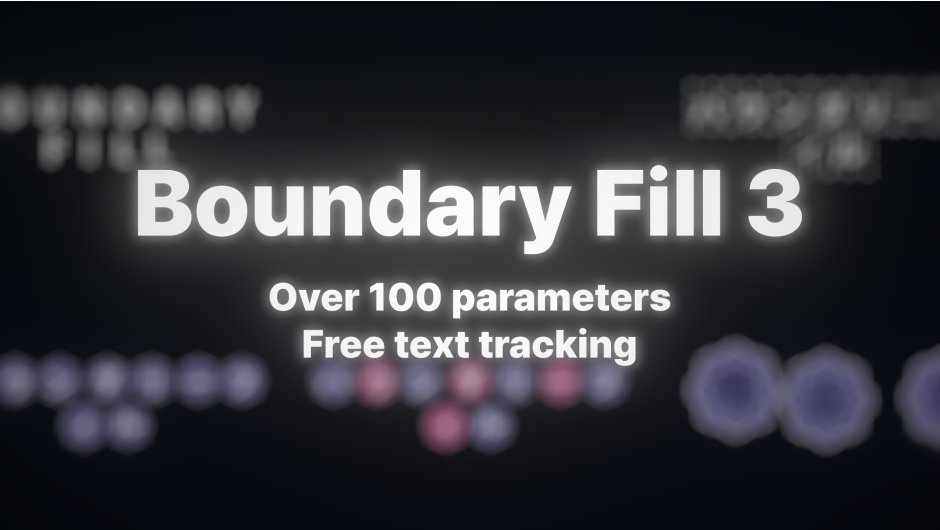
Boundary Fill for After Effects
Boundary Fill v3.2.0 for After Effects
The Ultimate Text Boundary Decoration and Texture Mapping Tool for After Effects
Download Boundary Fill v3.2.0 today. Consequently, you can apply textures, images, and graphics directly to text layers by attaching them precisely to the boundaries of each individual letter—a completely new way to decorate and animate text that goes far beyond simple fill effects . Because modern motion design demands creative typography that stands out, having access to a tool that treats text as more than a single unified element is absolutely essential. Nevertheless, placing textures inside each character manually requires complex masking and tedious per-character adjustments that consume hours of production time. Fortunately, Boundary Fill eliminates this bottleneck completely. Moreover, this plugin is fully compatible with After Effects’ native Text Animators, allowing you to create dynamic, synchronized animations where textures follow every letter independently . In short, you can transform ordinary text into extraordinary visual experiences with unprecedented speed and creative freedom.
Revolutionary Texture Mapping for Individual Letters
The core of this plugin lies in its ability to bind images, videos, or any texture directly to the structure of each individual character . For instance, when your letters move, rotate, or scale, the content inside them follows those movements automatically, ensuring textures remain perfectly synchronized . Furthermore, you can use Dynamic Rotation, Dynamic Size, and Dynamic Opacity controls to adjust how textures behave per character, giving you granular control over every aspect of the text’s appearance . Since each character is treated as an independent element, you can create complex text animations that were previously impossible or incredibly time-consuming to achieve.
Enhanced Text Animator Integration and Synchronization
Professional typography demands seamless integration with After Effects’ powerful animation system. Therefore, Boundary Fill v3.2.0 offers improved synchronization with Text Animators, ensuring that textures behave consistently alongside per-character animations . For example, if you apply a position, rotation, or scale animation to individual letters, the texture inside those letters adapts dynamically to match these transformations without breaking the visual integrity of the effect . Additionally, the new Text Save system stores the original state of your text, allowing the plugin to accurately identify character boundaries even after modifications, and this feature is particularly valuable for complex projects with unique fonts or tightly spaced characters .
Interactive Controls and Advanced Boundary Management
Version 3.2.0 introduces a custom user interface that enables direct interaction within the composition view, making it much easier to work with different regions of your text . Instead of navigating through complex settings for every small adjustment, you can now manage the position, rotation, and scale of individual sections intuitively . Moreover, advanced boundary controls give you greater flexibility to save text states, adjust boundary spacing, organize region positions, and improve movement and rotation controls for cleaner final results . These features are especially useful when working with complex typography, unique fonts, or projects containing a large number of characters.
GPU-Friendly Architecture and 32-Bit Color Support
Boundary Fill v3.2.0 has been completely rewritten with a GPU-friendly architecture, delivering significantly improved performance and responsiveness . Furthermore, the plugin now supports 32-bit color depth, ensuring high-fidelity rendering for professional color workflows and eliminating banding in gradients and textures . Consequently, you can work with complex text animations and high-resolution textures without sacrificing performance or visual quality.
Versatile Applications for Professional Motion Design
This plugin is particularly well-suited for motion designers creating modern typography, promotional videos, title sequences, music videos, and creative logo animations . Similarly, social media content creators and advertising professionals will appreciate the ability to quickly produce eye-catching text effects that stand out in crowded feeds. Additionally, anyone working with broadcast graphics, lower-thirds, or animated posters will find Boundary Fill an invaluable tool for elevating their text-based designs . Ultimately, Boundary Fill v3.2.0 accelerates your entire motion design and typography pipeline.
System Requirements and Compatibility
Boundary Fill v3.2.0 supports After Effects versions 2023, 2024, 2025, and 2026 on both Windows and macOS operating systems . You will need a standard workstation with at least 8GB of RAM, though 16GB is recommended for complex projects with high-resolution textures.
Installation and Usage Guide
To install, first download the plugin files from your library. Next, close Adobe After Effects if it is running. Then, copy the BoundaryFill.aex file to your After Effects Plug-ins folder, typically located at C:\Program Files\Adobe\Common\Plug-ins\7.0\MediaCore on Windows or /Library/Application Support/Adobe/Common/Plug-ins/ on macOS . After installation, launch After Effects and locate Boundary Fill in the Effects panel. Finally, apply the effect to your text layer, use the custom UI to adjust boundary settings and texture placement, and animate your text with After Effects’ native Text Animators to see dynamic, synchronized results . Thus, your professional text decoration workflow will be ready instantly.
What is Included Inside?
The pack contains the complete Boundary Fill v3.2.0 plugin for After Effects. Furthermore, it includes the GPU-friendly rendering engine, 32-bit color support, interactive UI controls, and full Text Animator compatibility. Additionally, you receive advanced boundary management features and the Text Save system for accurate character detection. Ultimately, you receive everything needed for professional text boundary decoration and texture mapping.
Final Thoughts on the Plugin
Effortless text boundary decoration evokes profound creative freedom. Therefore, this plugin provides the ultimate foundation for your motion design and typography workflows. You can transform ordinary text into extraordinary visual experiences with unprecedented speed and control. Consequently, your typography vision becomes a stunning reality.
Introducing Boundary Fill, Attach Any Texture to Your Text Layer, and Apply Text Animation!

If you just want a single texture to follow an entire text layer, you could easily use parenting or similar techniques.
But what if you want the texture to follow each individual glyph and still use text animators?
Boundary Fill drastically streamlines this otherwise repetitive and time-consuming workflow.

Prepare the texture, apply Boundary Fill to the text layer, select the texture layer, press ‘Text Save’ ensuring no overlap or rotation, and adjust Merge X and Merge Y based on font and size, saving you countless hours.
V 3
Feature Description
Text Save – Text Save is designed to bypass the limitations of After Effects as much as possible. All values are applied only at the moment the Save button is pressed.
- X Merge – Expands horizontally by the specified X value based on the text outline and determines whether it should be recognized as a single boundary.
- Y Merge – Applies the same logic vertically.
- X Snap / Y Snap – Adjust the positions of merged boundaries so they align cleanly in a single row.
Want to define boundaries per character? If the spacing between characters is too narrow, increase the tracking first, press Save, and then reduce the tracking again.
(As mentioned earlier, because this works by bypassing technical limitations in After Effects, some manual adjustment may be required.)
Equal Spacing corrects the spacing between boundaries. For grid-style text, using it together with Snap helps create a clean grid layout.
V Move & Scale –
- Left Click : Move
- Left Click + Shift : Snap Move
- Left Click + Control : Scale
- Right Click : Hide
R Rotation –
- Left Click : Rotate
T Time – Left Click : Adjust Time Delay value
This value (0–1 range) is multiplied by the Delay Time(s) in Time Sampling.
Snap – Aligns boundaries between snap values. Use this in special cases where clean alignment is required after animation is applied.
Texture –
- Mode – Specifies the number of textures.
- Texture – Selects the texture.
- Texture Solo – Displays only the texture.
- Blending Mode – The blending mode for textures positioned behind the text (related to Order).
- Sub Texture – Duplicates the texture. Can be used together with the Random option.
Time Sampling – Time sampling settings for the texture.
- Snap to Frames – Aligns texture time sampling to frame units. This is also related to performance optimization.
Texture Transform – Transformation settings for the texture.
Layer Transform – Transformation settings for the layer.
To support precise 3D tracking, this effect provides its own 3D space. By setting the Controller to a 3D Null layer, you can intuitively move and control it within 3D space.
Due to the structural characteristics of After Effects text layers, fully supporting native layer-level 3D presented multiple technical challenges, so this feature was implemented using a workaround approach.
V 2
Feature Description
Texture – Specifies the layer to fill the boundary.
Merge – Defines the distance at which boundaries merge.
Enable
- Dynamic Rotation – Adjusts the rotation origin based on Text Save, so the texture rotates along with the text. (Horizontal & Vertical aspect ratio fixed limitation)
- Dynamic Opacity -Makes the fill opacity proportional to the opacity of pixels within the boundary.
- Dynamic Size – Makes the fill size proportional to the boundary size.
- Scale By Saved Ratio – Scales the texture to 100% size based on the saved size from Text Save. (Horizontal & Vertical aspect ratio fixed limitation)
Alignment Reverse – Reverses the order of boundary arrangement.
Split Text – Splits the text layer into boundary units, allowing overlap to be expressed when close enough not to merge.
influenced – Submenu of Split Text.
- Position – Changes the text position according to the texture’s position.
- Opacity – Adjusts the text opacity according to the texture’s opacity.
Line – Fills the lines between boundaries.
- Overlap Distance – Prevents lines from being generated around the boundary.
- Overlap Smoothness – Softens the Overlap Distance by adjusting the opacity.
Shape Only – Displays only the texture.
Text Save – Saves the current appearance of the text to set a reference and improve accuracy.
When the Merge feature is enabled, it works based on the saved Text Save appearance, ensuring that textures are applied cleanly even when perfectly overlapping.
*If the text or font changes, you need to reset it.If the text size becomes 0, the text will not be recognized. To maintain the random option cleanly, avoid setting the size to 0. Instead, set it to a small value like 0.001.
For all textures, it is recommended to use the Collapse Transformations / Continuously Rasterize (sun icon) layer to preserve color precision.
Tip
If the text size becomes 0, the text will not be recognized. To maintain the random option cleanly, avoid setting the size to 0. Instead, set it to a small value like 0.001.
For all textures, it is recommended to use the Collapse Transformations / Continuously Rasterize (sun icon) layer to preserve color precision.
Elevate your motion graphics workflow with premium collection of After Effects plugins. Whether you are a seasoned professional or just starting your VFX journey, powerful tools designed to streamline complex tasks, unlock creative possibilities, and save you hours of rendering time. From stunning glitch effects and seamless transitions to advanced 3D extrusion and text animation tools, each plugin in our library is rigorously tested for compatibility with the latest versions of Adobe after Effects. Enhance your video production value today and download industry-leading plugins that help you create breathtaking visuals without the technical headaches. Browse our full range and find the perfect extension to supercharge your editing suite now.
➡️ ➡️ For more after effects Plugins 😀 😀
➡️ ➡️ System requirements AE
Reviews
There are no reviews yet.