
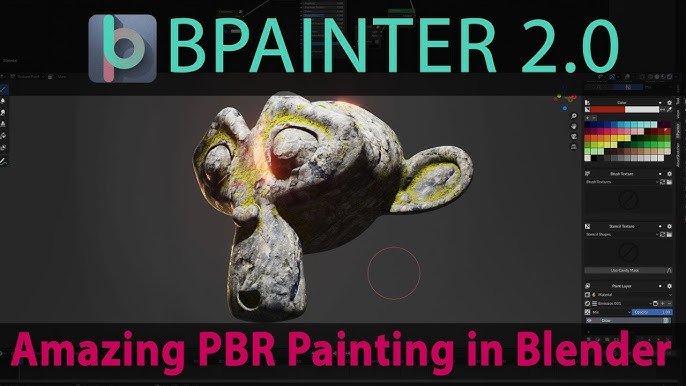
Bpainter for Blender
Bpainter v2.0.19 for Blender – The Ultimate In-Viewport Texture Painting Studio
Version: V2.0.19
File Size: 1 MB
Download Bpainter v2.0.19 for Blender on Windows and Mac, a professional-grade texture painting addon that brings the power of dedicated 2D art software directly into your 3D workflow. With advanced brush engines, real-time PBR preview, layer management, and smart projection tools, Bpainter transforms how you paint textures on models, eliminating the need to constantly switch between Blender and external applications like Photoshop or Substance Painter for quick iterations and detailed work.
Key Features of Bpainter v2.0.19:
Advanced Brush Engine: Access over 50+ customizable brushes with dynamic pressure sensitivity, texture stamps, and flow controls tailored specifically for 3D surface painting
Real-Time PBR Viewport: Paint directly in the rendered viewport with instant feedback on roughness, metallic, normal, and emission channels without needing to bake or render test frames
Non-Destructive Layer System: Full support for unlimited paint layers, blending modes (Multiply, Overlay, Screen), and mask groups, allowing you to edit or remove strokes at any time
Smart UV Projection: Automatically projects brush strokes across UV seams and handles complex topology with intelligent smoothing, preventing visible seams or stretching artifacts
Image Texture Management: Create, load, and save multiple texture sets (Albedo, Normal, Roughness) simultaneously with automatic file handling and resolution scaling up to 8K
Symmetry & Radial Painting: Paint symmetrically across X, Y, Z axes or use radial symmetry for hard-surface details, logos, and organic patterns with perfect precision
Stencil & Decal Support: Import PNG stencils and decals to project complex graphics, labels, or wear patterns onto curved surfaces instantly with adjustable depth and opacity
Enhanced Performance v2.0.19: Optimized brush stroke calculation for faster response on high-poly meshes, improved memory management for large texture sets, and better stability with Blender 4.x GPU rendering
Cross-Platform Support: Works flawlessly on both Windows and Mac systems including Apple Silicon M1/M2/M3 chips
Perfect For:
Character artists painting skin details, makeup, and clothing patterns directly on sculpted models
Hard surface modelers adding wear, tear, rust, and decals without leaving Blender
Concept artists sketching color variations directly on 3D maquettes for rapid iteration
Indie game developers texturing props and environments quickly without a subscription to external tools
Anyone who wants a seamless “sculpt-to-paint” workflow within a single application
System Requirements:
Blender 3.6, 4.0, 4.1, 4.2, 4.3+ (Latest LTS recommended)
Windows 10/11 (64-bit) or macOS 10.15+
8GB RAM minimum (16GB+ recommended for 4K/8K texture painting)
Graphics tablet highly recommended for optimal pressure sensitivity control
Installation:
Open Blender and go to Edit > Preferences > Add-ons:
Click “Install…” and select the downloaded .zip file for Bpainter
Enable the checkbox next to “Paint: Bpainter”
Access via the Texture Paint Mode toolbar > Bpainter Panel or the 3D Viewport Sidebar (N-panel)
Note: Version 2.0.19 introduces a new “Smart Material Fill” tool that automatically detects material boundaries and fills selected areas with procedural patterns or solid colors, significantly speeding up the base coating process for complex assets.
Supercharge your 3D creation workflow with premium selection of Blender Add-ons. Whether you are modeling intricate characters, sculpting realistic environments, or animating cinematic sequences, the right add-on can transform how you work inside Blender. Our curated collection includes powerful tools for UV unwrapping, procedural texture generation, rigging automation, rendering optimization, and more—each rigorously tested for compatibility with the latest Blender versions. Eliminate tedious manual processes and unlock advanced functionality that lets you focus on what matters most: bringing your creative vision to life. Explore our full range of professional Blender plugins today and take your 3D projects to the next level.
➡️ ➡️ For more Blender Plugins 😀 😀
Reviews
There are no reviews yet.