
BRef for Blender
BRef v1.4.0 for Blender
The Ultimate Reference Management Tool
Download the BRef v1.4.0 addon today. Therefore, you can manage reference images instantly. Because 3D modeling requires accurate visual guides, you need proper tools. However, manual image plane setup takes many frustrating hours. Consequently, this powerful addon solves that problem completely. Furthermore, it provides a fast, visual workflow. Thus, you can organize your reference boards in seconds.
Fast Image Alignment
First, the core of this addon is speed. Specifically, it aligns reference images to your viewport instantly. Furthermore, you can adjust image opacity easily. Additionally, the tool applies perspective matching seamlessly. Thus, you can build endless reference variations quickly. Moreover, you can customize image placement perfectly. Consequently, your 3D modeling process will look highly professional.
Advanced Reference Management Features
Ultimately, complex projects require advanced reference control. Therefore, this addon includes smart image organization tools. Specifically, you get easy reference board grouping features. Furthermore, the algorithms preserve viewport cleanliness perfectly. Additionally, the tools simulate realistic depth layering. Consequently, your reference images will look incredibly organized. Thus, the workflow reacts beautifully to your input.
Real-Time Optimization and Performance
However, heavy image textures can slow down viewports. Therefore, the addon is perfectly optimized for performance. Specifically, it utilizes efficient native Blender image systems. Consequently, you can load dozens of references easily. Meanwhile, your viewport frame rate remains completely stable. Ultimately, this ensures a smooth and fast workflow.
Perfect for 3D Modelers
Additionally, this addon is ideal for hard surface modelers. Furthermore, it suits character artists and concept designers perfectly. Moreover, game developers will love the rapid setup. Ultimately, it accelerates your entire 3D production pipeline.
System Requirements and Formats
Specifically, the addon requires Blender 3.6 or newer. Furthermore, it supports standard image formats like PNG and JPG. Additionally, you get regular free updates from the developer. Therefore, it works across all major operating systems. Moreover, you will need a standard workstation. Thus, 16GB of RAM is highly recommended. Consequently, a modern GPU ensures smooth viewport playback.
Installation and Usage Guide
First, download the zip file from your library. Next, open Blender and go to Edit Preferences. Then, select Add-ons and click Install. After that, enable the BRef addon. Finally, import your reference images and align them. Thus, your organized reference board will be ready quickly.
What is Included Inside?
Specifically, the pack contains multiple alignment presets. Furthermore, it includes smart image organization algorithms. Additionally, you get several opacity and depth variants. Moreover, there are detailed video tutorial guides. Ultimately, you receive everything for professional reference management.
Final Thoughts on the Addon
Ultimately, precise reference management evokes profound professional quality. Therefore, this addon provides the ultimate creative foundation. Furthermore, you can build detailed character models. Alternatively, you can create complex hard surface assets. Consequently, your modeling vision becomes a stunning reality.
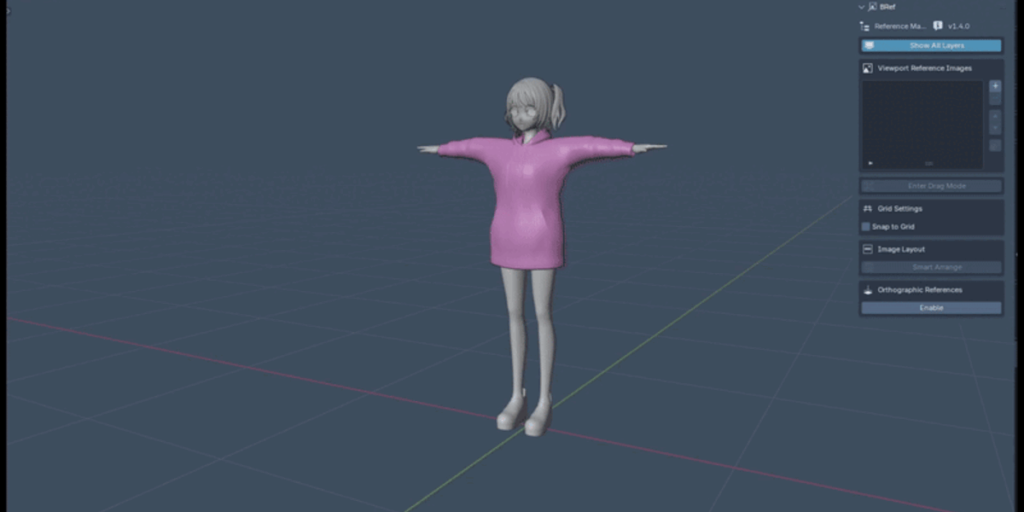
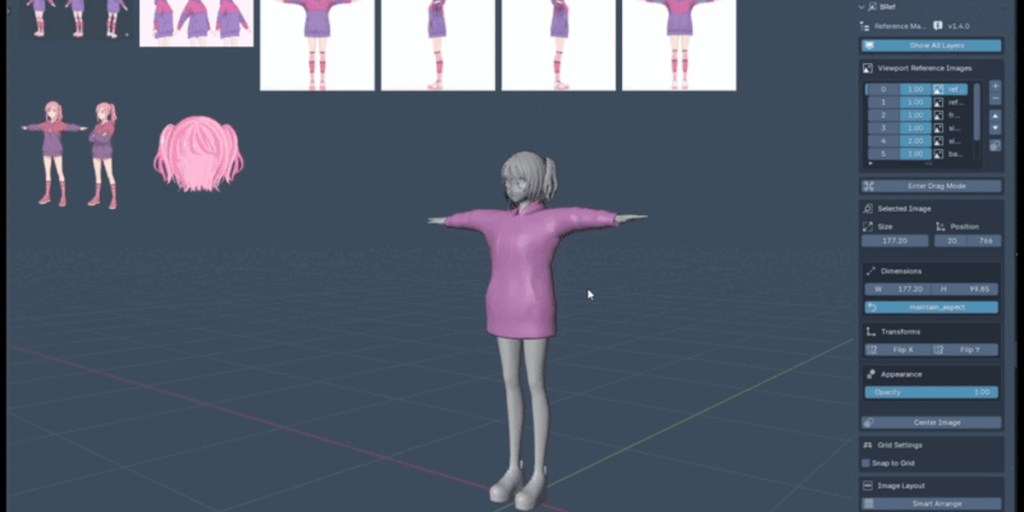
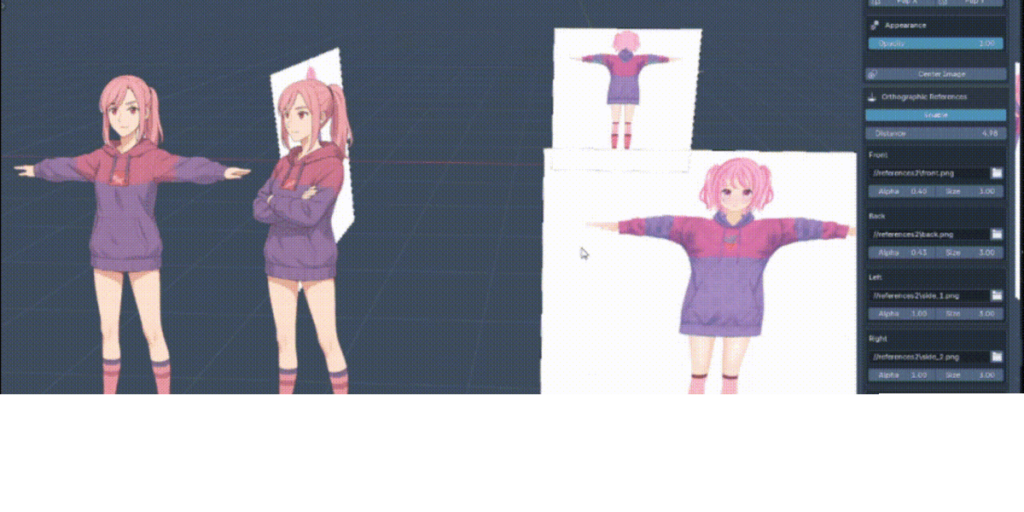
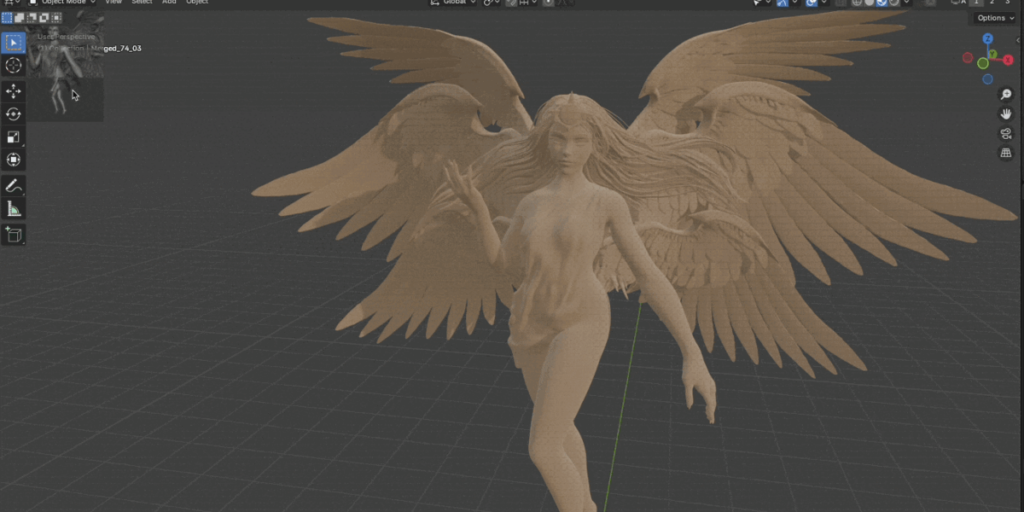
BRef — Layer Based Minimalistic Reference Addon for Blender
BRef is a clean and lightweight addon for managing reference images directly inside the 3D viewport or the scene itself.
Simple, fast, and built for Blender.
Unlike other reference software or addons, it uses layer system and keeps your workspace clean.
Features
Viewport Overlay Images
- Add any image into the 3D Viewport, floating on top of everything else.
- Drag images freely with mouse in “Drag Mode.”
- Resize easily while dragging (Drag Green Top Right Corner or Press K while Dragging ).
- Lock aspect ratio if needed.
- Organize images by layers. Choose to view only the active layer or all layers.
- Adjust each image’s opacity.
- Flip images horizontally or vertically.
- Quickly center images with one click.
- Manage images through a clean list inside the Sidebar.
Orthographic Scene References
- Load images into the 3D scene using Blender Empties.
- Automatically place references for Front, Back, Left, Right, Top, and Bottom views.
- Adjust size, distance from origin, and transparency per view.
- Update or clear all ortho references with one button.
- No manual positioning needed — BRef handles rotation and placement automatically.
UI
- Fully integrated into the Sidebar under the “BRef” tab.
- Minimal and clean panels, easy to understand at a glance.
- “Drag Mode” toggle with helpful instructions at the bottom.
Experimental Features
Note: BRef Experimental is currently on development. You can download and use it but it’s currently unstable. It will have a lot of new features!
- Viewport anchoring: Images can anchor and scale with the viewport.
- Changing Layer Numbers: Changing layer numbers and transition to Interactive Mode without going into N Panel.
- Resizing With Mouse Wheel: You can now easily resize the images with mouse wheel in Interactive mode.
- Advanced image arrangement: New layout modes (horizontal, vertical, grid), alignment options, spacing, margins, and sizing controls.
- Addon preferences: Set default alpha, auto-arrange, and customize colors/sizes for frames and handles.
- UI overhaul: Panels reorganized into Main, Images, Transform, Arrange, Settings, and Ortho for better usability.
- Interactive mode updates: Resize from any corner, distinct visual feedback for selected image, and improved help text.
- Drawing optimizations: Faster rendering with shader caching and optimized drawing routines.
- Image visibility: Toggle individual image visibility in the list.
- Clear all: New operator to remove all reference images at once.
- Enhanced grid: Option to show/hide grid overlay in interactive mode.
- Improved stability: Internal changes for better performance and update handling.
Controls
To exit Drag / Interactive mode, Press Right Click of your Mouse or ESC
Scaling Images: MouseWheel or Dragging the corners of images
Installation
- Download the
.zipfile. - Open Blender, go to Edit > Preferences > Add-ons.
- Click Install, select the
downloadedfile. - Enable “BRef” in the Add-ons list.
- Open the Sidebar (press
Nin 3D Viewport), and find the BRef tab.
Supercharge your 3D creation workflow with premium selection of Blender Add-ons. Whether you are modeling intricate characters, sculpting realistic environments, or animating cinematic sequences, the right add-on can transform how you work inside Blender. Our curated collection includes powerful tools for UV unwrapping, procedural texture generation, rigging automation, rendering optimization, and more—each rigorously tested for compatibility with the latest Blender versions. Eliminate tedious manual processes and unlock advanced functionality that lets you focus on what matters most: bringing your creative vision to life. Explore our full range of professional Blender plugins today and take your 3D projects to the next level.
➡️ ➡️ For more Blender Plugins 😀 😀
Reviews
There are no reviews yet.