
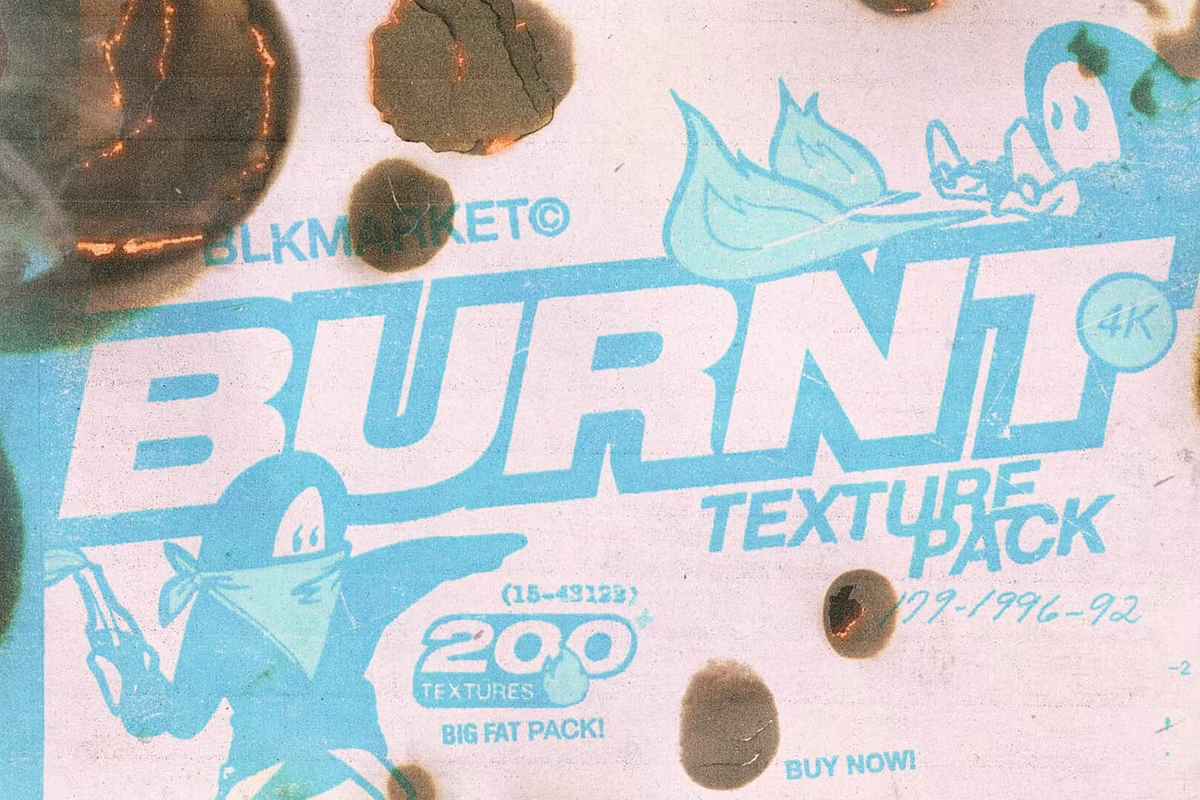
Burnt Paper Texture Pack
Burnt Paper Texture Pack for Photoshop – The Ultimate Collection of Fire-Damaged & Charred Paper Overlays
Burn, baby burn. Ignite your creative fire with our new collection of 200+ crispy, burnt and charred paper textures. Additional assets and brush pack included.
Download the Burnt Paper Texture Pack for Adobe Photoshop, a comprehensive and meticulously curated library of high-quality burnt paper textures, charred edges, and fire-damaged overlays designed to add instant grit, age, and organic destruction to your digital designs. This pack features a wide variety of realistically scorched papers, from lightly toasted edges to completely blackened, crispy fragments, all captured at professional resolutions to ensure maximum detail and versatility in your creative projects.
Key Features of the Burnt Paper Texture Pack:
- Ultra-High Resolution Scans: Every texture is professionally scanned at 300-600 DPI, capturing the intricate details of paper fibers, ash gradients, carbon deposits, and the delicate, crispy edges created by real fire damage.
- Diverse Burn Patterns: Includes over 100+ unique variations ranging from subtle edge scorching, corner burns, and smoke stains to dramatic center holes, completely charred fragments, and realistic ash fallout patterns.
- Transparent & Layered Formats: Available in both
.PNG(with transparent backgrounds) and.JPG(high-res scans) formats, giving you maximum flexibility for quick drag-and-drop workflows or advanced blending techniques. - Realistic Ash & Soot Gradients: Captures the authentic transition from white paper to grey smoke stains to deep black carbon, providing natural depth and dimension that digital brushes cannot replicate.
- Seamless Tileable Options: Select textures include seamless, tileable burnt paper backgrounds perfect for creating large-format distressed backdrops, website backgrounds, or repeating patterns.
- Organic Edge Variations: No two burn marks are alike. The pack features irregular, unpredictable edge flows that mimic the random, chaotic nature of real fire, ensuring your designs never look repetitive or artificial.
- Commercial License Included: Cleared for use in personal and commercial projects, including client work, product packaging, album art, editorial design, and digital marketing materials.
Perfect For:
- Graphic Designers creating vintage posters, grunge flyers, distressed branding, and edgy promotional materials that require an authentic, worn aesthetic.
- Digital Artists & Illustrators adding realistic fire damage, aging effects, and organic textures to character designs, concept art, and digital paintings.
- Photographers & Photo Manipulators compositing realistic burn effects, creating aged document overlays, or adding dystopian, post-apocalyptic elements to photo edits.
- Packaging & Label Designers designing rustic, craft, or artisanal product packaging for coffee, beer, candles, and handmade goods that benefit from a raw, tactile look.
- Typography & Lettering Artists distressing fonts, creating burnt text effects, or adding charred borders to custom lettering and calligraphy projects.
- Scrapbookers & Digital Collage Artists building mixed-media layouts, journaling pages, and artistic compositions that require authentic paper degradation and vintage charm.
- Web & UI Designers adding unique, textured dividers, backgrounds, and overlay elements to break up clean, modern web layouts with organic imperfections.
System Requirements:
- Software: Adobe Photoshop CC 2018 or newer (Recommended). Also fully compatible with Adobe Illustrator (for placing textures), Procreate, Affinity Photo, GIMP, and any layer-based editing software that supports
.PNGand.JPGformats. - OS: Windows 10/11 (64-bit) or macOS 10.14+.
- File Formats: High-Resolution
.PNG(Transparent),.JPG(White Background), and.PSD(Layered files for select premium textures). - Resolution: 300-600 DPI, with dimensions ranging from 3000x3000px to 6000x6000px depending on the texture.
- Storage: Approximately 500MB – 2GB depending on the pack size and compression.
Installation / How to Use:
- Download and extract the Burnt Paper Texture Pack
.rarfile to your designated Photoshop textures folder or project directory. - Open your design project in Adobe Photoshop.
- Navigate to the extracted folder and drag your desired
.PNGor.JPGburnt paper texture directly onto your canvas. - For PNGs: The transparent background allows instant placement. Simply resize and position as needed.
- For JPGs: Change the Layer Blend Mode to Multiply to automatically remove the white background and blend the burn marks with your underlying design.
- Pro Tip: Adjust the layer Opacity (between 60-90%) and apply a subtle Gaussian Blur (0.5-1.0px) to integrate the texture more naturally into your composition.
- Use Layer Masks to selectively reveal or hide parts of the burn effect, or apply Hue/Saturation adjustments to colorize the ash and soot for stylistic effects.
Key Highlights of the Pack:
- Authentic Physical Scans: Unlike procedurally generated or AI-created burns, every texture is derived from real paper subjected to controlled fire, ensuring unpredictable, organic, and truly unique results.
- Micro-Detail Preservation: The high-resolution scanning process captures the delicate paper fibers, the crispy curl of burnt edges, and the subtle grey smoke halos that surround the blackened carbon.
- Versatile Application: Use them as full-background overlays, edge distressing for photos, torn-paper frames, or individual elements in a larger collage composition.
- Time-Saving Workflow: Eliminate the need to physically burn paper, scan it, and clean up the files yourself. This pack provides instant access to hundreds of professionally prepared, ready-to-use assets.
- Consistent Quality: All textures are color-corrected, dust-spotted, and optimized for digital use, ensuring a professional finish in every project.
Note:
The Burnt Paper Texture Pack is an essential resource for any designer looking to inject raw, tactile, and emotional depth into their digital work. In an era of clean vectors and perfect gradients, the chaotic beauty of fire-damaged paper offers a powerful contrast that grabs attention and evokes nostalgia, danger, or rustic charm. Because these are real scans rather than digital imitations, they carry the unpredictable randomness of nature, ensuring your designs never look generic or mass-produced. Whether you are creating a gritty music festival poster, a vintage wedding invitation with an edge, or a dystopian book cover, this texture pack provides the authentic, charred, and beautifully destroyed elements you need to make your vision come to life.
Save
Save
Save
Save
Save
Save
Elevate your creative projects instantly with our premium collection of high-quality Photoshop assets. Whether you are a seasoned graphic designer or a budding photo editor, our meticulously crafted bundles offer everything from dynamic lighting overlays and realistic shadows to versatile textures and custom shapes. Save countless hours of tedious work and unlock a new realm of professional possibilities without breaking your budget. Each download is fully layered, easy to install, and compatible with the latest Photoshop versions, ensuring a seamless workflow. Stop wrestling with complex edits and start producing jaw-dropping results that will impress your clients and elevate your portfolio. Browse our library today to find the perfect tools for photo manipulation, digital art, web design, and transform your creative process with assets trusted by thousands of designers worldwide.
Reviews
There are no reviews yet.