
CamSwitch for Blender
CamSwitch v1.1 for Blender – The Ultimate Multi-Camera Switching & Animation Tool
Versions: v1.1
File Size: 717 KB
Download CamSwitch v1.1 for Blender on Windows and Mac, a powerful addon designed to streamline the management, switching, and animation of multiple cameras within a single scene. With instant camera cycling, smooth interpolation between views, and a dedicated timeline panel for shot sequencing, CamSwitch transforms how you create animatics, storyboards, and multi-angle renders, eliminating the need to manually keyframe camera visibility or clutter your outliner with complex constraints.
Key Features of CamSwitch v1.1:
Instant Camera Cycling: Cycle through all cameras in your scene sequentially with a single hotkey or button press, perfect for quickly reviewing different angles without manual selection
Smooth View Interpolation: Automatically generates smooth transition curves when switching between cameras during animation, avoiding jarring cuts unless desired
Shot Sequence Timeline: A dedicated panel to arrange cameras in a specific order and define the duration (frames) for each shot, creating instant animatics or storyboards
Active Camera Sync: Instantly sets the selected camera as the “Scene Camera” for rendering, ensuring your output always matches your current view choice
Camera Visibility Toggling: Easily hide or show specific cameras in the viewport to reduce clutter while keeping them active for rendering or switching
Marker-Based Switching: Automatically places markers on the timeline where camera switches occur, allowing for easy editing and synchronization with audio or action
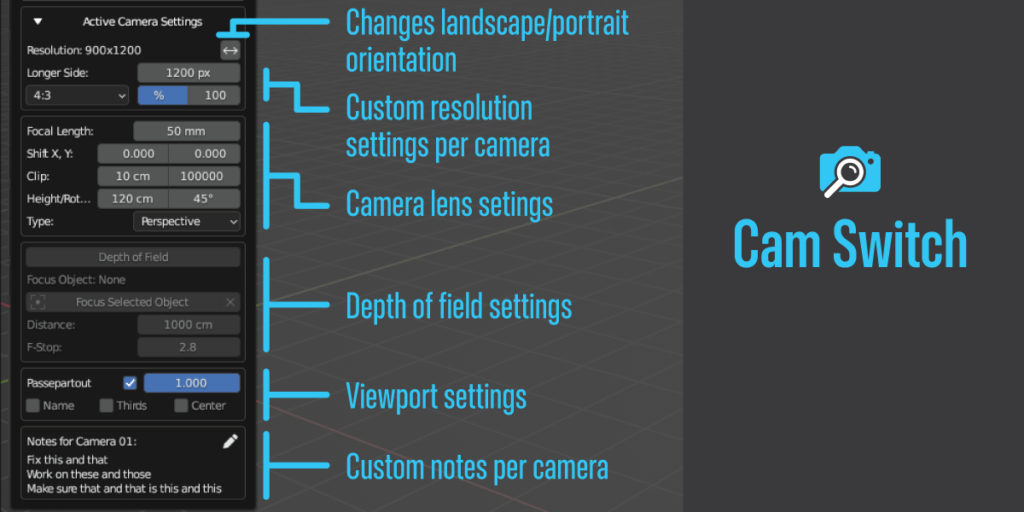
Batch Camera Operations: Apply settings (like depth of field, sensor size, or clipping) to multiple cameras simultaneously for consistent look development
Enhanced Stability v1.1: Improved handling of large camera lists (50+ cameras), faster timeline updates, and better compatibility with Blender 4.x animation systems
Cross-Platform Support: Works flawlessly on both Windows and Mac systems including Apple Silicon M1/M2/M3 chips
Perfect For:
Animators creating rough animatics and storyboards before final blocking
Directors and cinematographers planning shot lists and visualizing sequences
Architectural visualizers presenting multiple room views or exterior angles in one render pass
Game developers setting up cinematic cutscenes with multiple camera angles
Anyone tired of manually keyframing camera swaps or digging through the Outliner to find the right view
System Requirements:
Blender 3.6, 4.0, 4.1, 4.2, 4.3+ (Latest LTS recommended)
Windows 10/11 (64-bit) or macOS 10.15+
4GB RAM minimum (8GB+ recommended for complex scenes with many cameras)
No external dependencies required
Installation:
Open Blender and go to Edit > Preferences > Add-ons:
Click “Install…” and select the downloaded .zip file for CamSwitch
Enable the checkbox next to “Animation: CamSwitch”
Access via the 3D Viewport Sidebar (N-panel) > CamSwitch Tab or the Top Menu > View > CamSwitch
Note: Version 1.1 introduces a new “Random Shuffle” mode that randomly cycles through cameras, ideal for generating dynamic security camera simulations or varied surveillance angle tests automatically.
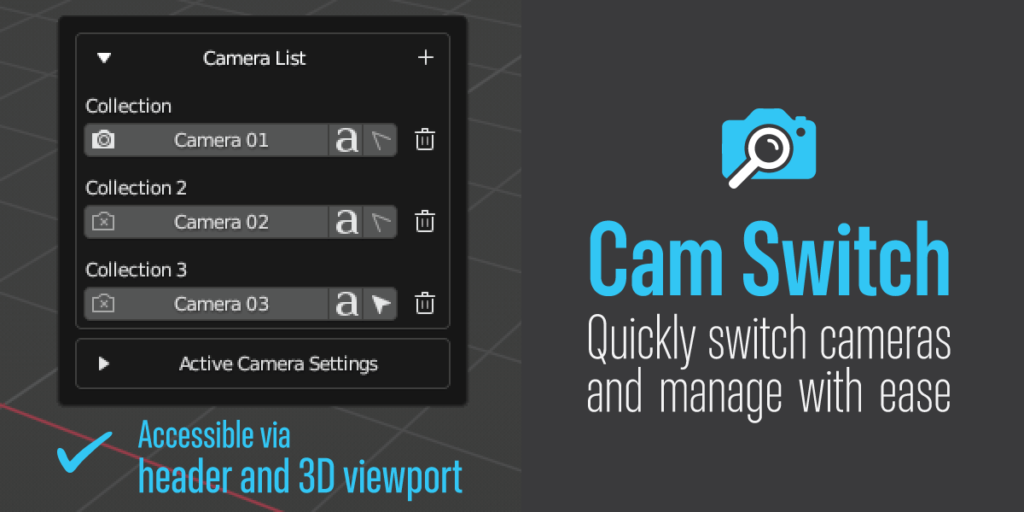
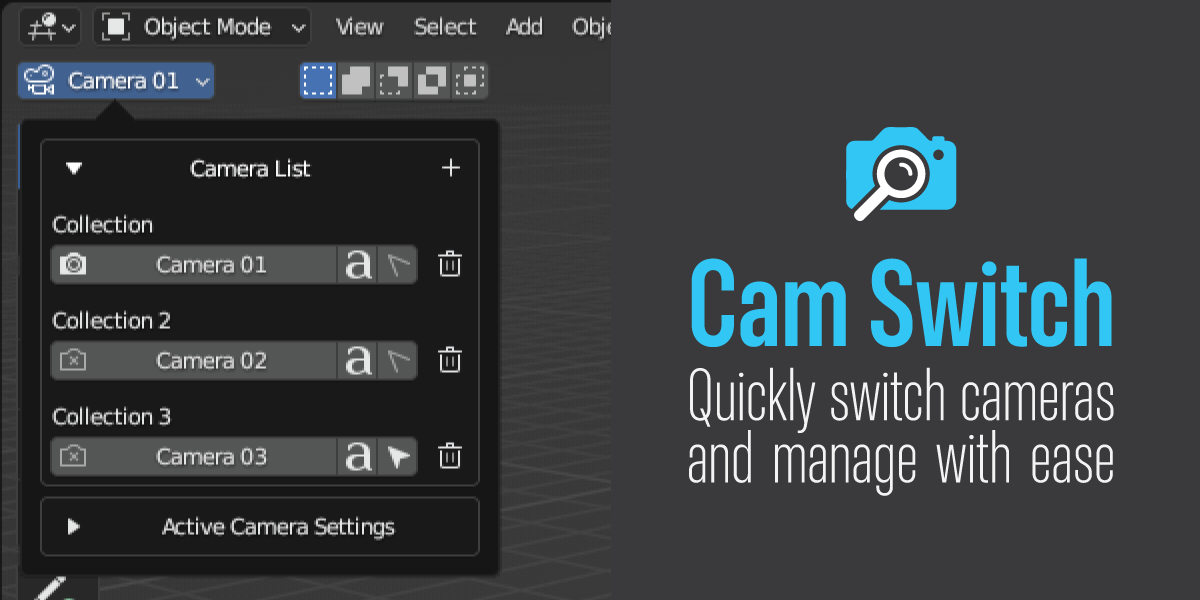
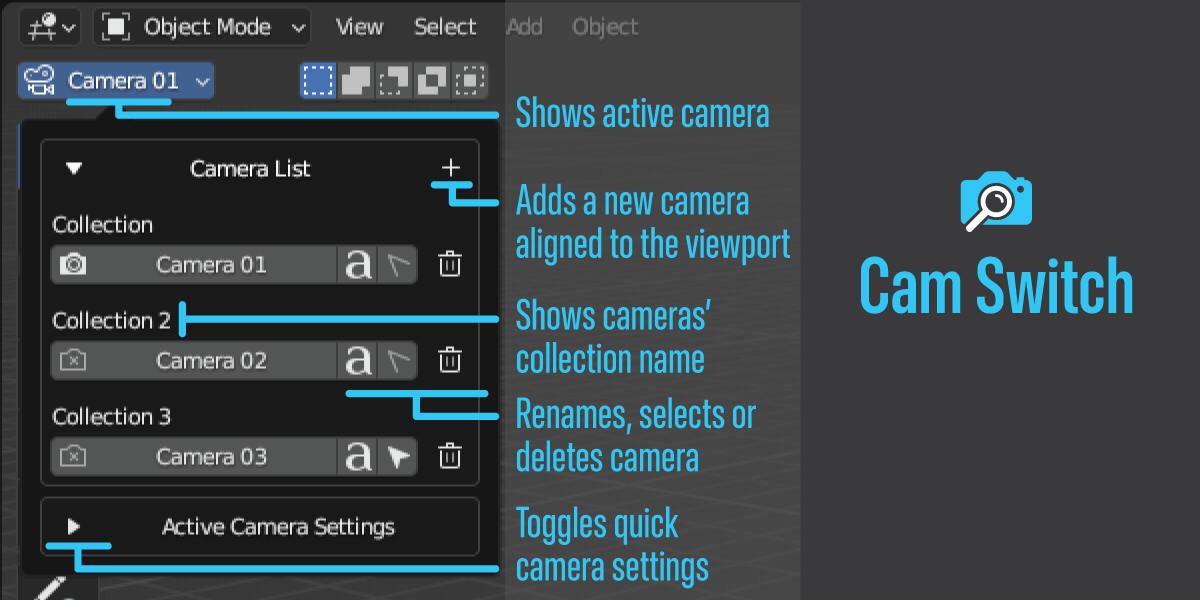
Cam Switch is an artist-friendly solution for Blender users who want to work with multiple cameras in a more efficient and organized way. With Cam Switch, you can easily access all of your cameras right in the 3D viewport, making your workflow faster and more streamlined.
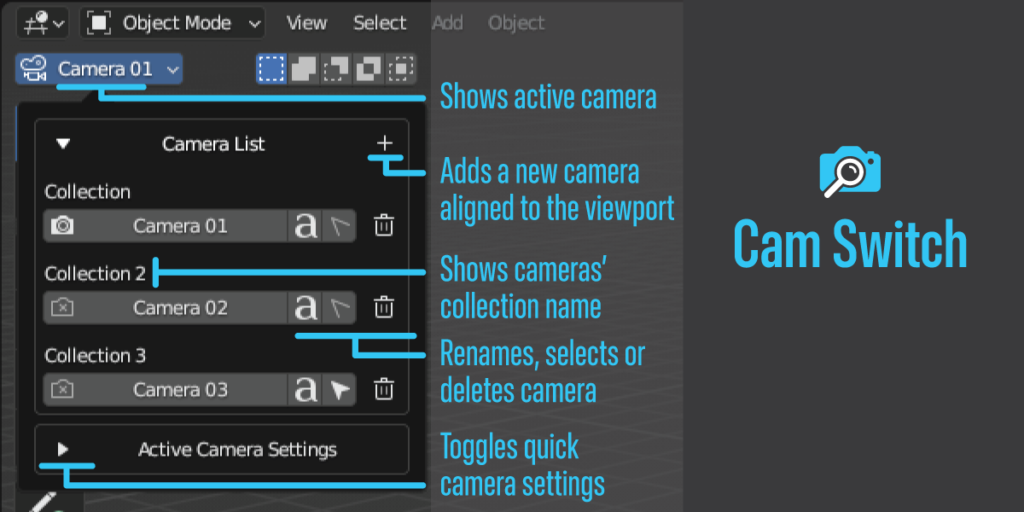
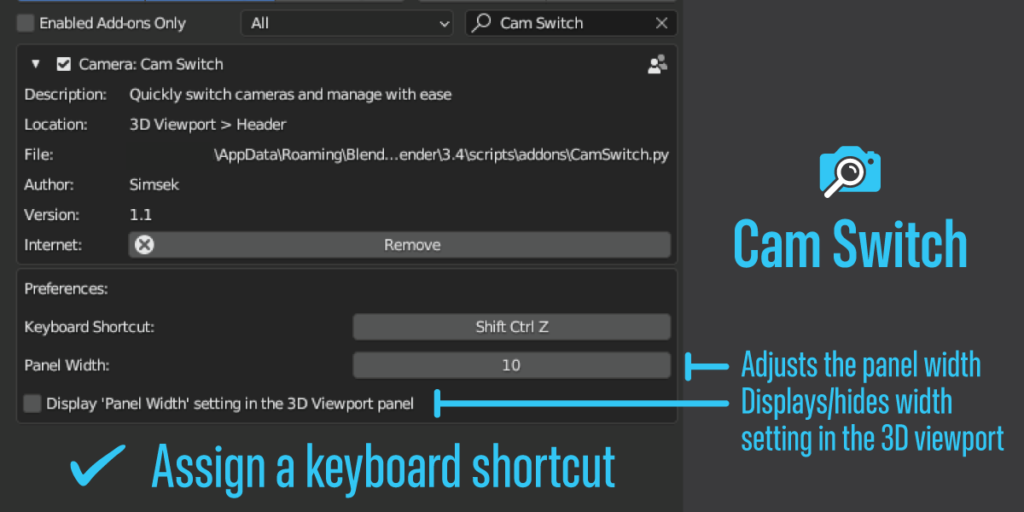
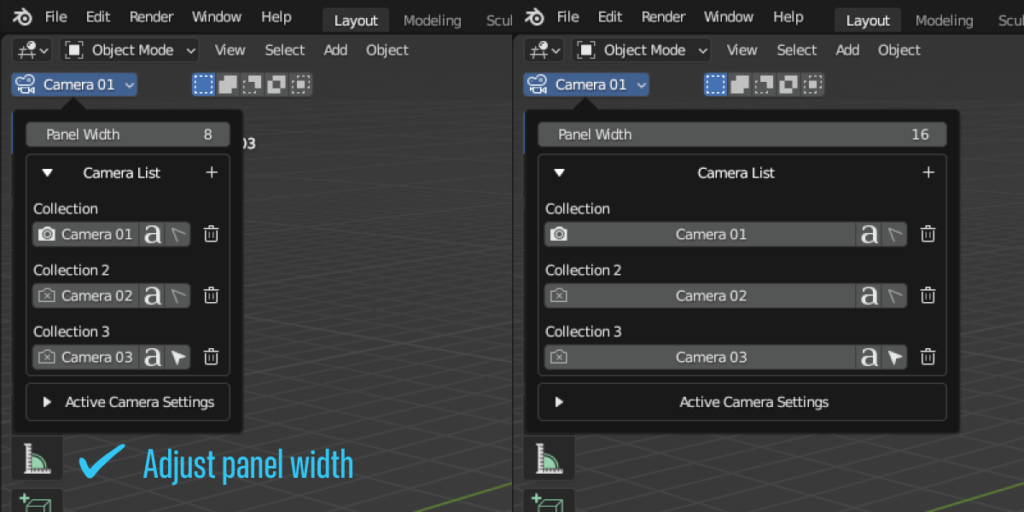
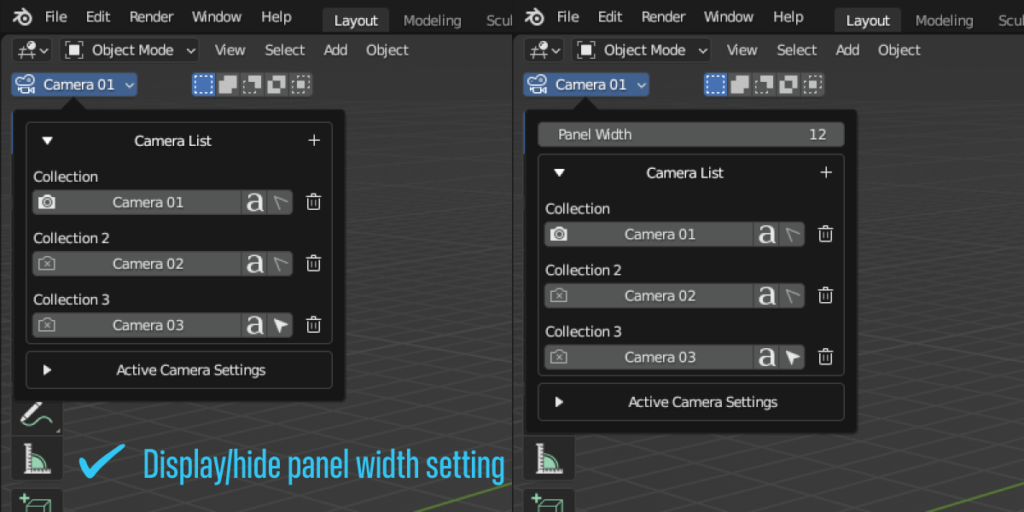
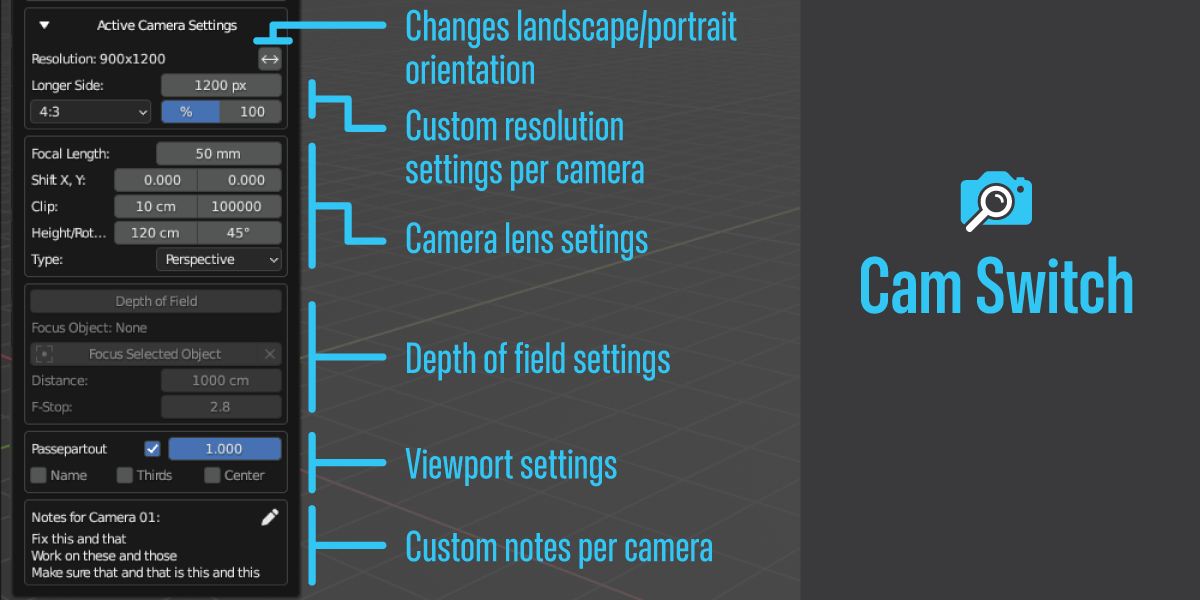
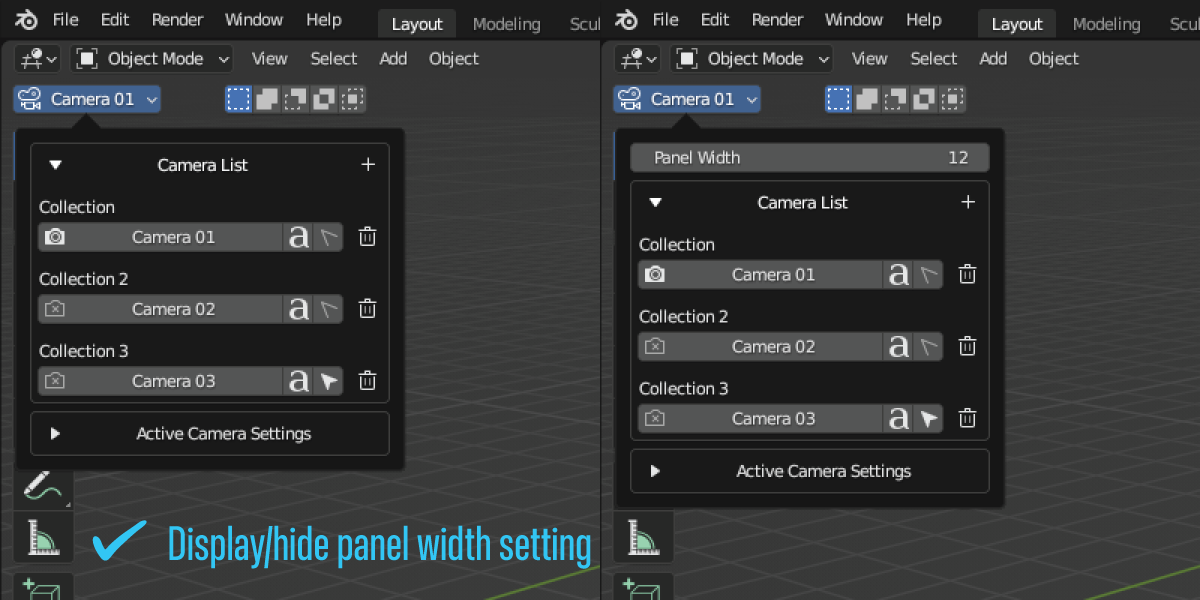
Cam Switch’s popover panel allows you to quickly select, rename, and delete cameras. With different icons, it’s easy to see which camera is active and which one is selected. Plus, with the ability to assign a custom shortcut, you can access the camera list panel without ever leaving your keyboard.
One of the best things about Cam Switch is that it doesn’t clutter the n-panel, and you don’t have to search for your camera in the outliner. Instead, all of your cameras are always visible in the header corner, so you can focus on your work without any distractions.
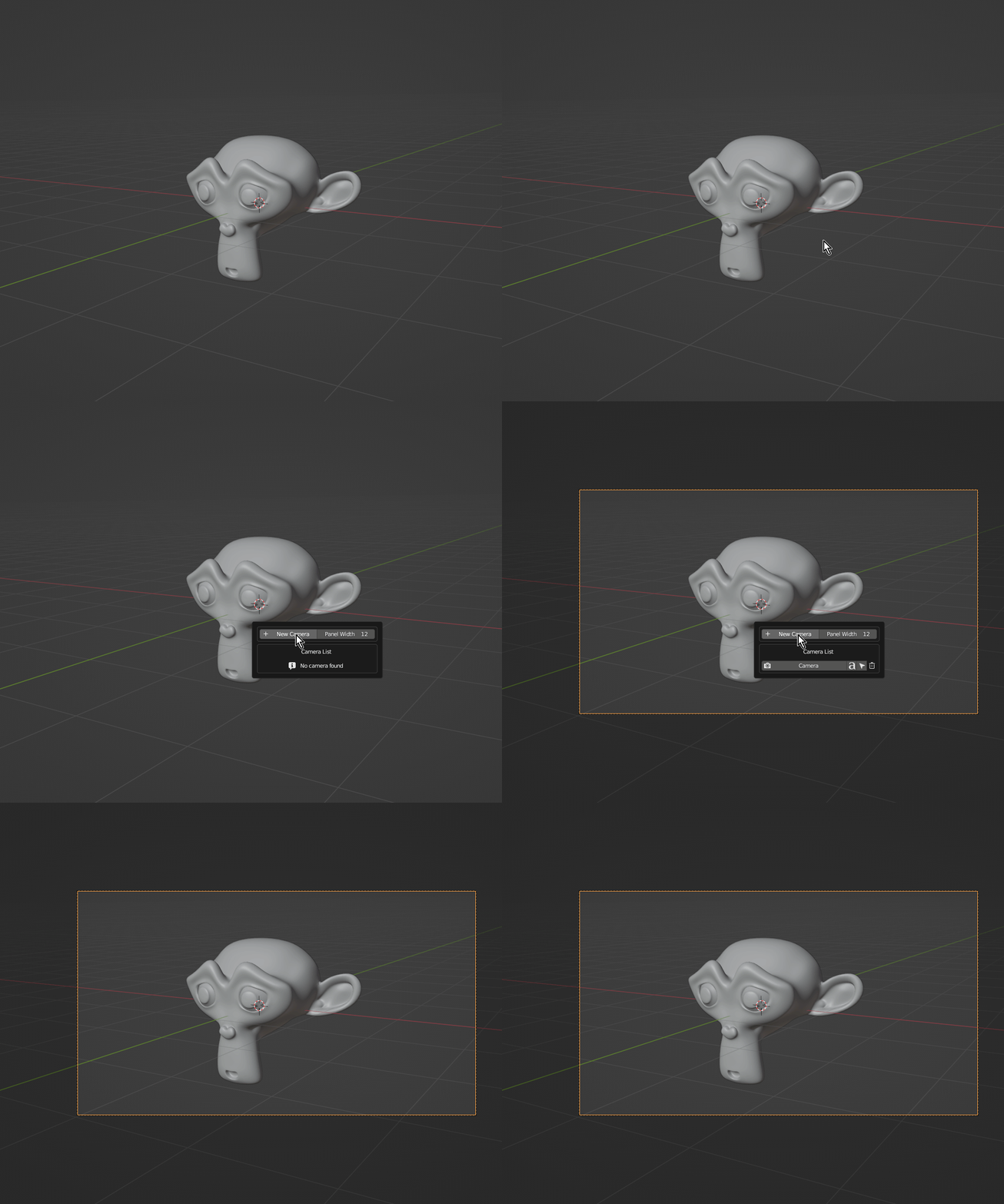
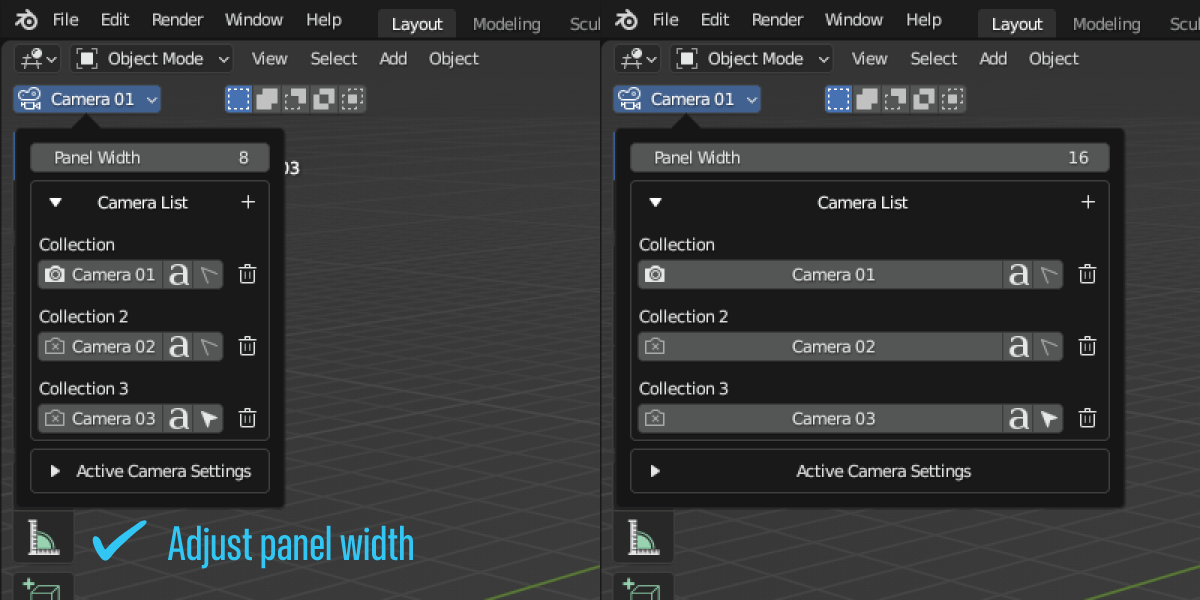
Cam Switch also offers additional features like the ability to add a new camera aligned to your 3D viewport and resize the panel’s width.
In short, Cam Switch is a must-have addon for any Blender user who works with multiple cameras. It solves a basic issue in Blender’s UI that should be here by default, and it does so in a user-friendly, intuitive way that will make your workflow faster and more enjoyable.
Supercharge your 3D creation workflow with premium selection of Blender Add-ons. Whether you are modeling intricate characters, sculpting realistic environments, or animating cinematic sequences, the right add-on can transform how you work inside Blender. Our curated collection includes powerful tools for UV unwrapping, procedural texture generation, rigging automation, rendering optimization, and more—each rigorously tested for compatibility with the latest Blender versions. Eliminate tedious manual processes and unlock advanced functionality that lets you focus on what matters most: bringing your creative vision to life. Explore our full range of professional Blender plugins today and take your 3D projects to the next level.
➡️ ➡️ For more Blender Plugins 😀 😀
Reviews
There are no reviews yet.