
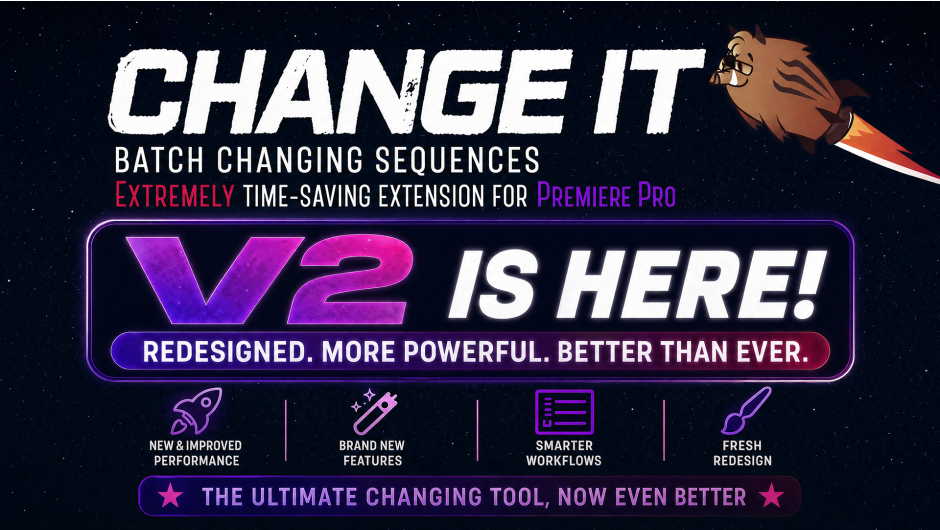
Change it for After Effects
Change it V2.0 for After Effects
The Ultimate Batch Text Editing and Layer Management Tool for After Effects
Download Change it V2.0 today. Consequently, you can instantly update text content, colors, fonts, and layer properties across multiple compositions in one seamless action . Because motion designers and video editors frequently need to make global adjustments to complex projects, having access to a dedicated batch editing tool is absolutely essential. Nevertheless, manually updating each text layer or composition individually often consumes hours of tedious, error-prone work. Fortunately, Change it eliminates this bottleneck completely. Moreover, it provides powerful search-and-replace capabilities along with intelligent layer management, allowing you to streamline your workflow and maintain consistency. In short, you can update entire projects with just a few clicks.
Intelligent Search and Batch Update Engine
The core of this script lies in its comprehensive search functionality and flexible update logic. For instance, you can search across all compositions in your project to find specific text strings, including the option to use regular expressions for advanced pattern matching. Furthermore, the tool supports customizable search scopes, allowing you to limit updates to selected compositions, folders, or the entire project . It also includes content type filters, enabling you to target only text layers, shape layers, or specific source text attributes. Consequently, you can precisely control the scope and impact of your updates, ensuring only the intended changes are applied.
Selective Smart Replace for Precision Editing
Professional workflows demand granular control over changes to avoid unintended modifications. Therefore, Change it includes a selective smart replace feature that displays each match before applying changes, allowing you to confirm edits individually. Additionally, you can set up find-and-replace presets for recurring tasks, such as updating logo colors or swapping fonts across projects, significantly speeding up your workflow. You can also execute batch operations to change text properties like font, size, color, and style, and even replace entire selected layers while maintaining existing keyframes and effects . This ensures that your edits remain consistent and precise across your entire project.
Comprehensive Layer and Composition Management
Beyond text editing, Change it offers robust project organizational features. For instance, you can quickly duplicate compositions, nest them, or rename layers and comps according to customizable naming conventions . The script also allows you to adjust layer order, remove unused or empty layers, and assign new parent hierarchies. Additionally, it integrates seamlessly with other common workflow tools, helping you maintain a clutter-free project and optimize your overall performance.
Versatile Application for Every Motion Project
Change it V2.0 is designed to handle a wide range of tasks in any motion design or video editing pipeline. For example, it is perfect for localizing a video into multiple languages by translating text across compositions simultaneously. Similarly, it is essential for updating entire template libraries or proofing a large volume of deliverables for clients, ensuring consistency with the latest brand guidelines. This tool proves especially valuable for managing tight deadlines and complex projects with dozens of compositions.
Perfect for Motion Designers, Editors, and Production Teams
This script is particularly well-suited for motion designers working on large-scale commercial projects or templates. Similarly, video editors and post-production teams handling multi-version deliverables will benefit from the batch processing capabilities. Additionally, production studios managing complex brand identities will find the tool invaluable for maintaining consistency across campaigns. Ultimately, Change it V2.0 accelerates your entire editing and project management pipeline.
System Requirements and Compatibility
The script supports a wide range of Adobe After Effects versions, ensuring broad compatibility with most production environments . It is fully compatible with both Windows and macOS operating systems. You will need a standard workstation with at least 8GB of RAM, though requirements are minimal given the script’s lightweight nature.
Installation and Usage Guide
To install, first download the script files from your library. Next, close Adobe After Effects if it is running. Then, copy the script files to your After Effects Scripts folder. After installation, launch After Effects and navigate to File > Scripts > Change it. Finally, select your search and replace options, adjust scopes and filters as needed, preview the matches, and execute the changes instantly. Thus, your professional batch editing workflow will be ready instantly.
What is Included Inside?
The pack contains the complete Change it V2.0 script for After Effects. Furthermore, it includes the powerful search-and-replace engine, selective smart replace preview, layer management tools, and batch processing presets. Ultimately, you receive everything needed for professional batch text and layer editing.
Final Thoughts on the Script
Effortless batch text and layer editing evokes profound creative freedom. Therefore, this script provides the ultimate foundation for your post-production workflows. You can update entire projects with unprecedented speed and precision. Consequently, your productivity vision becomes a stunning reality.
Change sequence settings and organize your Project in Premiere Pro
One panel to search, change, and organize sequences
Find sequences in the Project window, batch-change their settings, then sort and label — with a one-step revert after Apply.
What you get
Changing sequence settings one by one is slow and easy to miss. Change It searches by name, label, resolution, FPS, and more, lists every match in one table, then changes settings and organizes bins in a single pass — with undo for that last run.
Deep search
Filter by name, label color, resolution, FPS, pixel ratio, sample rate, fields, duration, max bit depth, and max render quality. Whole project or selection only.
Batch change
Set resolution, FPS, pixel ratio, sample rate, fields, max bit depth, and max render quality. Quick presets with pins — preview the list, then Apply.
Sort and revert
Move matches into bins, set label colors, and undo the last Let’s go! pass — settings, labels, and bin layout.
Search, Found, and Action
Search
Scope the whole Project window or Work with selected. Narrow by name, label color, resolution, FPS, pixel ratio, sample rate, fields, duration, and quality flags — combine filters and see the match count.Search: scope, name, attribute filters
Found
Every match lands in one table with the current settings. Click a row to reveal it in the Project window. Review the list before you change anything.Found: every match with its settings
Changing
Toggle Changing and set resolution, FPS, pixel ratio, sample rate, fields, max bit depth, and max render quality. Use quick presets or pin your own. Empty search fields mean all sequences in scope.Changing: set settings, use presets, Apply
Move to Bin
Move every match into an existing bin, or create a new one with its own name and label color.Move to Bin: move matches into bins
Labeling
Set the label color for the matches — on its own, or together with changing and sorting in the same run.Labeling: set the label color
Revert
After Let’s go!, undo the last pass: sequence settings, clip labels, and bin layout snap back to how they were right before that run. Only the last pass can be undone.Revert: undo the last Let’s go! pass
Project window & Selection
Project window
Search the bin tree by name and attributes, then change settings, label, or move matches into bins across the whole project.
Work with selected
Limit search and actions to the sequences currently selected in the Project window — same filters, same Apply path.
Tutorial
A short walkthrough of Change It in Premiere Pro: search, Found, changing settings, and organizing sequences.
Elevate your motion graphics workflow with premium collection of After Effects plugins. Whether you are a seasoned professional or just starting your VFX journey, powerful tools designed to streamline complex tasks, unlock creative possibilities, and save you hours of rendering time. From stunning glitch effects and seamless transitions to advanced 3D extrusion and text animation tools, each plugin in our library is rigorously tested for compatibility with the latest versions of Adobe after Effects. Enhance your video production value today and download industry-leading plugins that help you create breathtaking visuals without the technical headaches. Browse our full range and find the perfect extension to supercharge your editing suite now.
➡️ ➡️ For more after effects Plugins 😀 😀
➡️ ➡️ System requirements AE
Reviews
There are no reviews yet.