
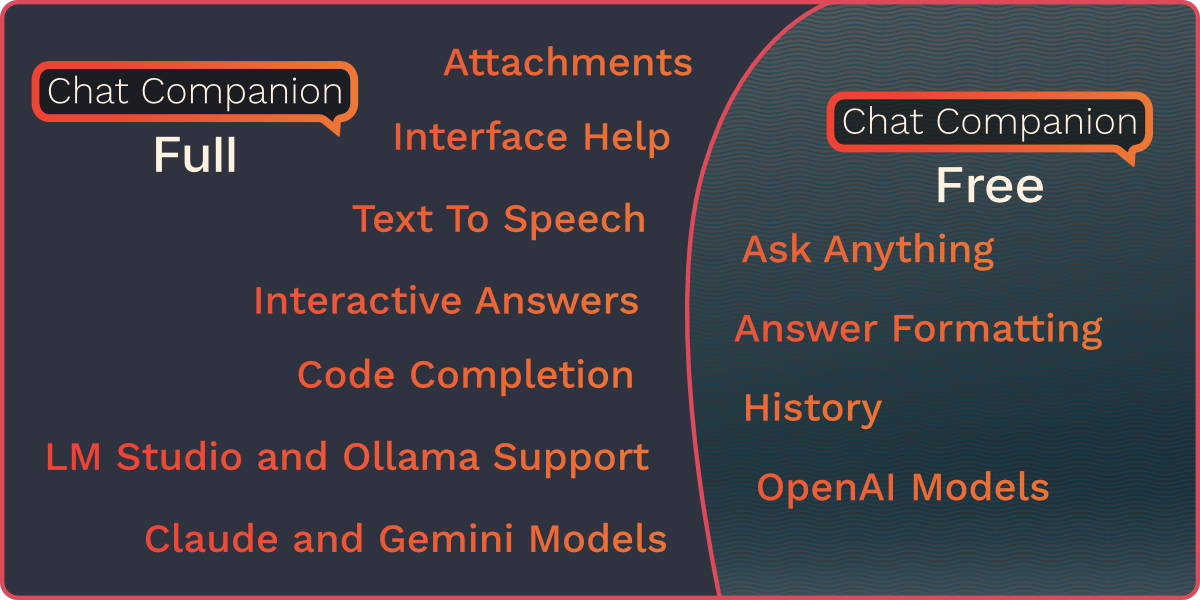
Chat Companion for Blender
Chat Companion v1.5.2 for Blender – The Ultimate AI-Powered Workflow Assistant
Versions: v1.5.2
File Size: 128 KB
Download Chat Companion v1.5.2 for Blender on Windows and Mac, a revolutionary addon that integrates advanced Large Language Model (LLM) capabilities directly into your 3D viewport. With context-aware scene analysis, instant Python script generation, and intelligent troubleshooting, Chat Companion transforms how you solve problems and automate tasks, eliminating the need to switch between Blender, documentation, and external AI chatbots.
Key Features of Chat Companion v1.5.2:
Context-Aware Scene Analysis: The AI “sees” your current selection, active object, and modifier stack, allowing it to give specific advice like “Your normal map is flipped because the scale is negative” or “Try adding a Subdivision Surface modifier here.”
Instant Python Script Generation: Describe a tool you need in plain English (e.g., “Create a script to randomize vertex colors on selected faces”), and the addon generates, explains, and executes the code instantly within Blender.
Smart Error Troubleshooting: Paste an error log from the console, and Chat Companion analyzes the stack trace to provide a clear, step-by-step solution tailored to your specific Blender version and setup.
Interactive Learning & Documentation: Ask questions like “How do I rig a mechanical arm?” or “Explain Geometry Nodes instance on points,” and receive concise, illustrated tutorials without leaving the software.
Custom Prompt Library: Save and organize your most useful AI prompts (e.g., “Optimize for VRChat,” “Cleanup UVs,” “Batch Rename”) for one-click access during repetitive workflows.
Multi-Model Support: Connect to various LLM backends including local models (via Ollama/LM Studio for privacy) or cloud APIs (OpenAI, Anthropic), giving you full control over cost and data security.
Voice Command Integration (Beta): Speak your commands to generate scripts or ask questions hands-free, perfect for when your hands are busy sculpting or painting.
Enhanced Privacy v1.5.2: New “Local-First” mode ensures sensitive project data never leaves your machine when using local models, along with improved token management to reduce API costs.
Cross-Platform Support: Works flawlessly on both Windows and Mac systems including Apple Silicon M1/M2/M3 chips
Perfect For:
Technical artists needing quick custom tools without deep Python knowledge
Beginners struggling with Blender’s steep learning curve and complex menus
Pipeline TDs looking to rapidly prototype automation scripts
Freelancers who want an always-available expert assistant to solve niche problems
Anyone tired of copying and pasting errors into a web browser to find solutions
System Requirements:
Blender 3.6, 4.0, 4.1, 4.2, 4.3+ (Latest LTS recommended)
Windows 10/11 (64-bit) or macOS 10.15+
8GB RAM minimum (16GB+ recommended if running local LLMs)
Active Internet connection required for cloud models; Local models require sufficient VRAM
Installation:
Open Blender and go to Edit > Preferences > Add-ons:
Click “Install…” and select the downloaded .zip file for Chat Companion
Enable the checkbox next to “Interface: Chat Companion”
Configure your API key or Local Model path in the new “Chat Companion” tab in Preferences
Access via the 3D Viewport Sidebar (N-panel) > Chat Companion Tab
Note: Version 1.5.2 introduces a new “Code Review” feature where the AI can analyze your existing custom scripts for optimization opportunities, deprecated functions, and potential bugs before you run them.
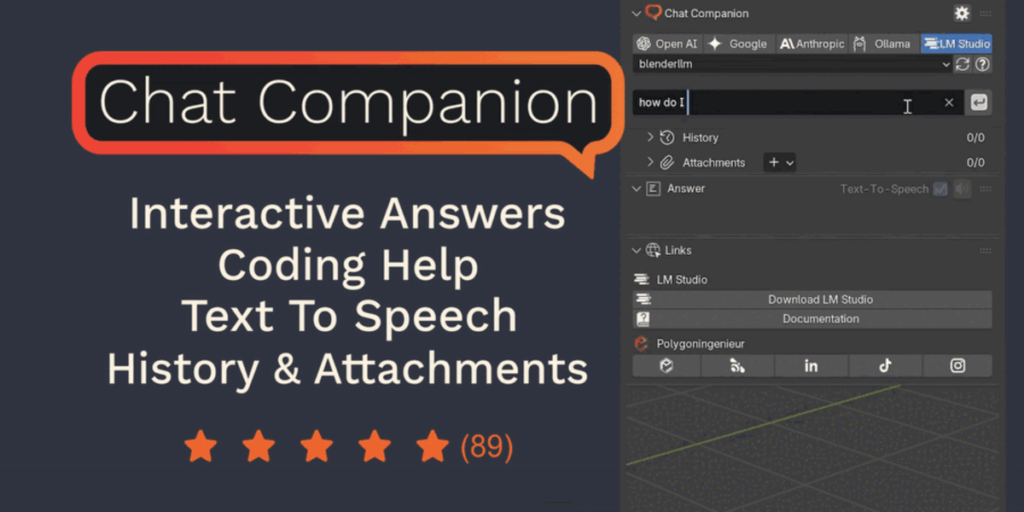
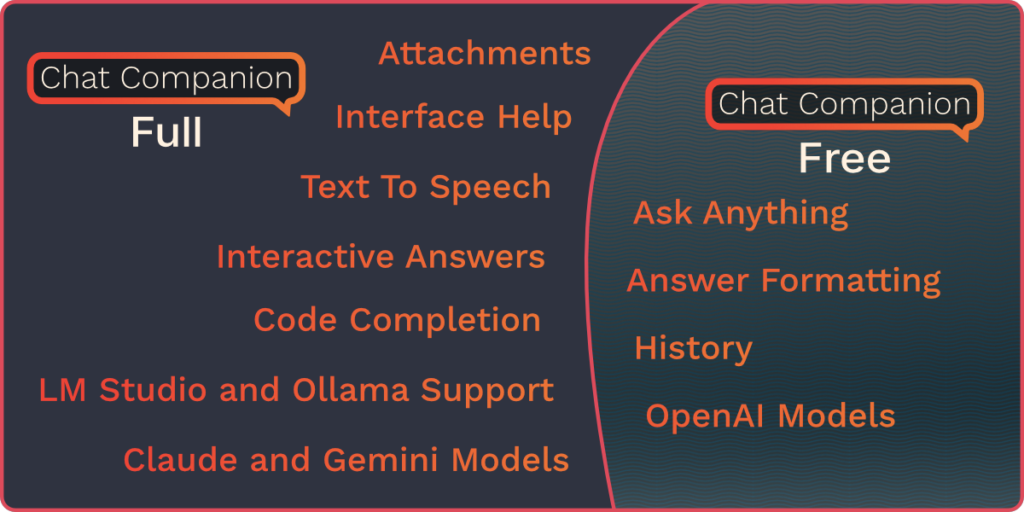
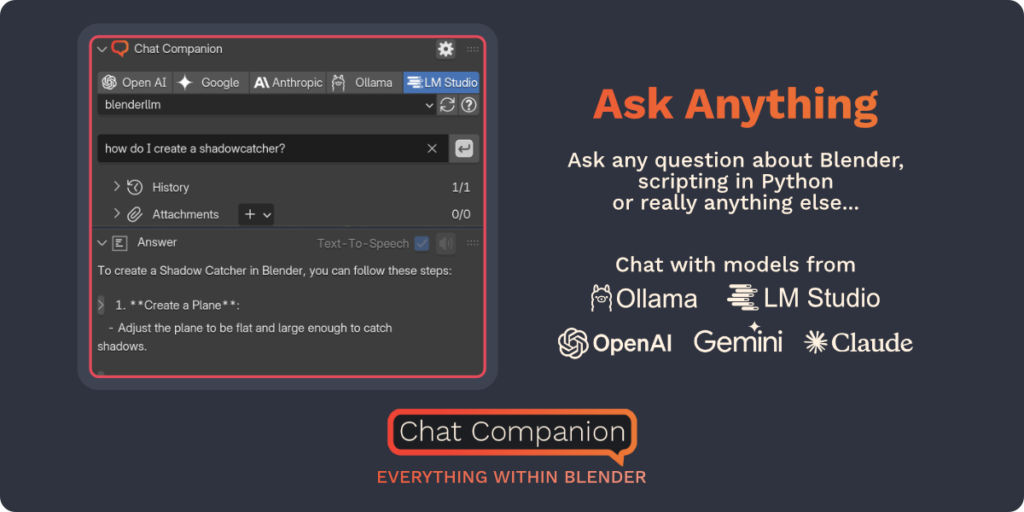
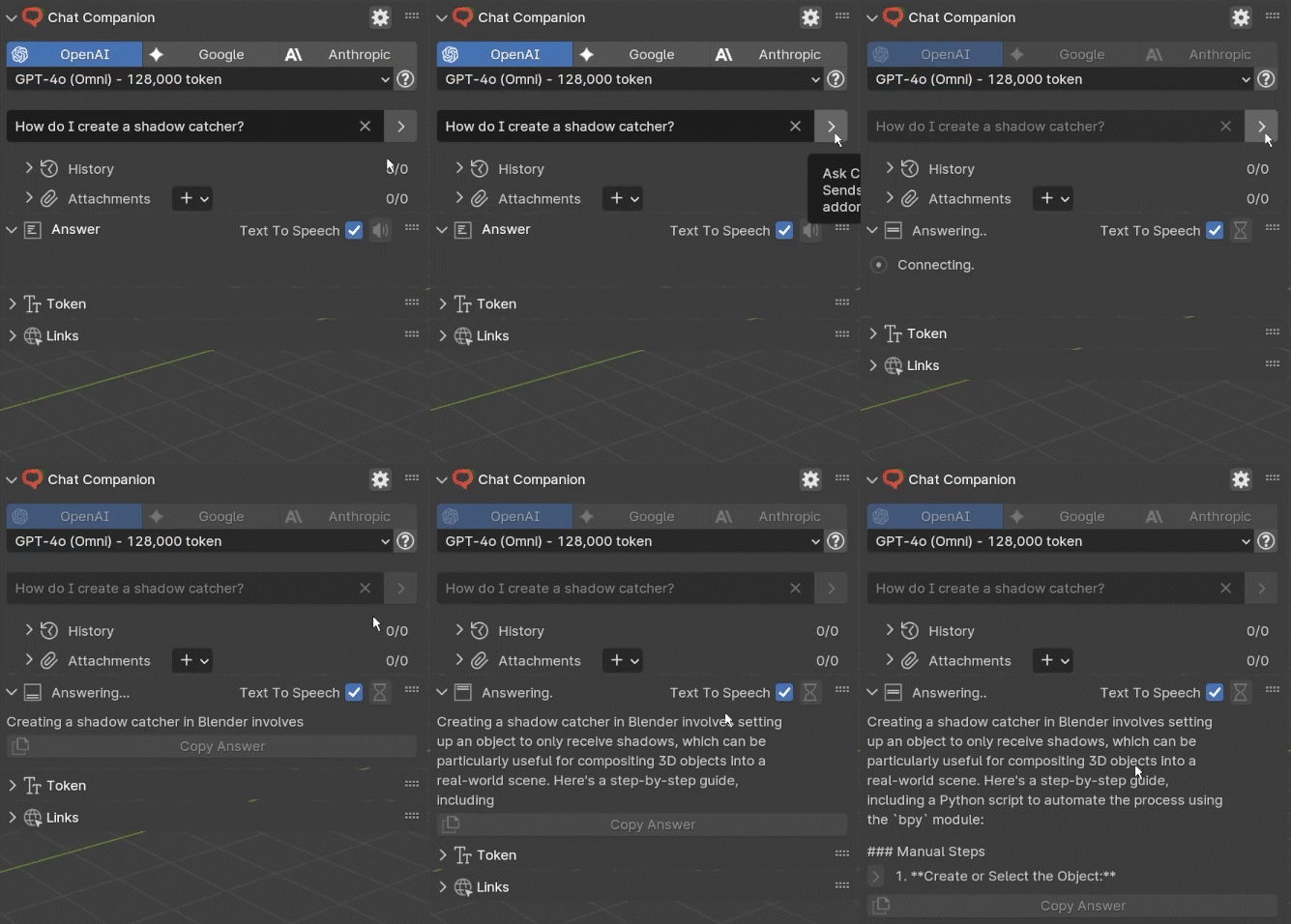
Ask Anything
Ask any question about Blender, scripting with Python or really anything else…
Chat with models from
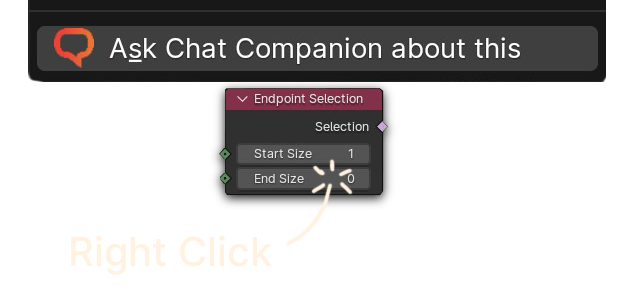
Everything within Blender
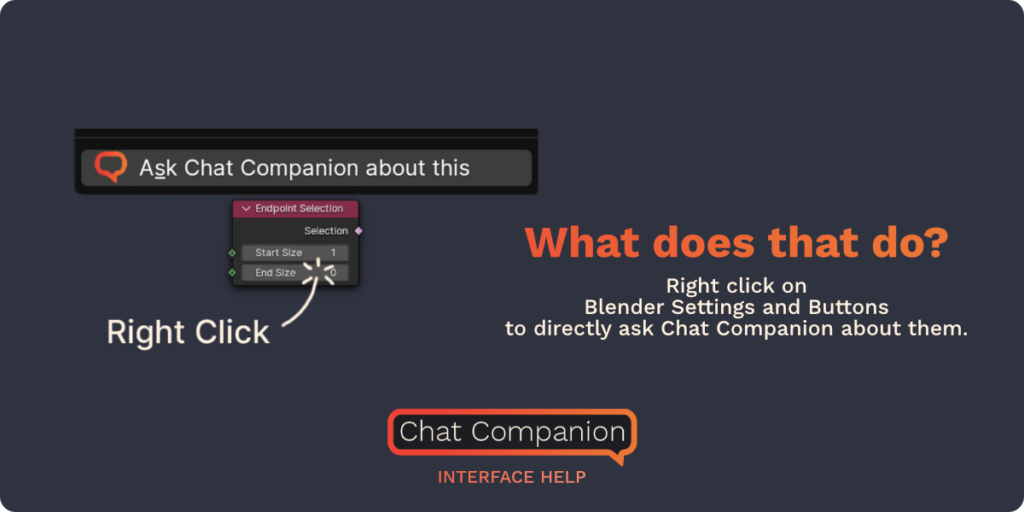
What does that do?
Right click on Blender settings and buttons to directly ask Chat Companion about them.
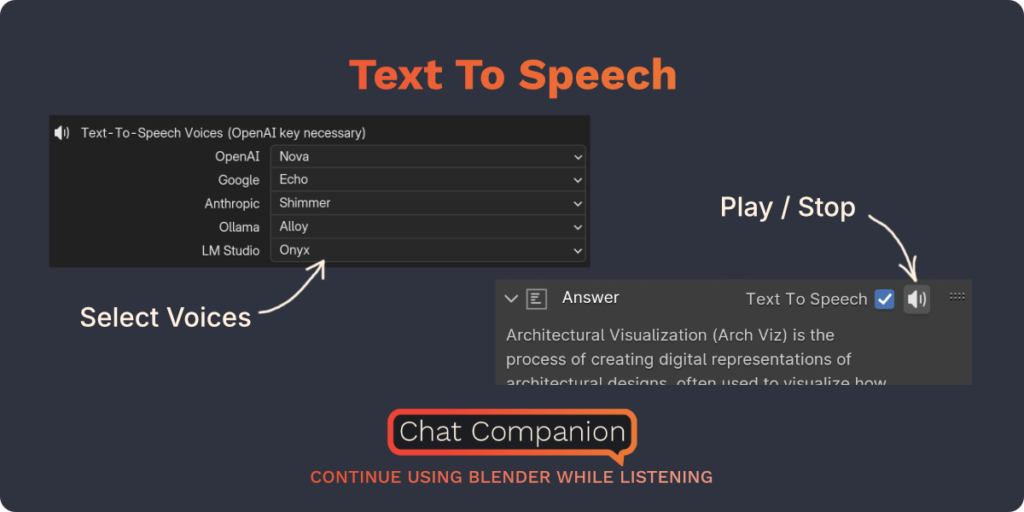
Text To Speech
Chat Companion reads the answers out loud to you.
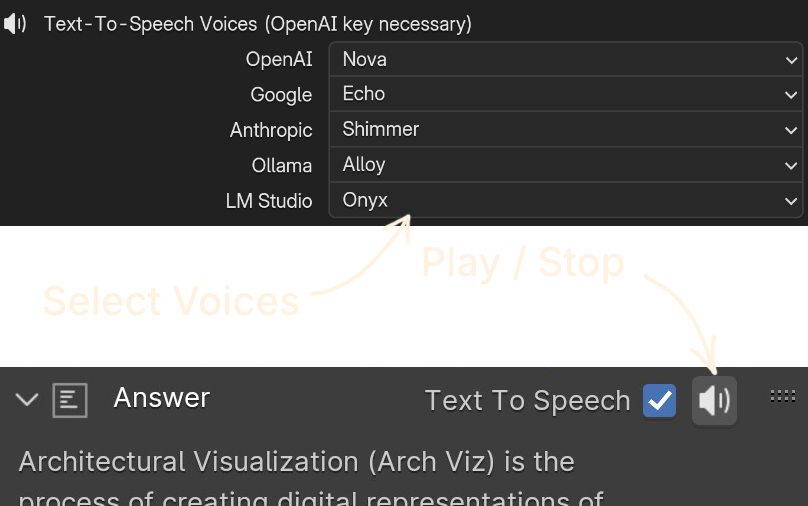
Example
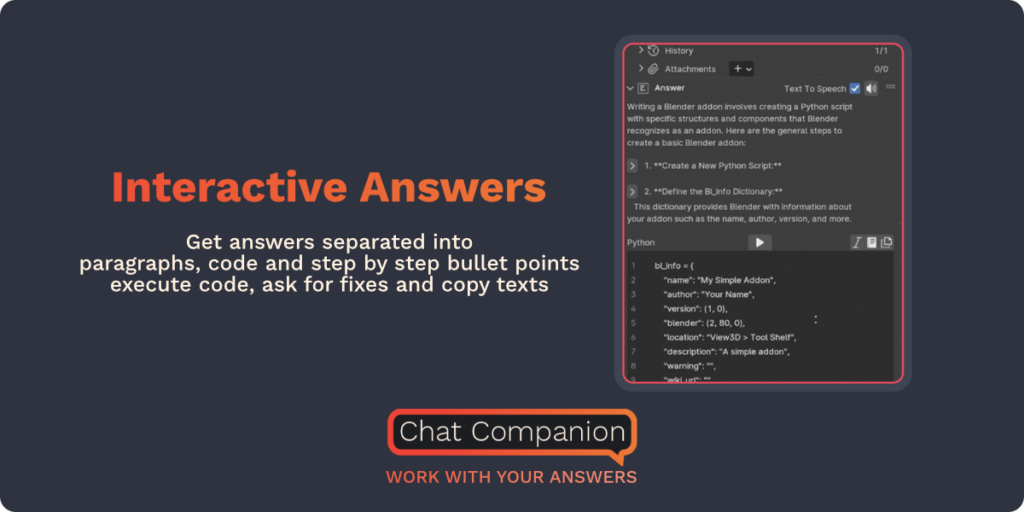
Interactive Answers
Get answers separated into paragraphs, code and lists – execute code, copy text and listen to the answers with text-to-speech.
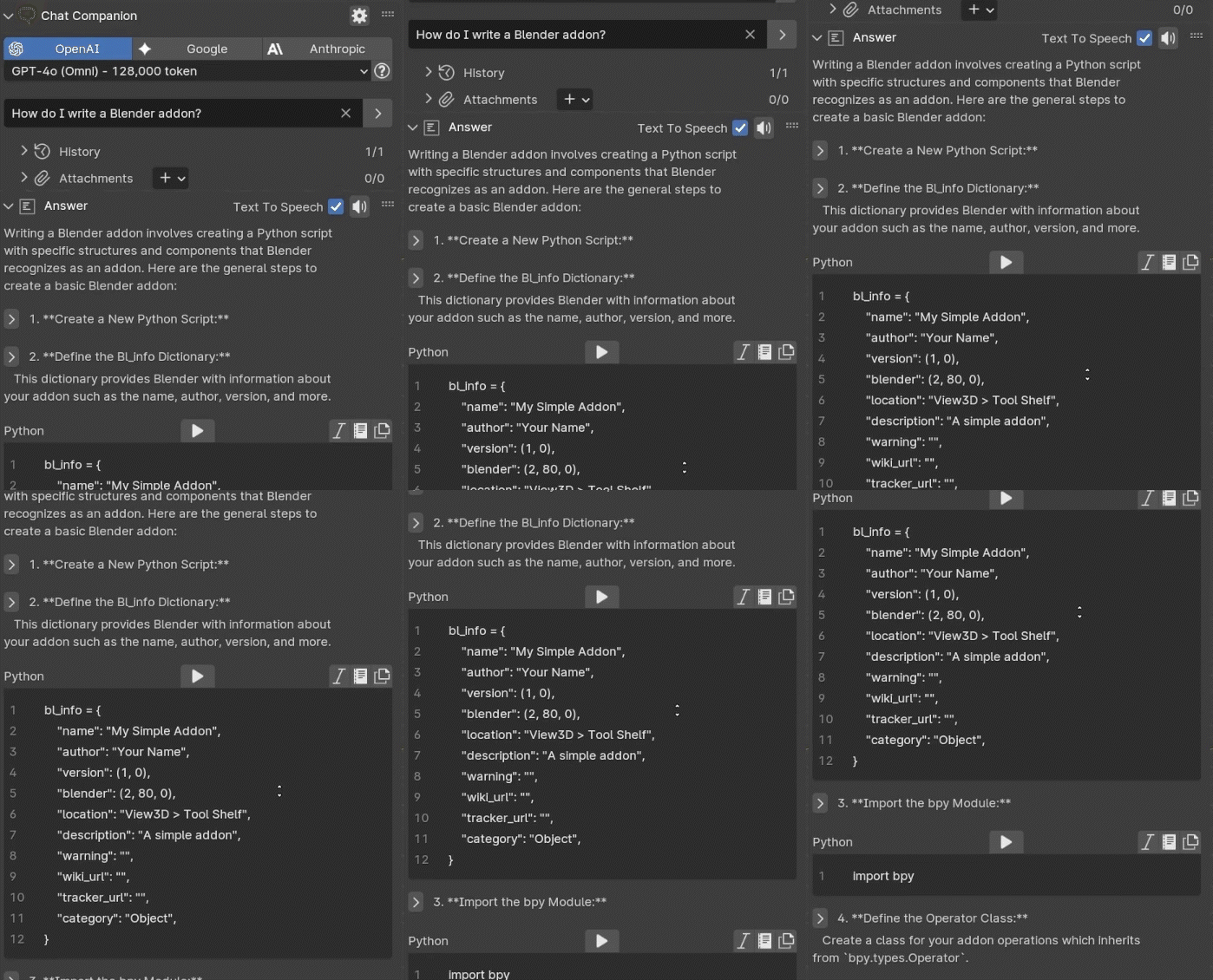
Work with the answers
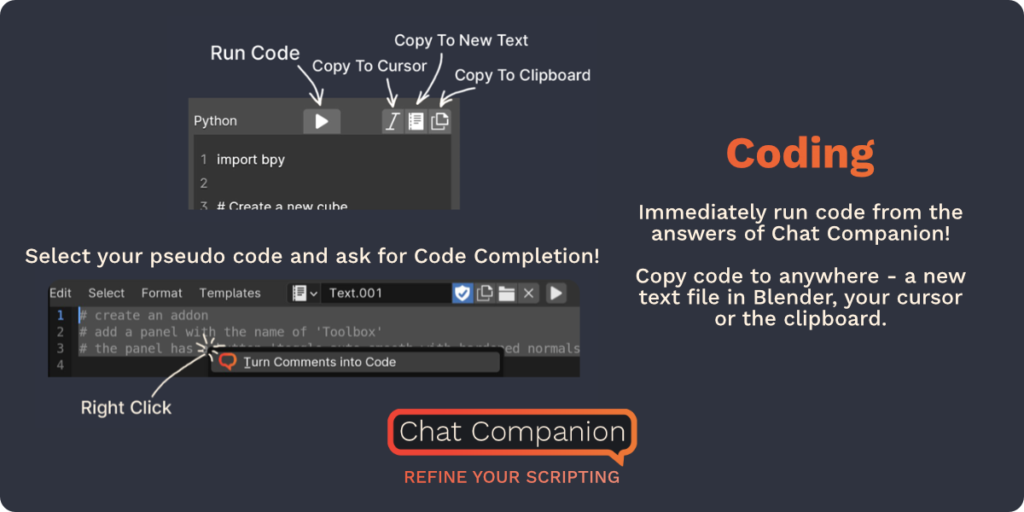
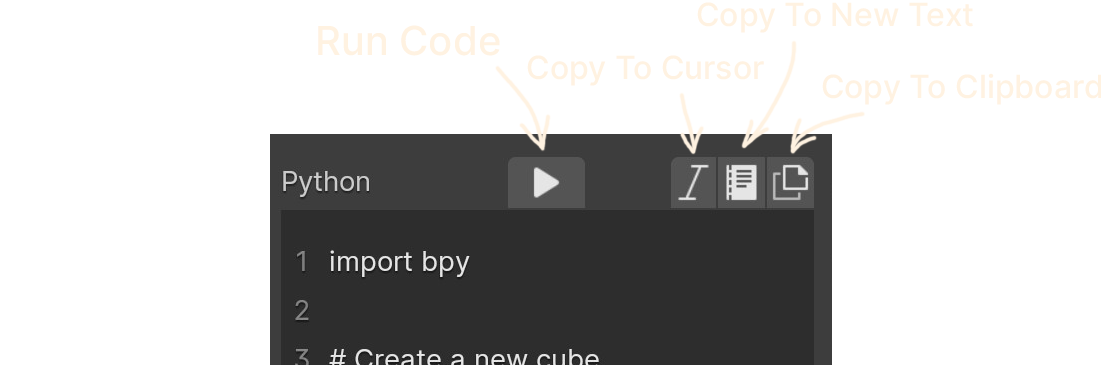
Coding
Immediately run code from the answers of Chat Companion.
Copy code to anywhere – a new text file in Blender, your cursor or the clipboard.
Code Completion
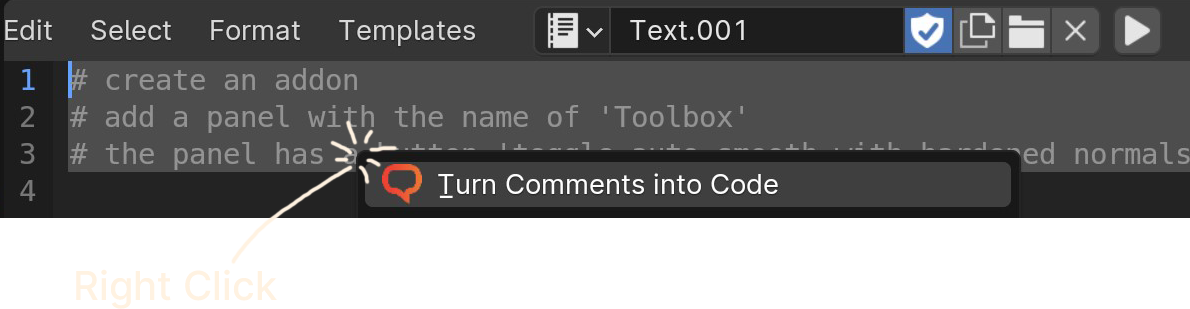
Select your pseudo code and ask for Code Completion!
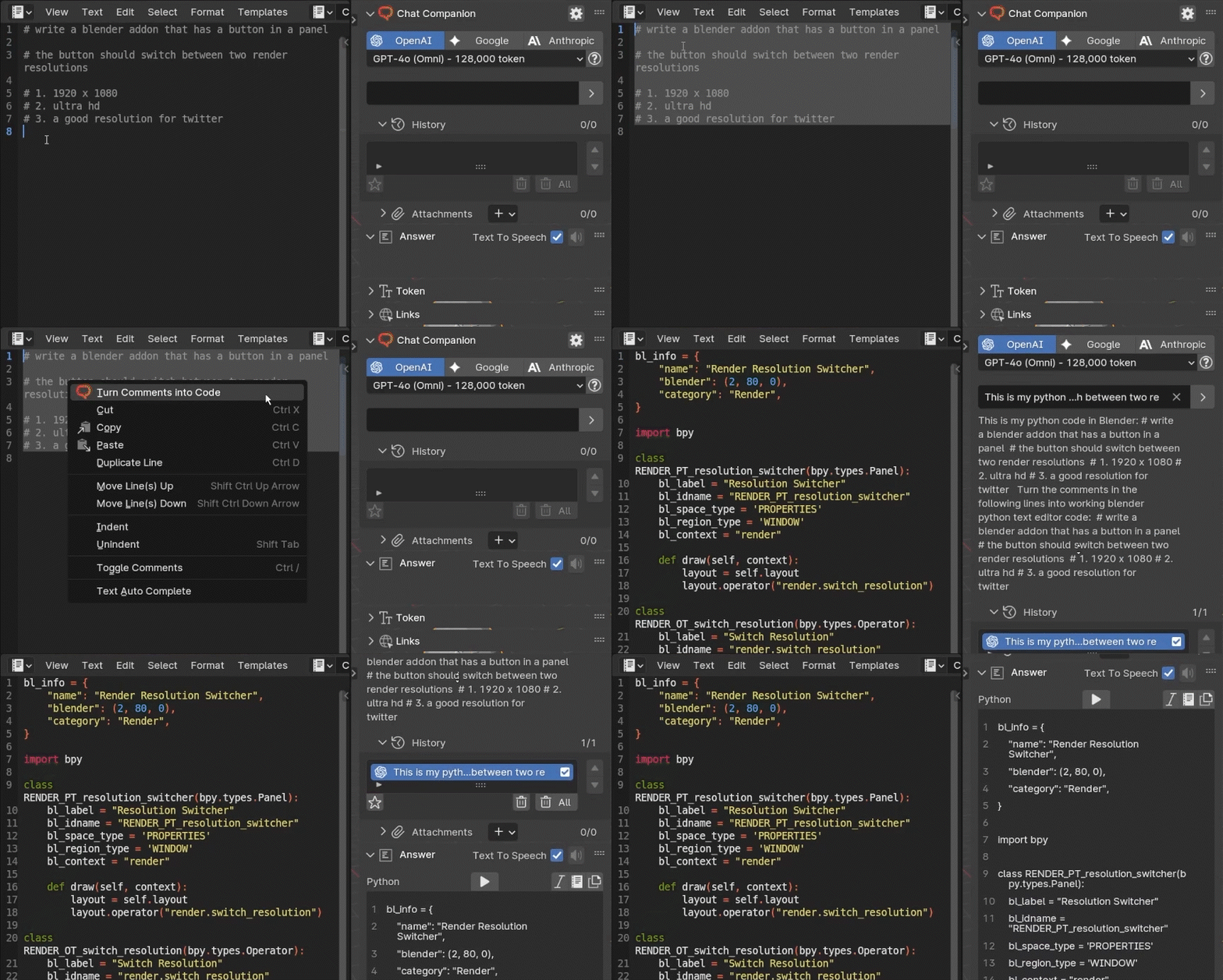
Refine your scripting
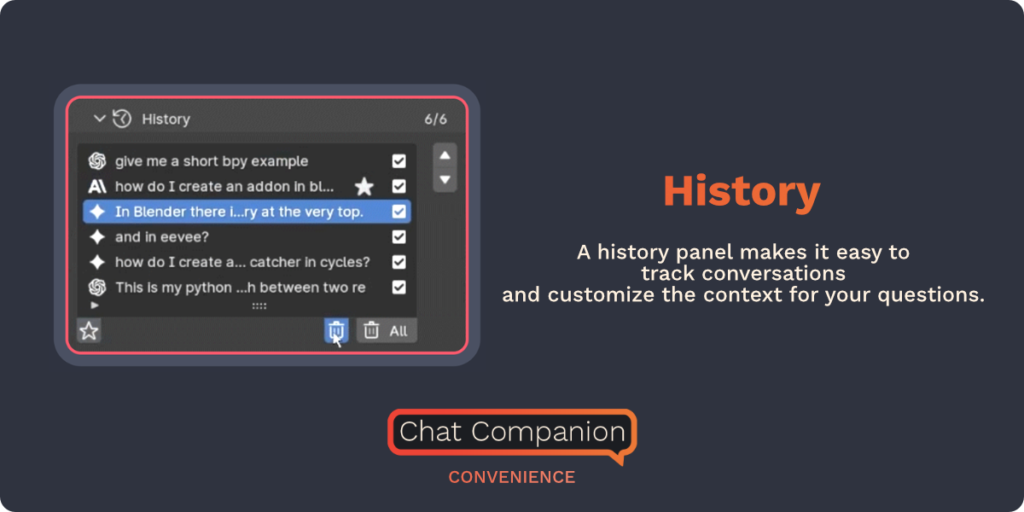
History
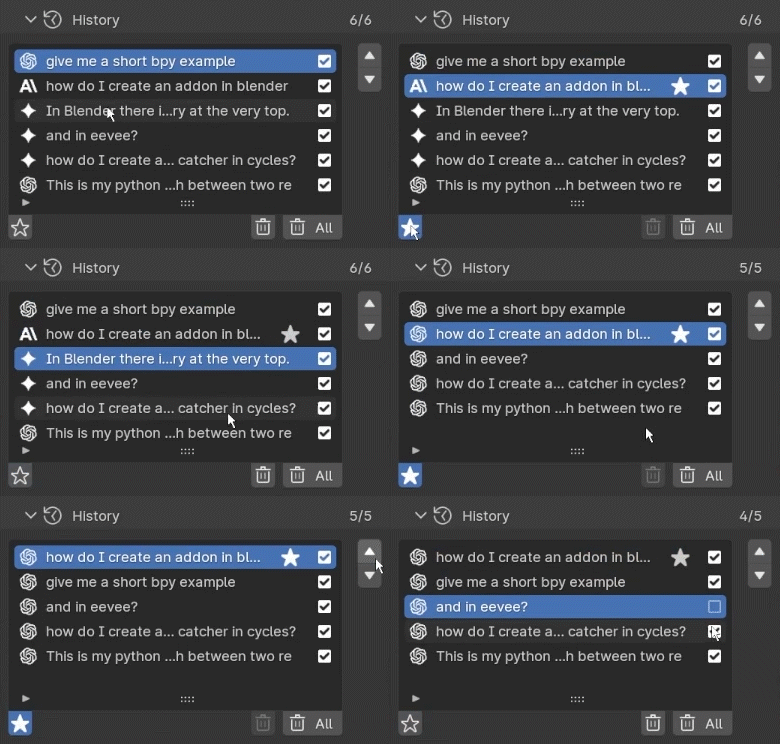
A history panel makes it easy to track conversations and customize the context for your questions.
Convenience
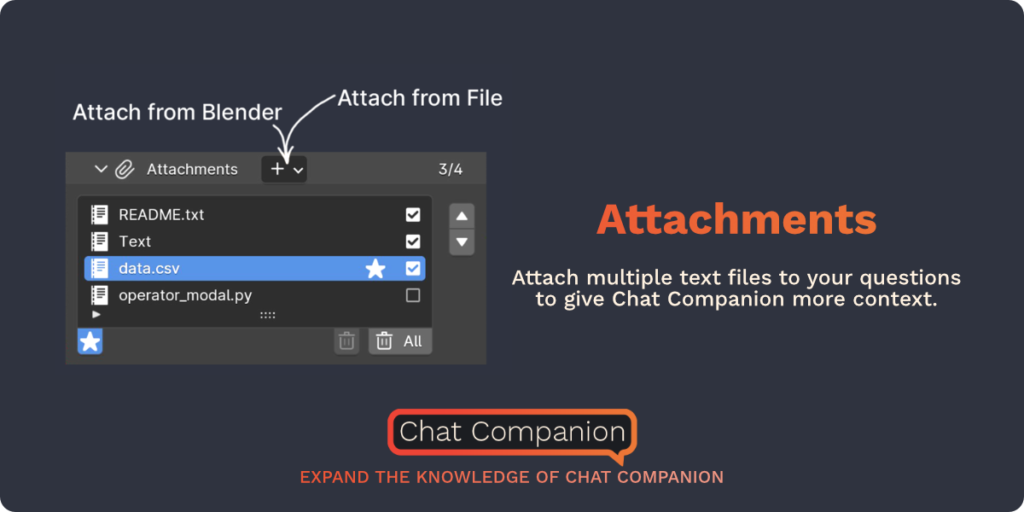
Attachments
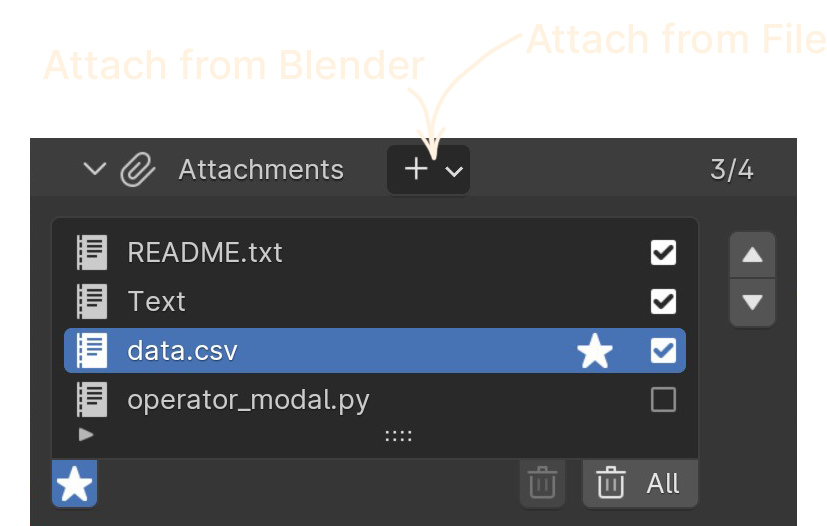
Attach multiple text files to your question to give Chat Companion more context.
Supercharge your 3D creation workflow with premium selection of Blender Add-ons. Whether you are modeling intricate characters, sculpting realistic environments, or animating cinematic sequences, the right add-on can transform how you work inside Blender. Our curated collection includes powerful tools for UV unwrapping, procedural texture generation, rigging automation, rendering optimization, and more—each rigorously tested for compatibility with the latest Blender versions. Eliminate tedious manual processes and unlock advanced functionality that lets you focus on what matters most: bringing your creative vision to life. Explore our full range of professional Blender plugins today and take your 3D projects to the next level.
➡️ ➡️ For more Blender Plugins 😀 😀
Reviews
There are no reviews yet.