
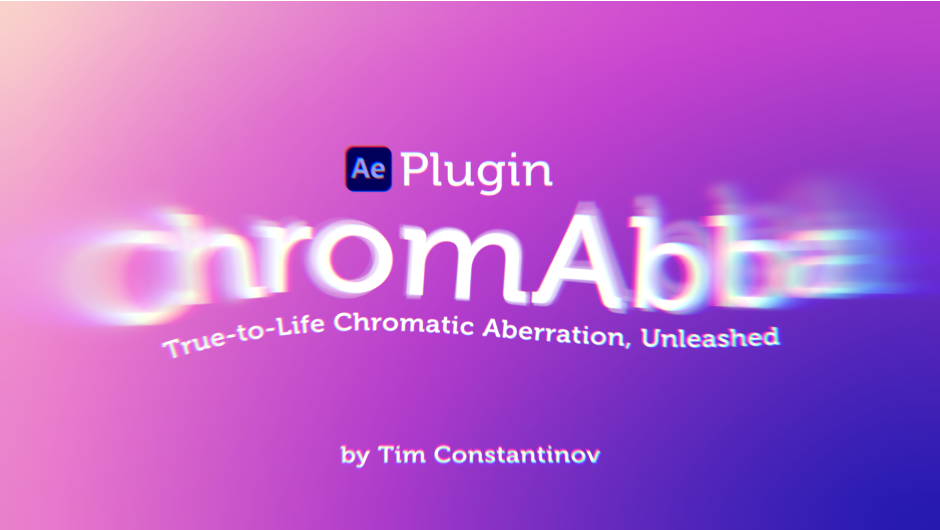
Chromabba for After Effects
Chromabba v1.3.6 for After Effects, Premiere Pro & DaVinci Resolve
The Ultimate Physically-Accurate Chromatic Aberration and Liquid Glass Plugin
Download Chromabba v1.3.6 today. Consequently, you can create realistic chromatic aberration that simulates how light actually bends around edges, rather than simply shifting RGB channels . Because filmmakers and motion designers constantly seek authentic optical effects, having access to a tool that mimics real lens physics is absolutely essential. Nevertheless, standard RGB channel shifting often produces artificial-looking results that lack the subtlety of genuine lens refraction. Fortunately, Chromabba eliminates this problem entirely. Moreover, this free, GPU-accelerated plugin provides precise control over intensity, direction, and edge behavior, while also offering a surprising creative bonus—the ability to generate stunning liquid glass distortion effects . In short, you can achieve both subtle lens fringing and experimental glass visuals with unmatched flexibility and ease.
Scientific Light Refraction Simulation Engine
The core of this plugin lies in its physically-accurate optical engine. For instance, Chromabba calculates how light actually refracts at high-contrast edges, producing natural-looking color fringing that mimics the behavior of real camera lenses . Furthermore, you can control the intensity of the prismatic effect, dialing it up for a bold, stylized look or keeping it subtle for cinematic realism . Since the plugin replicates genuine optical physics, your chromatic aberration will always appear authentic and professional.
Precision Control for Professional Results
Professional colorists demand fine-grained control over their effects. Therefore, Chromabba offers a comprehensive suite of parameters that work together to shape the final result. For example, you can choose the Direction of the chromatic shift: Both spreads color inward and outward, Inward pushes fringing toward the center of edges, and Outward pushes it away, giving you full control over the optical character . Additionally, the Samples parameter adjusts smoothness—more samples create a smoother color spread—while Edge Attraction Power determines how strongly the effect follows high-contrast edges . You can also set Edge Mode to control how borders are handled, with options for Transparency, Clamp to Edge, Repeat, and Mirror Repeat . Thus, every aspect of the effect remains under your complete command.
Liquid Glass Distortion and Creative Applications
One of the most exciting features of Chromabba is its ability to generate unexpected, creative effects. For instance, by pushing the parameters beyond their intended range, you can create a thick, refractive liquid glass distortion, perfect for abstract backgrounds, transitions, and experimental design . This dual nature—both a realistic lens correction tool and a creative effects generator—makes Chromabba exceptionally versatile. Consequently, you can use it for everything from subtle color fringing to bold, abstract visuals.
GPU-Accelerated Performance and Broad Compatibility
Chromabba v1.3.6 is built for modern post-production pipelines. The plugin is GPU-accelerated via WebGPU, ensuring fast, responsive performance across After Effects, Premiere Pro, DaVinci Resolve, Nuke, and other OFX hosts . Version 1.3.6 is fully compatible with After Effects 2022 through 2026, Premiere Pro 2022 through 2026, DaVinci Resolve 18-20+, and Nuke 13.0 and above . Furthermore, this latest version fixes multi-instance flicker with Multi-Frame Rendering and resolves OFX pixel conversion for float32 RGBA, ensuring robust stability in demanding projects . The plugin runs smoothly on both Windows and macOS, including native support for Apple Silicon .
Completely Free and Open Source
Remarkably, Chromabba is a completely free, open-source plugin with a “Name Your Own Price” model . This makes professional-grade chromatic aberration accessible to creators at every level. The plugin’s source code is available on GitHub, ensuring transparency and community-driven development for the future.
Perfect for Colorists, VFX Artists, and Motion Designers
This plugin is particularly well-suited for colorists and video editors who need realistic lens correction. Similarly, VFX artists and motion designers will appreciate the creative potential of the liquid glass distortion feature. Additionally, anyone working on experimental design, abstract animation, or transitions will find Chromabba an invaluable tool. Ultimately, Chromabba v1.3.6 accelerates your entire color grading, VFX, and motion design pipeline.
System Requirements and Compatibility
Chromabba v1.3.6 supports After Effects 2022-2026, Premiere Pro 2022-2026, DaVinci Resolve 18-20+, Nuke 13.0+, and other OFX hosts . The plugin is fully compatible with Windows 10+ and macOS, including native Apple Silicon support . GPU acceleration requires WebGPU support (Vulkan/D3D12 on Windows, Metal on macOS) . You will need a standard workstation with at least 8GB of RAM.
Installation and Usage Guide
To install, first download the plugin installer from your library. Next, close Adobe After Effects, Premiere Pro, or DaVinci Resolve if they are running. Then, run the installer following the standard OFX or aescripts installation process. After installation, launch your host application and locate Chromabba in the Effects panel. Finally, apply the effect to your clip, adjust the Intensity, Direction, and Edge Attraction controls to achieve the desired look, and experiment with pushing parameters beyond their limits to explore the liquid glass distortion effect. Thus, your professional chromatic aberration workflow will be ready instantly.
What is Included Inside?
The pack contains the complete Chromabba v1.3.6 plugin for After Effects, Premiere Pro, DaVinci Resolve, and OFX hosts . Furthermore, it includes the physically-accurate chromatic aberration engine, liquid glass distortion capabilities, and comprehensive parameter controls . Additionally, you receive full GPU acceleration via WebGPU and cross-platform compatibility. Ultimately, you receive everything needed for professional chromatic aberration and creative glass effects.
Final Thoughts on the Plugin
Effortless, realistic chromatic aberration and creative glass effects evoke profound creative freedom. Therefore, this plugin provides the ultimate foundation for your color grading and VFX workflows. You can achieve authentic lens refraction and experimental visuals with unprecedented speed and simplicity. Consequently, your creative vision becomes a stunning reality.
Realistic chromatic aberration plugin. Simulates how light actually bends around edges instead of just shifting RGB channels.
Control strength, direction, edge attraction, and more. Can also produce a liquid glass distortion effect.
GPU-accelerated via WebGPU. Works in After Effects, Premiere Pro, DaVinci Resolve, Nuke and other OFX hosts.
GPU-Powered
Runs entirely on the GPU via WebGPU. Supports Multi-Frame Rendering. Works with 8-bit, 16-bit, and 32-bit color.
macOS + Windows
Metal on macOS (Intel & Apple Silicon), Vulkan/D3D12 on Windows 10+.
Works in
After Effects, Premiere Pro, DaVinci Resolve, Nuke & other OFX hosts.
Liquid Glass
Push parameters beyond their intended range and Chromabba produces a thick, refractive glass distortion. Great for abstract backgrounds, transitions, and experimental design.
iApply to an Adjustment Layer to control the area and size with masks and transforms.
Strength
The main parameter. Controls overall intensity. Crank it for a heavy prism look, or keep it subtle.
Direction
Both, Inward, or Outward. Full control over optical character.
Fine Control
Samples for smoothness, Edge Attraction Power for edge following, Edge Mode for border handling.
Elevate your motion graphics workflow with premium collection of After Effects plugins. Whether you are a seasoned professional or just starting your VFX journey, powerful tools designed to streamline complex tasks, unlock creative possibilities, and save you hours of rendering time. From stunning glitch effects and seamless transitions to advanced 3D extrusion and text animation tools, each plugin in our library is rigorously tested for compatibility with the latest versions of Adobe after Effects. Enhance your video production value today and download industry-leading plugins that help you create breathtaking visuals without the technical headaches. Browse our full range and find the perfect extension to supercharge your editing suite now.
➡️ ➡️ For more after effects Plugins 😀 😀
➡️ ➡️ System requirements AE
Reviews
There are no reviews yet.