
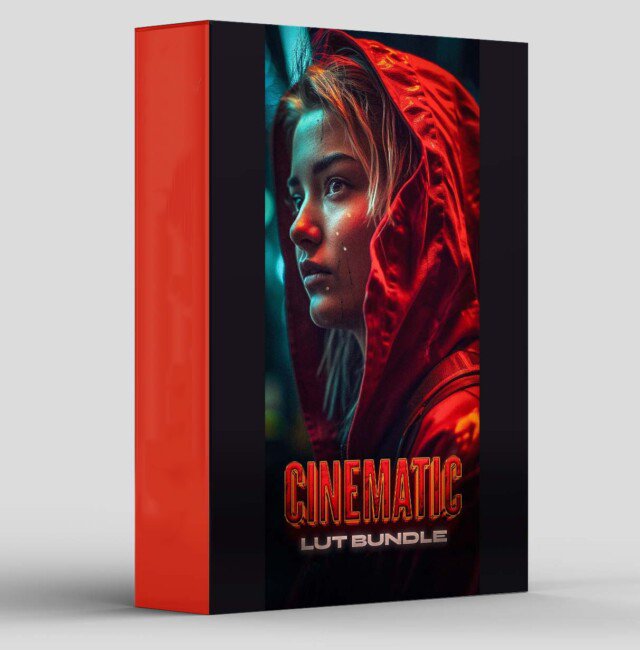
Cinematic LUT Bundle
Cinematic LUT Bundle for Premiere Pro – The Ultimate Professional Color Grading & Film Emulation Collection
Download the Cinematic LUT Bundle for Adobe Premiere Pro, a comprehensive, professional-grade collection of Look-Up Tables (LUTs) designed to instantly transform your flat, log, or standard footage into breathtaking, Hollywood-caliber cinematic masterpieces. Whether you’re working with RAW camera files, S-Log, V-Log, C-Log, or standard Rec.709 footage, this meticulously curated bundle provides the exact color science and grading presets used by top-tier colorists and filmmakers. From moody film noir to vibrant blockbusters, this bundle gives you instant access to professional color grading without the steep learning curve of manual color correction.
Key Features of the Cinematic LUT Bundle:
- Massive Professional LUT Library: Over 500+ meticulously crafted
.CUBEformat LUTs covering every major cinematic style, film stock emulation, and color grading aesthetic. Includes dedicated packs for Teal & Orange, Bleach Bypass, Vintage Film, Cyberpunk Neon, Moody Drama, Bright & Airy, and Dark & Gritty. - Camera-Specific Log Conversions: Dedicated input LUTs designed specifically for major cinema cameras including ARRI Alexa (LogC), RED (RedLogFilm), Sony (S-Log2/S-Log3), Panasonic (V-Log), Canon (C-Log), Blackmagic (Film Gen 5), and DJI (D-Log). Ensures perfect color space conversion and normalization before creative grading.
- Film Stock Emulations: Authentic recreations of legendary film stocks including Kodak Vision3 250D/500T, Kodak Portra 400/800, Fuji Eterna 500/8500, CineStill 800T, and expired 16mm/35mm looks. Each LUT captures the unique color response, contrast curve, and highlight roll-off of physical film emulsion.
- One-Click Creative Looks: Instantly apply signature cinematic grades used in major motion pictures. Includes presets for Blockbuster Action, Indie Drama, Romantic Comedy, Horror/Thriller, Sci-Fi Futuristic, Period Piece, and Documentary Natural.
- Lumetri Color Panel Integration: Seamlessly works within Premiere Pro’s native Lumetri Color panel. Simply drag and drop any
.CUBEfile into the “Input LUT” or “Creative LUT” dropdown for instant application. Fully compatible with Adjustment Layers for non-destructive, timeline-wide grading. - Technical Correction LUTs: Includes essential utility LUTs for contrast normalization, exposure correction, white balance adjustment, saturation balancing, and skin tone protection, ensuring your creative grades sit on a perfectly balanced foundation.
- Stackable & Blendable Design: All LUTs are engineered to work harmoniously when stacked. Apply a technical correction LUT first, followed by a film emulation, then finish with a creative grade. Adjust the intensity of each using the Lumetri “Intensity” slider for precise control.
- Rec.709 & HDR Ready: Includes dedicated output LUTs for proper delivery in Rec.709 (SDR), Rec.2020, DCI-P3, and HDR10/HLG color spaces, ensuring your grade translates perfectly across different display standards and distribution platforms.
- Organized Category System: LUTs are pre-sorted into intuitive folders (Input, Creative, Film Emulation, Genre-Specific, Technical, Output) for lightning-fast browsing during high-pressure editing sessions.
- Regular Updates & Community Access: Purchase includes access to future LUT pack updates and entry into an exclusive community of colorists sharing custom grades, tutorials, and workflow tips.
Perfect For:
- Independent Filmmakers & Directors shooting on mirrorless or cinema cameras who need to achieve a polished, theatrical look without hiring a dedicated colorist.
- Wedding & Event Videographers creating cinematic highlight reels with consistent, emotional color grading that makes every wedding look like a feature film.
- YouTube Content Creators & Vloggers elevating production value with professional-grade color that stands out in crowded feeds and keeps viewers engaged.
- Commercial & Corporate Video Producers delivering broadcast-quality spots and brand films with consistent, on-brand color across multiple projects and camera sources.
- Documentary Filmmakers achieving natural, truthful color correction while maintaining the flexibility to apply subtle creative grades for mood and atmosphere.
- Music Video Directors creating bold, stylized looks ranging from neon-drenched cyberpunk to moody, desaturated drama that matches the song’s energy.
- Colorists & Post-Production Houses expanding their toolkit with quick-starting presets that serve as excellent starting points for custom grades, speeding up client review cycles.
- Film Students & Aspiring Colorists learning professional color theory and grading techniques by reverse-engineering industry-standard looks.
System Requirements:
- Software: Adobe Premiere Pro CC 2019 or newer (Required for full Lumetri Color panel compatibility). Also compatible with Adobe After Effects, Photoshop, and Lightroom.
- OS: Windows 10/11 (64-bit) or macOS 10.15+.
- File Format: Universal
.CUBEformat (industry standard, compatible with virtually all color grading software including DaVinci Resolve, Final Cut Pro, and Vegas Pro). - RAM: 8GB minimum (16GB+ recommended for 4K/8K timeline playback with multiple Lumetri effects).
- GPU: Metal-capable (macOS) or CUDA/OpenCL-compatible (Windows) graphics card for accelerated Lumetri rendering.
- Storage: Approximately 2GB – 5GB for the full uncompressed LUT library.
Installation / How to Use:
- Download and extract the Cinematic LUT Bundle
.ziparchive to a permanent location on your hard drive (e.g.,Documents/Adobe/Common/LUTs/Creativeor a dedicated folder). - Method 1 – Direct Application: Open Premiere Pro, select your clip or Adjustment Layer, navigate to the Lumetri Color panel, expand the Creative tab, click the dropdown arrow next to “Look,” and select Browse… Navigate to your extracted LUT folder and select any
.CUBEfile to apply instantly. - Method 2 – Installation into Premiere: Copy the
.CUBEfiles to Premiere Pro’s LUT directory:- Windows:
C:\Program Files\Adobe\Adobe Premiere Pro [Version]\Lumetri\LUTs\Creative - macOS:
/Applications/Adobe Premiere Pro [Version]/Lumetri/LUTs/Creative - Restart Premiere Pro, and the LUTs will appear directly in the Creative Look dropdown menu.
- Windows:
- Workflow Best Practice: Apply technical/input LUTs in the Basic Correction tab (Input LUT section) to normalize your log footage. Then apply creative/film emulation LUTs in the Creative tab (Look section) for your artistic grade.
- Adjust Intensity: Use the Intensity slider (0-200%) in the Creative tab to blend the LUT effect subtly or aggressively, ensuring it complements rather than overwhelms your footage.
- Use Adjustment Layers: For timeline-wide grading, create an Adjustment Layer (
File > New > Adjustment Layer), place it above your clips, and apply the LUT to the Adjustment Layer. This allows you to grade entire sequences consistently and toggle the effect on/off easily. - Pro-Tip: Always perform basic exposure and white balance correction before applying creative LUTs. A well-balanced image ensures the LUT performs as intended.
What’s Included in the Bundle?
- The Input LUT Collection: 50+ camera-specific log-to-Rec.709 conversion LUTs for ARRI, RED, Sony, Panasonic, Canon, Blackmagic, DJI, and GoPro.
- The Film Emulation Suite: 100+ authentic recreations of Kodak, Fuji, CineStill, and vintage film stocks with varying ISO ratings and development processes.
- The Creative Looks Library: 250+ one-click cinematic grades organized by genre (Action, Drama, Horror, Romance, Sci-Fi, Documentary, Commercial).
- The Genre-Specific Pack: 50+ specialized looks for Music Videos, Wedding Films, Travel Vlogs, Corporate Videos, and Social Media Content.
- The Technical Correction Set: 30+ utility LUTs for contrast balancing, exposure normalization, white balance fixes, and saturation control.
- The Output LUT Collection: 20+ delivery LUTs for Rec.709, Rec.2020, DCI-P3, HDR10, and HLG color spaces.
- Bonus: Preset Packs: 10 Adobe Premiere Pro
.prfpsetfiles that combine LUTs with additional Lumetri adjustments (exposure, contrast, HSL curves) for complete one-click looks. - Video Tutorials & PDF Guide: Comprehensive instruction manual and video walkthroughs covering LUT theory, proper application, stacking techniques, and troubleshooting.
Note:
The Cinematic LUT Bundle is built on the philosophy that color is emotion. The difference between amateur and professional video often comes down to color grading—the subtle warmth in a sunset, the cool detachment of a thriller, the vibrant energy of a music video. This bundle distills decades of color science and cinematic tradition into an accessible, powerful toolkit. However, LUTs are not magic wands; they are starting points. The true power lies in understanding how to adapt them to your specific footage, lighting conditions, and creative vision. By providing both technical precision (camera-specific conversions) and artistic inspiration (creative looks), this bundle empowers you to work faster, grade smarter, and achieve consistently stunning results. Whether you’re color-correcting a documentary interview or crafting the neon-drenched world of a sci-fi short, the Cinematic LUT Bundle gives you the professional foundation to make your visual storytelling unforgettable. Remember: the best grade is the one that serves the story, and this bundle gives you the tools to tell it beautifully.
Transform your video editing workflow with our professional Premiere Pro assets, designed to deliver cinematic quality in record time. Whether you are a seasoned filmmaker, a YouTube content creator, or a social media marketer, our premium collection of transitions, color grading LUTs, motion graphics templates, and sound effects will instantly elevate your productions. Say goodbye to tedious key framing and complex adjustments—our drag-and-drop assets are fully optimized for Adobe Premiere Pro, ensuring seamless integration and lightning-fast rendering. From sleek lower thirds and dynamic glitch effects to moody cinematic color presets, every asset is crafted to help you tell compelling visual stories that captivate your audience. Save hours of post-production work while maintaining a polished, professional finish that rivals high-budget studios. Join thousands of satisfied video editors who have already streamlined their creative process and unlocked new levels of efficiency. Download our Premiere Pro bundles today and start turning your raw footage into stunning masterpieces that stand out on any screen.
Reviews
There are no reviews yet.