
City Road Builder Pro for Blender
City Road Builder Pro v2.1 for Blender – The Ultimate Procedural Urban Infrastructure Generator
Version : V2.0
File Size:20 MB
Download City Road Builder Pro v2.1 for Blender on Windows and Mac, the most advanced road system available for creating complex urban environments, highways, and rural paths with unprecedented ease. With one-click generation, customizable intersections, and integrated scattering for street furniture, City Road Builder Pro v2.1 transforms how you build cityscapes, eliminating the need for manual modeling of curbs, lanes, and sidewalks while ensuring perfect topology for game engines and architectural visualization [[1]].
Key Features of City Road Builder Pro v2.1:
One-Click Road Generation: Instantly create straight or curved roads by simply drawing a curve, with automatic generation of asphalt, markings, curbs, and sidewalks [[3]]
Advanced Intersection Maker: Automatically generates complex T-junctions, crossroads, and roundabouts with correct lane merging and traffic island placement, removing the headache of manual boolean operations [[2]]
Customizable Lane System: Fully adjustable lane counts, widths, and markings (solid, dashed, arrows) allowing for everything from narrow alleyways to multi-lane highways [[6]]
Integrated Scattering System: Built-in tools to scatter street lights, traffic signs, barriers, trees, and grass along the road sides with randomized placement and scale [[11]]
Material & Weather Control: Easy sliders to edit road material properties, including wetness levels, puddle formation, and wear maps for realistic aged or rainy conditions [[3]]
Sidewalk & Curb Detailing: Automatically generates high-quality sidewalk geometry with curb stones that adapt perfectly to curve radii and intersection corners [[7]]
Non-Destructive Workflow: All roads are generated procedurally based on curves, allowing you to reshape the path at any time and have the entire infrastructure update instantly [[15]]
Optimized Geometry: Creates clean, quad-based topology optimized for real-time rendering and game engine export, with optional LOD generation for distant viewing [[9]]
Cross-Platform Support: Works flawlessly on both Windows and Mac systems including Apple Silicon M1/M2/M3 chips
Perfect For:
Architectural visualizers creating realistic city contexts and site plans quickly
Game developers building open-world driving environments or racing tracks
Urban planners simulating traffic flow and road layouts in 3D
VFX artists needing detailed background streets for film and animation
Anyone tired of manually modeling curbs, lanes, and street props for every new road
System Requirements:
Blender 3.6, 4.0, 4.1, 4.2, 4.3+ (Latest LTS recommended)
Windows 10/11 (64-bit) or macOS 10.15+
8GB RAM minimum (16GB+ recommended for large city blocks with heavy scattering)
GPU acceleration recommended for viewport performance with many scattered assets
Installation:
Open Blender and go to Edit > Preferences > Add-ons:
Click “Install…” and select the downloaded .zip file for City Road Builder Pro
Enable the checkbox next to “Curve: City Road Builder Pro”
Access via the Add Menu > Curve > City Road or the 3D Viewport Sidebar (N-panel) > City Road Tab
Note: Version 2.1 introduces significant improvements to the intersection logic, allowing for smoother transitions between roads of different widths and adding new presets for European and American style street furniture libraries
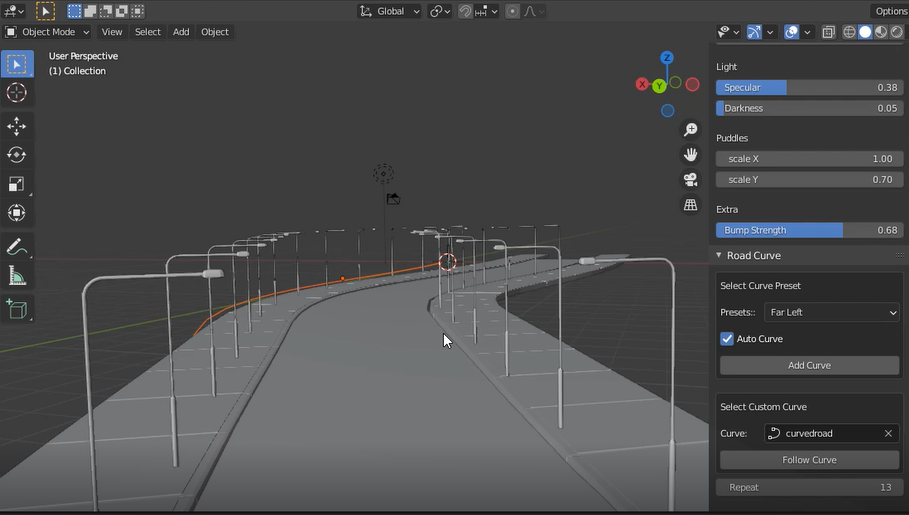
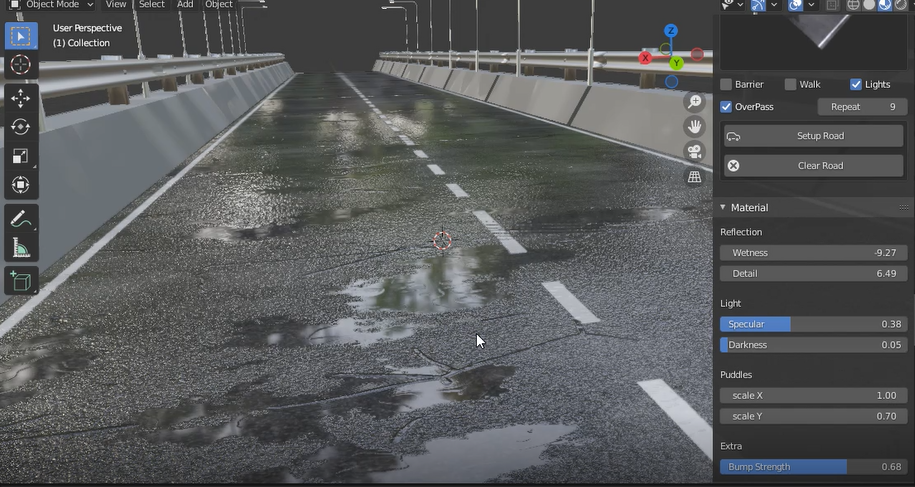
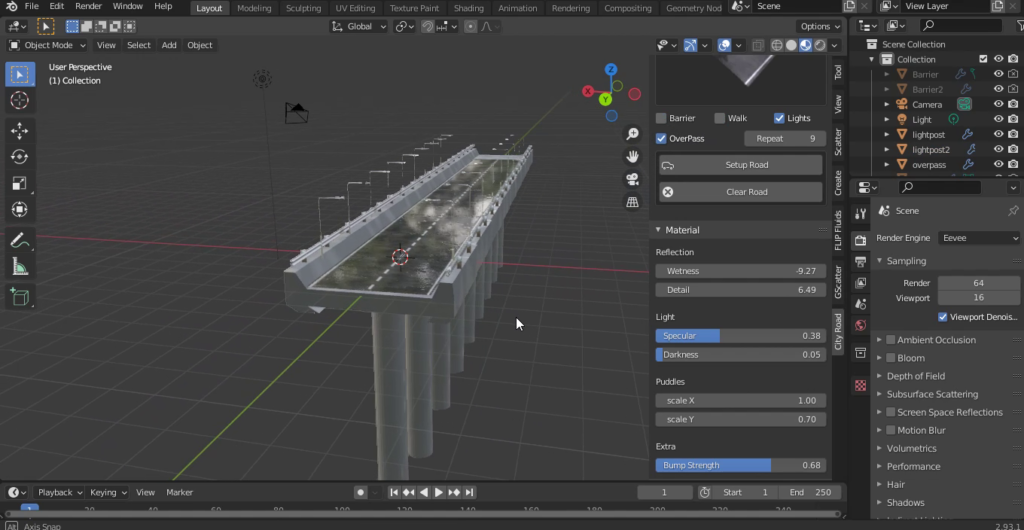
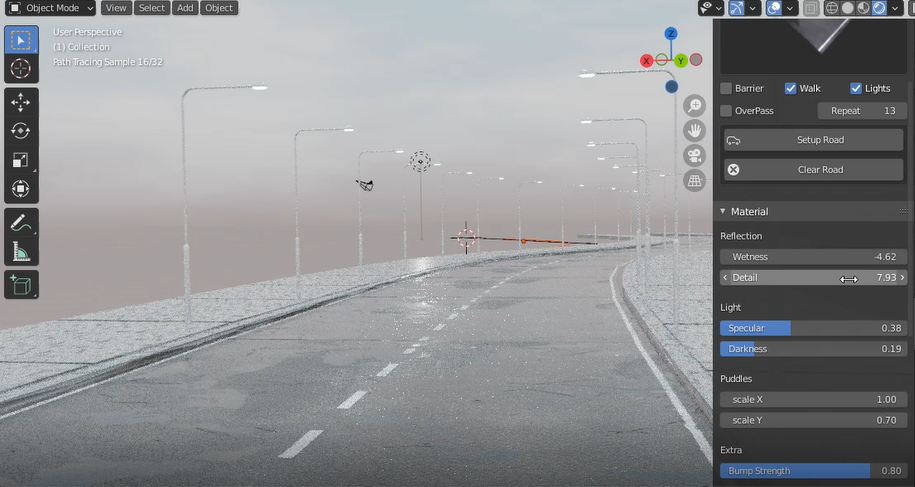

City Road builder is blender’s most advanced road system that makes adding roads to your scene curved or straight so easy, it comes with a lot of features and more to be updated in the future with more advanced lighting system, more roads, junction maker and so man others
Some of What you can do with this addon
Video Of How to create A Curved Road
The Pro Version comes with a Junction System and more advanced workflow that adds a more realistic road with junctions
select a road and then tweak its settings,
in the pro version you can make as many roads as you want in one scene
use the Rotation options to add another junction and rotate it in any way you want
NEW FEATURE: ADDED X JUNCTION IN THE PRO VERSION
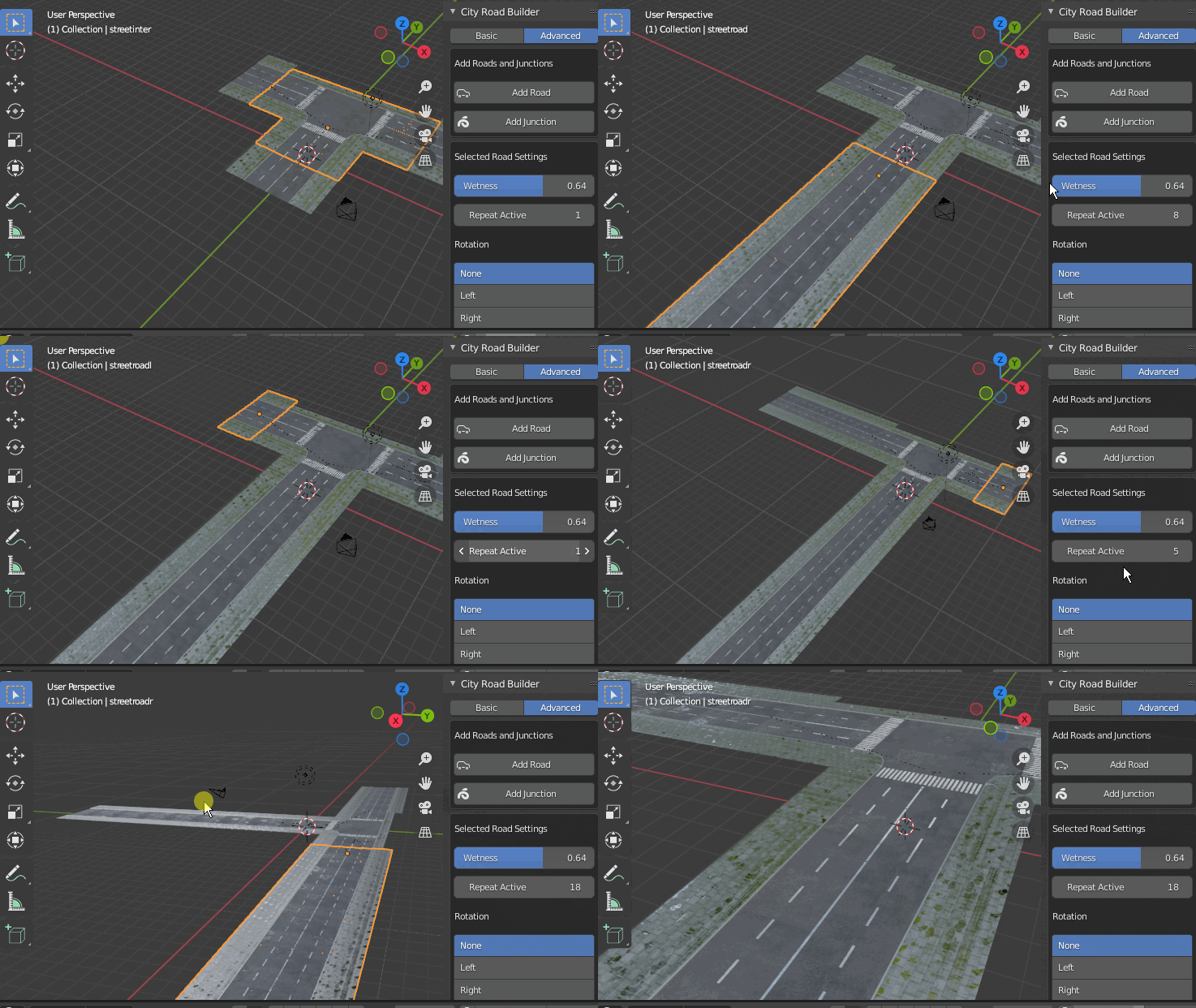
you can create a road, change repeat value to make the road longer
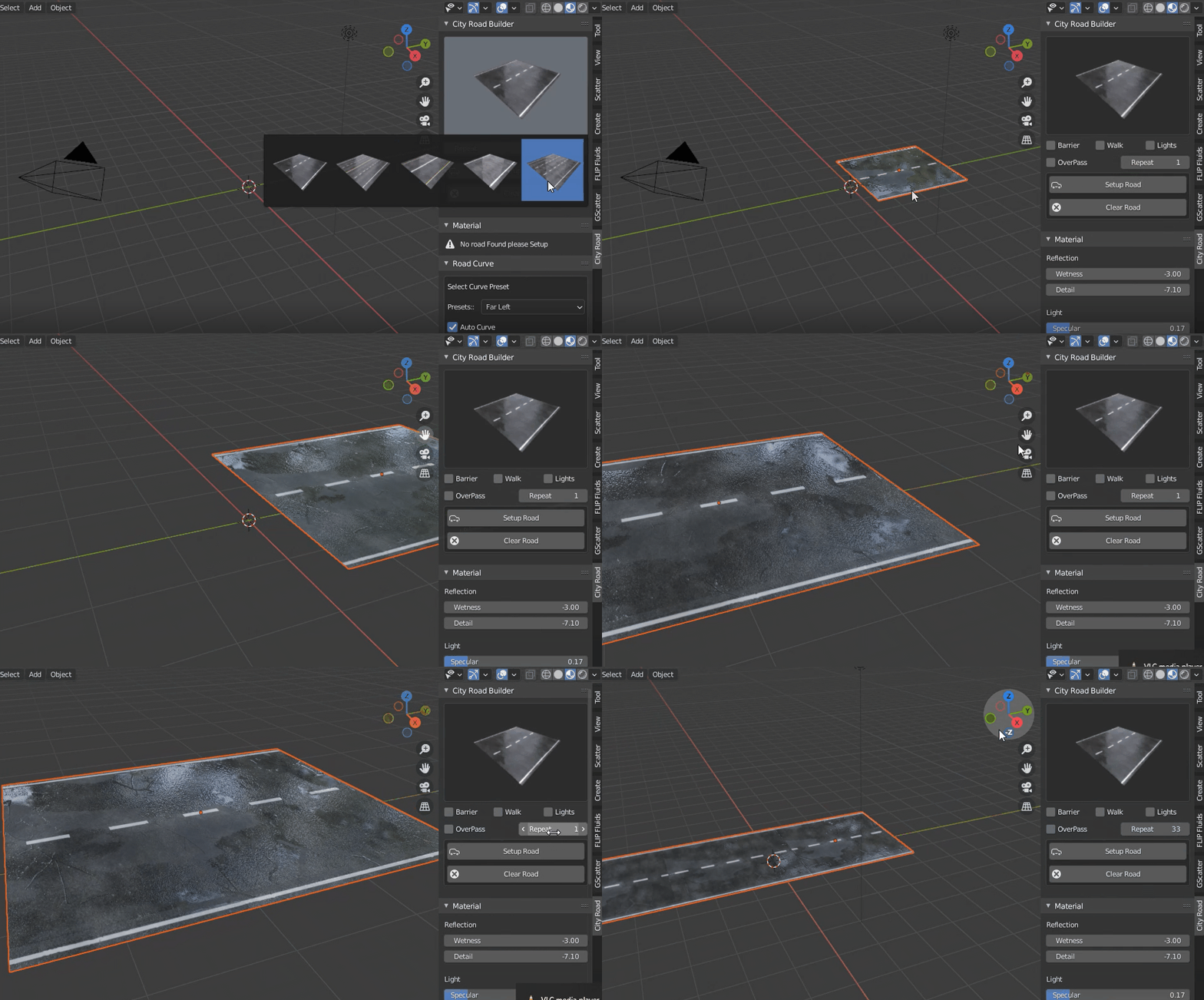
This Add-on comes with a lot of features and it will be updated almost every Month
Features
- Make Road in one click
- Edit Road Material
- Add Curve to road
- Curve road with custom curve
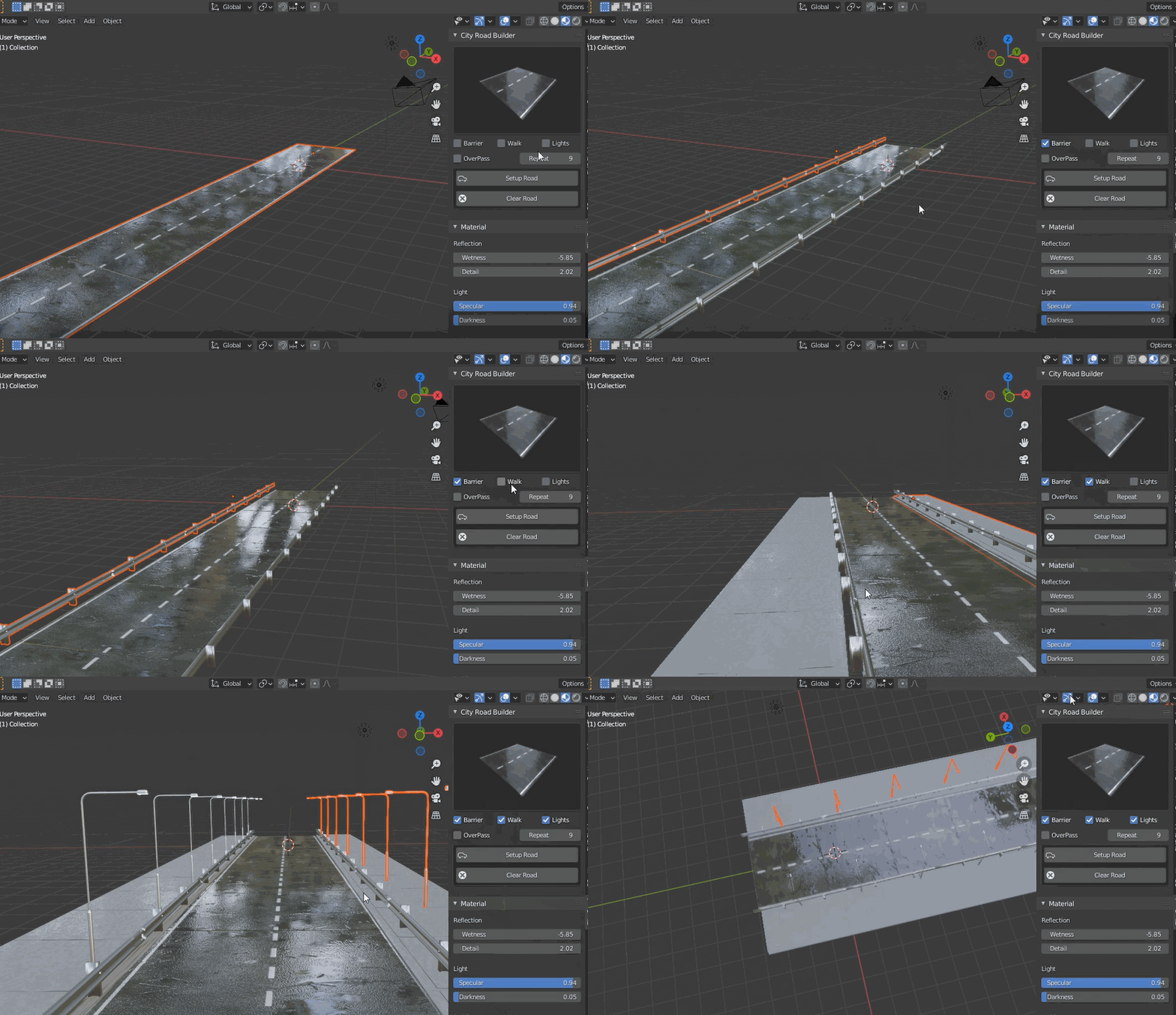
- Add Side Walk, Barrier, Lights
- Make Road an Over Pass
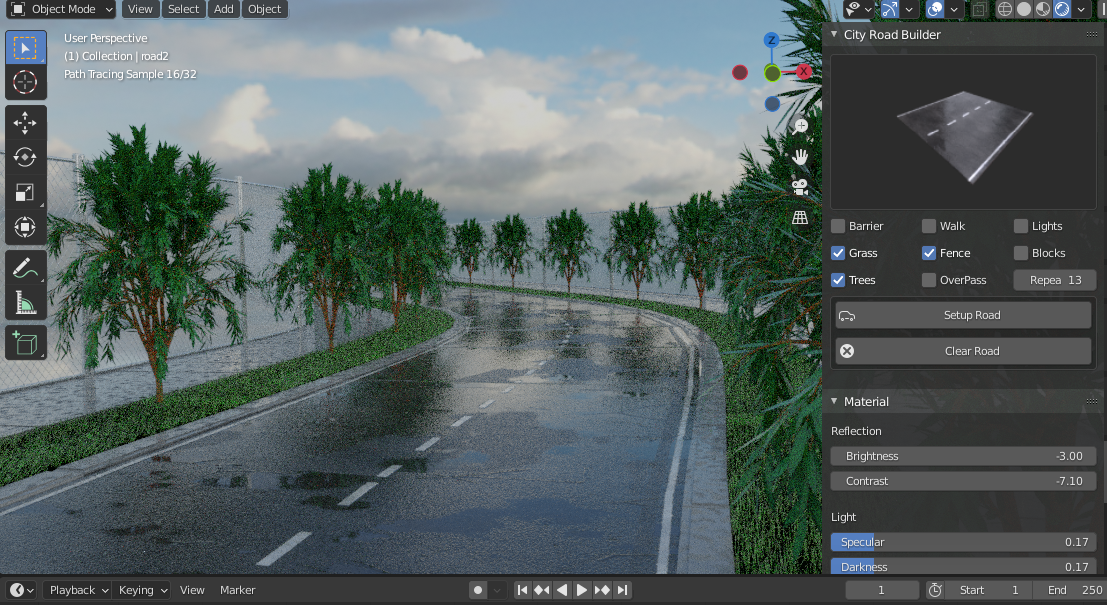
- add road side grass
- add road side trees
- add junctions
- add road side fence
- edit wetness
- edit bump map
- and so many Others To Come
Get Started
Select the Road Type and Click “Setup Road” and a road will be created with Everything setup for you change the repeat value to make the road longer
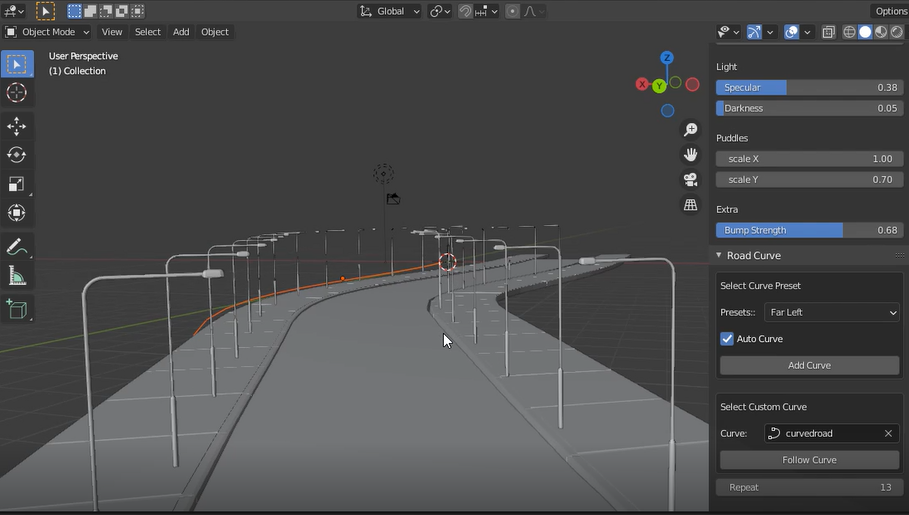
Then Check the Walk Option to add Side walk and Barrier for road side barriers then Lights for Road Side Lights and the Over Pass Option to turn the road into an overpass
the pro version comes with a more good looking textured road that you can use in your games or movies, this addon gives you the important settings to play with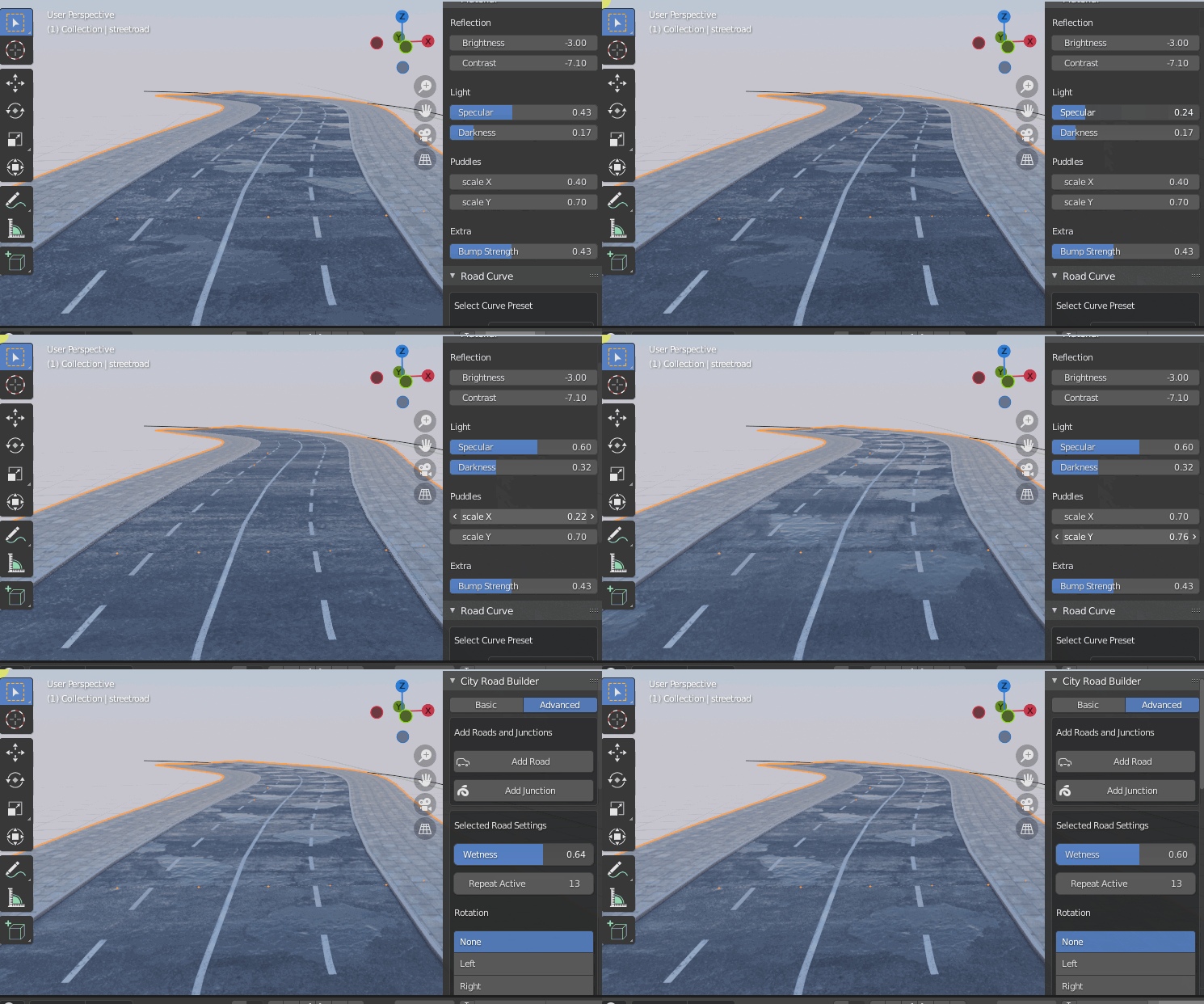 realistic scenes
How To Curve Road
To Curve the road just select the road, go to the Panel, Road Curve and just click add curve, 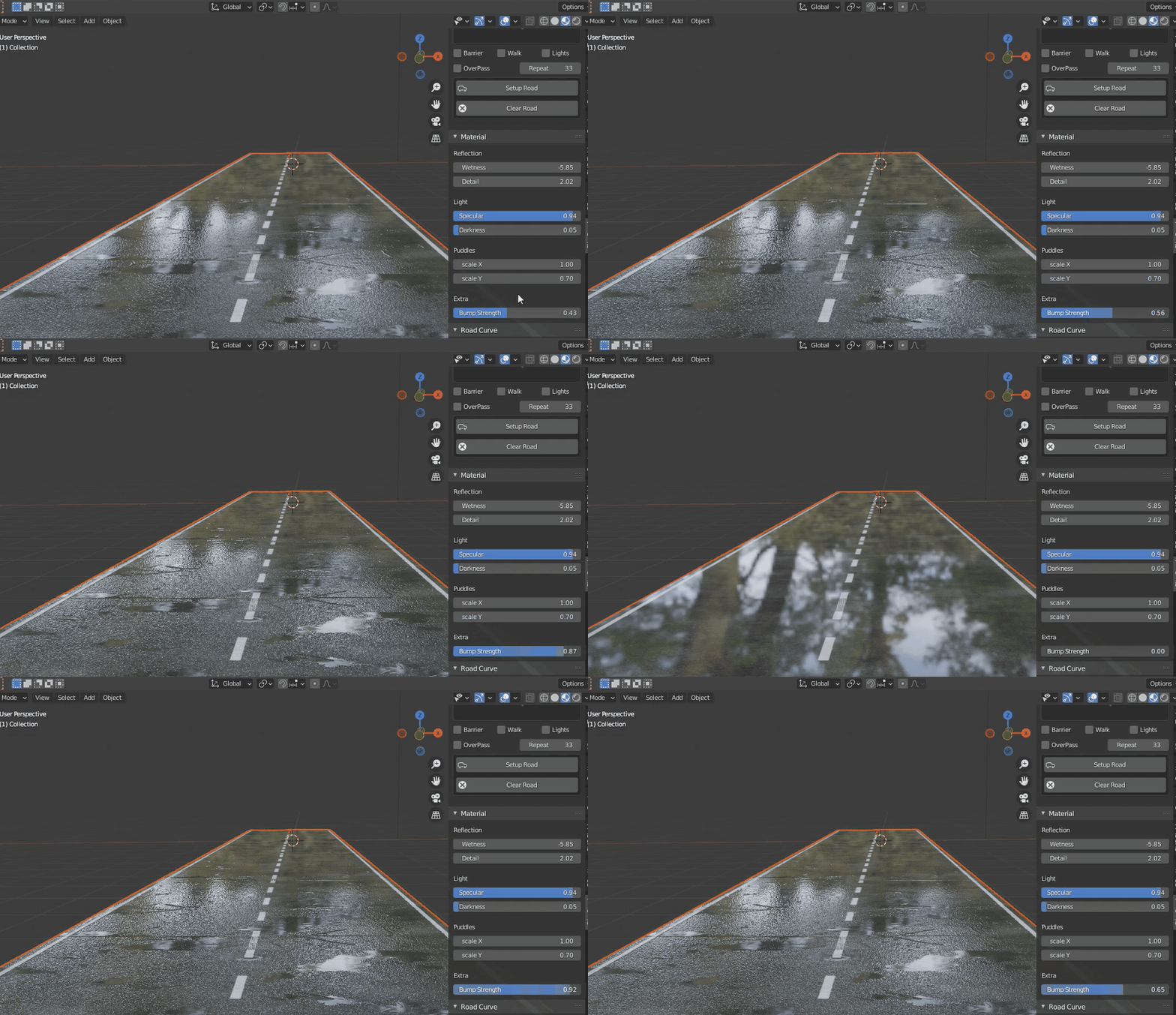 this add-on comes with curve presets that you can use just in case you can not make your own curve,to make own curve, First Draw it, then select the road and click follow curve with your selected curve
in the pro version you can add road side grass and trees and even fence
to curve the road with your own curve or custom curve, make sure the curve is facing the Y axis or facing the side of the road or where the road is pointing
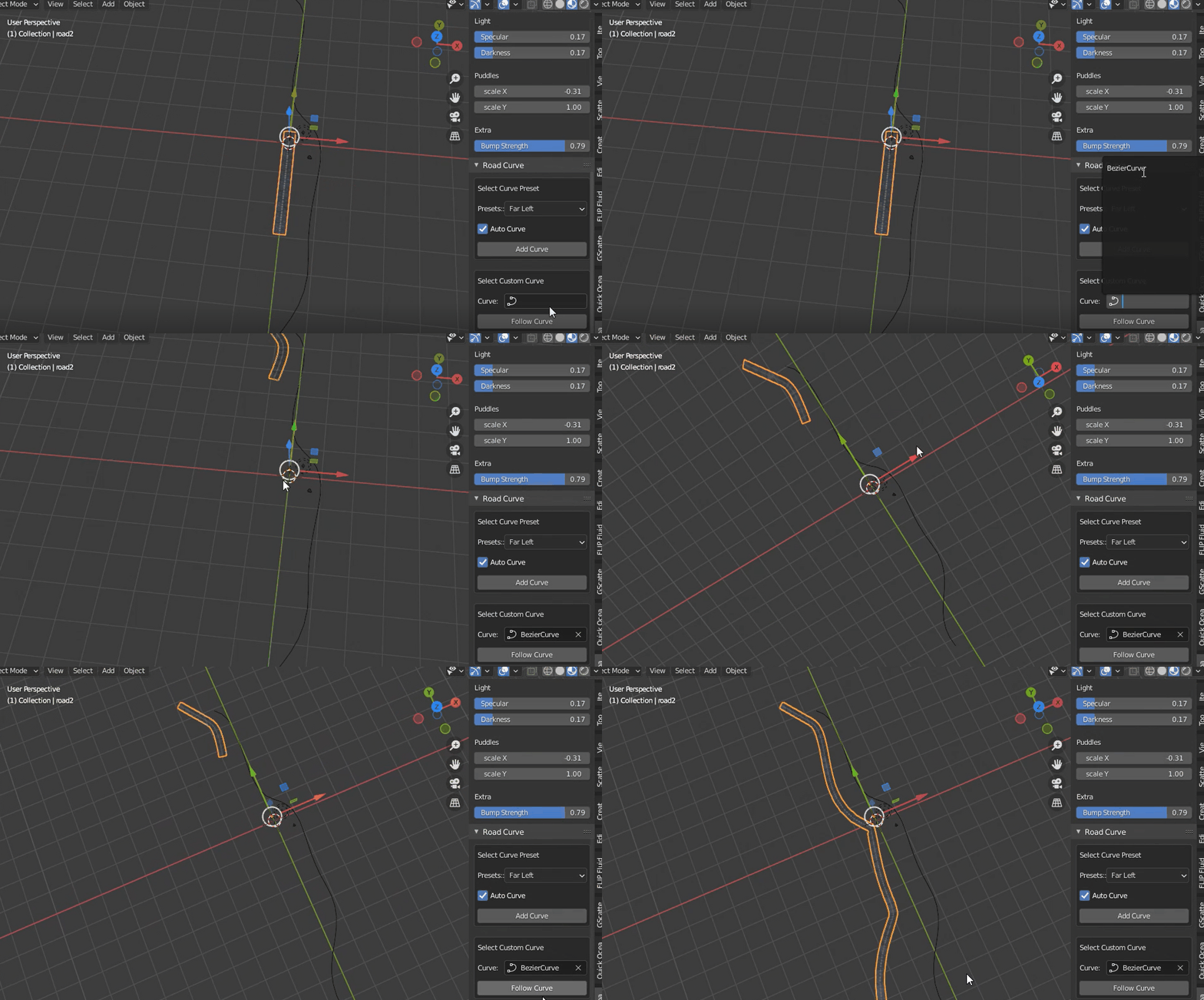
Edit Road Material
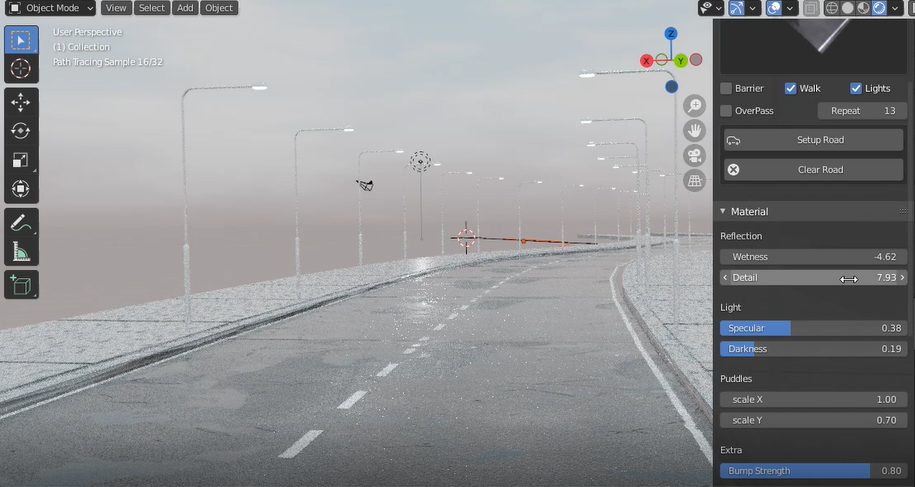
This plugin comes with a material Editor inside it that enables you to edit what is important, so to Edit the Road material, its so simple, just change the values and see the change on the road
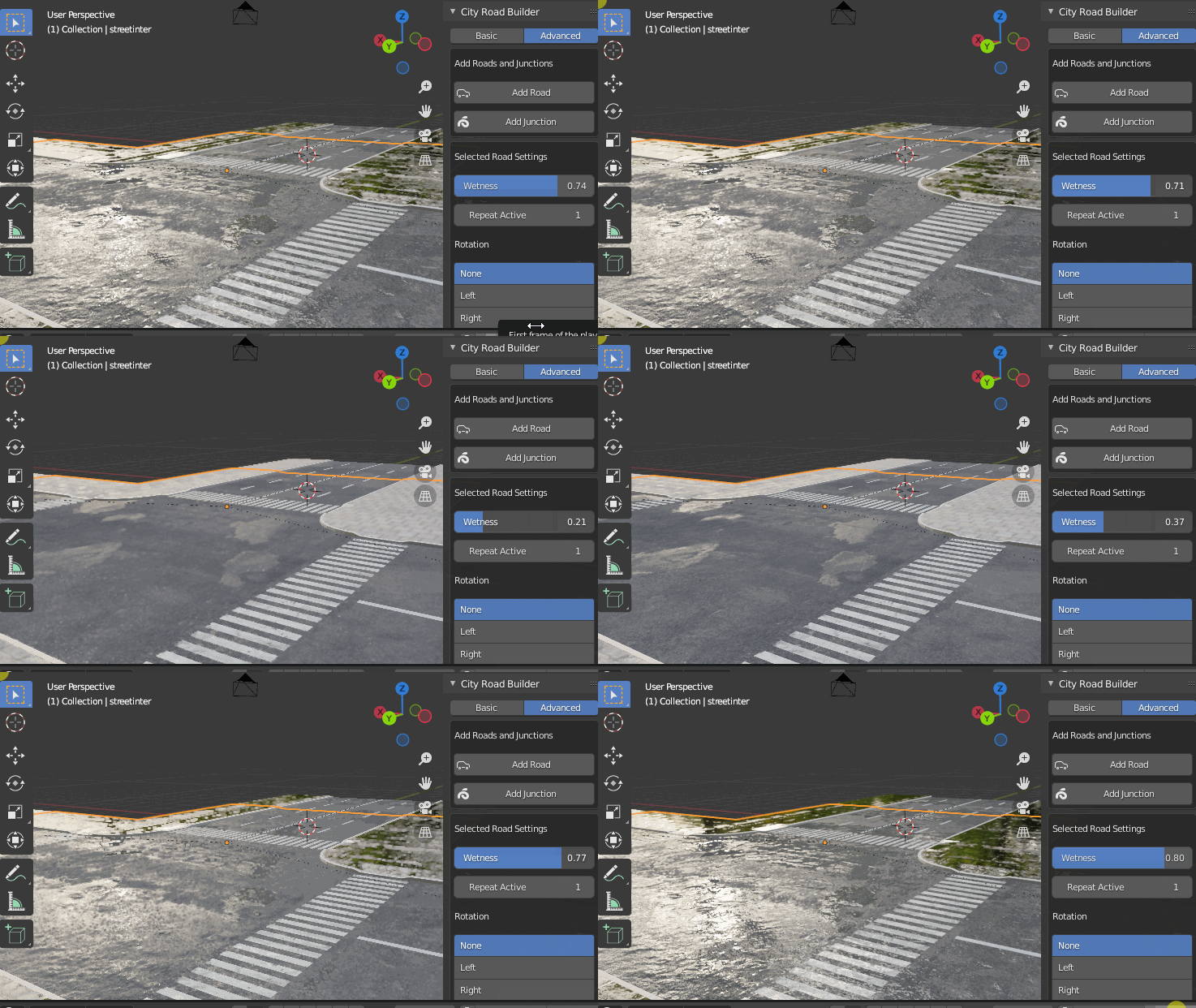
you have the ability to play with the
Roughness
Darkness
Specular
Bump strength
Puddle sizes
Details
Wetness and so many others in the material panel of the addon
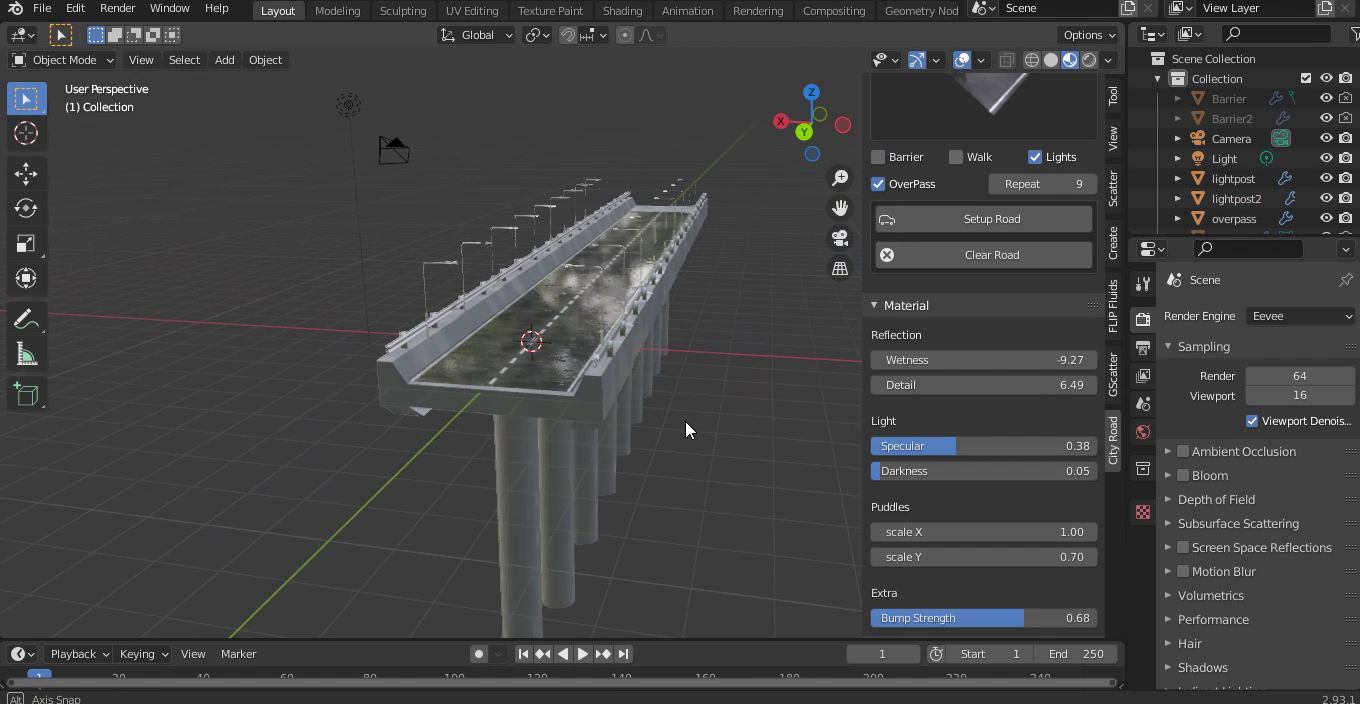
Create Over Pass Road
To create an over Pass just tap the overpass option and that is it, the road will be converted into an overpass easily, more types will be added in the future updates
Supercharge your 3D creation workflow with premium selection of Blender Add-ons. Whether you are modeling intricate characters, sculpting realistic environments, or animating cinematic sequences, the right add-on can transform how you work inside Blender. Our curated collection includes powerful tools for UV unwrapping, procedural texture generation, rigging automation, rendering optimization, and more—each rigorously tested for compatibility with the latest Blender versions. Eliminate tedious manual processes and unlock advanced functionality that lets you focus on what matters most: bringing your creative vision to life. Explore our full range of professional Blender plugins today and take your 3D projects to the next level.
➡️ ➡️ For more Blender Plugins 😀 😀
Reviews
There are no reviews yet.