
Claude Scripter for After Effects
Claude Scripter V1.3.0 for After Effects
The Ultimate AI-Powered Scripting Assistant for After Effects
Download Claude Scripter V1.3.0 today. Consequently, you can generate, execute, and save ExtendScript (JSX) code using nothing more than natural language prompts, completely eliminating the need to write code from scratch . Because motion designers and video editors frequently need to automate repetitive tasks, having access to an intelligent scripting assistant is absolutely essential. Nevertheless, mastering ExtendScript or JavaScript for After Effects can be a daunting challenge, requiring hours of learning and debugging. Fortunately, Claude Scripter eliminates this bottleneck completely. Moreover, it brings the power of multiple LLM models directly into After Effects—allowing you to describe exactly what you need to accomplish, and the AI handles all the coding logic behind the scenes . In short, you can automate batch operations, generate expressions, and create custom tools with unprecedented speed and zero coding experience.
Natural Language Processing for Script Generation
The core of this script lies in its advanced ability to translate plain English commands into functional After Effects code. For instance, you can type “rename all layers containing ‘Shape’ to ‘Element_##’ and color them blue,” and Claude Scripter instantly generates and executes the necessary script . Similarly, you can ask it to stagger the start time of selected layers by 4 frames each, apply loopOut expressions to rotation properties, or create multiple compositions with correct formats . Since the tool can interpret and act on a vast range of requests, you can perform complex operations without knowing a single line of code. Consequently, your workflow becomes significantly more efficient and your creative focus remains uninterrupted.
Multi-Model AI Support for Maximum Flexibility
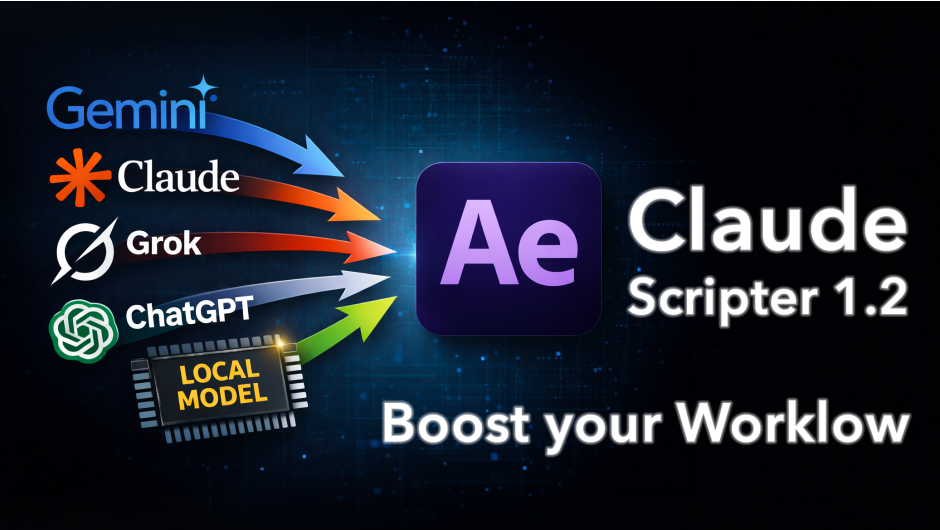
Professional users demand the freedom to choose the best AI for their specific needs. Therefore, Claude Scripter V1.3.0 supports a comprehensive range of leading AI models . For example, you can switch between Anthropic’s Claude models (including Sonnet 5, Opus 5, and Fable 5), OpenAI’s GPT-5.6 series, Google’s Gemini 3.6 models, and xAI’s Grok 4.5 . Additionally, you can connect to local LLM solutions like Ollama and LM Studio for enhanced privacy and offline capability . Since you provide your own API key, there are no forced subscriptions or locked ecosystems, giving you total control over your AI provider and data.
Script Library and Iterative Editing Workflow
A professional’s time is precious, and reusing successful automation is key. Therefore, Claude Scripter includes a powerful script library that allows you to save and categorize generated scripts for one-click reuse . Furthermore, V1.3.0 introduces an edit and refine workflow: you can open the “Edit Code” button in the library tab, manually adjust the JSX code, or ask the AI to make specific modifications like “change the layer color from blue to red” . The script also features AI Edit Diff Highlighting, which clearly shows changed lines before you apply them, allowing you to review AI modifications with confidence . Thus, you can build a personalized toolbox of automation that evolves with your projects.
Seamless Native Integration and Undo Compatibility
Unlike external coding solutions, Claude Scripter is deeply integrated into the After Effects environment. The tool executes generated code natively inside After Effects, ensuring full compatibility with the API . Every action is also wrapped in an undo group, meaning a single Ctrl+Z reverts everything, giving you complete safety to experiment . The panel has been redesigned in V1.3.0 with a neutral gray surface, a single soft blue accent color, and native system fonts, allowing it to integrate seamlessly with the After Effects interface . Additionally, the script supports both Windows and macOS, and is compatible with After Effects versions from CC 2018 through the latest 2026 releases .
Perfect for Motion Designers, Video Editors, and VFX Artists
This script is particularly well-suited for motion designers who need to automate repetitive tasks without learning to code . Similarly, video editors and VFX artists will appreciate the ability to quickly generate expressions, organize projects, and create custom tools on the fly . Additionally, studios and freelancers can build a library of reusable automation to standardize workflows across their team . Ultimately, Claude Scripter V1.3.0 accelerates your entire post-production and creative pipeline.
System Requirements and Compatibility
Claude Scripter V1.3.0 supports a comprehensive range of After Effects versions, spanning from CC 2018 through the latest 2026 releases . The script is fully compatible with both Windows and macOS operating systems . You will need a standard workstation with at least 8GB of RAM and an internet connection to access your chosen AI model’s API . The script requires you to connect your own API key for AI functionality. Motion design usage costs are typically around 1-3 USD per month for typical usage .
Installation and Usage Guide
To install, first download the script files from your library. Next, close Adobe After Effects if it is running. Then, copy the com.claudescripter.cep folder to the appropriate CEP extensions folder: on Windows, this is typically C:\Program Files (x86)\Common Files\Adobe\CEP\extensions, and on macOS, it is /Library/Application Support/Adobe/CEP/extensions/ . After that, ensure “Allow Scripts to Write Files and Access Network” is enabled in After Effects Preferences under Edit > Preferences > Scripting & Expressions . Finally, launch After Effects, navigate to Window > Extensions > Claude Scripter, enter your API key, and start typing your natural language commands to generate and execute scripts instantly . Thus, your professional AI-powered automation workflow will be ready instantly.
What is Included Inside?
The pack contains the complete Claude Scripter V1.3.0 extension for After Effects . Furthermore, it includes the multi-model AI support system, the powerful script library with edit and refine capabilities, and the AI Edit Diff Highlighting feature. Additionally, you receive full compatibility with After Effects versions CC 2018 through 2026 . Ultimately, you receive everything needed for professional AI-powered scripting and automation.
Final Thoughts on the Script
Effortless AI-powered scripting and automation evokes profound creative freedom. Therefore, this script provides the ultimate foundation for your motion design and post-production workflows. You can automate repetitive tasks and generate custom tools with unprecedented speed and simplicity. Consequently, your creative vision becomes a stunning reality.
Claude Scripter is an AI-powered scripting assistant for Adobe After Effects. It allows you to generate, execute, and save ExtendScript (JSX) code using natural language prompts, thanks to various LLM models.
Refine & Edit Scripts
Modify saved scripts manually or ask the AI to tweak them directly.
New: Click Edit Code in Library to enter “Editing Mode”.
Your Workflow Assistant
Banish repetitive tasks and manage your timeline with the power of AI.ClaudeScripter brings the intelligence of Anthropic’s Claude AI directly into After Effects. It excels at the “boring” tasks: renaming layers, offsetting keyframes, or applying math expressions. Stop wasting time on housekeeping.

The main interface
🔥 Where it Shines
✅ Batch Operations
“Rename all layers containing ‘Shape’ to ‘Element_01’ and make them Blue.”
✅ Project Organization
“Remove all unused solids and organize comps into folders.”
✅ Layout & Alignment
“Distribute all selected layers seamlessly across the screen width.”
✅ Simple Expressions
“Apply a loopOut() expression to the rotation of selected layers.”
✅ Simple Animations
“Create a square layer with dimensions of 50×50 that rotates faster and faster.”

Examples of prompts suited to the extension
⚡ Key Features
💬 Natural Language Control
No need to learn ExtendScript. Just describe the task. ClaudeScripter translates your command into code instantly.
📚 Built-in Library
Generate once, reuse forever. Store your best automations. Create your own custom “cleanup” buttons and reuse them everywhere.
⚡ Native Execution
Forget copying code from a browser. It runs natively inside After Effects. Analyze, write, and apply in seconds.
🧠 Powered by Claude 5
Utilizing the Opus model—optimized for coding logic—to ensure accurate script generation for After Effects API.

The library saves and stores your scripts automatically

Not only the name, but also the description of the script are generated automatically.
- 00:00 Introduction
- 00:15 New Models & Local Support
- 00:38 Script Editing Feature
- 00:55 Generating a Script Demo
- 01:50 Library & Offline Use
- 02:16 Manual Code Editing
- 02:47 AI-Assisted Code Editing
- 03:28 Conclusion
Elevate your motion graphics workflow with premium collection of After Effects plugins. Whether you are a seasoned professional or just starting your VFX journey, powerful tools designed to streamline complex tasks, unlock creative possibilities, and save you hours of rendering time. From stunning glitch effects and seamless transitions to advanced 3D extrusion and text animation tools, each plugin in our library is rigorously tested for compatibility with the latest versions of Adobe after Effects. Enhance your video production value today and download industry-leading plugins that help you create breathtaking visuals without the technical headaches. Browse our full range and find the perfect extension to supercharge your editing suite now.
➡️ ➡️ For more after effects Plugins 😀 😀
➡️ ➡️ System requirements AE
Reviews
There are no reviews yet.