
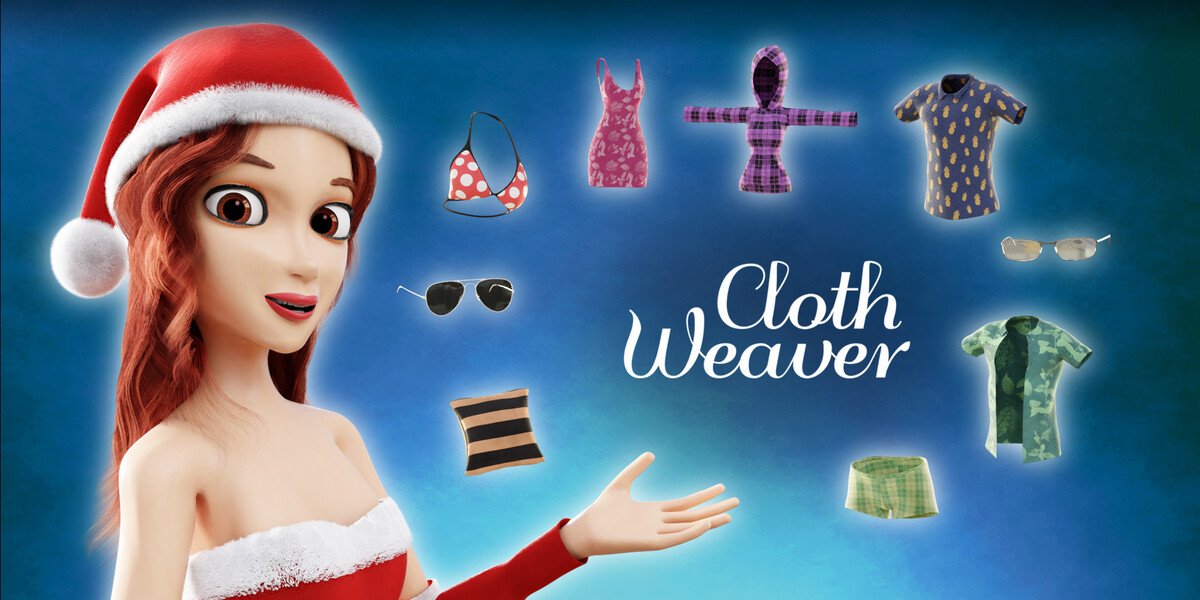
ClothWeaver for Blender
ClothWeaver v4.15 for Blender – The Ultimate Procedural Fabric & Textile Generator
Download ClothWeaver v4.15 for Blender on Windows and Mac, a revolutionary Geometry Nodes-based addon that instantly weaves realistic fabrics, knits, and technical textiles from scratch without relying on heavy image textures. With full control over thread density, weave patterns (from simple plain weaves to complex jacquards), and physical fiber properties, ClothWeaver transforms how you create clothing, upholstery, and soft goods, eliminating the need for external substance files or low-resolution texture maps that break up close-up.
Key Features of ClothWeaver v4.15:
Procedural Weave Engine: Generate authentic fabric structures including Plain, Twill, Satin, Basket, Herringbone, and custom user-defined patterns entirely through math, ensuring infinite resolution and zero tiling artifacts
Realistic Fiber Simulation: Models individual warp and weft threads with cylindrical geometry, allowing for accurate light interaction, fuzz generation, and subsurface scattering that mimics real cotton, wool, silk, or synthetic fibers
Knit & Loop Support: Beyond weaving, includes dedicated modules for creating jersey knits, ribbing, cable knits, and purl stitches, perfect for sweaters, socks, and sportswear
Dynamic Thread Variation: Introduce random imperfections like slubs, thickness variations, and color bleeding to simulate hand-spun yarns or vintage textiles, breaking the “perfect CG” look
Physical Displacement & Normals: Automatically generates high-fidelity displacement maps and normal details based on the actual 3D thread geometry, providing unparalleled realism in close-up renders
Material Library Presets: Comes with over 50+ pre-configured material setups ranging from denim and canvas to velvet, corduroy, and carbon fiber, all fully adjustable
UV Independent Workflow: Since the pattern is generated procedurally based on object scale, it works perfectly on any UV layout or even un-UV’d geometry, adapting seamlessly to drapes and folds
Optimized Performance v4.15: New “Instance-on-Curve” optimization reduces memory usage by 60% for large garments, faster viewport updates for complex jacquard patterns, and improved compatibility with Blender 4.x cloth simulation modifiers
Cross-Platform Support: Works flawlessly on both Windows and Mac systems including Apple Silicon M1/M2/M3 chips
Perfect For:
Fashion designers visualizing fabric choices and drape behavior before physical prototyping
Character artists creating hyper-realistic clothing details for film and high-end game cinematics
Product designers rendering furniture upholstery, bags, and tents with accurate textile structures
Game developers needing scalable, tileable fabric assets that look good at any distance
Anyone tired of blurry fabric textures and wanting true geometric thread detail
System Requirements:
Blender 3.6, 4.0, 4.1, 4.2, 4.3+ (Geometry Nodes required)
Windows 10/11 (64-bit) or macOS 10.15+
8GB RAM minimum (16GB+ recommended for heavy knit simulations)
Cycles recommended for ultimate fiber lighting accuracy (Eevee supported with optimized settings)
Installation:
Open Blender and go to Edit > Preferences > Add-ons:
Click “Install…” and select the downloaded .zip file for ClothWeaver
Enable the checkbox next to “Geometry Nodes: ClothWeaver”
Access via the Add Menu > Geometry Nodes > ClothWeaver or drag the node group into your modifier stack
Note: Version 4.15 introduces a new “Wear & Tear” module that procedurally adds fraying edges, pulled threads, and pilling to specific areas of the fabric based on vertex groups, adding instant storytelling depth to your characters’ costumes.
FEATURES

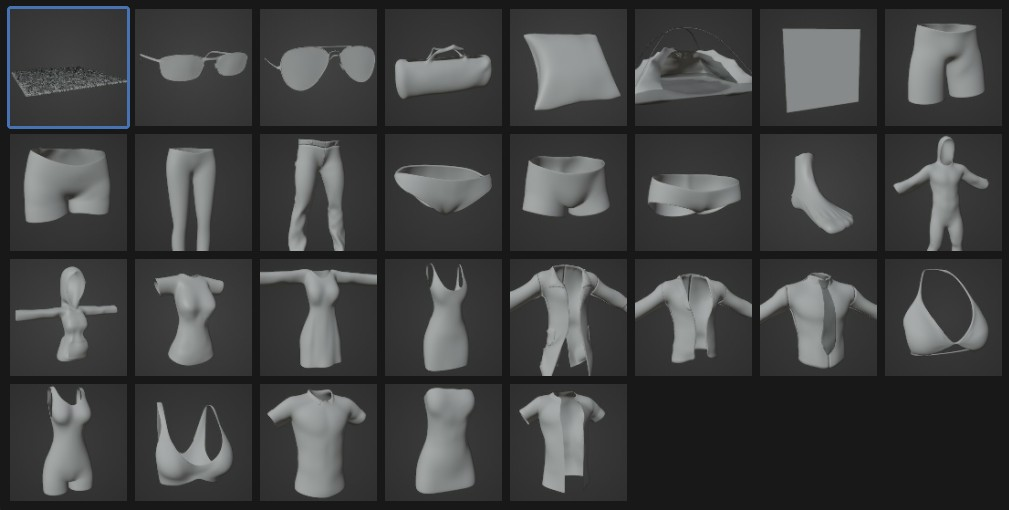
A Library of Clothing Templates
Ready to dive in? Cloth Weaver comes packed with a growing library of templates to get you started. Easily give your character the essentials; from pants, dresses, swimwear and undergarments to accessories like glasses and handbags!
Ultimate Templates Included (29):
- Accessories: Eye Glasses, Sun Glasses, Gym-bag, Pillow, Pocket, Tent, Socks
- Fabrics: Carpet Square, Towel, Body Suit
- Bottoms: Gym Shorts, Pants, Shorts
- Tops: Collar Shirt, Hoodie, Unbuttoned Shirt, T-Shirt
- Formal: Dress, Long-Dress, Suit pants, Suit shirt, Suit coat, suit Jacket
- Swimwear: Bikini Top, Bikini Bottom, One Piece
- Underwear: Boxers, Bra, Panties
Basic Templates Included (9):
- Accessories: Pillow, Socks
- Bottoms: Pants, Shorts
- Tops: Collar Shirt, Hoodie
- Formal: Dress
- Swimwear: Bikini Top, Bikini Bottom
Custom Clothes
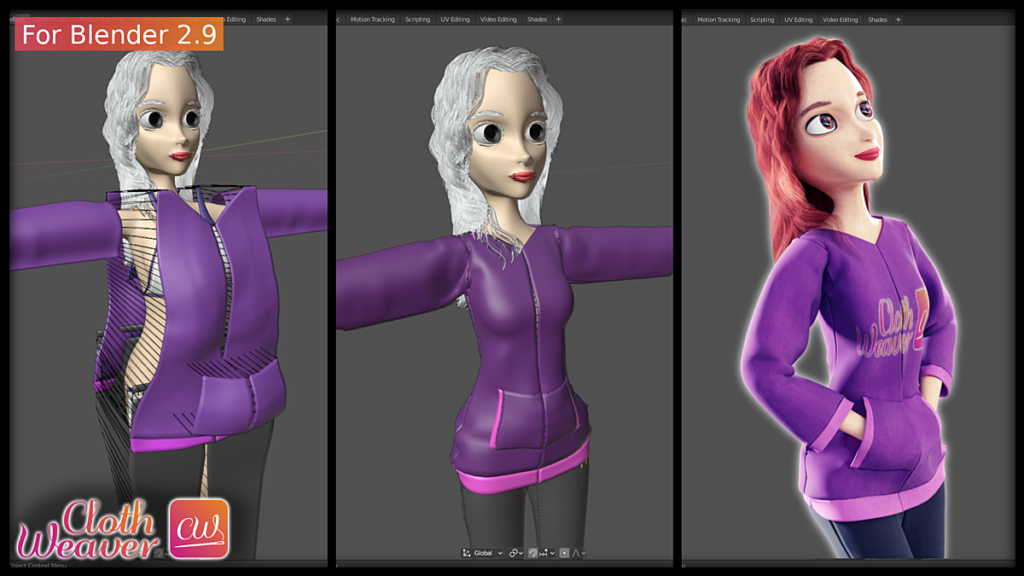
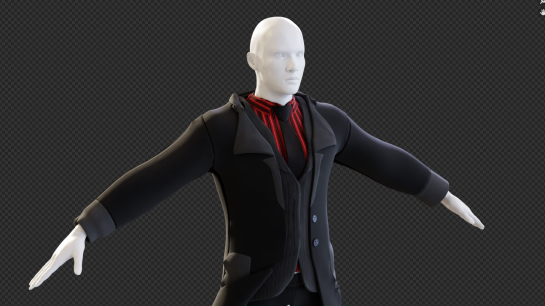
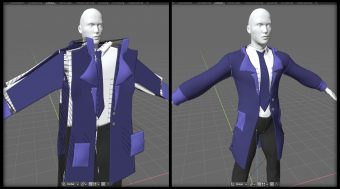
The legacy way of 3D modeling clothes can be very time consuming and frustrating. Cloth Weaver removes these headaches and simplifies the process. Easily create your clothing outline, setup the sections to be sewn together and Cloth Weaver takes over the rest in just a few buttons! Cloth Weaver creates a backup of your outline to enable quick troubleshooting and adjusting.
(Note: fitting clothes can be a “trial and error” process)
See our tutorial on custom clothing here:
Materials, Patterns & Textures
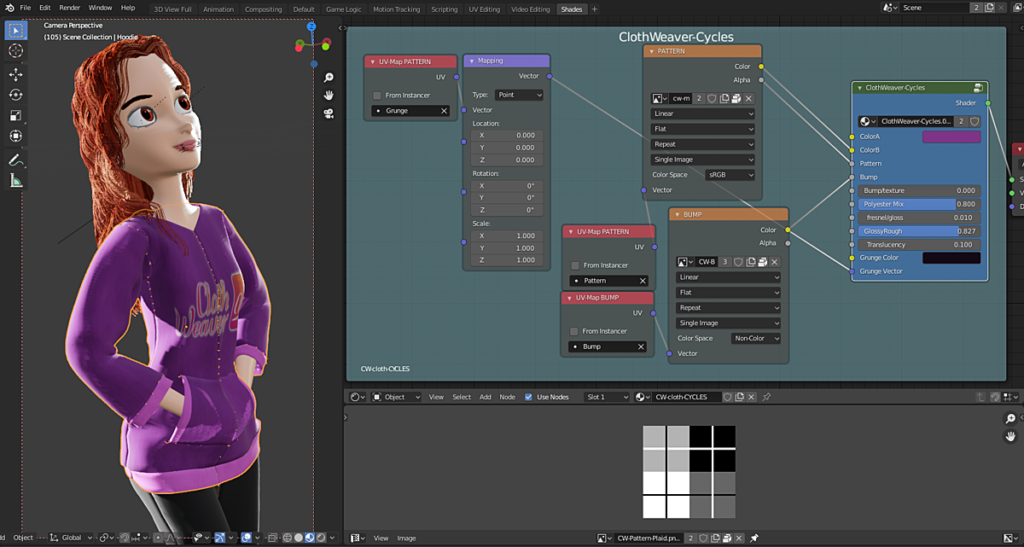
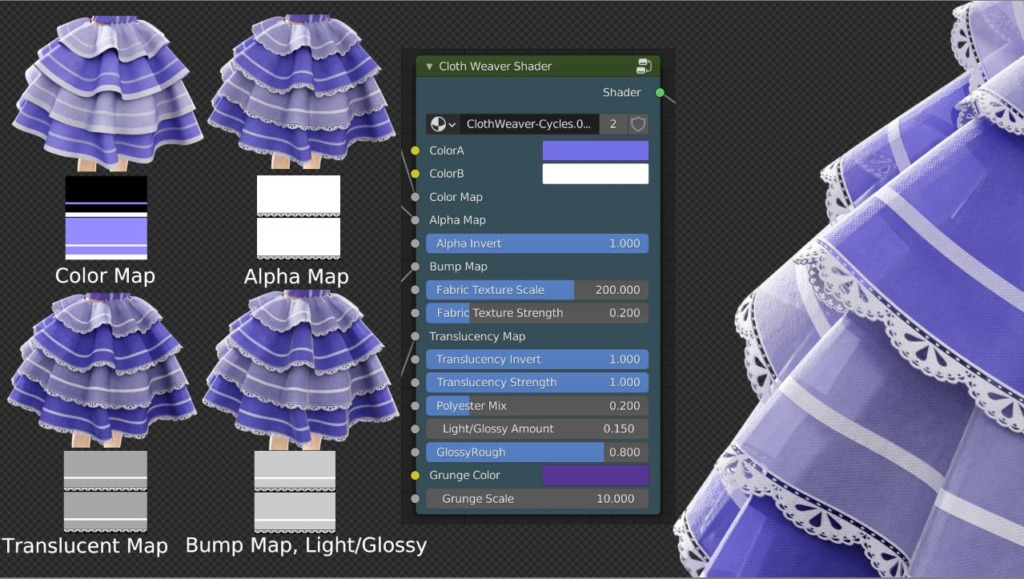
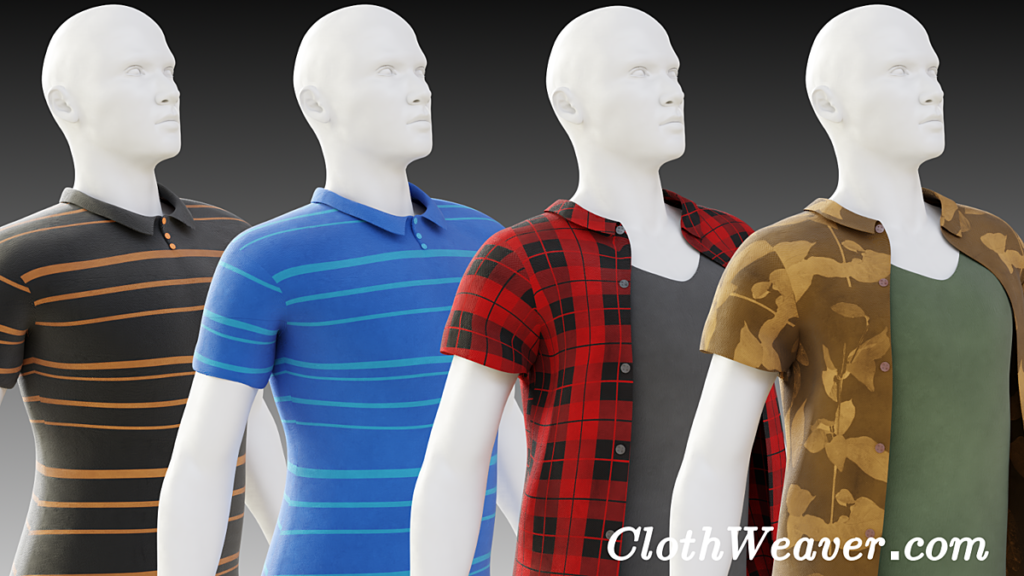
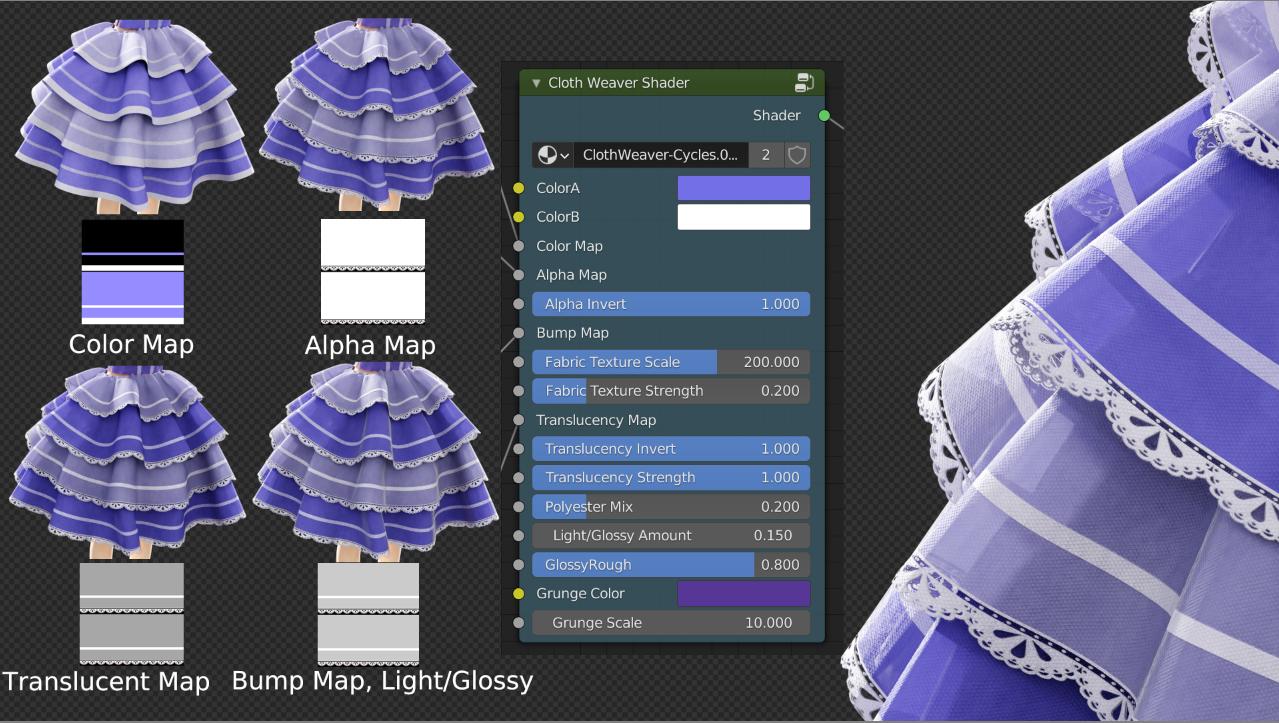
From polyester golf shirts to leather jackets and more, Cloth Weaver’s built-in procedural material can create a myriad of photo-realistic fabrics. Use our provided patterns and textures or supply your own to bring your clothing to life!
Save & Load
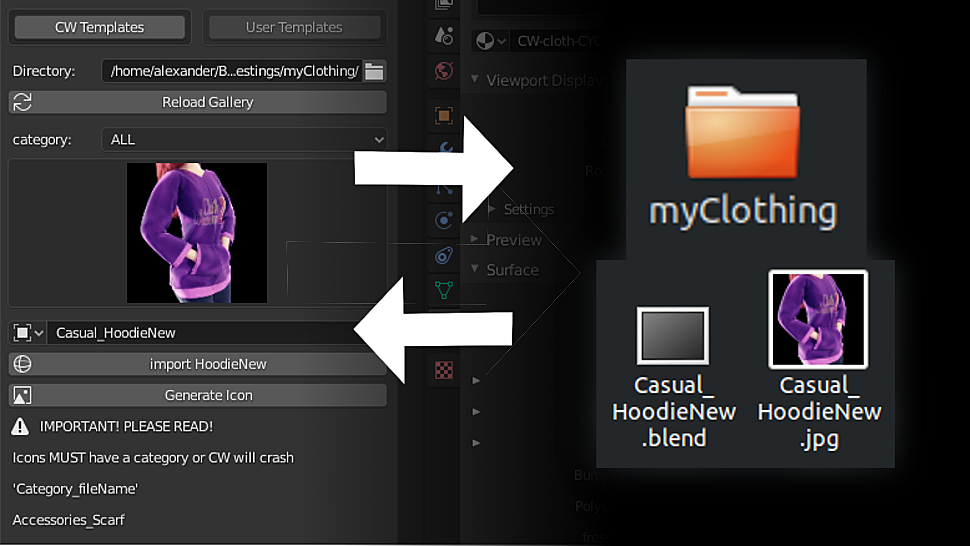
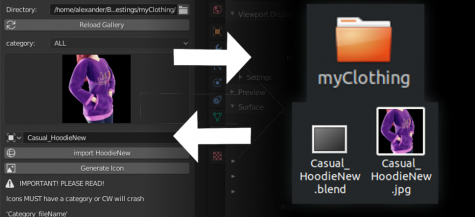
Save your own designs to an external location and re-load them into a custom gallery. You can also import other artists’ clothing into your version Cloth Weaver.

In-App Updates: Cloth Weaver will show an alert in the top status panel when updates are available for download. You can directly download new updates right within the Cloth Weaver panel! There is no more need to spend time opening a web browser, logging in to web portals and manually downloading.
Other Features
Backup/Restore: Cloth Weaver automatically creates a backup of the current clothing model when you use the “put on clothing” button. This allows you to restore the previous version, providing a faster work-flow and saving time when troubleshooting!
Reflect: Reflects your model on the Z-Axis (mirrors your clothing, swaps left<->right)
Reset UVs: Resets the UV map to the default unwrapping (useful starting out and after adding seams)
Compatibility
Cloth Weaver will work with any character as long as they can be imported into Blender (FBX, 3DS, OBJ, DAE, etc.) Characters work best when they have a lower polygon count. Extremely dense mesh characters might slow down the cloth simulation. Remove any subdivision modifiers before importing into Blender. Known compatible character libraries include but not limited to: Avastar, Blender, Daz3D, IMVU, Make Human, Manuel Bastioni Lab, Poser
Supercharge your 3D creation workflow with premium selection of Blender Add-ons. Whether you are modeling intricate characters, sculpting realistic environments, or animating cinematic sequences, the right add-on can transform how you work inside Blender. Our curated collection includes powerful tools for UV unwrapping, procedural texture generation, rigging automation, rendering optimization, and more—each rigorously tested for compatibility with the latest Blender versions. Eliminate tedious manual processes and unlock advanced functionality that lets you focus on what matters most: bringing your creative vision to life. Explore our full range of professional Blender plugins today and take your 3D projects to the next level.
➡️ ➡️ For more Blender Plugins 😀 😀
Reviews
There are no reviews yet.