
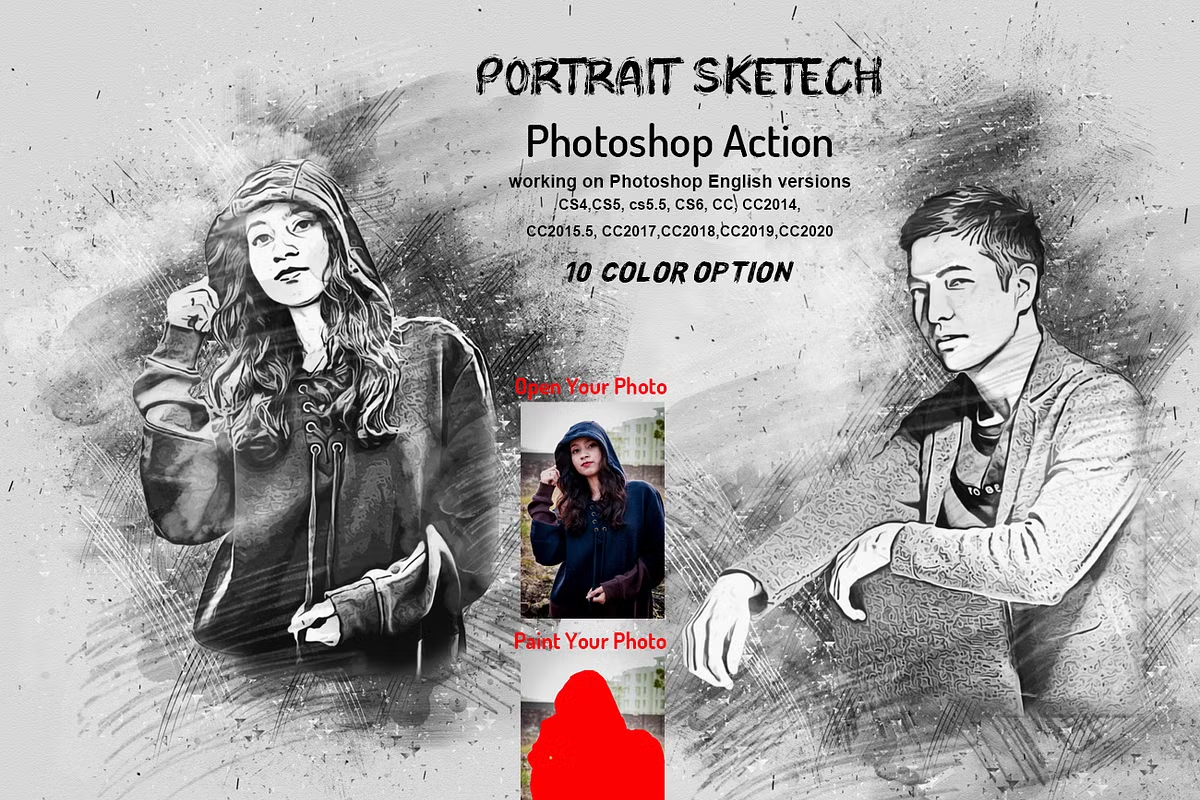
CreativeMarket Portrait Sketch Photoshop Action
Photoshop Action Convert Photo to Portrait Sketch | 36.4 MB | Comes with Preview | ATN & ABR & JPG FORMAT
In this collection, you will see another example of the effect of images in the form of action and under the title of Converting Photos to Sketch Portraits, which has been placed on the site for download in ATN, ABR and JPG formats.
Portrait Sketch Photoshop Action
Portrait Sketch Photoshop Action Turns your photo into a real of a Portrait Sketch look. Save time of work with this action. After action finishes the work you get a well-organized and structured file with the many layers, folders, and settings to improve the final result.
This action is updated 11/12/2021
My Working Software Version : CC2020 English Version. Software supported version: CS4,CS5, CS5.5, CS6, CC, CC2014,CC2015, CC2015.5, CC2017,CC2018,CC2019,CC2020+ English Version.
Most important instruction:
(1) How to Select the Subject
In this section, we are going to make a selection of our subject and then copy the subject to a separate layer. Choose the Quick Selection Tool (W) and select the background of the photo. Use the Shift-Alt buttons on your keyboard to add or subtract areas from the selection. After you’ve made a perfect selection, press Control-Shift-I on your keyboard to invert the selection. Now go to Select Modify Smooth and set the Sample Radius to 5 px. Next, go to Select Modify Contract and set Contract By to 2 px. Finally, go to Select Modify Feather and set Feather Radius to 2 px.
(2) For good result first you need extract your canvas area. Simply select your background image and take crop tools than extension two side or all side. For more details follow PDF Help file. Then resize your images 2000×3000 or 3000x2000px ,dpi 72
(3) Open your photo take a new layer then rename “paint”( in lowercase). Then select a soft brush and paint your image. Close “paint” layer eye and keep selection “paint” layer Then click action play button.
File Includes:
- ATN File(Photoshop Action File included)
- Brush File
- 10 Color Option
- Masking option
- Help File
- PDF Help File
- Work on every photos.
- High quality result.
- Easy Customizable
- Organize layers
- Easy Install
- User Guide
- Easy to Use
- 24 hrs support
Note: Preview images and Mockup are not included
Images Recommended : I use images 2000×3000 or 3000x2000px dpi 72
Save
Save
Save
Save
Save
Save
Save
Save
Save
A Photoshop action is an incredible feature tool that allows you to record a series of steps
To achieve remarkable effects, and then play the sequence back to apply those effects on any image.
Because these actions are reusable you can improve your workflow by chopping countless hours off your design process.
you can transform your images into polished works of art while saving a lot of time and money.
Designed to save you time in the editing process for actions that you do repeatedly and create lots more elements that can be edited manually.
Exclusively designed for graphic designers & photographers .
we’ve cut out the hard work for you by putting the best collection of excellent Premium Photoshop actions!
Photoshop actions are perfect for both beginners and advanced Photoshop users
➡️ ➡️ For More Acions Photoshop 😀 😀
Reviews
There are no reviews yet.