

CURVEmachine for Blender
curvemachine addon
CURVEmachine v1.3.0 for Blender – Professional Curve & Path Modeling Toolkit
Version: V1.1.0
File Size:10 MB
Download CURVEmachine v1.3.0 for Blender on Windows, Mac, and Linux, a comprehensive curve and path modeling add-on that provides advanced tools for creating, editing, and manipulating bezier curves. Perfect for motion graphics artists, hard-surface modelers, and product designers working with spline-based geometry.
Key Features of CURVEmachine v1.3.0:
- Curve Creation Tools: Multiple methods for creating bezier curves with adjustable handles
- Curve Editing: Advanced curve editing with point snapping, smoothing, and alignment
- Path Extrusion: Extrude profiles along curves for pipes, cables, and ribbons
- Curve Array: Duplicate objects along curves with adjustable spacing and rotation
- Curve Deform: Deform meshes along curves for bending and shaping
- Curve Boolean: Combine, intersect, and subtract curve shapes
- Curve to Mesh: Convert curves to clean meshes with adjustable resolution
- Real-Time Preview: See curve modifications update instantly
- v1.3.0 Updates: New curve tools, enhanced extrusion, and Blender 4.0+ compatibility
Perfect For:
- Motion graphics artists creating animated paths and motion trails
- Hard-surface modelers building pipe and cable systems
- Product designers creating curved product shapes
- Architectural modelers designing curved structural elements
- Anyone working extensively with curves and paths
System Requirements:
- Blender 3.6, 4.0, 4.1, 4.2, 4.3
- Windows 10/11 (64-bit), macOS, or Linux
- 4GB RAM minimum (8GB+ recommended)
- 20MB available disk space
Installation:
- Download the add-on zip file
- In Blender, go to Edit > Preferences > Add-ons
- Click “Install” and select the downloaded zip file
- Enable the add-on by checking the box next to “CURVEmachine”
Note: CURVEmachine v1.3.0 provides professional curve and path modeling tools for Blender, enhancing native curve capabilities with advanced editing, extrusion, and array tools. The real-time preview and multiple creation methods make it essential for motion graphics artists, hard-surface modelers, and product designers. Designed for Blender 3.6 and above.


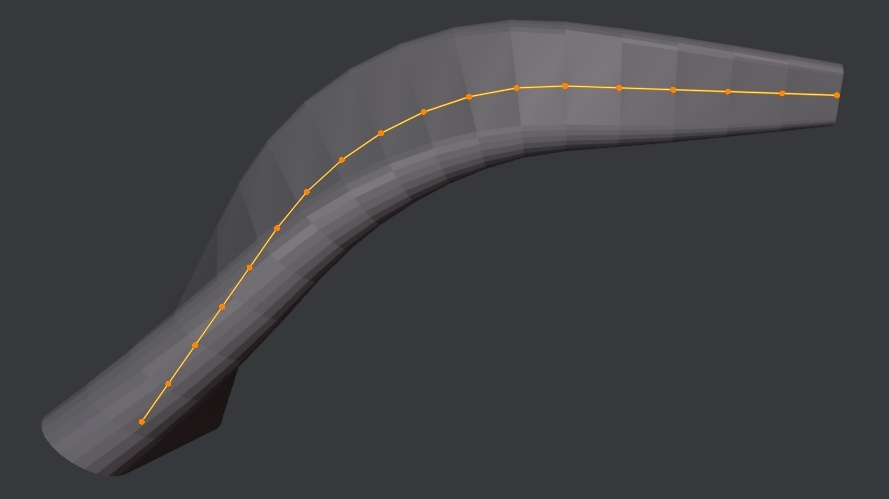

CURVEmachine can be seen as MESHmachine’s little brother. It aims to make POLY Curve editing more flexible, and like MESHmachine’s fillet toolset, makes working with curve radii/arcs and non-circular blends essentially non-destructive.
CURVEmachine 1.4.2 supports Blender 4.2 LTS to 5.1 LTS!
The main tool in CURVEmachine that makes this possible, is the Blendulate tool, which allows you to create curve radii/arcs (or non-circular blends), change existing ones or merge them back to a single point again.
Beyond that, there are now more useful tools, such as Flick Symmetrize and Knife, and a number of other goodies.
Features
- add a single point poly curve at the cursor’s location to quickly start extruding a curve
- create, edit or undo curve radii or non-circular blends
- symmetrize a spline across its curve object’s origin, or across the cursor
- slide a curve point along its previous or next segment
- merge to the last selected point or to the center of the selection, including across two splines
- knife cut curve points into splines, exactly where you want, or split splines into multiple
- shuffle the gap of a spline to another location
- reverse a spline’s direction in style
- adjust curve thickness, extrusion and resolution, and toggle spline cyclicity
- interpolate curve point thickness and tilt
- connect two splines
- effortlessly convert POLY and NURBS splines
Supercharge your 3D creation workflow with premium selection of Blender Add-ons. Whether you are modeling intricate characters, sculpting realistic environments, or animating cinematic sequences, the right add-on can transform how you work inside Blender. Our curated collection includes powerful tools for UV unwrapping, procedural texture generation, rigging automation, rendering optimization, and more—each rigorously tested for compatibility with the latest Blender versions. Eliminate tedious manual processes and unlock advanced functionality that lets you focus on what matters most: bringing your creative vision to life. Explore our full range of professional Blender plugins today and take your 3D projects to the next level.
➡️ ➡️ For more Blender Plugins 😀 😀
Reviews
There are no reviews yet.