

Cycles to Redshift PBR Material Converter for Blender
cycles to redshift converter addon
Cycles to Redshift PBR Material Converter v1.0.11 for Blender – Automated Material Conversion Tool
Versions: v1.0.11
File Size: 8 KB
Download Cycles to Redshift PBR Material Converter v1.0.11 for Blender on Windows and Mac, a powerful material conversion add-on that automatically converts Cycles PBR materials to Redshift-compatible materials. Perfect for artists switching between render engines or migrating projects from Cycles to Redshift.
Key Features of the Material Converter:
- One-Click Conversion: Convert entire scenes from Cycles to Redshift materials automatically
- PBR Map Support: Converts diffuse, normal, roughness, metallic, and displacement maps
- Node Preservation: Maintains node connections and material hierarchies
- Texture Mapping: Preserves UV mapping and texture coordinates
- Material Types: Converts principled BSDF, glossy, glass, emission, and mix shaders
- Batch Processing: Convert multiple materials and objects simultaneously
- Preset System: Save conversion settings for different project types
- Redshift Optimized: Creates Redshift-native material nodes for optimal performance
- v1.0.11 Updates: Enhanced conversion accuracy, new shader support, and Blender 4.0+ compatibility
Perfect For:
- Artists migrating Cycles projects to Redshift render engine
- Studios standardizing on Redshift across production
- Freelancers converting client materials for Redshift rendering
- Anyone needing efficient Cycles to Redshift material conversion
- Teams maintaining cross-renderer asset libraries
System Requirements:
- Blender 3.6, 4.0, 4.1, 4.2, 4.3
- Redshift render engine installed
- Windows 10/11 (64-bit) or macOS
- 8GB RAM minimum (16GB+ recommended)
- 20MB available disk space
Installation:
- Download the add-on zip file
- In Blender, go to Edit > Preferences > Add-ons
- Click “Install” and select the downloaded zip file
- Enable the add-on by checking the box next to “Cycles to Redshift Converter”
Note: Cycles to Redshift PBR Material Converter v1.0.11 automates the process of converting Cycles materials to Redshift, saving hours of manual node rebuilding. The comprehensive shader support and batch processing make it essential for artists and studios migrating to Redshift. Designed for Blender 3.6 and above. Requires Redshift render engine installed. Good.
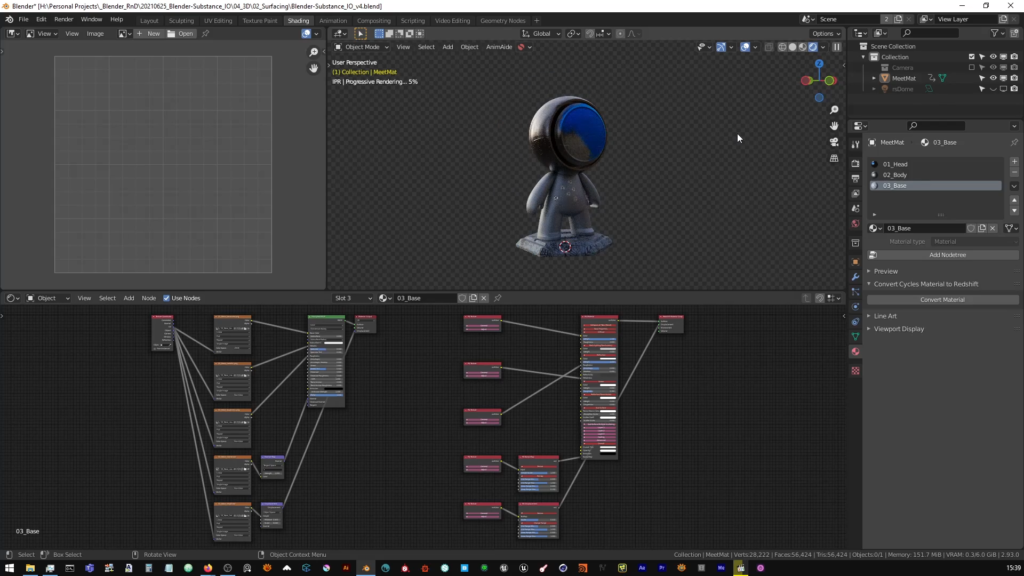
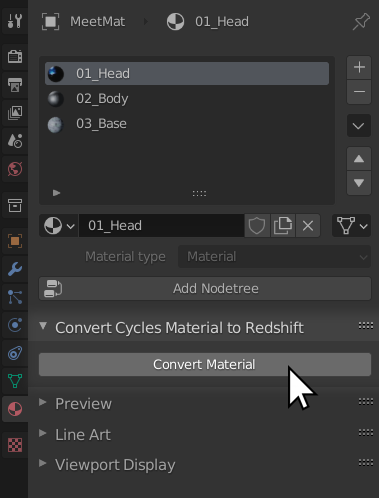
What Does It Do?
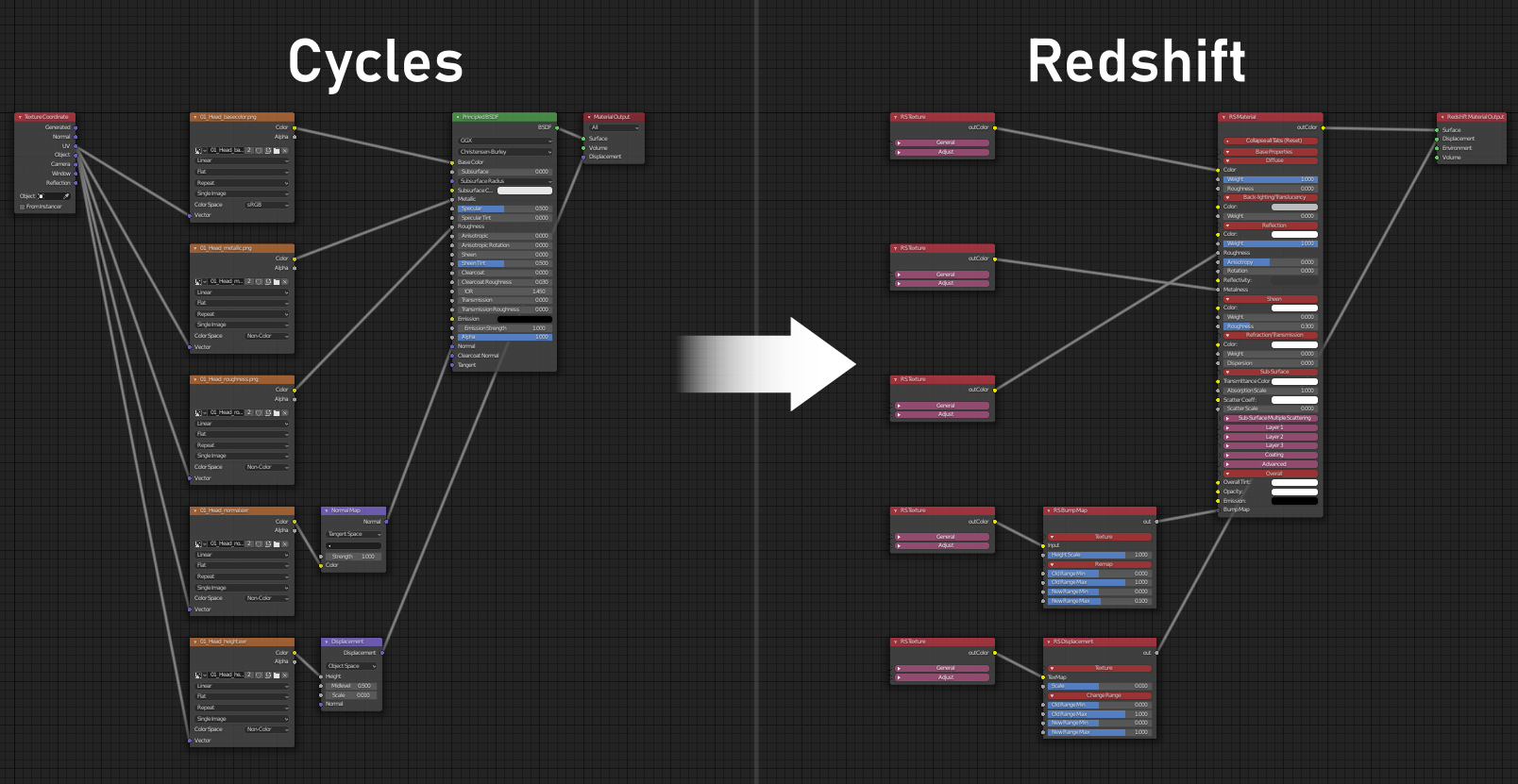
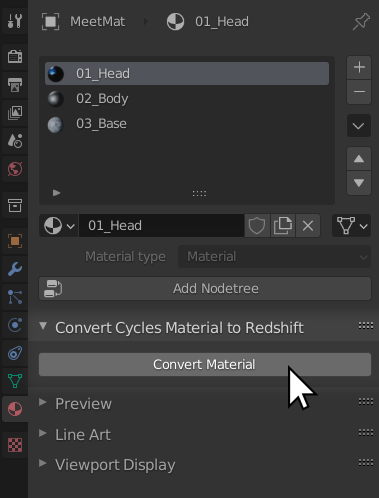
Use this addon to convert Cycles and Eevee based PBR materials, utilizing texture maps from popular tools such as Substance, Quixel Megascans or Polligon; to Redshift materials in Blender in 1-click.
Specifically developed for PBR based workflows. This addon automatically converts map based Cycles and Eevee materials to their Redshift equivalents at the click of a button. With additional support for your own custom maps.
Use it in combination with third party tools such as Quixel Bridge and Xolotl Substance Painter Live Link to revolutionize your shading and rendering workflow in Redshift for Blender!
Screen Shots
See it in Action
Technical Specification
The addon works with both PBR Metalness and PBR Spec-Gloss workflows and automatically sets up the equivalent Redshift shader based on name detection of the maps used in the source Cycles/Eevee material.
Maps supported
- Diffuse/Base Color/Albedo
- Roughness
- Metallic
- Gloss
- Specular
- Normal
- Height/Displacement
- Opacity
- Translucency
- Ambient Occlusion
The addon should automatically detect your PBR textures based on their name. However to ensure a successful conversion, make sure your texture nodes or maps include their respective map type in the name. For example – to detect a roughness map, either the texture on disk or the name of the respective texture node in the Cycles material should have the word “roughness” in its name.
Please Note
This addon will not convert ALL Eevee or Cycles based materials. It is currently only intended for PBR map based materials using linked texture maps. Other types of materials and a wider range of map types will be added in future.
Supercharge your 3D creation workflow with premium selection of Blender Add-ons. Whether you are modeling intricate characters, sculpting realistic environments, or animating cinematic sequences, the right add-on can transform how you work inside Blender. Our curated collection includes powerful tools for UV unwrapping, procedural texture generation, rigging automation, rendering optimization, and more—each rigorously tested for compatibility with the latest Blender versions. Eliminate tedious manual processes and unlock advanced functionality that lets you focus on what matters most: bringing your creative vision to life. Explore our full range of professional Blender plugins today and take your 3D projects to the next level.
➡️ ➡️ For more Blender Plugins 😀 😀
Reviews
There are no reviews yet.